
1. Introduction and Overview
The Apple iPhone 11 Pro is a sophisticated smartphone designed for advanced performance and photography. It features a triple-camera system, a Super Retina XDR display, and the powerful A13 Bionic chip. This device is locked to the Simple Mobile network.
Key features include:
- Triple-camera system (Ultra Wide, Wide, Telephoto) with Night mode and 4K video.
- 5.8-inch Super Retina XDR OLED display.
- A13 Bionic chip with third-generation Neural Engine.
- All-day battery life with fast-charge capability.
- IP68 water and dust resistance (up to 4 meters for 30 minutes).
- Face ID for secure authentication.
2. Setup
2.1 Unboxing and Initial Power On
Carefully remove your iPhone 11 Pro and the included 18W adapter from the packaging. Press and hold the side button until the Apple logo appears to power on the device.
2.2 Carrier Lock and Activation
This iPhone 11 Pro is locked to the Simple Mobile network. It can only be used with Simple Mobile wireless services. You will receive a Simple Mobile SIM kit with your iPhone. Follow the instructions provided in the SIM kit to activate your service with your chosen Simple Mobile plan.
2.3 Basic Setup Steps
- Follow the on-screen prompts to select your language and region.
- Connect to a Wi-Fi network.
- Set up Face ID for secure authentication.
- Create a passcode.
- Restore data from a backup (iCloud or computer) or set up as a new iPhone.
- Sign in with your Apple ID or create a new one.
3. Operating Instructions
3.1 Camera System
The iPhone 11 Pro features a versatile triple-camera system:
- Ultra Wide Camera: For expansive landscape shots and group photos.
- Wide Camera: The primary camera for everyday photography.
- Telephoto Camera: For optical zoom and detailed close-ups.
Utilize Night mode for improved low-light photography, Portrait mode for professional-looking photos with blurred backgrounds, and record stunning 4K videos at up to 60 frames per second.
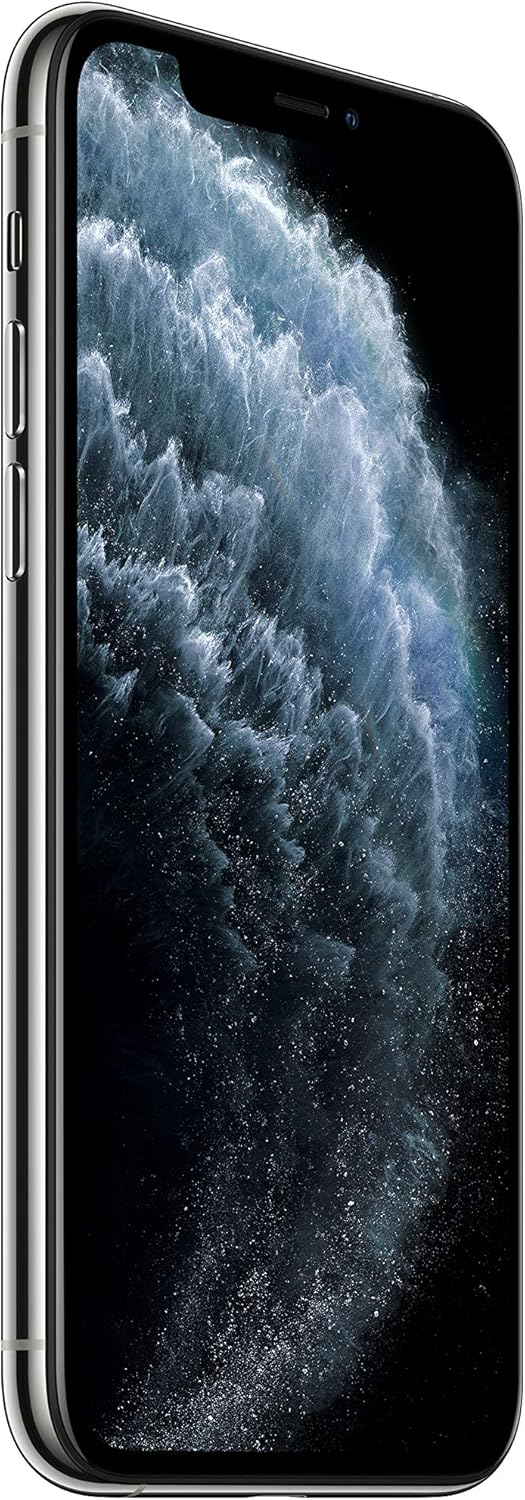
Image: Close-up of the iPhone 11 Pro's triple camera system on the rear.

Image: Side view of the iPhone 11 Pro, showcasing its design and camera module.
3.2 Super Retina XDR Display
The 5.8-inch Super Retina XDR OLED display offers exceptional brightness, contrast, and color accuracy for an immersive viewing experience for HDR movies and shows.

Image: A lineup of iPhone 11 Pro models in various colors, highlighting their displays.
3.3 Performance and Battery
Powered by the A13 Bionic chip with a third-generation Neural Engine, the iPhone 11 Pro delivers unprecedented performance for gaming, augmented reality (AR) applications, and photography. It also provides all-day battery life and supports fast charging with the included 18W adapter.
3.4 Face ID
Face ID enables secure authentication for unlocking your iPhone, making purchases with Apple Pay, and accessing secure applications by recognizing your face.
3.5 Water and Dust Resistance
The iPhone 11 Pro is rated IP68 for water and dust resistance, meaning it can withstand submersion in water up to 4 meters for a maximum of 30 minutes. This resistance is not permanent and may decrease over time with normal wear.

Image: iPhone 11 Pro being splashed with water, illustrating its water resistance.
3.6 Official Product Video
Watch this official video for an overview of the iPhone 11 Pro's features and capabilities.
Video: Official Apple iPhone 11 Pro product video highlighting its camera, performance, and durability.
4. Maintenance
4.1 Cleaning Your iPhone
To clean your iPhone, use a soft, lint-free cloth. Avoid abrasive materials, sprays, solvents, or ammonia-based cleaners. Do not submerge your iPhone in cleaning agents.
4.2 Battery Care
To maximize battery lifespan, avoid exposing your iPhone to extreme ambient temperatures (above 35°C or below 0°C). If storing for an extended period, keep it half-charged.
4.3 Water and Dust Resistance Precautions
While water resistant, avoid intentional submersion. If your iPhone gets wet, wipe it dry with a soft, lint-free cloth. Do not charge a wet iPhone. Liquid damage is not covered under warranty.
5. Troubleshooting
5.1 Common Issues and Solutions
- Device unresponsive: Force restart your iPhone.
- App crashes: Close and reopen the app. If the issue persists, check for app updates or reinstall.
- Poor battery life: Check battery usage in Settings to identify draining apps. Reduce screen brightness or enable Low Power Mode.
- Network connectivity issues: Ensure your Simple Mobile SIM is properly inserted. Toggle Airplane Mode on and off. Reset network settings if necessary.
5.2 Software Updates
Ensure your iPhone is running the latest iOS version. Go to Settings > General > Software Update to check for and install updates.
6. Specifications
| Feature | Detail |
|---|---|
| Brand | Apple |
| Model Name | iPhone 11 Pro |
| Operating System | iOS |
| Memory Storage Capacity | 64 GB |
| Screen Size | 5.8 Inches |
| Wireless Carrier | Tracfone (Simple Mobile) |
| Cellular Technology | GSM |
| Connectivity Technology | Bluetooth, Wireless |
| Color | Silver |
| Wireless Network Technology | CDMA, GSM, LTE, Wi-Fi |
| Connector Type | Lightning |
| Form Factor | Smartphone |
| Biometric Security Feature | Face Recognition |
| Water Resistance Level | Water Resistant (IP68) |
| Model Year | 2019 |
| Built-In Media | Adapter |
| Manufacturer | Apple |
| UPC / GTIN | 190199392540 |
| Item Type Name | iPhone |
| Display Type | OLED |
| Camera Description | Front, Rear (Triple-camera system) |
| Battery Description | Lithium-Ion |
| Item Dimensions | 6.38 x 3.5 x 2.05 inches |
7. Warranty and Support
7.1 Product Warranty
The Apple iPhone 11 Pro typically comes with a 1-year limited warranty from Apple, covering manufacturing defects. Please refer to Apple's official warranty documentation for full terms and conditions.
7.2 Technical Support
For technical assistance with your iPhone, visit the official Apple Support website or contact Apple customer service. For carrier-specific issues, such as network service, billing, or plan details, please contact Simple Mobile customer support directly.