
Product Overview
The Anker PowerCore+ 26800 PD 45W is a high-capacity portable power bank designed to provide high-speed charging for a wide range of USB-C and USB-A devices. With its robust 26800mAh cell capacity and 45W Power Delivery output, it can efficiently charge laptops, tablets, and smartphones. The bundle includes a 60W wall charger for rapid recharging of the power bank itself.
Key features include a 45W USB-C port for fast laptop charging and two 15W USB-A ports for optimized charging of phones and tablets. Its large capacity ensures your mobile devices remain charged for extended periods.

Image: Anker PowerCore+ 26800mAh portable charger, 60W wall charger, and USB-C to C cable.
Video: Anker 537 Power Bank (PowerCore 26K for Laptop) - This video provides a visual overview of the power bank's features and design.
What's in the Box
Your Anker PowerCore+ 26800mAh PD 45W package includes the following items:
- Anker PowerCore+ 26800mAh Portable Charger
- Anker 60W Wall Charger
- USB-C to C Cable
- Travel Pouch
- User Manual

Image: Package contents of the Anker PowerCore+ 26800mAh.
Setup
Charging the Power Bank
To ensure optimal performance, fully charge your PowerCore+ before first use. The included 60W wall charger significantly reduces recharge time.
- Connect the included 60W wall charger to a power outlet.
- Use the provided USB-C to C cable to connect the wall charger to the USB-C (IN/OUT) port on the PowerCore+.
- The LED indicator on the PowerCore+ will show charging progress. A full recharge takes approximately 3.5 hours.

Image: Rapid recharging of the Anker PowerCore+ 26800mAh.
Operating Instructions
Charging Your Devices
The PowerCore+ offers versatile charging options for various devices:
- USB-C Port (45W PD Output): Use this port with a USB-C to C cable to charge compatible laptops (e.g., 13-inch MacBook Pro, Dell XPS 13), tablets (e.g., iPad Pro), and smartphones at high speed.
- USB-A Ports (15W Output): Use these two ports with appropriate USB-A cables to charge smartphones (e.g., iPhone 14/13/12 Series, Galaxy S9) and other USB-charged devices.
- Simultaneous Charging: You can charge multiple devices concurrently. For example, charge a laptop via the USB-C port and a phone via a USB-A port simultaneously.
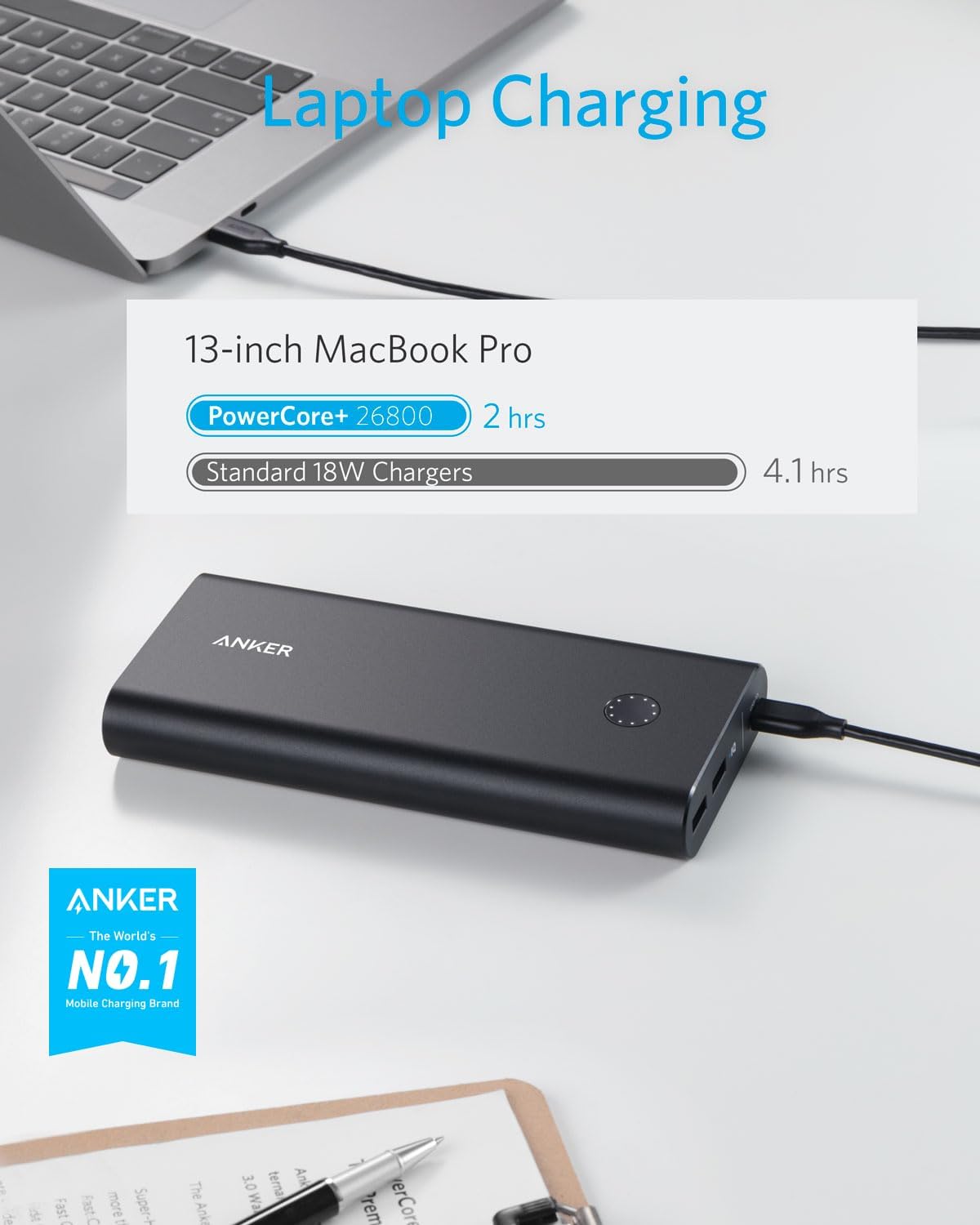
Image: Laptop charging speed comparison with Anker PowerCore+.

Image: Charging capacity examples for various devices.

Image: Simultaneous charging of a laptop and a phone.
Trickle-Charging Mode
For low-power devices such as earphones, Bluetooth speakers, or other accessories, activate trickle-charging mode to provide optimized charging.
- Press the power button twice or press and hold for 2 seconds until the LED indicator turns green.
- Connect your low-power device to the PowerCore+ using the appropriate cable.
- The green LED indicates trickle-charging mode is active.
Device Compatibility
The Anker PowerCore+ 26800mAh PD 45W is compatible with a broad range of devices, including:
- Laptops: Dell XPS laptops, USB-C MacBooks, HP Spectre, Lenovo, Huawei MateBook.
- Tablets: iPad Pro (10.5-inch, 11-inch, 12.9-inch).
- Phones: iPhone 8 / X / XS / XR / 11 / 12 / 13 / 14 Series (Lightning cable required), Android smartphones and tablets (including Nexus 7), Samsung, Google Pixel, LG.
- And other USB-charged devices.

Image: Wide compatibility with laptops, tablets, and phones.
Important Safety Information
Please observe the following important notes and warnings to ensure safe and effective use of your Anker PowerCore+:
- Incompatible with HP EliteBook 1050 G1 (150W).
- Incompatible with ThinkPad X390.
- When the temperature is below 5°C, not compatible with Dell XPS 13 9360 (45W), Lenovo IdeaPad 720S 13 (45W), HP EliteBook 830 G5, HP PavGaming, Mi Notebook Air (45W), ThinkPad E490 (45/65W), HP EliteBook 1050 G1.
- When charging 45W devices, ensure the portable charger has at least 3 LEDs illuminated; otherwise, the charging speed may be insufficient.
- Disconnect your USB-C to Lightning cable when not in use to avoid draining the battery.
- Anker PowerPort Strip PD 3 USB-C power strip’s USB-C Power Delivery port cannot recharge this device.
- 26,800mAh is the total of the nominal rated capacity of internal battery cells.
Technical Specifications
| Feature | Specification |
|---|---|
| Product Dimensions | 7.68 x 3.54 x 2.36 inches |
| Item Weight | 1.61 pounds |
| Item Model Number | B1376 |
| Battery Type | 1 Lithium Ion batteries (included) |
| Battery Capacity | 26800 Milliamp Hours |
| Connector Type | Micro USB, USB USB C |
| Color | Black |
| Manufacturer | Anker |
Troubleshooting
If you encounter issues with your PowerCore+, consider the following:
- Slow Charging: Ensure you are using the provided 60W wall charger and USB-C to C cable for optimal recharge speed. For 45W device charging, verify at least 3 LEDs are illuminated on the PowerCore+.
- Device Not Charging: Check that the PowerCore+ is sufficiently charged. Ensure cables are securely connected to both the PowerCore+ and your device. For low-power devices, activate trickle-charging mode.
- Incompatibility: Refer to the Important Safety Information section for a list of known incompatible devices and specific temperature-related limitations for certain laptops.
- Battery Drain: Disconnect charging cables from the PowerCore+ when not in use to prevent passive battery discharge.
Warranty and Customer Support
Anker products typically come with a limited warranty. For specific warranty details, product registration, or technical support, please visit the official Anker website or contact their customer service directly. Keep your purchase receipt for warranty claims.
For further assistance, you may visit the Anker Store on Amazon.


