
Fujifilm X-A7
Fujifilm X-A7 Mirrorless Digital Camera Instruction Manual
Model: X-A7 with XC15-45mm F3.5-5.6 OIS PZ Lens
1. Introduction
This manual provides essential information for the safe and effective use of your Fujifilm X-A7 Mirrorless Digital Camera. The X-A7 features a 24.2MP APS-C CMOS image sensor, a large 3.5-inch 16:9 wide touchscreen LCD, and advanced video capabilities. Please read this manual thoroughly before using the camera and keep it in a safe place for future reference.
2. What's in the Box
Upon opening your Fujifilm X-A7 package, verify that all the following items are included:
- Fujifilm X-A7 Camera Body
- XC15-45mm F3.5-5.6 OIS PZ Lens
- Rechargeable Li-ion Battery (NP-W126S)
- USB Cable
- Shoulder Strap
- Body Cap
- Lens Cap
- Owner's Manual (this document)
3. Camera Components
Familiarize yourself with the various parts of your camera.

Figure 3.1: Front View of Fujifilm X-A7 Camera. This image displays the Fujifilm X-A7 camera body in silver, with the XC15-45mm F3.5-5.6 OIS PZ lens attached. The lens features a silver barrel with black rings, and the camera body has a silver top plate and black textured grip. The X-A7 logo is visible on the front.
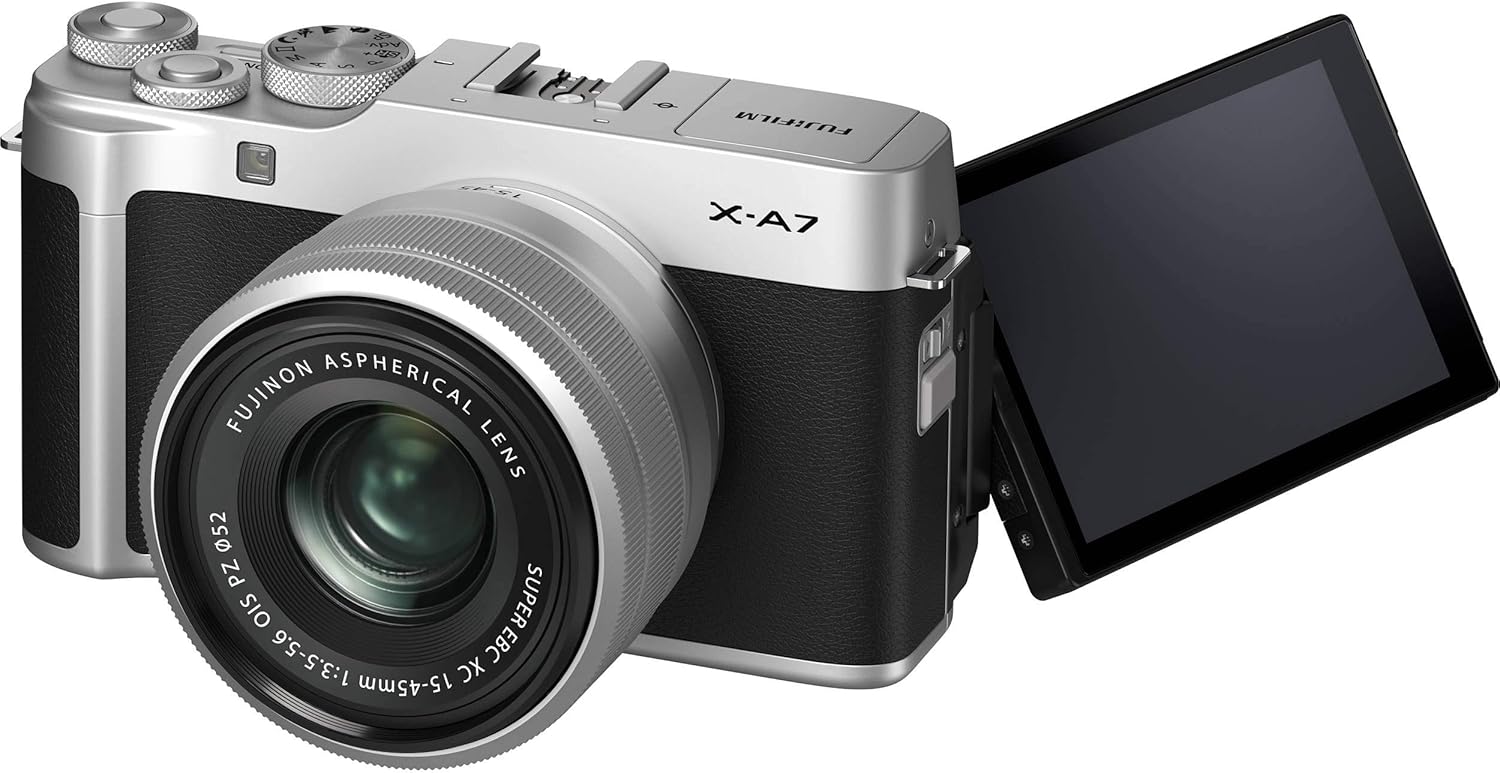
Figure 3.2: Fujifilm X-A7 with Articulating Screen. This image shows the Fujifilm X-A7 camera from a slight angle, with its 3.5-inch touchscreen LCD fully extended and rotated to the side. This articulating screen allows for flexible viewing angles, useful for vlogging or shooting from high/low perspectives.

Figure 3.3: Fujifilm X-A7 with Pop-up Flash. The camera is shown with its built-in pop-up flash raised, indicating its readiness for use in low-light conditions. The top plate features various dials and buttons for control.

Figure 3.4: Side View of Fujifilm X-A7. This image highlights the side of the camera body, revealing the HDMI port and other connectivity options, typically protected by a cover.
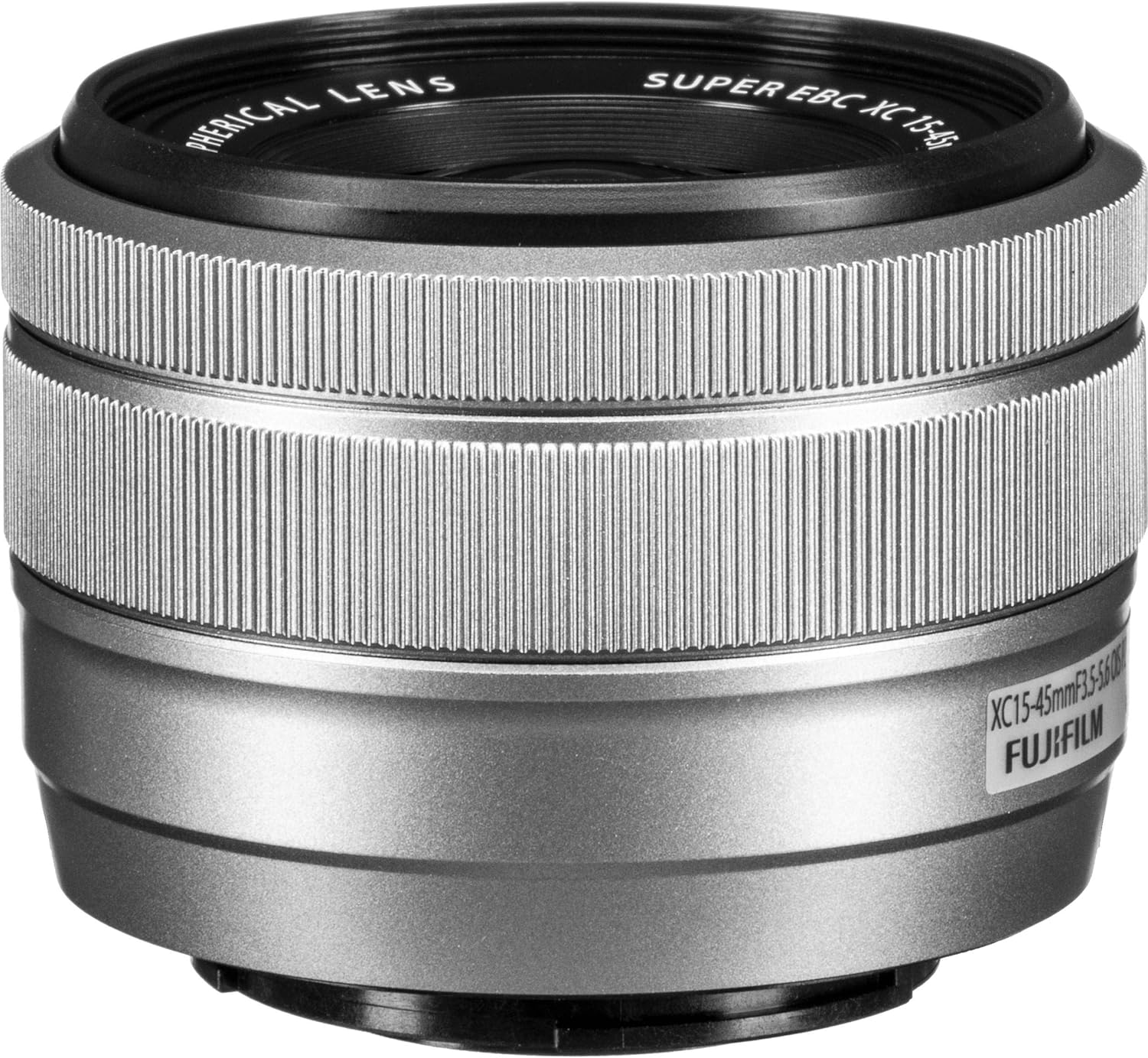
Figure 3.5: Front View of XC15-45mm Lens. A close-up of the Fujifilm XC15-45mm F3.5-5.6 OIS PZ lens, showing the front element and the filter thread. The lens is a power zoom (PZ) type, designed for compact size and smooth operation.
4. Setup
4.1 Charging the Battery
- Insert the supplied NP-W126S battery into the camera.
- Connect the camera to a USB power source using the provided USB cable. The charging indicator light will illuminate.
- Charging is complete when the indicator light turns off. A full charge typically takes approximately 150 minutes.
4.2 Inserting a Memory Card
The camera supports SD, SDHC, and SDXC memory cards. Ensure the card is inserted correctly to avoid damage.
- Open the battery/memory card cover on the bottom of the camera.
- Insert the memory card with the label facing the rear of the camera until it clicks into place.
- Close the cover securely.
4.3 Attaching the Lens
- Remove the body cap from the camera and the rear lens cap from the lens.
- Align the white dot on the lens with the white dot on the camera body.
- Mount the lens by rotating it clockwise until it clicks into place.
- Remove the front lens cap.
5. Operating Instructions
5.1 Powering On/Off
To turn the camera on, slide the power switch to the ON position. To turn it off, slide the switch to OFF.
5.2 Basic Photography
- Select a Shooting Mode: Rotate the mode dial to choose a shooting mode (e.g., AUTO, P, S, A, M). For beginners, AUTO mode is recommended.
- Frame Your Shot: Use the 3.5-inch touchscreen LCD to compose your image.
- Focus: Half-press the shutter button to activate autofocus. The camera will focus on the subject.
- Shoot: Press the shutter button fully to take a picture.
5.3 Using the Touchscreen
The X-A7 features a highly responsive touchscreen interface. You can:
- Tap to Focus: Touch the screen to select a focus point.
- Touch to Shoot: Tap the screen to focus and immediately take a picture.
- Swipe: Swipe left or right to browse images in playback mode.
- Pinch-to-Zoom: Use two fingers to zoom in or out on images.
- Access Menus: Tap on icons to navigate camera settings and functions.
5.4 Video Recording
The X-A7 supports 4K DCI 2160p video recording at 24 or 30 frames per second.
- Rotate the mode dial to the movie mode icon.
- Press the dedicated movie record button to start recording.
- Press the movie record button again to stop recording.
6. Maintenance
6.1 Cleaning the Camera
- Camera Body: Use a soft, dry cloth to wipe the camera body. For stubborn dirt, lightly dampen the cloth with water.
- Lens: Use a lens blower to remove dust, then gently wipe with a lens cleaning cloth. Avoid touching the lens surface with your fingers.
- Sensor: Sensor cleaning should ideally be performed by a qualified service technician.
6.2 Storage
- Store the camera in a cool, dry, well-ventilated area, away from direct sunlight and high humidity.
- Remove the battery if the camera will not be used for an extended period.
- Keep the camera in a camera bag or case to protect it from dust and physical damage.
7. Troubleshooting
Refer to the table below for common issues and their solutions.
| Problem | Solution |
|---|---|
| Camera does not turn on. | Ensure the battery is charged and correctly inserted. Check if the battery contacts are clean. |
| Images are blurry. | Check focus settings. Ensure the lens is clean. Use a faster shutter speed or image stabilization in low light. |
| Memory card error. | Ensure the memory card is inserted correctly. Try formatting the card (this will erase all data). Use a different memory card. |
| Flash does not fire. | Check flash mode settings. Ensure the flash is popped up. The flash may not fire if the ambient light is sufficient. |
| Cannot connect to smartphone via Wi-Fi/Bluetooth. | Ensure the Fujifilm Camera Remote app is installed on your smartphone. Restart both the camera and smartphone. Check network settings. |
8. Specifications
| Feature | Detail |
|---|---|
| Model Name | X-A7 Kit |
| Sensor Type | APS-C CMOS |
| Effective Still Resolution | 24.2 MP |
| Lens Mount | Fujifilm X Mount |
| Included Lens | XC15-45mm F3.5-5.6 OIS PZ |
| Display | 3.5-inch Articulating Touchscreen LCD |
| Video Resolution | 4K DCI 2160p (24/30 FPS) |
| Image Stabilization | Digital (Lens OIS) |
| Autofocus Technology | Phase Detection |
| Continuous Shooting | 8 fps |
| ISO Sensitivity | Expanded ISO 100-51200 |
| Connectivity | USB, HDMI, Bluetooth, Wi-Fi |
| Supported File Format | JPEG, RAW |
| Battery Type | Fuji NP-W126S Lithium Ion |
| Item Weight | 11 Ounces (approx. 312g) |
9. Warranty and Support
9.1 Manufacturer's Warranty
This Fujifilm X-A7 camera comes with a 1-year manufacturer's warranty. This warranty covers defects in materials and workmanship under normal use. Please retain your proof of purchase for warranty claims.
9.2 Customer Support
For technical assistance, service, or further information, please visit the official Fujifilm website or contact their customer support directly. Contact details can typically be found on the Fujifilm website or in the warranty card included with your product.
Related documentsX-A7


Ask a question about this manual
Ask about setup, troubleshooting, compatibility, parts, safety, or missing instructions. Manuals+ will review the question and use this page’s manual context to help answer it.