
1. Introduction
This manual provides instructions for the installation, operation, and maintenance of the Runleader Digital Hour Meter, Model RL-HM057AD-H. This device is designed to accurately track the total operating hours of equipment and provide maintenance reminders, ensuring timely service and optimal performance.

Figure 1: Front view of the Runleader Digital Hour Meter.
2. Product Features
- Hour Meter Function: Accumulates total working hours when the machine is operational. Total hours range from 0 to 99,999 hours.
- Maintenance Reminder: Provides a reminder for regular maintenance tasks, typically set for every 50 hours.
- Wide Voltage Application: Compatible with DC 5V to 60V systems.
- Water Resistance: Constructed with 100% epoxy resin craft, offering strong water resistance up to IP68 standards, allowing normal operation in up to 10 meters underwater.
- Automatic Data Storage: Working data is saved automatically by an internal CMOS EEPROM system when power is off.

Figure 2: Total hours recording display. The hourglass icon flashes during operation.

Figure 3: Maintenance timer display, showing 'CHG OIL' and 'IN' or 'NOW' reminders.
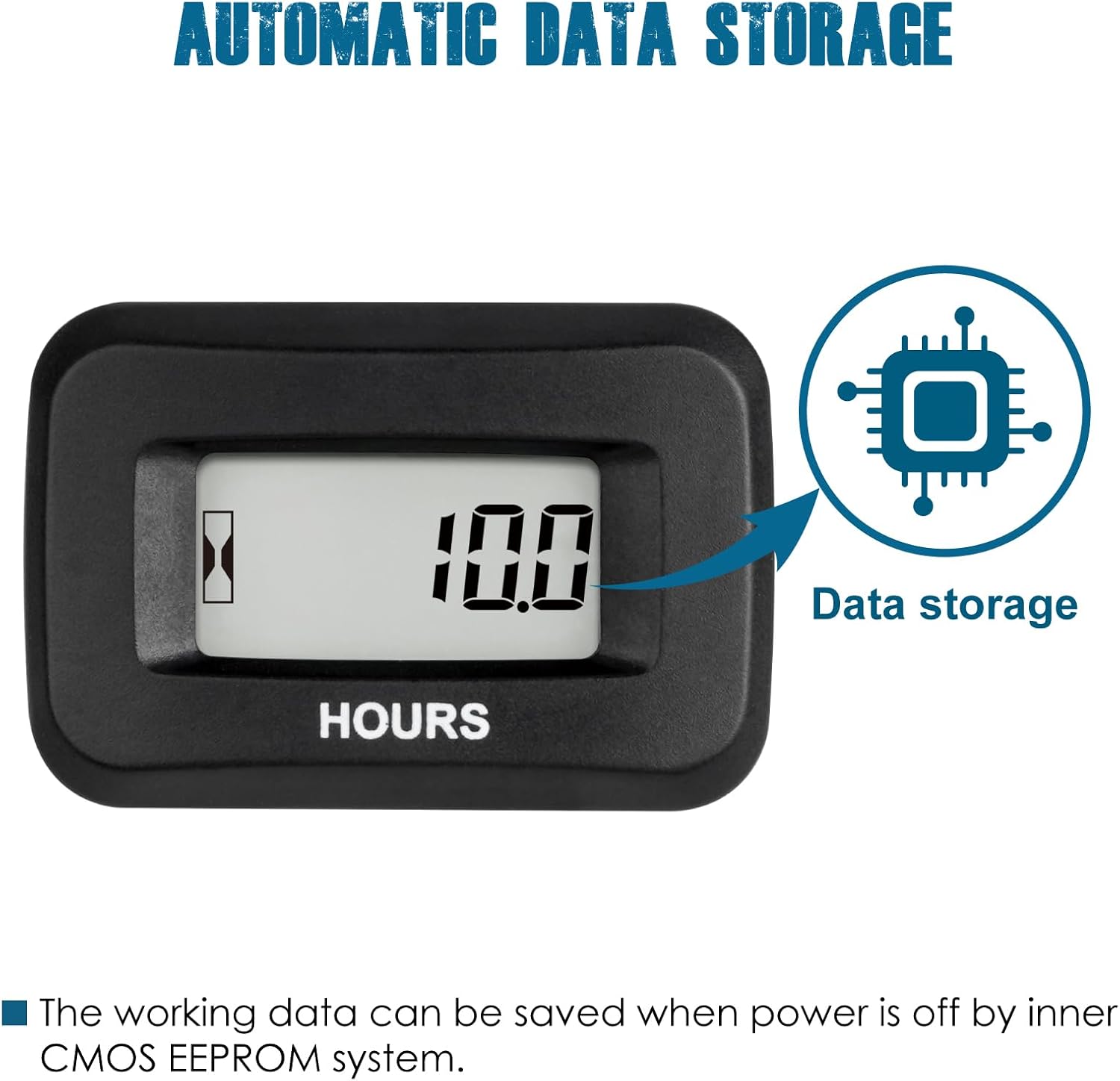
Figure 4: Illustration of the automatic data storage feature using EEPROM.

Figure 5: Water resistance testing, highlighting the IP68 waterproof rating.
3. Safety Information
WARNING: INGESTION HAZARD
This product contains a button cell or coin battery. Serious injury can occur if ingested. A swallowed button cell or coin battery can cause internal chemical burns in as little as 2 hours. Keep new and used batteries OUT OF REACH OF CHILDREN. Seek immediate medical attention if a battery is suspected to be swallowed or inserted inside any part of the body.

Figure 6: Multi-language warning regarding button cell battery ingestion hazard.
4. Setup and Installation
Carefully follow these instructions to ensure proper installation and operation of your hour meter.
4.1. Panel Cut-out and Mounting
- Drill a mounting hole in the desired location. The recommended panel cut-out size is 37.50mm (1.48 inches) by 24.50mm (0.96 inches).
- Insert the hour meter into the prepared hole. The meter is designed for snap-in mounting.
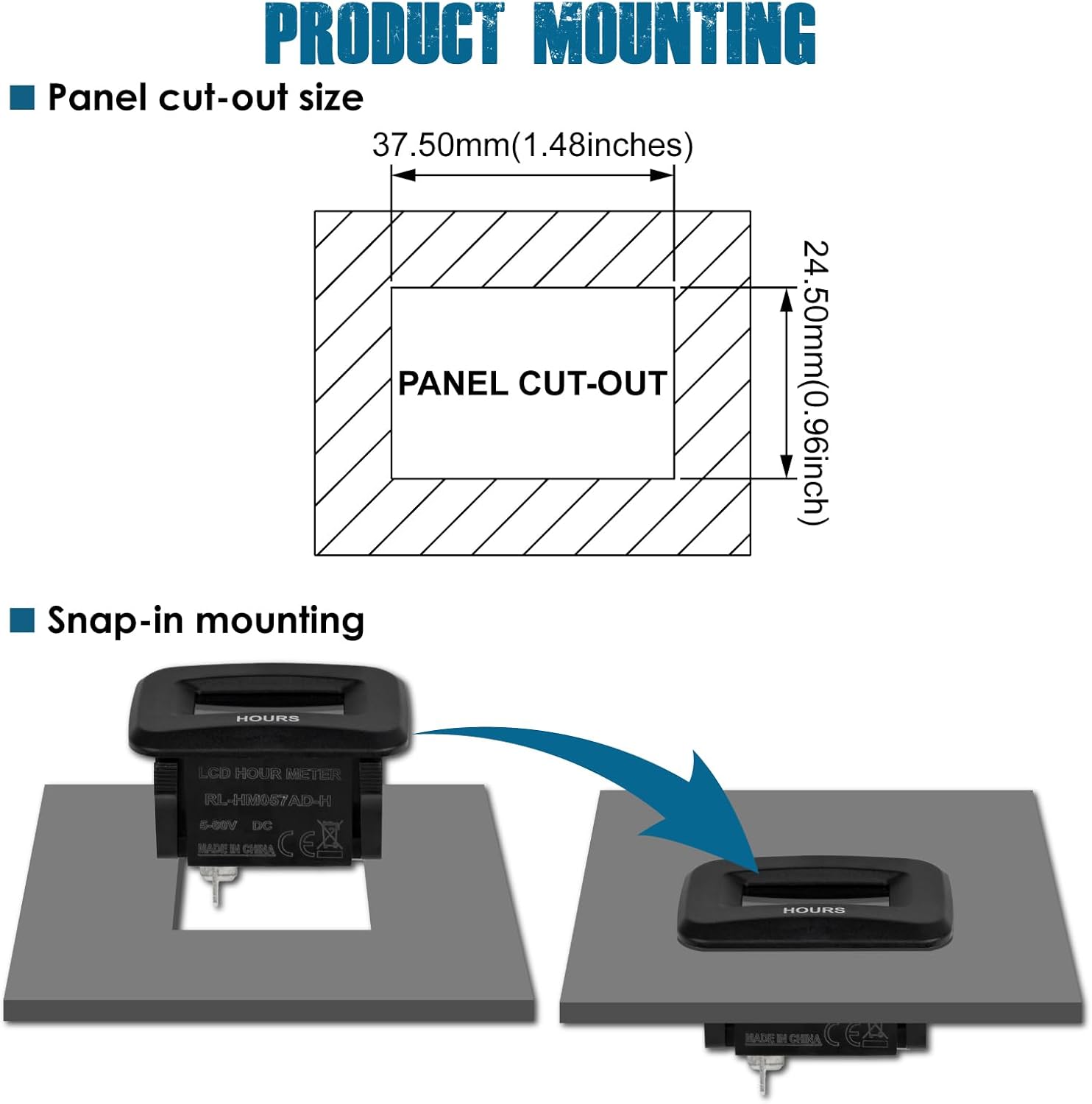
Figure 7: Panel cut-out dimensions and visual guide for snap-in mounting.
4.2. Power Connection
This product requires a DC power supply. Distinguish between positive and negative terminals. Do not connect to AC power supply. The operating voltage is 5-60V DC.
- Connect the red wire to the positive (+) terminal of your DC power source.
- Connect the black wire to the negative (-) terminal of your DC power source.
The hour meter will begin timing when the positive and negative poles are correctly connected and power is supplied.

Figure 8: Wiring diagrams for direct power connection and connection via an ignition switch.
5. Operating Instructions
5.1. Timing Function
The hour meter automatically begins to record total working hours when the machine is powered on and the meter receives voltage within its specified range (DC 5V to 60V). The hourglass icon on the display will flash to indicate active timing. The total hours range from 0 to 99,999 hours. The display resolution is 0.1H for 0-9999.9H and 1H for 10000-99999H. The total hours cannot be reset to zero; after reaching 99,999 hours, it will restart recording from 0.
Note: For some riding lawn mowers, the hour meter may only record when the operator is seated, enabling a pressure switch.
5.2. Automatic Data Storage
The hour meter is equipped with an internal CMOS EEPROM system that automatically saves all accumulated working data. This ensures that recorded hours are retained even when the power supply to the meter is disconnected.
6. Maintenance
6.1. Maintenance Reminder
The product features a maintenance timer, defaulted to 50 hours. This reminder helps users perform regular service tasks. The reminder sequence is as follows:
- Advance Reminder: Approximately 2 hours before the 50-hour interval is reached, the display will flash "CHG OIL" and "IN" with the remaining time (e.g., "IN 1.5") alternatively.
- Arrival Reminder: Once the 50-hour interval is reached, the display will flash "CHG OIL" and "NOW" alternatively.
These interfaces will display for 10 seconds, three times, to remind the user of the impending or due maintenance.
7. Specifications
| Item | Parameter / Description |
|---|---|
| Housing Case Material | Acrylonitrile Butadiene Styrene (ABS) |
| Waterproof Rate | IP68 |
| Display Mode | LCD |
| Hours Range | 0-99999H |
| Display Window Size (Visible) | 24.5mm x 12.5mm |
| Product Weight | 32 Grams (1.13 ounces) |
| Product Dimensions (L x W x H) | 46mm x 31mm x 36.7mm (1.73 x 1.46 x 1.18 inches) |
| Working Voltage | DC 5-60V |
| Manufacturer Part Number | RL-HM057AD-H |
| UPC | 791328973700 |
| Batteries | 1 Lithium Metal battery (included) |

Figure 9: Detailed product specifications and dimensional drawing.
8. Troubleshooting
If you encounter issues with your Runleader Digital Hour Meter, consider the following:
- Meter Not Displaying or Timing:
- Verify that the positive and negative power connections are correctly made and secure.
- Ensure the DC voltage supplied is within the 5V to 60V operating range.
- For certain equipment, such as riding lawn mowers, ensure all safety switches (e.g., seat pressure switch) are engaged for the meter to receive power and begin recording.
- Incorrect Hour Readings:
- The meter records hours whenever it receives power. Ensure the power source is only active when the machine is intended to be running to avoid accumulating false hours.
- Unit Malfunction or Damage:
- If the unit exhibits unexpected behavior, such as overheating or smoke, immediately disconnect power. This may indicate an incorrect installation, incompatible voltage, or a defective unit. Ensure the correct voltage is applied and connections are secure.
- Do not attempt to disassemble or repair the product yourself.
9. Warranty and Support
The Runleader Digital Hour Meter comes with reliable after-sales service and technical support for 2 years from the date of purchase. For any technical assistance, warranty claims, or further inquiries, please contact Runleader customer support through your purchase channel or the official Runleader website.


