
1. Introduction
The OREI HD-EXC330-K HDMI over Ethernet Extender provides lossless transmission of HDMI audio/video signals to a distant display. This kit supports extending HDMI signals up to 330 feet (100 meters) at full HD 1080p resolution over a single Cat5e/Cat6 cable. It includes an HDMI loop-out on the transmitter for local monitoring and offers IR control for remote source management. This manual provides detailed instructions for setup, operation, and maintenance.
2. Package Contents
Upon opening the package, verify that all the following items are included:
- 1x HDMI Transmitter Module (HD-EXC330-K TX)
- 1x HDMI Receiver Module (HD-EXC330-K RX)
- 2x 5V DC Power Adapters
- 1x IR Blaster Cable
- 1x IR Receiver Cable
- 2x Sticky Pads (for IR cables)
- 1x User Manual

Image: OREI HD-EXC330-K HDMI Extender Transmitter and Receiver Units.
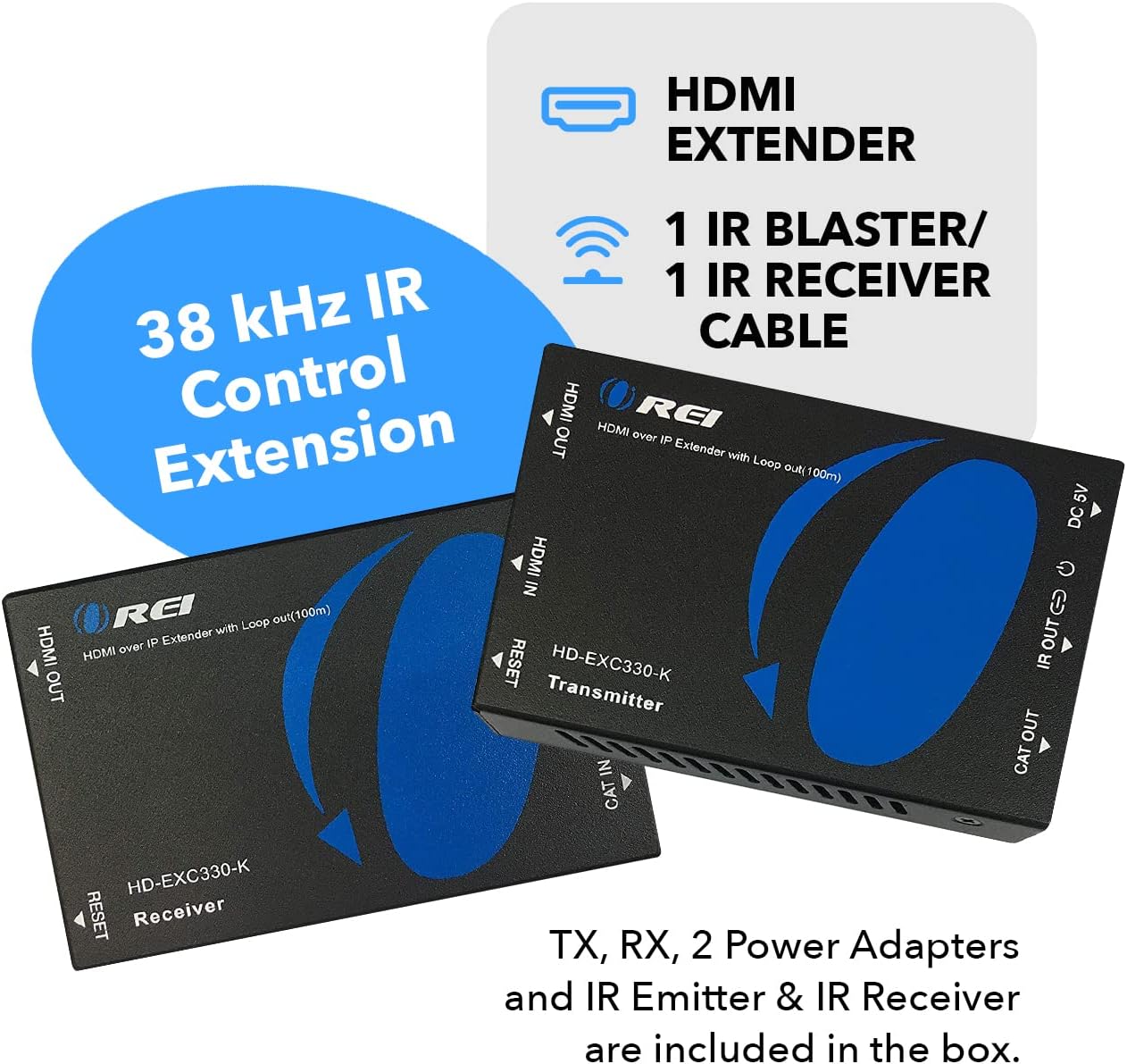
Image: Complete package contents of the OREI HD-EXC330-K kit.
3. Product Features
- Extended Transmission: Extends HDMI signals up to 330 feet (100 meters) at full HD 1080p (50/60Hz) using a single Cat5e/Cat6 cable.
- HDMI Loop Out: Additional HDMI output on the transmitter allows connection to a local display for monitoring the source content.
- IR Control Extension: Supports 38 kHz frequency IR control, enabling remote control of the source device from the secondary display location.
- HDCP Compliance: Compliant with HDCP 1.4.
- Video Resolution Support: Supports 480i/480p/720p/1080i/1080p at 50/60Hz.
- Audio Support: Supports 2-channel stereo audio.
- Image Compression: Applies M-JPEG technique for efficient image compression with minimal quality loss.
- Plug and Play: No driver installation required.
- Expandable: Supports one-to-many connection options with additional receivers (sold separately) and a network switch.

Image: OREI HD-EXC330-K highlighting 1080p Full HD Signal Distribution.

Image: Diagram showing the HDMI signal extension capability of 330 feet.
4. Setup and Installation
Follow these steps to set up your OREI HD-EXC330-K HDMI Extender:
- Connect HDMI Source to Transmitter: Connect your HDMI source device (e.g., DVD player, game console, cable box) to the HDMI IN port on the Transmitter module using an HDMI cable.
- Connect Local Display (Optional): If you wish to monitor the content at the primary location, connect a local display to the HDMI OUT (Loop Out) port on the Transmitter module using an HDMI cable.
- Connect Cat5e/Cat6 Cable: Connect a single Cat5e/Cat6 cable from the CAT OUT port on the Transmitter module to the CAT IN port on the Receiver module. Ensure the cable is of high quality for optimal performance, especially for longer distances.
- Connect Remote Display: Connect your remote display (TV, monitor) to the HDMI OUT port on the Receiver module using an HDMI cable.
- Connect IR Cables:
- Plug the IR Blaster cable (smaller module) into the IR OUT port on the Transmitter. Position the IR Blaster head near the IR sensor of your HDMI source device.
- Plug the IR Receiver cable (larger module) into the IR IN port on the Receiver. Position the IR Receiver head where it can receive signals from your remote control.
- Apply Power: Connect the two 5V DC power adapters to the DC 5V ports on both the Transmitter and Receiver modules. Plug the power adapters into electrical outlets.
- Verify Connection: Once powered, the indicator lights on both units should illuminate, and the remote display should show the content from your HDMI source. If not, press the 'RESET' button on both units to resync.

Image: Point-to-point connection diagram for the OREI HD-EXC330-K.

Image: One-to-many connection diagram using a network switch and multiple receivers.
Video: Detailed overview and setup guide for the OREI HDMI Extender. This video demonstrates unboxing, component identification, media compatibility, supported products, and a step-by-step connection process for the extender kit.
5. Operating Instructions
The OREI HD-EXC330-K is designed for simple plug-and-play operation. Once all connections are made and power is supplied, the system will automatically detect and transmit the HDMI signal.
- IR Remote Control: Use your original remote control at the remote display location. The IR Receiver will capture the signal, transmit it via the Cat5e/Cat6 cable to the Transmitter, and the IR Blaster will re-broadcast it to your source device. This allows you to control your source device (e.g., change channels, navigate menus) from the secondary room.
- Loop Out Functionality: The HDMI Loop Out port on the Transmitter allows simultaneous viewing of the source content on a local display while it is being extended to the remote location. This is useful for monitoring or having content available in two different areas.
- One-to-Many Distribution: For distributing a single HDMI source to multiple remote displays, additional Receiver units (sold separately) can be connected via a network switch. Refer to the connection diagrams for proper setup in a one-to-many configuration.

Image: OREI HD-EXC330-K illustrating support for IR transmission.
6. Media Supported
The OREI HD-EXC330-K supports a wide range of media standards:
- Supports Full HD 1080p at 50/60Hz.
- HDMI 1.3 Support.
- HDCP 1.4 Compliant.
- Local Video Loopback function.

Image: List of media standards supported by the OREI HD-EXC330-K.
7. Supported Devices
This product is compatible with most modern media devices, including but not limited to:
- DVD Players
- Game Consoles
- Streaming Devices (e.g., Roku, Apple TV)
- Home Surveillance Systems
- Cable Boxes
8. Specifications
| Feature | Detail |
|---|---|
| Product Dimensions | 2.8 x 2.6 x 1 inches |
| Item Weight | 0.704 ounces |
| Model Number | HD-EXC330-K |
| Compatible Devices | HDMI output devices |
| Connector Type | HDMI |
| Color | Black |
| Manufacturer | Orei |
| Date First Available | August 30, 2019 |

Image: Technical specifications and dimensions of the OREI HD-EXC330-K Transmitter.
9. Troubleshooting
If you encounter issues with your OREI HD-EXC330-K, please refer to the following common troubleshooting steps:
- No Picture/Signal:
- Ensure all HDMI and Cat5e/Cat6 cables are securely connected.
- Verify both the Transmitter and Receiver units are powered on and their indicator lights are active.
- Try pressing the 'RESET' button on both units to re-establish the connection.
- Test with a shorter, known-good Cat5e/Cat6 cable to rule out cable issues.
- Ensure your display is set to the correct HDMI input.
- Check the resolution of your source device; ensure it is supported by the extender (up to 1080p).
- IR Remote Not Working:
- Ensure the IR Blaster head is directly aligned with the IR sensor on your source device.
- Ensure the IR Receiver head is positioned to receive signals from your remote control.
- Verify the IR cables are securely plugged into the correct ports (IR OUT on TX, IR IN on RX).
- Picture Flickering/Intermittent Signal:
- Use high-quality Cat5e/Cat6 cables, preferably shielded, especially for longer runs.
- Ensure the Cat5e/Cat6 cable is not running parallel to power lines or other sources of electromagnetic interference.
- Check for loose connections.
10. Maintenance
The OREI HD-EXC330-K requires minimal maintenance to ensure long-term performance:
- Keep the units in a cool, dry place, away from direct sunlight and excessive heat.
- Avoid exposing the units to moisture or liquids.
- Clean the units with a soft, dry cloth. Do not use harsh chemicals or abrasive cleaners.
- Ensure proper ventilation around the units to prevent overheating.
11. Warranty and Support
OREI provides a 1-year manufacturer's warranty for the HD-EXC330-K HDMI Extender. This warranty covers defects in materials and workmanship under normal use.
For technical support, warranty claims, or any questions regarding your product, please contact OREI customer service:
- Email: info@orei.com
- Online Support: Visit the OREI Store on Amazon for additional resources and product information.


