
Silva Schneider 243015
Silva Schneider Mono 1965 Portable Retro Radio User Manual
Model: 243015
1. Introduction
Thank you for purchasing the Silva Schneider Mono 1965 Portable Retro Radio. This manual provides essential information for the safe and efficient operation of your device. Please read it thoroughly before use and retain it for future reference.

Figure 1.1: Front view of the Silva Schneider Mono 1965 portable retro radio. This image displays the radio's front panel, including the speaker grille, tuning dial, and "Radio" branding, all in a classic beige finish.
2. Important Safety Instructions
- Read all instructions carefully before operating the device.
- Keep this manual for future reference.
- Do not expose the device to rain or moisture to prevent fire or electric shock.
- Do not block any ventilation openings.
- Ensure the power adapter voltage matches your local power supply.
- Unplug the device during lightning storms or when unused for long periods.
- Do not attempt to repair the unit yourself. Refer all servicing to qualified personnel.
- Dispose of batteries responsibly according to local regulations.
3. Package Contents
Please check that all items are present and in good condition:
- Silva Schneider Mono 1965 Retro Radio
- AC Power Adapter
- User Manual
4. Product Overview
Familiarize yourself with the radio's components and controls.

Figure 4.1: Top view of the radio with various ports and controls. This image highlights the AUX input, SD card slot, USB port, and control buttons for playback and mode selection.

Figure 4.2: Side view of the radio, illustrating the rotary tuning and volume controls. The telescopic antenna is also visible in its extended position.
4.1. Features
- FM Radio with telescopic antenna
- USB port for MP3 playback
- SD card slot for MP3 playback
- AUX input for external audio devices
- Headphone jack
- Foldable carrying handle
- Dual power options: AC adapter or 4 x LR14 batteries
- 20 W P.M.P.O. audio output
5. Setup
5.1. Powering the Radio
The Mono 1965 radio can be powered by either the included AC adapter or 4 x LR14 batteries (not included).
Using the AC Adapter:
- Insert the small end of the AC adapter into the DC IN jack on the back of the radio.
- Plug the other end of the AC adapter into a standard wall outlet (220-240V, 50Hz).
Using Batteries:
- Locate the battery compartment on the back of the radio.
- Open the battery compartment cover.
- Insert 4 x LR14 (C-size) batteries, ensuring correct polarity (+/-).
- Close the battery compartment cover securely.
Note: When the AC adapter is connected, battery power is automatically disconnected. Remove batteries if the radio will not be used for an extended period.
6. Operating Instructions
6.1. Basic Operation
- Power On/Off: Rotate the Volume knob clockwise to turn the radio on, and counter-clockwise until it clicks to turn it off.
- Volume Control: Adjust the Volume knob to increase or decrease the sound level.
6.2. FM Radio Operation
- Extend the telescopic antenna for optimal reception.
- Set the mode switch to "RADIO".
- Rotate the "TUNING" knob to select your desired FM station (87.5 - 108 MHz).
- Adjust the antenna position for the best signal clarity.
6.3. USB/SD Card Playback
- Insert a USB flash drive or an SD card (with MP3 files) into the respective slot.
- Set the mode switch to "USB/SD". The radio will automatically detect and begin playing MP3 files.
- Use the playback control buttons (Play/Pause, Next, Previous) located on the top panel to manage your music.
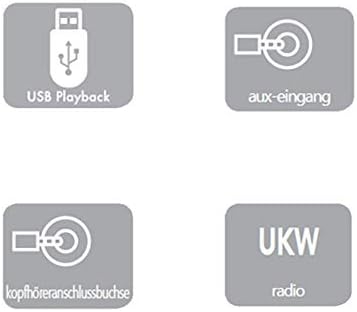
Figure 6.1: Visual representation of the radio's connectivity options: USB Playback, AUX input, Headphone jack, and FM radio.
6.4. AUX Input Operation
- Connect an external audio device (e.g., smartphone, MP3 player) to the AUX IN jack using a 3.5mm audio cable (not included).
- Set the mode switch to "AUX".
- Control playback and volume from your connected external device.
6.5. Headphone Use
Plug 3.5mm headphones into the headphone jack for private listening. The speaker will automatically mute when headphones are connected.
7. Maintenance
- Cleaning: Wipe the radio with a soft, dry cloth. Do not use abrasive cleaners or solvents.
- Storage: If storing the radio for an extended period, remove the batteries and store it in a cool, dry place.
- Antenna Care: Handle the telescopic antenna gently to prevent damage.
8. Troubleshooting
| Problem | Possible Cause | Solution |
|---|---|---|
| No power |
|
|
| Poor radio reception |
|
|
| USB/SD playback not working |
|
|
| No sound from speaker (headphones not connected) |
|
|
9. Specifications
| Model Number | 243015 |
| Brand | Silva Schneider |
| Radio Frequency | FM: 87.5 - 108 MHz |
| Audio Output | 20 W P.M.P.O. |
| Power Input (AC Adapter) | Input: 220 - 240 V, 50 Hz, 0.1 A |
| Power Output (AC Adapter) | Output: 6 V, 1500 mA |
| Battery Type | 4 x LR14 (C-size) (not included) |
| Connectivity | USB, SD Card, AUX-In, Headphone Jack |
| Dimensions (L x W x H) | 21.0 cm x 6.5 cm x 19.5 cm |
| Weight | Approx. 500 g |
10. Warranty and Support
Information regarding warranty coverage and customer support is typically provided with your purchase documentation or on the manufacturer's official website. Please refer to those resources for details.
For technical assistance or service inquiries, please contact Silva Schneider customer support through their official channels.
Related documents243015


Ask a question about this manual
Ask about setup, troubleshooting, compatibility, parts, safety, or missing instructions. Manuals+ will review the question and use this page’s manual context to help answer it.