
WiMiUS P21
WiMiUS P21 Projector User Manual
Model: P21
1. Introduction
This manual provides detailed instructions for the setup, operation, and maintenance of your WiMiUS P21 Full HD 1080P LED Projector. Please read this manual thoroughly before using the projector to ensure proper function and longevity of the device.

Image: Front view of the WiMiUS P21 Projector, showing the lens and control panel.
2. Package Contents
Verify that all items listed below are included in your package. If any items are missing or damaged, please contact customer support.
- WiMiUS P21 Projector
- Remote Control
- Power Cable
- HDMI Cable
- VGA Cable
- AV Cable
- Lens Cover
- User Manual (this document)

Image: The WiMiUS P21 Projector displayed with its remote control, power cable, HDMI cable, VGA cable, AV cable, and user manual.
3. Product Features
The WiMiUS P21 Projector offers advanced features for an enhanced viewing experience:
- High Brightness and Contrast: 6500 Lumens brightness and an 8000:1 contrast ratio for clear and vivid images.
- Native 1080P Resolution: Delivers a native resolution of 1920x1080 pixels, supporting 1080P at 60Hz and 4K input for detailed visuals.
- Flexible Projection Size: Adjustable projection size from 50 to 300 inches with a projection distance of 1.5 to 6.5 meters.
- Digital Zoom Function: Allows image size reduction from 100% to 75% via remote control without moving the projector.
- Integrated Audio: Dual built-in 5W stereo speakers provide clear sound.
- Extensive Connectivity: Equipped with 2 HDMI ports, 2 USB ports, 1 VGA port, and 1 AV port for connecting various devices.
- Long Lamp Life: LED lamp designed for up to 100,000 hours of operation.

Image: Visual comparison illustrating the difference between 6500 lumens with 8000:1 contrast and lower specifications, highlighting improved clarity and color saturation.
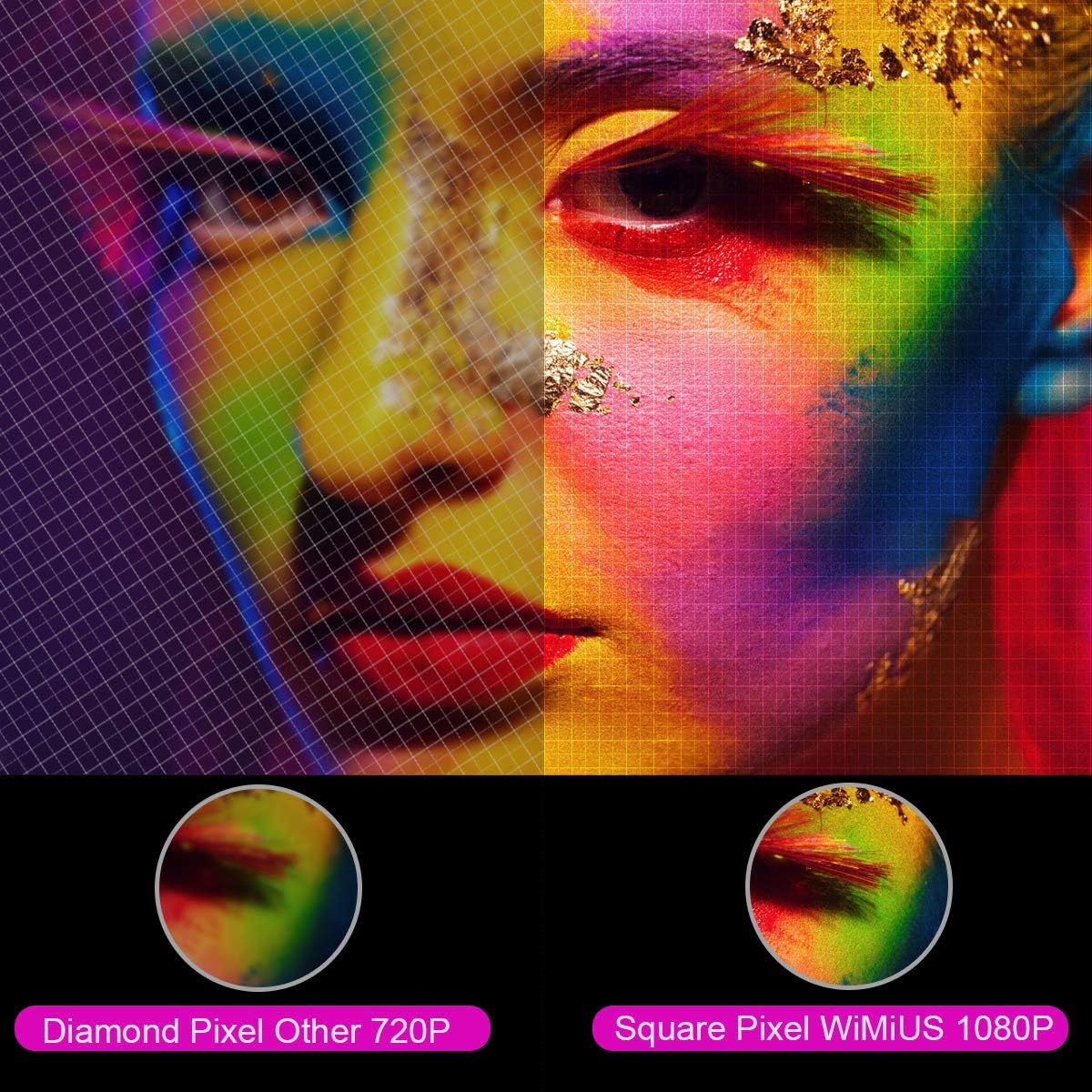
Image: A magnified view comparing the pixel structure of a 720P projector (diamond pixel) versus the WiMiUS 1080P projector (square pixel), demonstrating higher resolution.

Image: Diagram showing the projector with sound waves emanating from it, indicating the presence of built-in dual 5W speakers.
4. Setup
4.1 Placement
Place the projector on a stable, flat surface or mount it to a ceiling. Ensure there is adequate ventilation around the unit. The optimum projection distance is approximately 3 meters (9.8 feet) for a balanced image size and clarity.

Image: A diagram illustrating various projection sizes (50-300 inches) and corresponding projection distances (1.5m to 6.5m), with an optimal distance of 3m highlighted.
4.2 Power Connection
- Connect the power cable to the projector's power input.
- Plug the other end of the power cable into a power outlet.
- Press the power button on the projector or remote control to turn on the device.
4.3 Connecting External Devices
The P21 projector supports multiple input sources. Refer to the diagram below for port locations.

Image: A detailed diagram highlighting the various connection ports on the projector, including HDMI (x2), USB (x2), AV, Audio Out, Y/Pb/Pr, and PC-RGB (VGA).
- HDMI: Connect devices like laptops, Blu-ray players, gaming consoles (PS3, PS4, Xbox), Chromecast, or Fire TV Stick using an HDMI cable.
- USB: Insert a USB drive to play media files directly.
- VGA (PC-RGB): Connect to a computer using a VGA cable.
- AV: Use the provided AV cable to connect older devices.
- Audio Out: Connect external speakers or headphones if desired.
Note: If connecting a device and experiencing no sound, ensure that Dolby Digital output is turned off on the connected device, as the projector may not support it directly.
5. Operating Instructions
5.1 Power On/Off
Press the power button on the projector or the remote control to turn the unit on or off.
5.2 Source Selection
Use the "Source" button on the remote control or projector panel to select the desired input source (HDMI1, HDMI2, USB1, USB2, VGA, AV).
5.3 Focus and Keystone Correction
- Focus: Rotate the focus ring near the lens until the image is clear.
- Keystone Correction: Adjust the keystone ring or use the menu settings for vertical ±15° keystone correction to correct distorted images.
5.4 Zoom Function
The digital zoom function allows you to adjust the image size without moving the projector. Use the zoom controls on the remote control to reduce the image size from 100% down to 75%.

Image: A visual representation of the zoom function, showing a projected image shrinking from 100% to 75% on a screen, controlled by the projector.
5.5 Menu Settings
Press the "Menu" button on the remote to access settings for picture mode, sound mode, aspect ratio (4:3/16:9), and other advanced options.
6. Maintenance
6.1 Cleaning the Lens
Use a soft, lint-free cloth specifically designed for optical lenses to gently clean the projector lens. Avoid using abrasive cleaners or excessive force.
6.2 Air Filter Cleaning
Regularly check and clean the air filter to prevent dust buildup, which can affect performance and lamp life. Refer to the projector's exterior for the air filter location and cleaning instructions.
6.3 Lamp Life
The LED lamp in your WiMiUS P21 projector has an estimated lifespan of up to 100,000 hours. No user replacement is typically required during the product's operational life. If the lamp stops working, please contact customer support.
7. Troubleshooting
| Problem | Possible Cause | Solution |
|---|---|---|
| No image displayed | Power cable disconnected, incorrect input source, lens cap on. | Check power connection, select correct input source, remove lens cap. |
| Image is blurry | Focus not adjusted, projector too close/far from screen. | Adjust the focus ring, ensure optimal projection distance. |
| Image is distorted (trapezoid shape) | Projector not perpendicular to screen. | Adjust keystone correction. |
| No sound from projector | Volume too low, incorrect audio settings, Dolby Digital enabled on source device. | Increase volume, check audio settings, turn off Dolby Digital on the connected device. |
| Remote control not working | Batteries depleted, obstruction between remote and projector. | Replace batteries, ensure clear line of sight to IR receiver. |
8. Specifications
| Feature | Detail |
|---|---|
| Brand | WiMiUS |
| Model | P21 |
| Brightness | 6500 Lumens |
| Contrast Ratio | 8000:1 |
| Native Resolution | 1920 x 1080 (Full HD) |
| Maximum Resolution Support | 4K Ultra HD |
| Display Technology | LED |
| LED Lamp Life | 100,000 Hours |
| Projection Size | 50-300 Inches |
| Projection Distance | 1.5 - 6.5 meters |
| Zoom Function | 100% - 75% (Reduced) |
| Aspect Ratio | 4:3 / 16:9 |
| Keystone Correction | Vertical ±15° |
| Speakers | Dual built-in stereo (2 x 5W) |
| Connectivity | 2x HDMI, 2x USB, 1x VGA, 1x AV, Audio Out |
| Noise Level | 30 Decibels |
| Power Consumption | 140 watts |
| Product Dimensions | 32 x 24 x 11 cm |
| Weight | 2.5 kg |
9. Warranty and Support
The WiMiUS P21 HD Projector comes with a lifetime warranty. If the LED lamp stops functioning or any other issues arise with the projector, please contact WiMiUS customer support for assistance or replacement. A repair center is available in the USA for service needs.
For further support, please refer to the official WiMiUS website or contact their customer service department.
Related documentsP21


Ask a question about this manual
Ask about setup, troubleshooting, compatibility, parts, safety, or missing instructions. Manuals+ will review the question and use this page’s manual context to help answer it.