Product Overview
The LEZII BT525 is a compact and portable Bluetooth speaker designed for versatile use, particularly in environments where water resistance is essential. Its robust construction and IPX7 waterproof rating make it suitable for use in showers, by the pool, on the beach, or during outdoor activities like kayaking and biking. This manual provides detailed instructions for setting up, operating, and maintaining your speaker to ensure optimal performance.
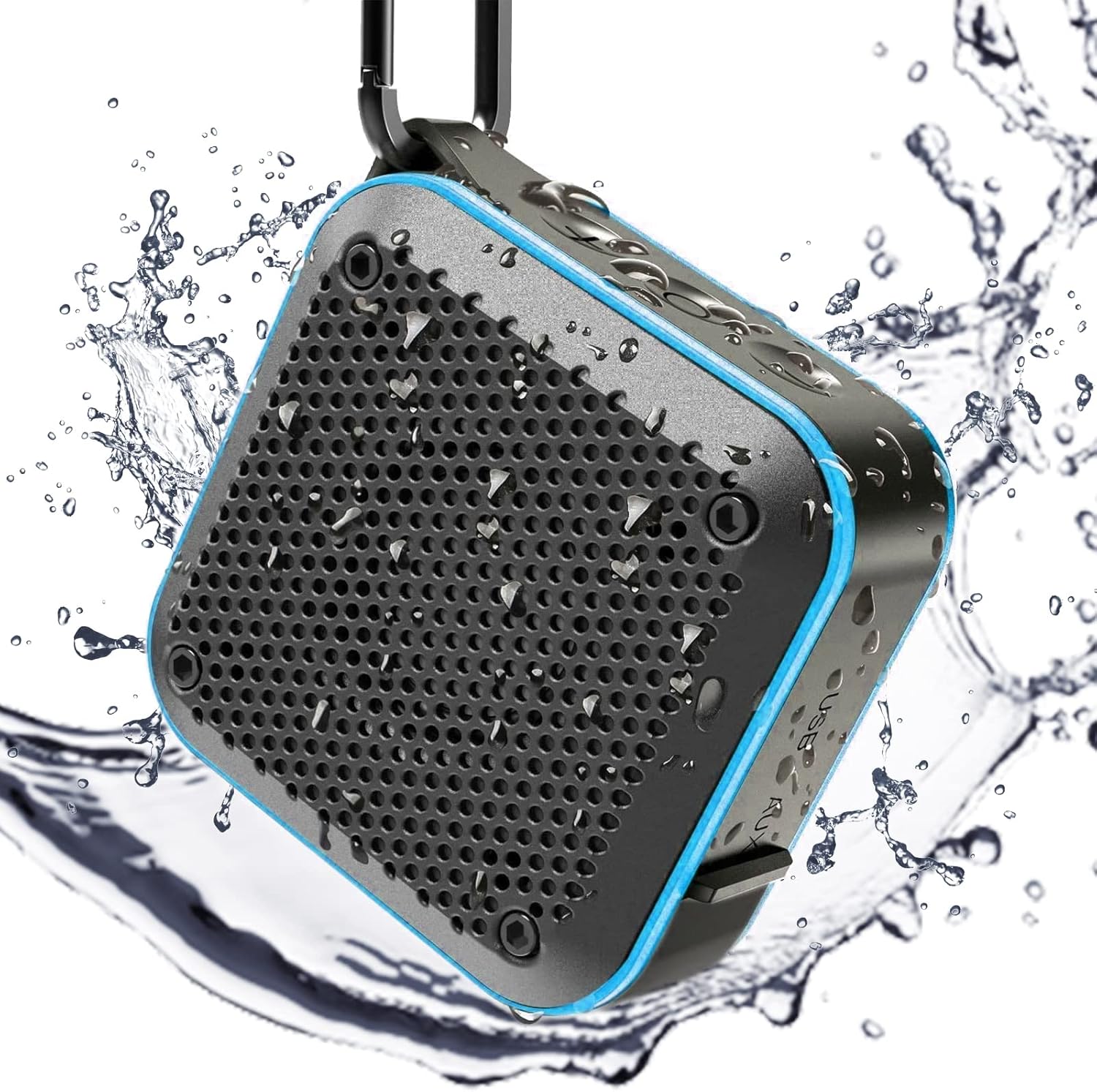
Figure 1: LEZII BT525 Shower Bluetooth Speaker, showcasing its waterproof capabilities with water droplets.
Key Features
- IPX7 Waterproof: Designed to withstand immersion in water up to 1 meter for 30 minutes, making it ideal for wet environments.
- Loud HD Sound: Equipped with a built-in 5W subwoofer and premium microphone for high-fidelity audio and clear calls.
- TWS Stereo Pairing: Connect two BT525 speakers wirelessly for enhanced 360° surround sound.
- Multi-functional Playback: Supports Bluetooth 5.0, TF/SD card playback, AUX-in, and FM Radio (on blue and orange models).
- Portable Design: Compact size (3.5"D x 3.5"W x 1.8"H) and lightweight (9.6 ounces) with an integrated carabiner for easy transport.
- Long Battery Life: Provides extended playtime on a single charge.

Figure 2: Internal components illustrating the HIFI sound quality of the speaker.

Figure 3: The speaker submerged in water, confirming its IPX7 waterproof capability.
Setup
1. Powering On/Off
- To power on: Press and hold the power button (center button) for approximately 2 seconds until you hear an audible prompt.
- To power off: Press and hold the power button for approximately 5 seconds.
2. Bluetooth Pairing
- Ensure the speaker is powered on and in Bluetooth mode (indicated by a blue light).
- On your mobile device, open Bluetooth settings and search for "BT525".
- Select "BT525" to connect. A successful connection will be confirmed by an audible prompt from the speaker.
- The speaker will automatically attempt to reconnect to the last paired device when powered on.
Video 1: Demonstrates the power on/off function, mode switching, and Bluetooth pairing process for the LEZII BT525 speaker.
Operating Instructions
Basic Controls
- Volume Adjustment: Press the '+' button to increase volume, and the '-' button to decrease volume.
- Track Control: Long press the '+' button for the next track, and long press the '-' button for the previous track.
- Play/Pause/Answer Call: Press the power button (center button) once to play/pause music or answer/end a call.
- Voice Assistant: After powering on, press and hold the power button for 2 seconds to activate the voice assistant function.
TWS Stereo Pairing
To achieve true wireless stereo sound with two BT525 speakers:
- Ensure both speakers are powered on.
- First, pair and connect one of the speakers to your mobile device via Bluetooth. This speaker will serve as the primary unit. The speaker's light will illuminate blue.
- While music is playing from the primary speaker, quickly click the composite key (power button) of the other speaker three times.
- You will hear a prompt tone indicating that TWS pairing is complete. Both speakers will now play the same music simultaneously, creating a stereo effect.

Figure 4: Two speakers paired together for TWS stereo sound.
FM Radio Mode (Blue & Orange Models Only)
If you have a blue or orange model of the BT525 speaker, it includes an FM radio function:
- After booting, double-click the power button to enter FM mode.
- Triple-click the power button to search for available channels. The speaker will scan and save stations.
- Long press the '+' or '-' buttons to change between saved channels.
Charging
The LEZII BT525 speaker is powered by a rechargeable Lithium Ion battery. To charge the speaker:
- Locate the USB charging port, typically found under a protective rubber flap to maintain waterproofing.
- Connect the provided USB charging cable to the speaker and a compatible USB power source (e.g., computer, wall adapter).
- A full charge typically takes approximately 3 hours.
- The speaker will indicate low battery when charging is required.

Figure 5: Multi-functional playback ports including USB charging, TF/SD card slot, and AUX-in.
Maintenance
To ensure the longevity and optimal performance of your LEZII BT525 speaker, follow these maintenance guidelines:
- Cleaning: Wipe the speaker with a soft, damp cloth. Avoid using harsh chemicals or abrasive cleaners.
- Waterproofing: Always ensure the protective rubber flap covering the charging and AUX ports is securely closed when using the speaker near water or in wet conditions.
- Storage: Store the speaker in a cool, dry place when not in use. Avoid extreme temperatures.
- Battery Care: For best battery life, avoid fully discharging the battery frequently. Charge it regularly.
Troubleshooting
| Problem | Possible Cause | Solution |
|---|---|---|
| Speaker does not turn on. | Low battery; Power button not pressed correctly. | Charge the speaker for at least 30 minutes. Ensure the power button is pressed and held for 2 seconds. |
| Cannot pair with Bluetooth device. | Speaker not in pairing mode; Device too far; Interference. | Ensure speaker is in Bluetooth mode. Move device closer to speaker. Turn off other Bluetooth devices. |
| No sound or low volume. | Volume too low on speaker or device; Not connected properly. | Increase volume on both speaker and connected device. Re-establish Bluetooth connection. |
| FM Radio not working. | Not in FM mode; Poor signal. | Double-click power button to enter FM mode. Triple-click to auto-scan channels. Adjust speaker position for better reception. |
| TWS pairing fails. | Incorrect pairing sequence. | Ensure one speaker is connected to device first, then quickly triple-click the power button on the second speaker. |
Specifications
- Model Name: BT525
- Brand: LEZII
- Material: Rubber
- Color: Blue
- Product Dimensions: 3.5"D x 3.5"W x 1.8"H
- Item Weight: 9.6 ounces (272 Grams)
- Speaker Maximum Output Power: 3 Watts
- Speaker Size: 40 Micron
- Wireless Communication Technology: Bluetooth
- Bluetooth Range: 10 Meters
- Water Resistance Level: IPX7 Waterproof
- Power Source: Battery Powered (1 Lithium Ion battery included)
- Battery Capacity: 1500 Milliamp Hours
- Charging Time: 3 Hours
- Audio Output Mode: Surround, Stereo
- Number of Microphones: 1
- Control Method: Touch
- Warranty Type: Limited
Warranty and Support
The LEZII BT525 speaker comes with a limited warranty. For specific warranty details, claims, or technical support, please refer to the warranty information provided with your product packaging or contact LEZII customer service directly. Contact information can typically be found on the manufacturer's official website or on the product packaging.

