
Kidamento MC-Mikayo--US-stickerless
Kidamento Model C Mikayo The Bear Kids Digital Camera Instruction Manual
Model: MC-Mikayo--US-stickerless
1. Introduction
Welcome to the world of creative photography for kids with the Kidamento Model C Mikayo The Bear Digital Camera. This camera is designed to be kid-friendly, durable, and easy to use, allowing young photographers to capture their favorite moments in both photos and videos. This manual provides essential information for setting up, operating, and maintaining your new camera.
2. What's in the Box
Upon unboxing your Kidamento Model C Mikayo The Bear camera, please ensure all the following items are present:
- 1 x Kidamento Camera Model C - Mikayo The Bear
- 1 x Kidamento 32GB MicroSD Card (pre-installed)
- 1 x USB/Charging/Lanyard Cable (3-in-1)
- 1 x Kidamento Stickers Sheet
- 1 x User Manual (this document)
- 1 set of batteries (pre-installed)

Image: All items included in the Kidamento Model C camera package.
3. Product Overview
The Kidamento Model C camera features a durable and child-friendly design, perfect for small hands. Its soft BPA-free silicone casing provides protection against accidental drops.
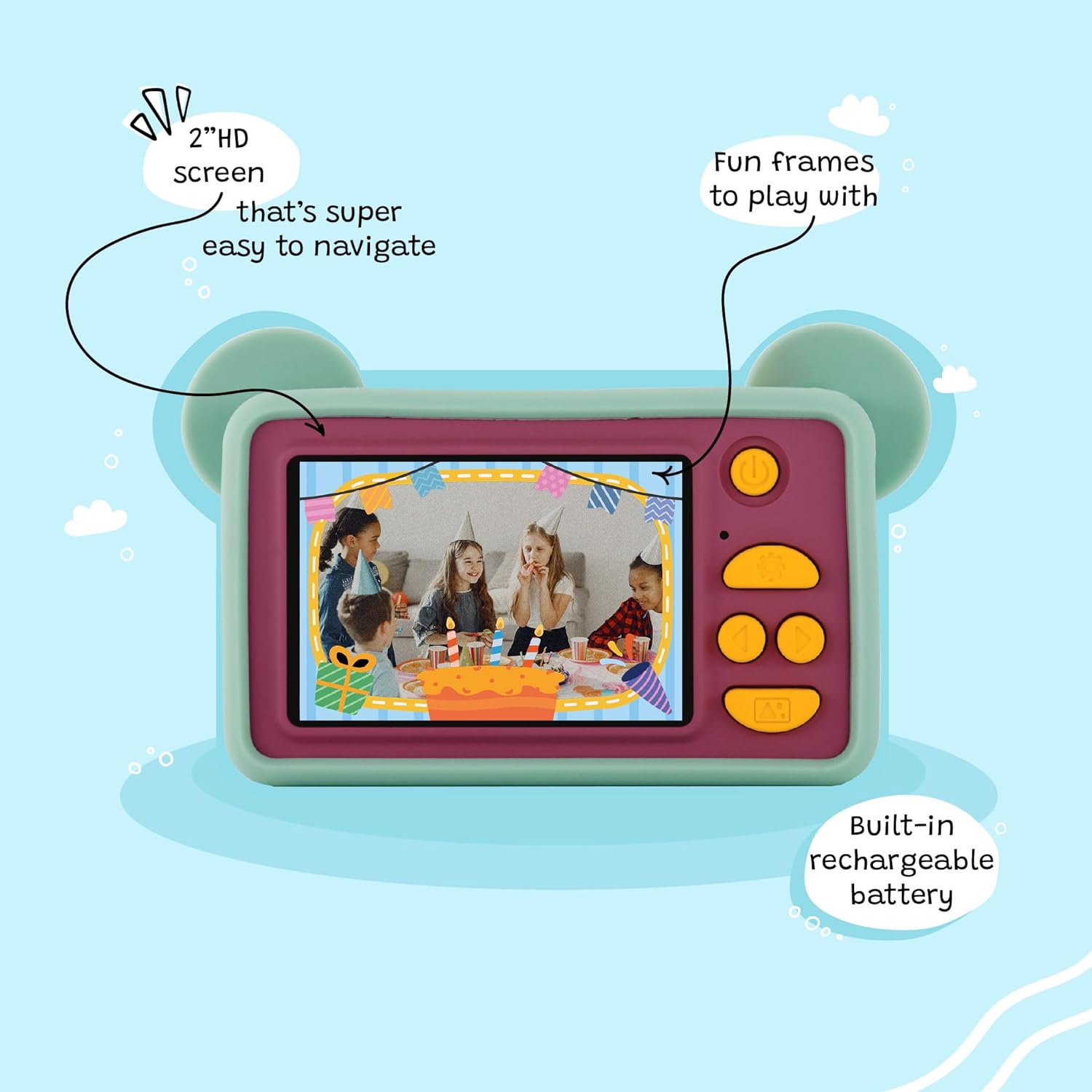
Image: Front view of the Kidamento Model C Mikayo The Bear camera.
The camera is equipped with a 2-inch IPS screen for easy viewing and navigation, along with intuitive buttons for various functions.

Image: Back view of the camera with screen and control buttons.
Video: A user demonstrates the compact size and ease of use of the Kidamento camera, highlighting its suitability for small hands and simple navigation.
4. Setup
4.1 Charging the Camera
Before first use, fully charge the camera. Connect the provided 3-in-1 USB/Charging/Lanyard cable to the camera's charging port and a USB power source (e.g., computer, wall adapter). The charging indicator light will show the charging status. A full charge typically takes approximately 2 hours.
Video: A demonstration of how to connect the USB charging cable to the Kidamento camera and a power source.
4.2 Memory Card
Your Kidamento camera comes with a 32GB MicroSD card pre-installed, ready for immediate use. This provides ample storage for thousands of photos and hours of video recordings.
5. Operating Instructions
5.1 Power On/Off
To power on the camera, press and hold the power button (usually located on the top or side) until the screen illuminates. To power off, press and hold the power button again until the screen turns off.
5.2 Taking Photos
With the camera powered on, aim the lens at your subject. Press the shutter button (often a large, distinct button) to capture a photo. The camera will typically make a sound to confirm the picture has been taken.
5.3 Recording Videos
Navigate to video mode using the menu buttons. Once in video mode, press the shutter button to start recording. Press it again to stop recording.
5.4 Using Filters and Frames
The camera includes various fun filters and frames to enhance your photos. Use the navigation buttons (up/down/left/right) to browse through the available options while in photo or video mode. Select your desired filter or frame before capturing your image or video.
Video: A quick overview of the Kidamento Model C camera, demonstrating its features including the various fun filters and frames available for photos and videos.
5.5 Viewing Media
To view your captured photos and videos, enter playback mode using the menu buttons. Use the navigation buttons to scroll through your media. Press the shutter button or a designated 'OK' button to view a selected item.
6. Maintenance
6.1 Cleaning
Use a soft, dry cloth to clean the camera body and screen. For the lens, use a specialized lens cleaning cloth to avoid scratches. Do not use liquid cleaners or abrasive materials.
6.2 Storage
Store the camera in a cool, dry place away from direct sunlight and extreme temperatures. Ensure the camera is turned off when not in use for extended periods.
7. Troubleshooting
- Camera not turning on: Ensure the battery is charged. Connect the camera to a power source using the USB cable and try again.
- Poor image quality: Ensure there is adequate lighting. In low light conditions, images may appear grainy. Hold the camera steady while taking pictures.
- Camera frozen/unresponsive: Try pressing and holding the power button for 10-15 seconds to force a restart. If the issue persists, contact customer support.
- Memory card error: Ensure the 32GB MicroSD card is properly inserted. If the error continues, the card may be corrupted and might need to be formatted (which will erase all data) or replaced.
8. Specifications
| Feature | Specification |
|---|---|
| Brand | Kidamento |
| Model Name | Mikayo the Bear |
| Model Number | MC-Mikayo--US-stickerless |
| Effective Still Resolution | 8 MP |
| Total Still Resolution | 20 MP |
| Video Resolution | 1080p |
| Screen Size | 2 Inches |
| Memory Storage Capacity | 32 GB (Micro SDHC) |
| Battery Type | Lithium Ion Polymer Rechargeable |
| Connectivity Technology | USB |
| Item Weight | 0.17 Pounds |
| Age Range Description | Kid |
9. Warranty and Support
The Kidamento Model C Mikayo The Bear Digital Camera comes with a 1 Year Limited Warranty. For warranty claims, technical support, or any inquiries, please refer to the contact information provided on the official Kidamento website or your purchase documentation.
You can also visit the Kidamento Store on Amazon for more information and product updates.
Ask a question about this manual
Ask about setup, troubleshooting, compatibility, parts, safety, or missing instructions. Manuals+ will review the question and use this page’s manual context to help answer it.