
Introduction
This manual provides detailed instructions for the proper use and maintenance of your Awei T10C True Waterproof Bluetooth Wireless Earbuds. Please read this manual thoroughly before using the product to ensure optimal performance and longevity.
The Awei T10C earbuds feature Bluetooth 5.0 connectivity, a 6mm metal cavity speaker unit, smart touch controls, and a wireless charging case. They are designed for comfortable and stable wear, providing clear audio for calls and music.
Package Contents
- Awei T10C True Wireless Earbuds (Left and Right)
- Wireless Charging Case
- USB Charging Cable
- User Manual
Setup
1. Initial Charging
Before first use, fully charge the earbuds and the charging case. Place the earbuds into the charging case. Connect the charging case to a power source using the provided USB cable, or place the case on a compatible wireless charging pad.
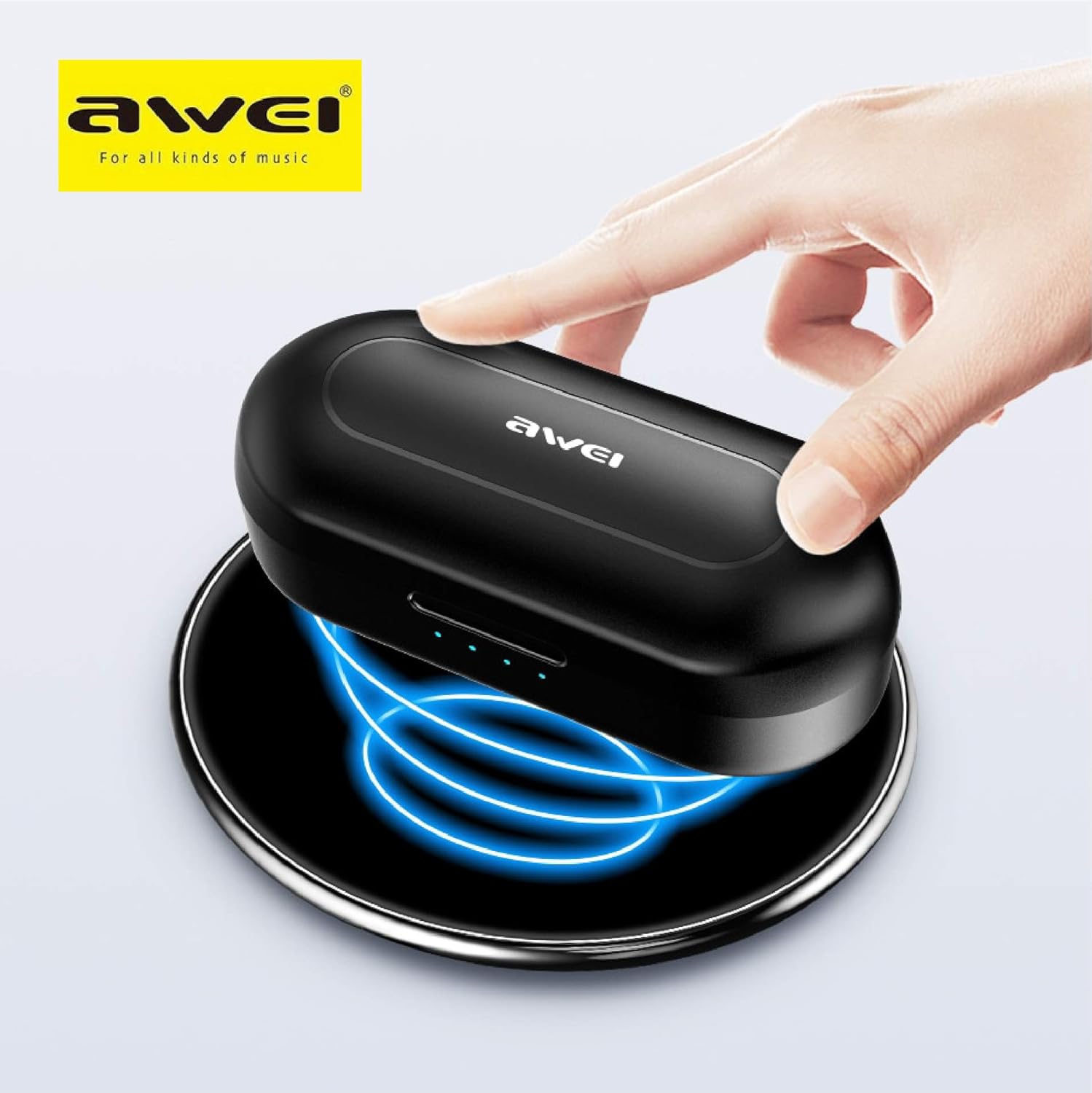
The Awei T10C charging case placed on a wireless charging pad, with blue light effects indicating active wireless charging.
The LED indicators on the charging case will show the charging status. Once fully charged, the indicators will behave according to the case's design (e.g., turn solid or off).
2. Powering On and Automatic Pairing
The earbuds are designed for automatic pairing. Simply open the charging case, and the earbuds will power on and enter pairing mode. Remove them from the case.
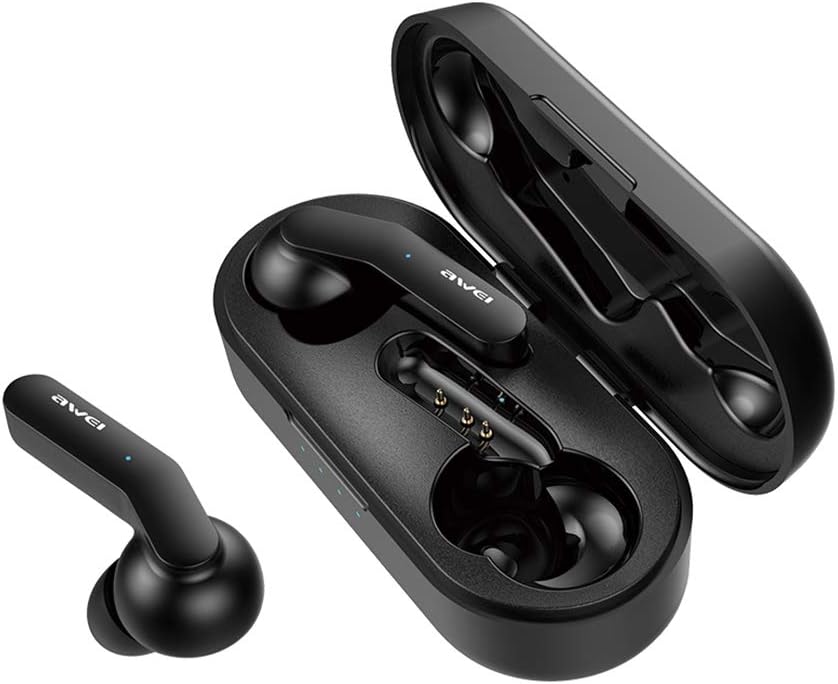
Awei T10C True Wireless Earbuds and open charging case, showcasing the earbuds nestled within the charging contacts.
3. Bluetooth Connection
- Ensure Bluetooth is enabled on your device (smartphone, tablet, etc.).
- Search for available Bluetooth devices.
- Select "Awei T10C" from the list to connect.
- Once connected, you will hear an audible confirmation, and the earbud indicator lights will change.
The earbuds will automatically reconnect to the last paired device when removed from the case, if the device's Bluetooth is active and within range.
Operating Instructions
1. Wearing the Earbuds
Gently insert the earbuds into your ears, ensuring a snug and comfortable fit. Adjust them until they feel secure. The ergonomic design is intended to provide stability during use.

Two Awei T10C True Wireless Earbuds, viewed from the side, highlighting their ergonomic design and the Awei logo.
2. Smart Touch Controls
The Awei T10C earbuds feature touch-sensitive areas for controlling various functions:
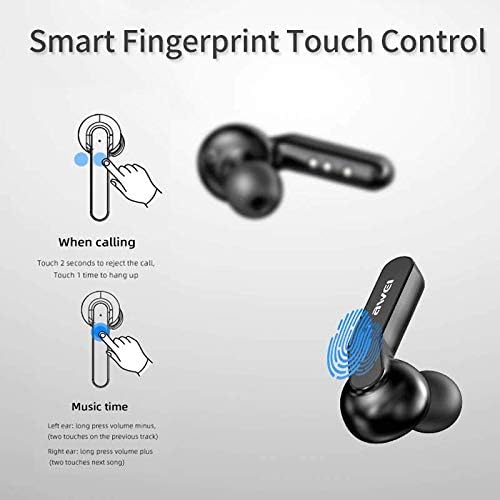
Diagram illustrating the 'Smart Fingerprint Touch Control' functions for calls and music playback on the Awei T10C earbuds.
- Answering/Ending Calls: Touch either earbud once.
- Rejecting Calls: Touch either earbud for 2 seconds.
- Play/Pause Music: Touch either earbud once.
- Next Track: Double-touch the right earbud.
- Previous Track: Double-touch the left earbud.
- Volume Up: Long press the right earbud.
- Volume Down: Long press the left earbud.
- Voice Assistant: Triple-touch either earbud (functionality may vary by device).
3. Power Off
To power off the earbuds, place them back into the charging case. They will automatically disconnect and begin charging. Alternatively, if disconnected from a device and left idle for a period, they may power off automatically.
Maintenance
1. Cleaning
Regularly clean the earbuds and charging case with a soft, dry, lint-free cloth. Do not use abrasive cleaners, alcohol, or chemical solvents. Ensure charging contacts are free of dust and debris.
2. Waterproofing
The Awei T10C earbuds are designed to be waterproof. However, this does not mean they are suitable for prolonged submersion or use in extreme water conditions. Avoid exposing the charging case to water.
3. Storage
When not in use, store the earbuds in their charging case to protect them and keep them charged. Store in a cool, dry place away from direct sunlight and extreme temperatures.
Troubleshooting
- Earbuds not pairing with device:
- Ensure earbuds are charged and removed from the case.
- Turn off and on your device's Bluetooth.
- Forget/delete "Awei T10C" from your device's Bluetooth list and try pairing again.
- Restart your device.
- Only one earbud working:
- Ensure both earbuds are charged.
- Place both earbuds back into the charging case, close the lid, wait a few seconds, then open and remove them again.
- Check if the earbuds are properly seated in the charging case to ensure connection.
- No sound or low volume:
- Check the volume level on both your device and the earbuds (using touch controls).
- Ensure the earbuds are properly connected to your device.
- Clean any debris from the earbud speaker mesh.
- Charging case not charging:
- Ensure the USB cable is securely connected to both the case and the power source.
- Try a different USB cable or power adapter.
- If using wireless charging, ensure the case is correctly positioned on the charging pad.
Specifications
| Model Name | T10C |
| Item Model Number | EM-JH133-CP |
| Brand | Awei |
| Connectivity Technology | Wireless (Bluetooth 5.0) |
| Headphones Form Factor | In Ear |
| Noise Control | Active Noise Cancellation |
| Headphones Jack | USB |
| Included Components | Wireless Charging Case |
| Batteries | 1 Lithium Ion battery required (included) |
| Product Dimensions | 4.5 x 2.4 x 1.8 cm |
| Product Weight | 200 g |
| Color | Black |
| Manufacturer | Awei |
| Date First Available | 13 December 2019 |
Warranty and Support
Awei products are manufactured to high quality standards. For warranty information, technical support, or customer service inquiries, please refer to the official Awei website or contact your local distributor.
You may also find additional support and product information via the Awei WeChat channel: http://weixin.qq.com/r/7XQ0O7vEfoUBh6pYnyHJ


