
MEIKEE RFLB025
MEIKEE 25W RGB Flood Light User Manual
Model: RFLB025
Brand: MEIKEE
Introduction
Thank you for choosing the MEIKEE 25W RGB Flood Light. This manual provides comprehensive instructions for the safe and effective use of your new lighting product. Please read this manual thoroughly before installation and operation, and retain it for future reference.
These flood lights are designed to provide versatile and vibrant illumination for various indoor and outdoor settings. With advanced features such as remote control operation, multiple color options, dynamic modes, brightness adjustment, and memory/timer functions, they offer enhanced control over your lighting environment. The IP66 waterproof rating ensures durability and reliable performance in diverse weather conditions.
Safety Instructions
To ensure safe operation and prevent damage, please observe the following safety precautions:
- Always disconnect power before installation, maintenance, or cleaning.
- Ensure the power supply voltage matches the product's requirements (230 Volts).
- Do not disassemble or modify the product. Unauthorized modifications may void the warranty and pose safety risks.
- Keep the product away from flammable materials.
- Ensure proper grounding to prevent electrical shock.
- If the external flexible cable or cord of this luminaire is damaged, it shall be exclusively replaced by the manufacturer or his service agent or a similar qualified person in order to avoid a hazard.
- Do not look directly into the light source when the light is on, as it may cause eye strain.
- For outdoor use, ensure all connections are properly sealed and protected from water ingress, despite the IP66 rating.
Package Contents
Verify that all components are present in the package:
- MEIKEE 25W RGB Flood Light (2 units)
- Remote Control (1 unit)
- User Manual (This document)
- Mounting Screws (Quantity as needed for installation)

Image: Contents of the MEIKEE 25W RGB Flood Light package, showing two floodlights and two remote controls.
Product Overview
The MEIKEE 25W RGB Flood Light features a robust aluminum housing, an adjustable bracket, and a sealed design for IP66 waterproof performance. The integrated LED chips provide bright and colorful illumination.
Dimensions

Image: Detailed dimensions of the MEIKEE 25W RGB Flood Light and its adjustable bracket.
Remote Control
The included remote control operates on RF (Radio Frequency) technology, allowing for 360-degree control up to 12 meters away, even through obstacles. It requires 2 AAA batteries (not included).

Image: Illustration of the remote control's 360-degree, 12-meter range and its ability to control lights through obstacles.
Setup and Installation
The MEIKEE RGB Flood Light is designed for easy installation and can be mounted on various surfaces. Ensure the mounting surface is stable and can support the weight of the fixture.
- Choose a Location: Select a suitable location for your flood light. The adjustable bracket allows for installation on walls, ceilings, or directly on the ground.
- Mark Drilling Points: Use the flood light's bracket as a template to mark the drilling points on your chosen surface.
- Drill Holes: Drill holes at the marked points. Insert appropriate wall anchors if necessary (e.g., for drywall or masonry).
- Secure the Bracket: Align the flood light's bracket with the drilled holes and secure it using the provided screws. Ensure it is firmly attached.
- Adjust Angle: Once mounted, adjust the angle of the flood light by loosening the screws on the side of the bracket, tilting the light to the desired position, and then tightening the screws to secure it. The bracket allows for 180-degree rotation.
- Connect Power: Plug the flood light into a suitable power outlet (230V). For outdoor installations, ensure the outlet is weatherproof or use a weatherproof enclosure for the connection.

Image: Step-by-step guide for quick and easy installation on walls, ground, or ceilings.
Operating Instructions
Operate your MEIKEE RGB Flood Light using the provided remote control. Ensure the remote has 2 AAA batteries installed.
Basic Functions
- Power On/Off: Press the ON or OFF button on the remote to turn the light on or off.
- Color Selection: Press the color buttons (R, G, B, W, and other color presets) to select a static color. There are 10 available single colors.
- Brightness Adjustment: Use the brightness up (+) and brightness down (-) buttons to adjust the light intensity. There are 6 levels of brightness.

Image: Illustration of the 10 single color options and 6 adjustable brightness levels.
Dynamic Modes
The flood light offers 12 automatic color cycling modes to create dynamic lighting effects.
- Mode Selection: Press the mode buttons (e.g., FLASH, SMOOTH, STROBE, R+G SMOOTH, R+B SMOOTH, G+B SMOOTH, Colorful FLASH, Colorful SMOOTH, RGB FLASH, R+G FLASH, R+B FLASH, R+VT FLASH) to activate different dynamic lighting effects.
- Speed Adjustment: Use the speed up (Speed+) and speed down (Speed-) buttons to control the transition speed of the dynamic modes.

Image: Overview of the 10 single colors with flash/smooth modes and 10 multi-color working modes with adjustable speed.
Memory Function
The flood light features a memory function that retains the last lighting setting (color, mode, brightness) even after being turned off or unplugged. When powered on again, it will resume the previous setting without needing to be reset.

Image: Illustration of the Memory Function, showing the light retaining its setting after being turned off and on.
Timing Function
Set the flood light to automatically turn off after a specified duration using the timer function on the remote control.
- Timer Settings: Press the 2H, 4H, or 6H buttons on the remote to set the light to turn off automatically after 2, 4, or 6 hours, respectively.
Image: Illustration of the Timing Function, showing the light turning off automatically after 2, 4, or 6 hours.
Maintenance
Regular maintenance helps prolong the lifespan and ensure optimal performance of your MEIKEE RGB Flood Light.
- Cleaning: Disconnect power before cleaning. Use a soft, damp cloth to wipe the surface of the light. Do not use abrasive cleaners or solvents, as they may damage the finish.
- Inspection: Periodically inspect the power cord and housing for any signs of damage. If any damage is found, discontinue use and contact customer support.
- Battery Replacement: Replace the remote control batteries (2 AAA) when the control range decreases or the remote becomes unresponsive.
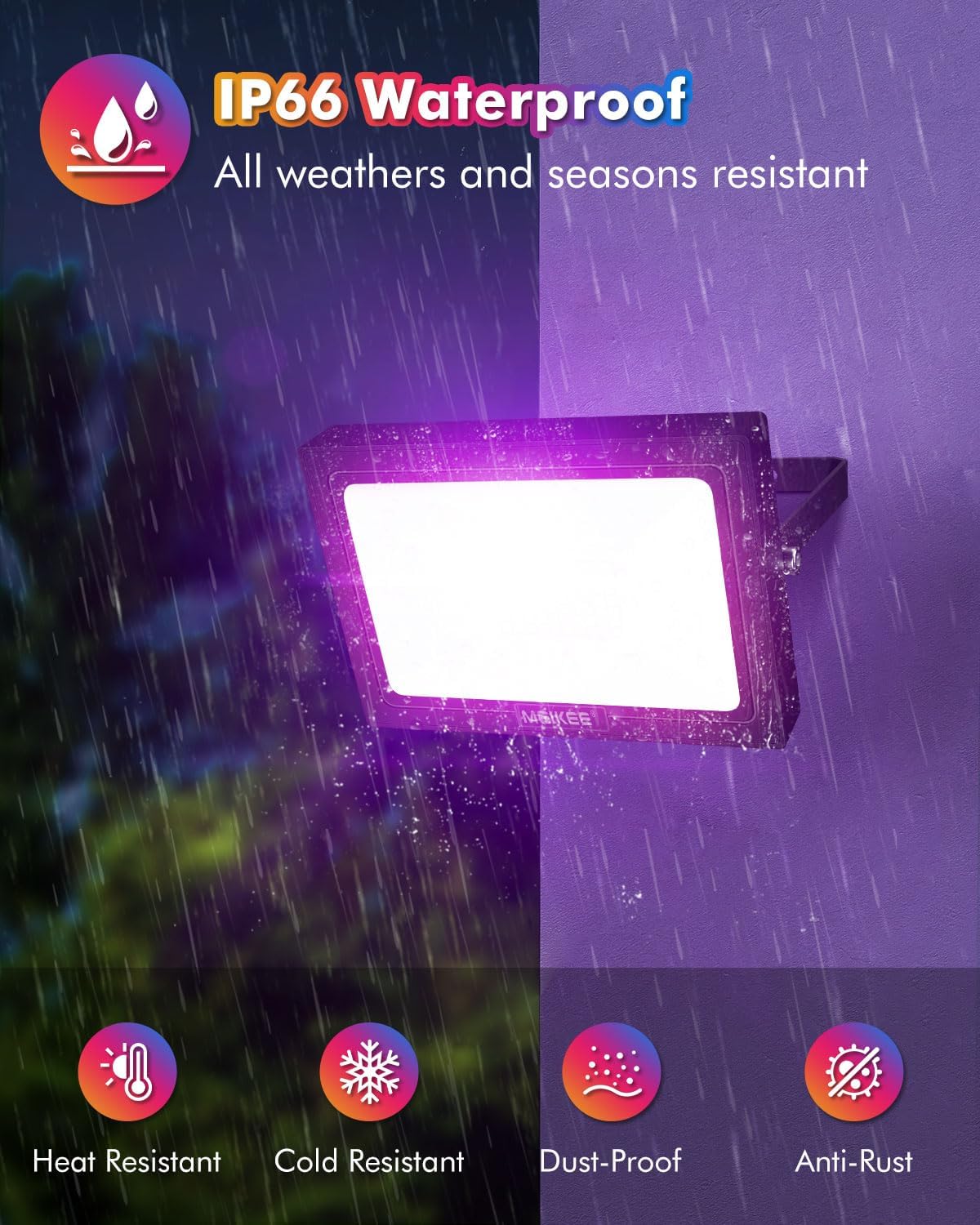
Image: The IP66 waterproof rating ensures the flood light's durability against various environmental factors, including heat, cold, dust, and rust.
Troubleshooting
If you encounter issues with your MEIKEE RGB Flood Light, refer to the following common problems and solutions:
| Problem | Possible Cause | Solution |
|---|---|---|
| Light does not turn on. | No power supply; loose connection; faulty outlet. | Check if the power cord is securely plugged in. Test the outlet with another device. Ensure the power switch is on. |
| Remote control is unresponsive. | Low or dead batteries; remote out of range; signal interference. | Replace the AAA batteries in the remote control. Ensure you are within the 12-meter operating range. Minimize obstacles between the remote and the light. |
| Light flickers or changes colors unexpectedly. | Unstable power supply; internal malfunction. | Ensure the power supply is stable. Try unplugging and replugging the light. If the issue persists, contact customer support. |
| Timer function not working. | Incorrect setting; power interruption. | Re-set the timer using the remote control. Ensure continuous power supply after setting the timer. |
Specifications
| Feature | Detail |
|---|---|
| Brand | MEIKEE |
| Model Number | RFLB025 |
| Product Dimensions (L x W x H) | 17.5 x 14.71 x 8.89 cm (6.9 x 5.8 x 3.5 inches) |
| Weight | 1.1 Kilograms (2.4 lbs) |
| Power (Watts) | 25 Watts |
| Voltage | 230 Volts |
| Luminous Flux | 2000 Lumen |
| Light Source Type | LED (Diode électroluminescente) |
| Color | RGB (Color changing) |
| Material | Aluminum |
| Ingress Protection (IP) Rating | IP66 (Waterproof) |
| Special Features | Color changing, Dimmable, Remote control, Memory function, Timer function |
| Beam Angle | 120 Degrees |
| Remote Control Batteries | 2 AAA batteries (not included) |
| Installation Type | Wall Mount, Ground Mount, Ceiling Mount |
Warranty and Support
MEIKEE products are manufactured to high-quality standards. For information regarding warranty coverage, technical support, or replacement parts, please refer to the warranty card included with your purchase or visit the official MEIKEE website. Please have your model number (RFLB025) and purchase date available when contacting support.
For further assistance, you may also contact the seller directly through your purchase platform.
Related documentsRFLB025


Ask a question about this manual
Ask about setup, troubleshooting, compatibility, parts, safety, or missing instructions. Manuals+ will review the question and use this page’s manual context to help answer it.