
Introduction
This manual provides detailed instructions for the setup, operation, maintenance, and troubleshooting of your SANAG X9 Portable Bluetooth Speaker with Alarm Clock. Please read this manual thoroughly before using the product to ensure proper function and longevity.

Image: The SANAG X9 Bluetooth Speaker, highlighting its Red Dot Design Award.
Package Contents
Verify that all items are present in the package:
- SANAG X9 Bluetooth Speaker
- Remote Control
- USB Charging Cable
- 3.5mm AUX Audio Cable
- User Manual
Setup
1. Charging the Speaker
Before first use, fully charge the speaker. Connect the provided USB charging cable to the speaker's charging port and to a USB power adapter (not included) or a computer's USB port. The display will indicate charging status.
2. Powering On/Off
Press and hold the power button on the speaker or the remote control to turn the speaker on or off.
3. Bluetooth Pairing
- Turn on the SANAG X9 speaker. It will automatically enter Bluetooth pairing mode, indicated by a flashing Bluetooth icon on the display.
- Enable Bluetooth on your device (smartphone, tablet, computer).
- Search for "SANAG X9" in your device's Bluetooth settings and select it to pair.
- Once paired, the Bluetooth icon on the speaker's display will stop flashing and remain solid. The speaker will automatically connect to the last paired device upon startup.
4. AUX Connection
Connect one end of the 3.5mm AUX audio cable to the AUX port on the speaker and the other end to the audio output jack of your external device (e.g., computer, MP3 player). The speaker will automatically switch to AUX mode.
5. TF Card Playback
Insert a Micro SD (TF) card into the designated slot on the speaker. The speaker will automatically detect the card and begin playing audio files stored on it.
6. Setting the Alarm Clock
Use the remote control or the touch panel to access the clock settings. Follow the on-screen prompts to set the time and alarm. The speaker supports dual alarms.

Image: The SANAG X9 speaker display indicating time, temperature, and remaining power.
Operation
1. Basic Controls (Touch Panel)
The top panel features a touch interface for common functions:
- Volume Control: Rotate your finger clockwise on the volume area for volume up, counter-clockwise for volume down.
- Play/Pause: Tap the play/pause icon.
- Mode Switching: Tap the mode icon to cycle through Bluetooth, AUX, and TF card modes.
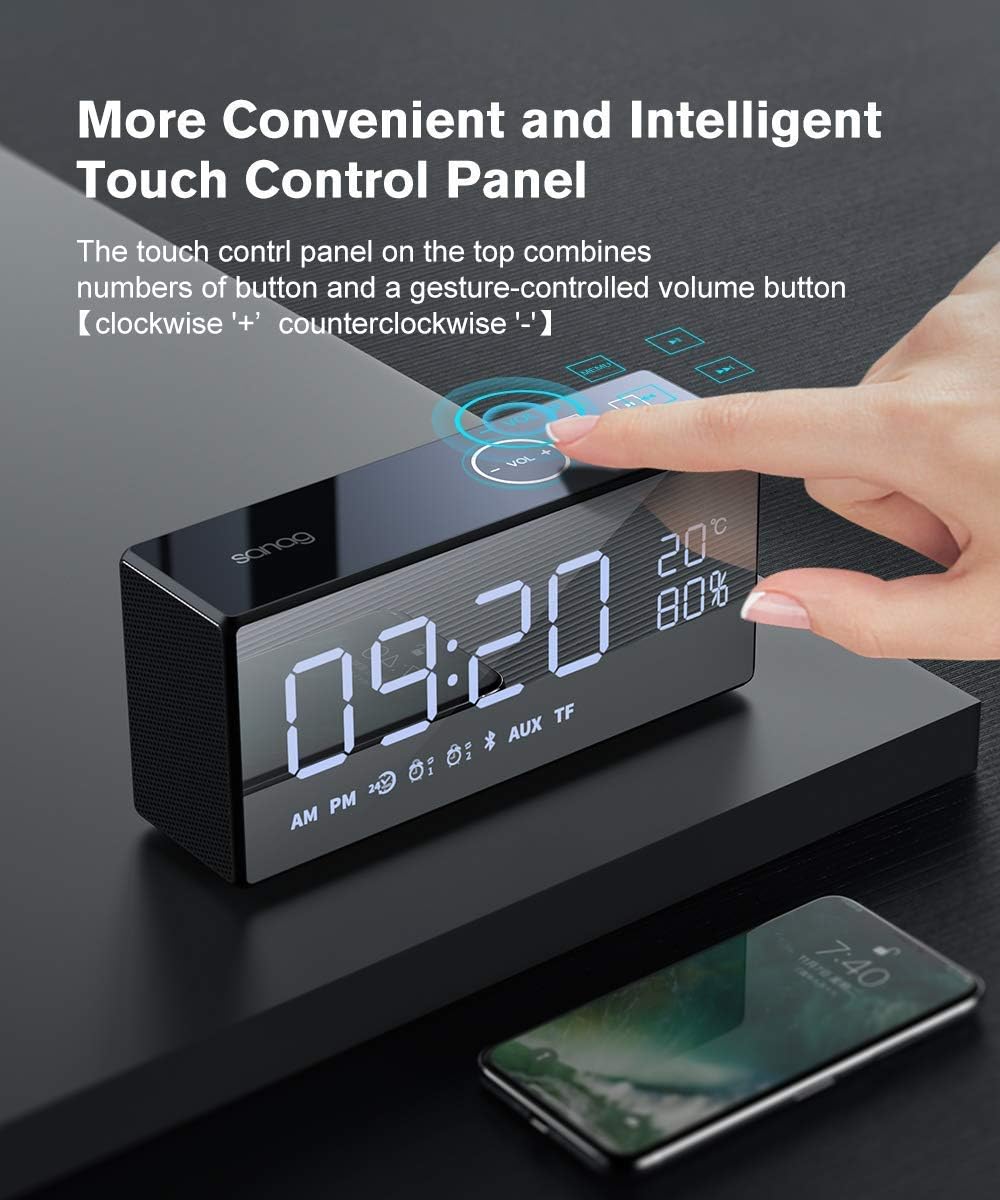
Image: A hand demonstrating interaction with the touch control panel on the SANAG X9 speaker.
2. Remote Control Functions
The included remote control provides full functionality:

Image: Detailed diagram of the SANAG X9 remote control, showing button functions.
- Power Button: Turns the speaker on/off.
- Mute: Mutes or unmutes the audio.
- Mode Switching: Cycles through input modes (Bluetooth, AUX, TF).
- Play/Pause: Starts or pauses playback.
- Volume Up/Down (VOL+/VOL-): Adjusts the volume level.
- Previous/Next Song: Skips to the previous or next track.
- Brightness Setting, Screen On/Off: Adjusts display brightness or turns the screen off.
- Clock Setting: Enters clock adjustment mode.
- Clock Adjust: Used to set time and alarm.
3. Display Brightness Adjustment
The LCD panel offers three levels of brightness. Use the dedicated button on the remote control or the touch panel to cycle through brightness settings or turn the screen off completely. Music playback continues even with the screen off.

Image: The SANAG X9 speaker demonstrating its three adjustable display brightness levels.
4. Alarm Clock Functions
Once an alarm is set, it will sound at the designated time. To snooze or turn off the alarm, refer to the remote control or touch panel instructions. The internal button batteries (2032) ensure time settings are retained even if the main power is off or the battery is depleted.
Sound Features
The SANAG X9 speaker is designed for high-fidelity audio performance. It features a 2.1 channel system with two 6W drivers and a passive radiator for enhanced bass, delivering a total output of 12W. This configuration provides immersive stereo sound.
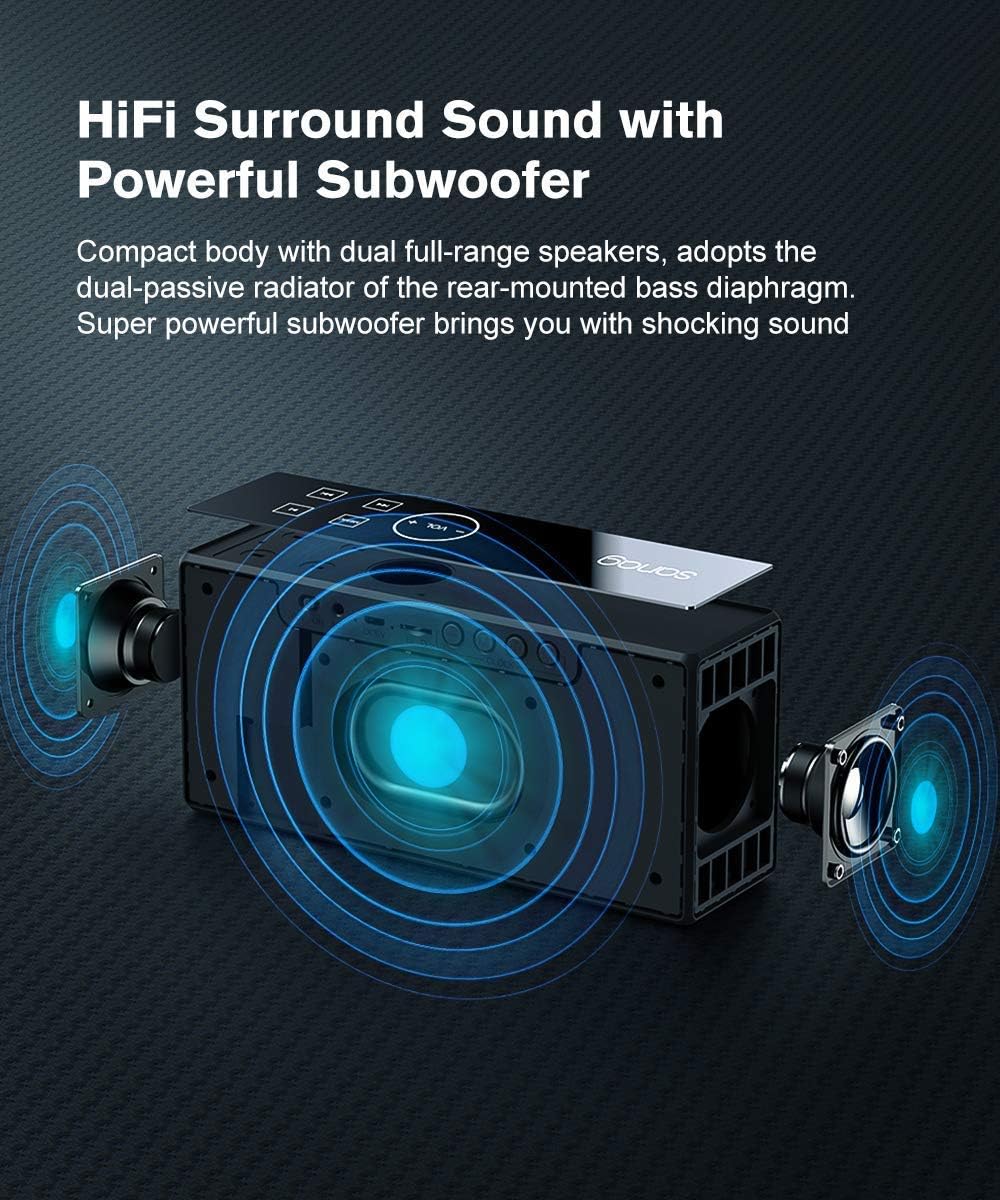
Image: Internal view of the SANAG X9 speaker, illustrating its dual full-range speakers and powerful subwoofer.
Maintenance
- Cleaning: Use a soft, dry cloth to clean the speaker's surface. Do not use abrasive cleaners, alcohol, or chemical solvents, as these may damage the finish.
- Storage: Store the speaker in a cool, dry place away from direct sunlight and extreme temperatures.
- Battery Care: To prolong battery life, avoid fully discharging the speaker frequently. If storing for an extended period, charge the battery to approximately 50% every few months.
- Water Resistance: This speaker is not waterproof. Avoid exposure to water or high humidity.
Troubleshooting
| Problem | Possible Cause | Solution |
|---|---|---|
| Speaker does not power on. | Battery is depleted. | Connect the speaker to a power source using the USB charging cable and allow it to charge. |
| No sound. | Volume is too low or muted. Incorrect input mode. | Increase volume using the speaker's touch panel or remote. Check if the speaker is muted. Ensure the correct input mode (Bluetooth, AUX, TF) is selected. |
| Bluetooth device cannot pair. | Speaker is not in pairing mode. Device is too far. Interference. | Ensure the speaker is in Bluetooth pairing mode (flashing Bluetooth icon). Move the device closer to the speaker. Turn off other Bluetooth devices nearby. Try unpairing and re-pairing. |
| Alarm does not sound. | Alarm not set correctly. Alarm volume too low. | Verify alarm settings using the remote control. Ensure alarm volume is audible. |
Specifications
| Model | SANAG X9 |
| Speaker Type | Surround Sound, Portable |
| Connectivity Technology | Bluetooth, USB, Wireless, AUX (3.5mm), TF Card |
| Bluetooth Version | V4.2 |
| Max Output Power | 12 Watts (2 x 6W drivers) |
| Control Method | Remote Control, Touch Panel |
| Power Source | DC (Internal Rechargeable Battery) |
| Battery Type | Lithium Polymer |
| Average Battery Life | 12-16 Hours |
| Material | Aluminum Alloy, Resin, Rubber, Tempered Glass |
| Dimensions (L x W x H) | 20.07 x 9.14 x 5.99 cm (7.9 x 3.6 x 2.36 inches) |
| Weight | 680.39 g (1.5 lbs) |
| Special Features | Bluetooth, Wireless, Portable, Alarm Clock, LCD Display, Built-in Mic |
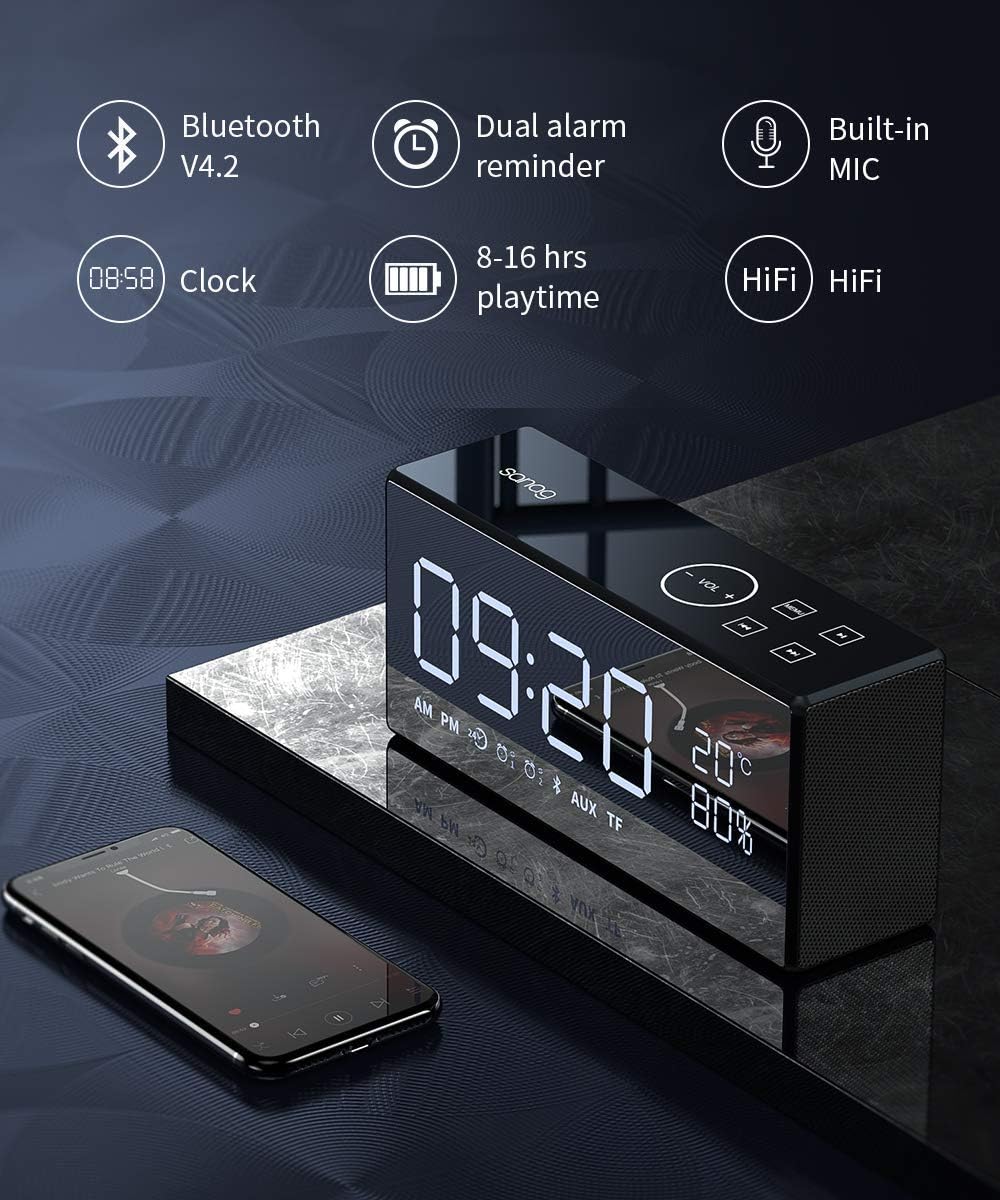
Image: Infographic summarizing key features like Bluetooth version, dual alarm, built-in microphone, clock, playtime, and HiFi sound.
Warranty and Support
Warranty Information
The SANAG X9 speaker comes with a 12-month warranty from the date of purchase. This warranty covers any quality issues inherent to the speaker itself. During this period, free exchange or maintenance services are provided.
Customer Support
Should you encounter any questions or require assistance during the use of your SANAG X9 speaker, please contact our professional customer service team. We aim to address your inquiries within 1-12 hours.


