
1. Introduction
1.1 Product Overview
This manual provides comprehensive instructions for the installation, operation, and maintenance of your KMC 55 Inch LED Standard TV, Model K16M55260. This television features a 55-inch Full HD LED display with a resolution of 1920x1080, offering a clear and vibrant viewing experience. It includes various input options such as USB, Component, AV, and PC/VGA for versatile connectivity.
1.2 Safety Information
Please read all safety warnings and instructions carefully before using this product to prevent injury or damage. Keep this manual for future reference.
- Do not expose the TV to rain or moisture.
- Do not block ventilation openings.
- Ensure proper power supply voltage.
- Avoid placing the TV on unstable surfaces.
- Unplug the TV during lightning storms or when unused for long periods.
- Refer all servicing to qualified service personnel.
2. Setup
2.1 Unpacking
Carefully remove the TV and all accessories from the packaging. Retain the packaging materials for future transport or storage.
- KMC 55 Inch LED Standard TV
- Remote Control
- Batteries for Remote Control
- TV Stand components
- User Manual (this document)
2.2 Stand Assembly
To assemble the table stand, align the stand components with the designated slots at the bottom of the TV. Secure them using the provided screws. Ensure the stand is firmly attached before placing the TV on a flat, stable surface.
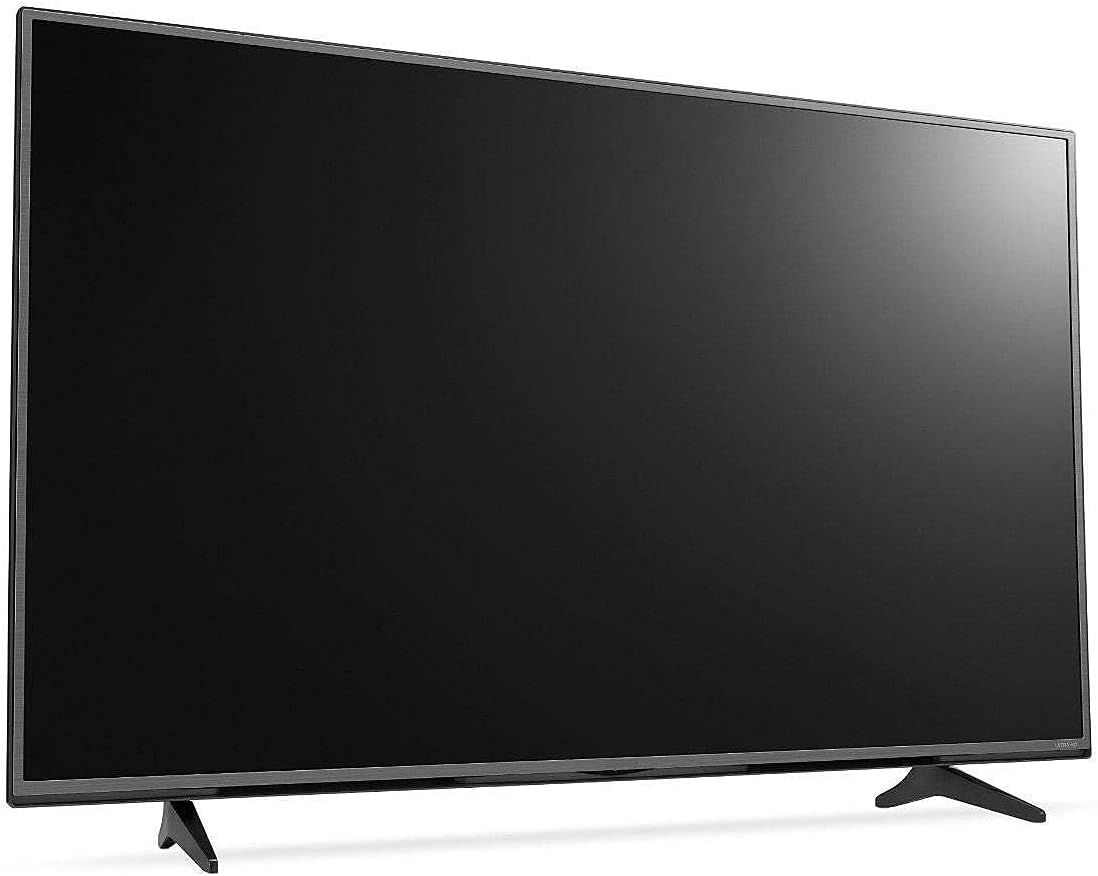
Figure 2.1: Front view of the KMC 55 Inch LED Standard TV with its table stand assembled. The screen is black, and the slim bezels are visible.
2.3 Connections
Connect your external devices to the appropriate ports on the rear of the TV. The KMC K16M55260 supports USB, Component, AV, and PC/VGA inputs.
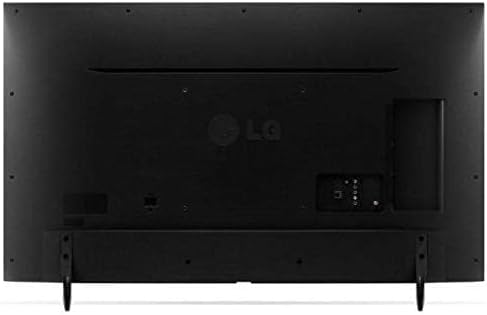
Figure 2.2: Rear view of the KMC 55 Inch LED Standard TV, displaying the various input ports including USB, Component, AV, and PC/VGA connections.
- Power Connection: Connect the power cord to the TV and then to a wall outlet.
- USB Input: For connecting USB storage devices to play media.
- Component Input: For high-quality analog video and audio connections.
- AV Input: For standard definition video and stereo audio connections.
- PC/VGA Input: For connecting a computer or laptop.
3. Operating
3.1 Basic Operation
After connecting the TV to power, press the Power button on the remote control or on the TV itself to turn it on. The initial setup wizard may guide you through language selection and channel scanning.
3.2 Remote Control
The included remote control allows you to access all TV functions. Insert the provided batteries into the remote control, ensuring correct polarity.
- Power Button: Turns the TV on or off.
- Input/Source: Selects the input source (HDMI, AV, USB, etc.).
- Volume Up/Down: Adjusts the sound level.
- Channel Up/Down: Changes TV channels.
- Menu: Opens the main menu for settings adjustments.
- Navigation Buttons (Up/Down/Left/Right): Navigates through menu options.
- OK/Enter: Confirms selections.
- Exit/Back: Returns to the previous screen or exits the menu.
3.3 Menu Navigation
Press the Menu button on the remote control to access the TV's settings. Use the navigation buttons to move between categories such as Picture, Sound, Channel, Time, and Setup. Press OK to enter a sub-menu or confirm a setting. Press Exit to close the menu.
4. Maintenance
4.1 Cleaning
To clean the TV screen, gently wipe it with a soft, lint-free cloth. For stubborn marks, slightly dampen the cloth with water or a specialized screen cleaner. Do not spray cleaner directly onto the screen. For the TV casing, use a soft, dry cloth.
- Always unplug the TV before cleaning.
- Avoid using abrasive cleaners or solvents.
- Do not apply excessive pressure to the screen.
4.2 Storage
If you need to store the TV for an extended period, ensure it is unplugged and stored in a cool, dry place, away from direct sunlight and extreme temperatures. It is recommended to use the original packaging for protection during storage or transport.
5. Troubleshooting
This section provides solutions to common issues you might encounter with your KMC TV. If the problem persists, please contact customer support.
| Problem | Possible Cause | Solution |
|---|---|---|
| No power | Power cord not connected; Power outlet not working. | Ensure power cord is securely plugged in; Test outlet with another device. |
| No picture, but sound is present | Incorrect input source selected; Backlight issue. | Press the Input/Source button to select the correct input; Contact support if backlight is suspected. |
| No sound, but picture is present | Volume is muted or too low; Audio cables not connected properly. | Unmute volume or increase level; Check audio cable connections. |
| Remote control not working | Batteries are dead or incorrectly inserted; Obstruction between remote and TV. | Replace batteries; Ensure clear line of sight to TV's IR sensor. |
6. Specifications
Technical specifications for the KMC 55 Inch LED Standard TV, Model K16M55260.
- Brand: KMC
- Model Number: K16M55260
- Screen Size: 55 Inches (140 cm visible diagonal)
- Display Technology: LED
- Resolution: 1920x1080 (Full HD, 1080p)
- Color: Black
- Special Features: Flat Display
- Connectivity Technology: USB, VGA, Component, AV
- Included Components: TV, Remote Control, Batteries, Stand
- Mounting Type: Table Mount
- Package Dimensions: 129 x 77 x 13 cm
- Package Weight: 16 kg
7. Warranty and Support
For warranty information or technical support, please contact KMC customer service. Details regarding warranty coverage and service procedures are typically provided with your purchase documentation or can be found on the official KMC website.
When contacting support, please have your TV's model number (K16M55260) and serial number ready.
