
1. Important Safety Information
Please read all safety and operating instructions carefully before using this television. Keep these instructions for future reference.
- Power Source: Connect the TV only to the specified power supply. Ensure the voltage matches the rating label on the TV.
- Ventilation: Do not block ventilation openings. Allow adequate space around the TV for proper airflow to prevent overheating.
- Water and Moisture: Do not expose the TV to rain or moisture. Do not place objects filled with liquids, such as vases, on the TV.
- Cleaning: Unplug the TV from the wall outlet before cleaning. Use a soft, dry cloth. Do not use liquid cleaners or aerosol cleaners.
- Placement: Place the TV on a stable, level surface. Avoid placing it in direct sunlight or near heat sources.
- Lightning: For added protection during a lightning storm or when left unattended for long periods, unplug the TV from the wall outlet and disconnect the antenna or cable system.
2. Package Contents
Verify that all items listed below are included in your package. If any items are missing or damaged, please contact your retailer.
- KMC 32-inch LED Standard TV
- Remote Control
- Batteries (for Remote Control)
- TV Stand (Base and Screws)
- User Manual (this document)
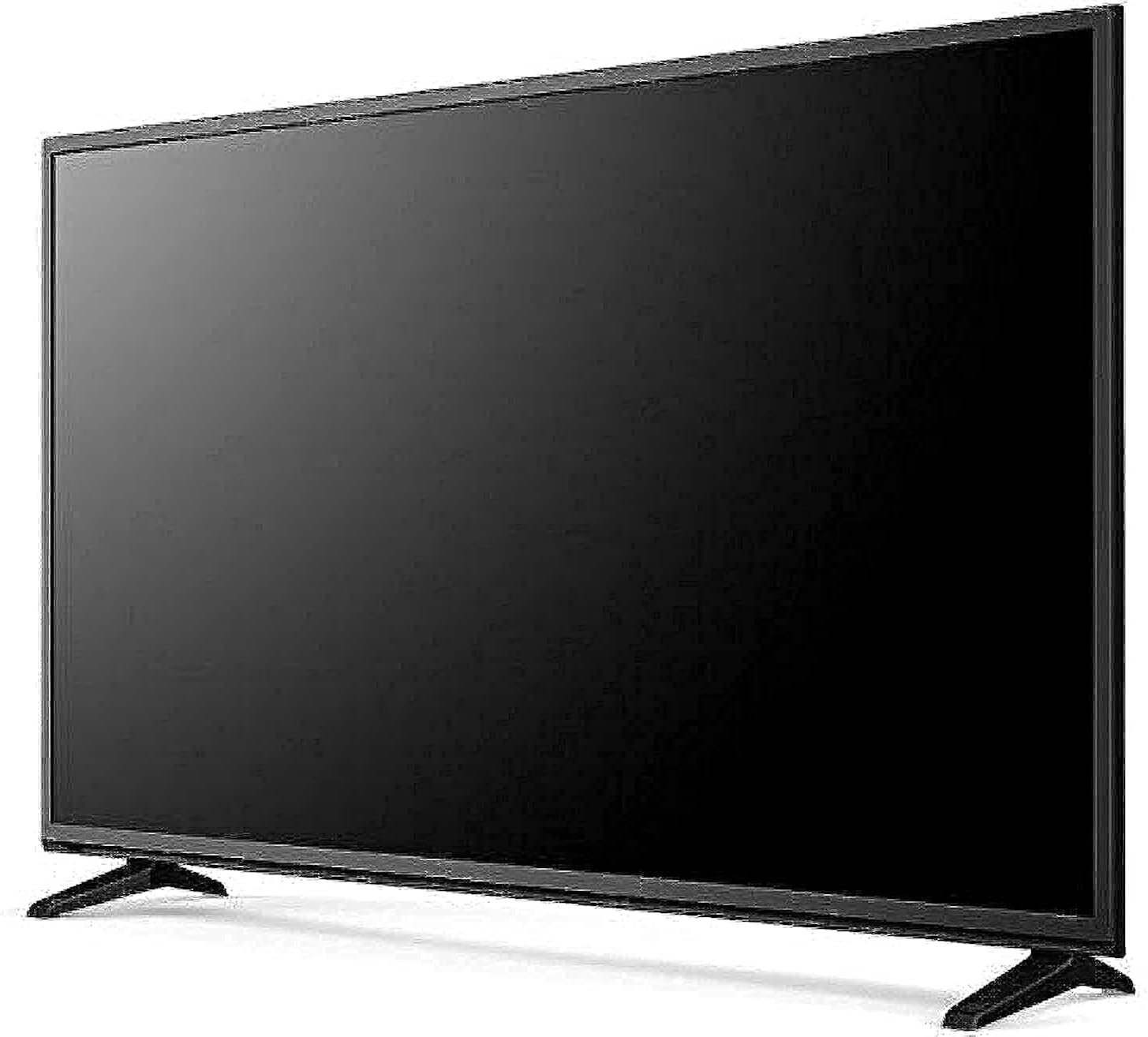
Image: The KMC 32-inch LED Standard TV, shown from an angle with its stand attached and a black screen. This image illustrates the overall design and appearance of the television unit.
3. Setup
3.1 Unpacking
- Carefully remove the TV from its packaging.
- Place the TV face down on a soft, flat surface (e.g., a blanket or foam) to prevent screen damage.
3.2 Stand Installation
To attach the TV stand:
- Align the stand bases with the corresponding slots on the bottom of the TV.
- Secure the stand bases using the provided screws. Ensure they are tightened firmly.
- Carefully lift the TV to an upright position and place it on a stable surface.
3.3 Connecting Peripherals
The KMC 32-inch LED TV offers various connectivity options:
- HDMI Port: Connect high-definition devices such as Blu-ray players, gaming consoles, or set-top boxes.
- USB Port: Connect USB storage devices to play media files (photos, music, videos).
- PC Connectivity: Use the VGA port (if available) or an HDMI port to connect a computer.
- Audio Video (AV) Cable Port: Connect older devices using composite video and stereo audio cables.
Ensure all connections are secure before powering on the TV.
4. Operating the TV
4.1 First-Time Setup
- Plug the power cord into a wall outlet.
- Press the Power button on the remote control or on the TV.
- Follow the on-screen prompts to select your preferred language, country, and perform an automatic channel scan.
4.2 Remote Control Functions
Insert the provided batteries into the remote control. Familiarize yourself with the basic functions:
- Power: Turns the TV on or off.
- Volume (+/-): Adjusts the sound level.
- Channel (CH +/-): Changes TV channels.
- Input/Source: Selects the input source (HDMI, USB, AV, TV).
- Menu: Accesses the on-screen menu for settings adjustments.
- Navigation Buttons (Arrows/OK): Used to navigate through menus and confirm selections.
4.3 Basic TV Functions
- Changing Channels: Use the CH +/- buttons or enter the channel number directly.
- Adjusting Volume: Use the VOL +/- buttons.
- Selecting Input Source: Press the 'Input' or 'Source' button on the remote and select the desired input (e.g., HDMI 1, USB, AV).

Image: The KMC 32-inch LED Standard TV displaying a colorful landscape scene with a blue sky and green field. This image demonstrates the TV's display capabilities when in operation.
5. Maintenance
5.1 Cleaning the TV
- Screen: Gently wipe the screen with a soft, lint-free cloth. For stubborn marks, slightly dampen the cloth with water or a specialized screen cleaner (do not spray directly on the screen).
- Cabinet: Use a soft, dry cloth to wipe the TV cabinet. Avoid using abrasive cleaners or solvents.
- Always unplug the TV before cleaning.
5.2 Storage
If you need to store the TV for an extended period:
- Unplug the power cord and disconnect all cables.
- Remove batteries from the remote control.
- Pack the TV in its original packaging or a suitable protective box.
- Store in a cool, dry place away from direct sunlight and extreme temperatures.
6. Troubleshooting
Refer to this section for solutions to common issues you might encounter.
| Problem | Possible Cause | Solution |
|---|---|---|
| No power | Power cord not connected; Power outlet not working | Ensure power cord is securely plugged in; Test outlet with another device |
| No picture, but sound is present | Incorrect input source selected; Loose cable connection | Press 'Input/Source' button to select correct input; Check all cable connections |
| No sound, but picture is present | Volume muted or too low; Audio cable loose | Unmute or increase volume; Check audio cable connections |
| Remote control not working | Batteries depleted or incorrectly inserted; Obstruction between remote and TV | Replace batteries; Ensure correct polarity; Remove obstructions; Point remote directly at TV sensor |
| Picture is distorted or unclear | Weak signal; Incorrect resolution setting | Check antenna/cable connection; Adjust picture settings in the menu |
If the problem persists after trying these solutions, please contact customer support.
7. Specifications
Detailed technical specifications for the KMC 32-inch LED Standard TV, model k16m32260.
| Feature | Specification |
|---|---|
| Brand | KMC |
| Model Number | k16m32260 |
| Screen Size | 32 Inches |
| Display Technology | LED |
| Resolution | 1280x720 (720p) |
| Aspect Ratio | 16:9 |
| Color | Black |
| Connectivity Technology | USB, HDMI, AV, PC |
| Special Features | Flat Screen Design |
| Included Components | TV, Remote Control, Batteries, Stand |
| Package Dimensions | 27.99 x 18.37 x 4.57 cm |
| Package Weight | 4 kg |
8. Warranty and Support
This KMC TV comes with a standard manufacturer's warranty. Please refer to the warranty card included in your package for specific terms and conditions, including the warranty period and coverage details.
For technical support, service inquiries, or to report any issues not covered in the troubleshooting section, please contact KMC customer service through the contact information provided on your warranty card or the official KMC website.