
Runleader RL-HM019R
Runleader Digital Self Powered Tach/Hour Meter User Manual
Model: RL-HM019R
1. Introduction
Thank you for choosing the Runleader Digital Self Powered Tach/Hour Meter. This device is designed to provide accurate engine RPM readings and track engine operating hours, helping you maintain your equipment effectively. Its robust design ensures reliability in various environments.
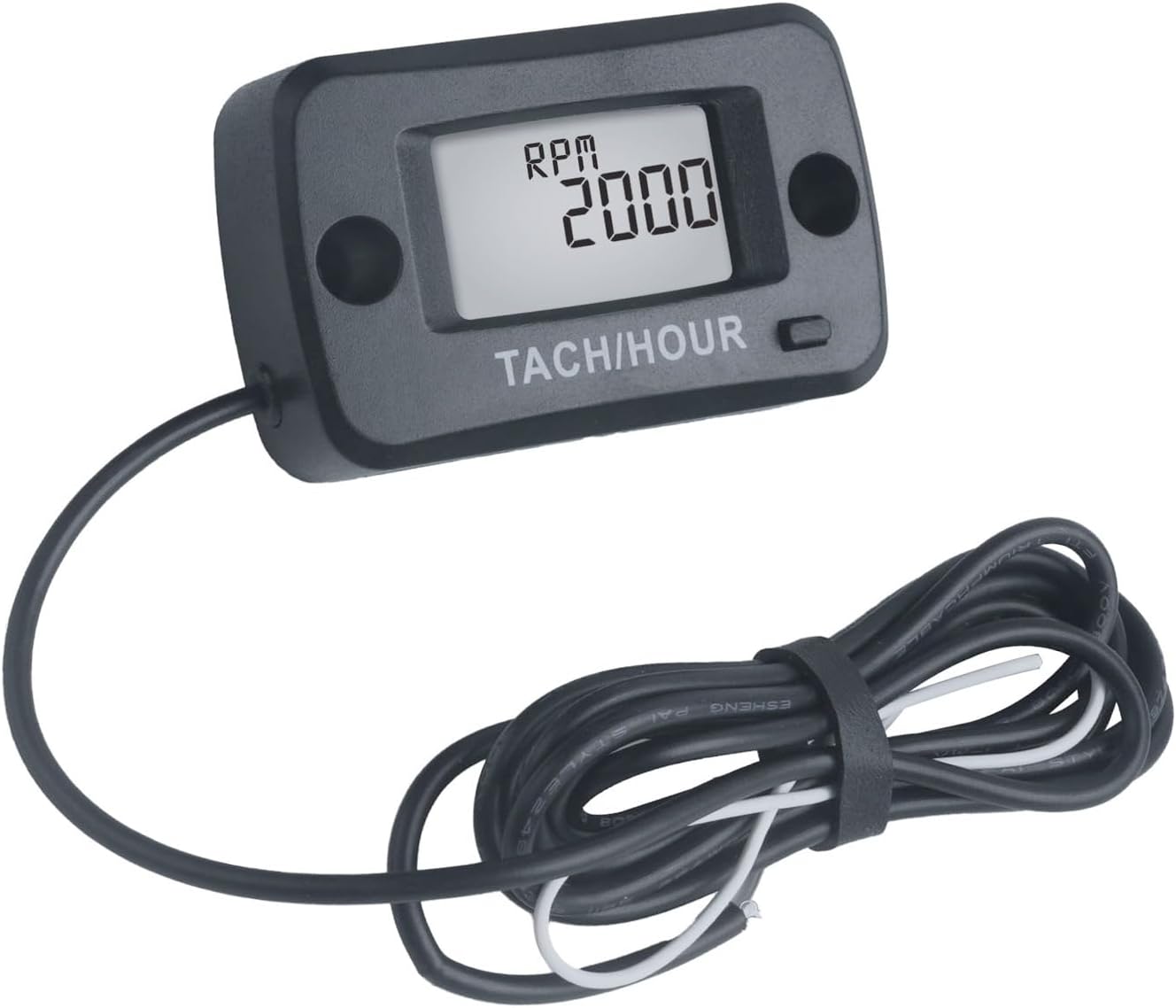
Image 1.1: Runleader Digital Self Powered Tach/Hour Meter with its wire.
2. Key Features
- Hours Tracking: Monitors total run time (TOT) and individual trip hours (JOB) for gas engines.
- Maintenance Reminders: Helps determine when maintenance tasks (e.g., air filter and oil change) are due. TOT and JOB hours range: 0-999,999 hours. Maintenance time range: 0-1000 hours.
- RPM Measurement: Displays current engine RPM and the highest RPM achieved since engine start. RPM measurement range: 0 to 25000 RPM.
- Adjustable Firing Patterns: Allows selection of various engine firing patterns for accurate RPM readings.
- Water/Shock Resistance: 100% epoxy resin sealing provides protection against dampness, moisture, and strong shocks, rated IP68.
- Easy Installation: Can be mounted using stick-on adhesive or screws. Features a simple one-wire hook-up for engine signal detection.
- Long Battery Life: Built-in CR2450 battery with a lifespan of up to 3 years.

Image 2.1: Illustration of Hours and RPM display modes on the meter.
3. Setup and Installation
3.1 Package Contents
- Runleader Tach/Hour Meter x 1
- Cable ties x 2
- Double-sided tape x 1
- Screws x 2
- User Manual x 1

Image 3.1: Contents of the product package, including the meter, cable ties, double-sided tape, screws, and user manual.
3.2 Mounting Options
The meter offers two convenient mounting methods:
- Stick-on Mounting: Use the provided double-sided tape to adhere the meter to a clean, flat surface.
- Screw-on Mounting: Use the provided screws to securely fasten the meter through its mounting holes to a suitable surface.

Image 3.2: Visual guide for stick-on and screw-on mounting methods.
3.3 Engine Signal Connection
The meter detects engine signals via a single wire hook-up. Wrap the signal wire around the spark plug wire of your engine. The standard wire length is approximately 68.8 inches (1.75 meters), and it can be shortened or extended as needed.

Image 3.3: Diagram showing how to connect the signal wire to the engine's spark plug wire for signal pickup.
This meter is compatible with 12 types of gas engines, including:
- 2-stroke 1/2/3 cylinders
- 4-stroke 1/2/3/4/5/6/8/12/16 cylinders
4. Operating Instructions
4.1 Switching Modes (Hours & RPM)
Press and hold the button on the meter to switch between the Hours mode and RPM mode. In Hours mode, you can view the total operating hours (TOT) and job hours (JOB). In RPM mode, the real-time RPM will be displayed when the engine is running.
4.2 Job Timers (JOB1, JOB2)
The meter provides two groups of partial hours (JOB1 and JOB2) to record the operating hours during a single working period. These values can be reset by pressing and holding the button when the respective JOB timer is displayed.
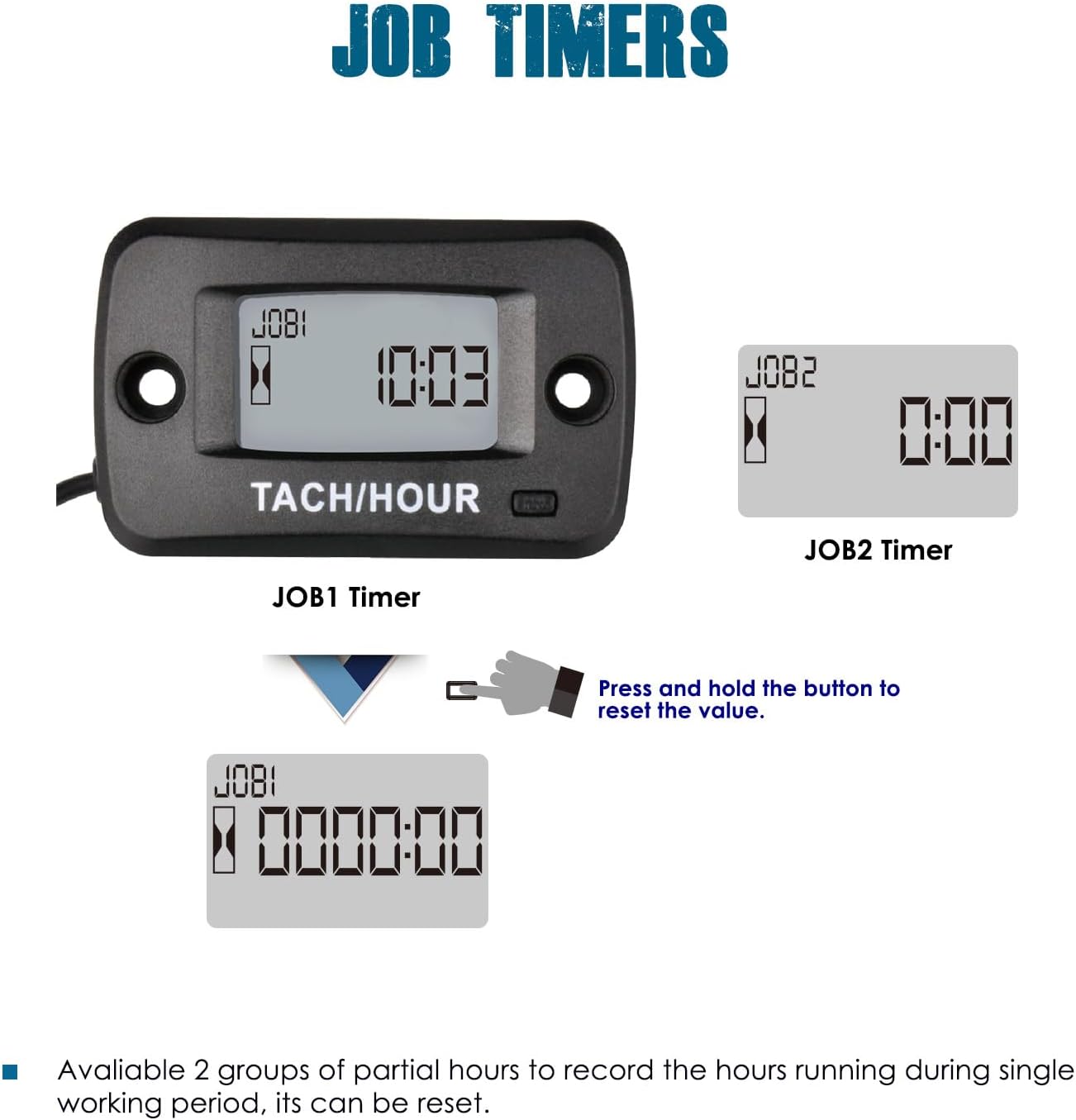
Image 4.1: Display of JOB1 and JOB2 timers, showing how to reset them.
5. Maintenance Reminders (SVC)
The meter includes three SVC timers to help you perform regular maintenance for different engine components. These reminders advise you when service is due.
- Oil Change Reminder: Indicates when an oil change is recommended.
- Clean Air Filter Reminder: Prompts you to clean or replace the air filter.
- General SVC Reminder: A customizable service reminder.

Image 5.1: Displays for Clean Air Filter, Change Oil, and SVC reminders.
6. Troubleshooting
If you encounter issues with your Runleader Tach/Hour Meter, please refer to the following common problems and solutions:
- No Display/Meter Not Turning On: Ensure the signal wire is correctly wrapped around the spark plug wire. The unit is self-powered by an internal battery, which has a lifespan of approximately 3 years. If the battery is depleted, the unit may need replacement as the battery is non-replaceable.
- Inaccurate RPM Readings: Verify that the signal wire is securely connected and properly wrapped. Ensure the correct engine firing pattern is selected in the meter's settings (refer to the full user manual for detailed setting adjustments). Interference from other electrical components can also affect readings; try rerouting the signal wire if possible.
- Hours Not Accumulating: Confirm the engine is running and the signal wire is properly connected. The meter only records hours when it detects engine operation.
- Display Flickering or Malfunctioning: This could indicate a low battery or exposure to extreme conditions. While the unit is water and shock resistant, prolonged exposure to severe conditions beyond its IP68 rating may affect performance.
For persistent issues, please contact Runleader customer support.
7. Specifications
| Attribute | Value |
|---|---|
| Brand | Runleader |
| Model Number | RL-HM019R |
| Material | Acrylonitrile Butadiene Styrene (ABS) |
| Item Weight | 60 Grams (2.12 ounces) |
| Screen Size | 5 Centimeters |
| UPC | 791296605771 |
| RPM Measurement Range | 0 to 25000 RPM |
| Hours Range (TOT/JOB) | 0-999,999 hours |
| Maintenance Time Range | 0-1000 hours |
| Water Resistance | IP68 |
| Battery | 1 Lithium Metal battery (CR2450), included, non-replaceable |
| Battery Life | Up to 3 years |
| Signal Wire Length | Approx. 68.8 inches (1.75 meters) |
| Manufacturer | Ningbo Jiangbei Run Leader Electronics Co., Ltd |

Image 7.1: Detailed dimensions of the meter and a visual list of included accessories.
8. Warranty and Support
Runleader provides reliable technical support and a 2-year after-sales service for this product. For any inquiries, technical assistance, or warranty claims, please contact Runleader customer service through your purchase platform or the official Runleader website.
Important Safety Information: This product contains a button cell battery. Ingestion can cause severe injury or death in as little as 2 hours. Keep new and used batteries away from children. Seek immediate medical attention if a battery is swallowed or inserted inside any part of the body.

Image 8.1: Safety warnings regarding the button cell battery, displayed in multiple languages.
Related documentsRL-HM019R


Ask a question about this manual
Ask about setup, troubleshooting, compatibility, parts, safety, or missing instructions. Manuals+ will review the question and use this page’s manual context to help answer it.