
1. Introduction
This manual provides essential information for the safe and effective use of your GUY-TECH AC Adapter, model QDQ0012. This product is a compatible replacement power supply designed for the Defiant 99426 LED Spotlight. It is engineered to deliver reliable power with built-in protection features.
Please read this manual thoroughly before using the product and retain it for future reference.
2. Safety Information
Observe the following safety precautions to prevent damage to the product or injury to yourself:
- Ensure the adapter's input voltage (100V-240V) matches your local power supply.
- Do not expose the adapter to water, moisture, or extreme temperatures.
- Avoid dropping or subjecting the adapter to strong impacts.
- Do not attempt to open, modify, or repair the adapter. Refer servicing to qualified personnel.
- Keep the adapter away from children.
- Unplug the adapter from the power outlet when not in use for extended periods.
- Ensure proper ventilation around the adapter during operation to prevent overheating.
3. Package Contents
Verify that all items are present in the package:
- 1 x GUY-TECH AC Power Adapter (Model: QDQ0012)
4. Product Features
The GUY-TECH AC Adapter offers the following features:
- Universal Input: Supports 100V - 240V worldwide input voltage.
- Compatibility: Designed as a compatible replacement for Defiant 99426 LED Spotlight.
- Safety Protections: Features Over Voltage Output Protection, Over Current Output Protection, and Short Circuit Output Protection.
- LED Indicator: Equipped with an LED light to indicate power status.
- Cable Length: Approximately 5 feet (1.5 meters) for flexible placement.
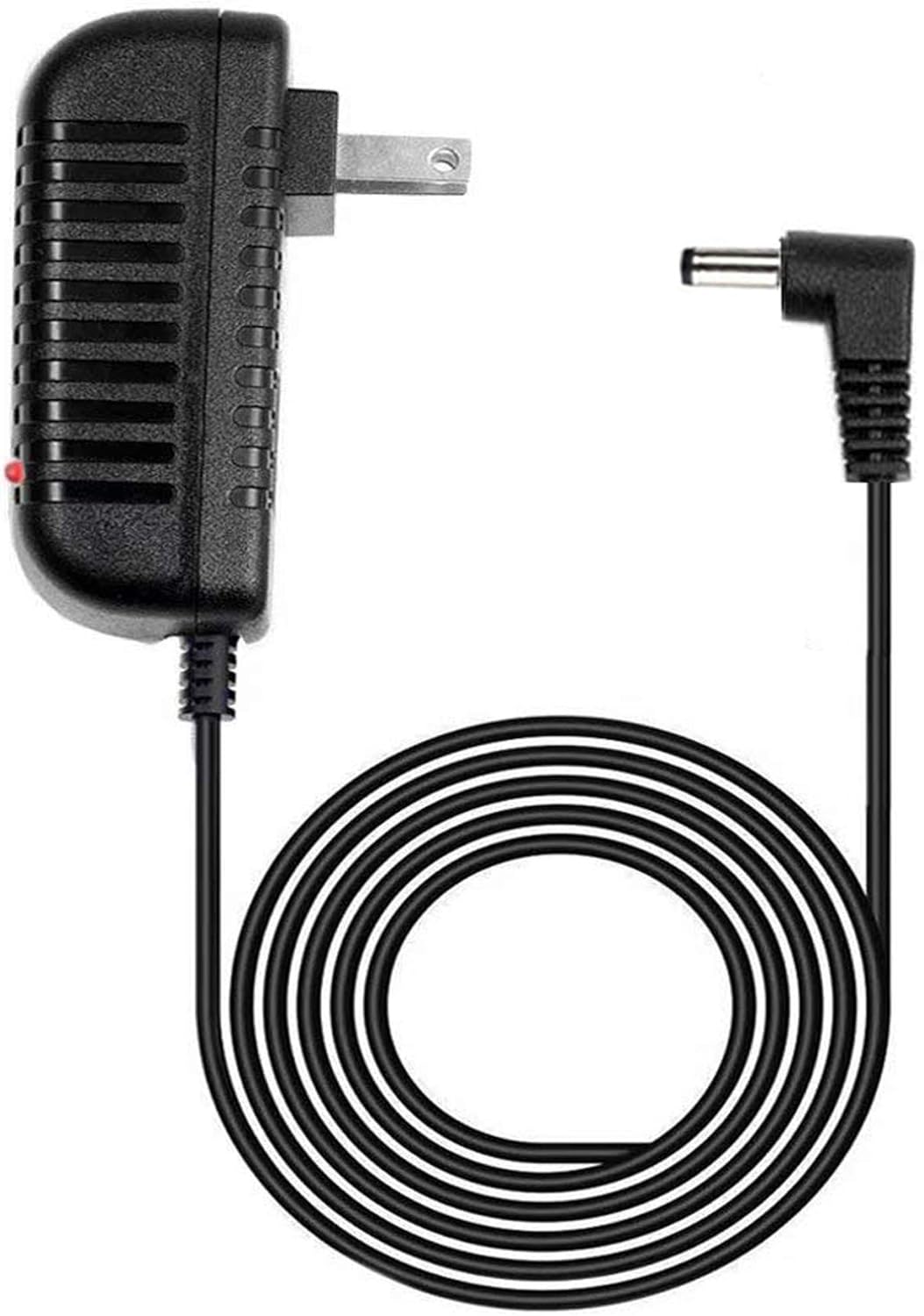
Image 1: The GUY-TECH AC Adapter showing the main unit, power prongs, and the attached 5-foot cable with a barrel connector. A small red LED indicator is visible on the adapter body.

Image 2: A graphic highlighting two key features: the 5-foot cable length and the presence of an LED indicator light on the adapter.
5. Setup
Follow these steps to set up your AC adapter:
- Verify Compatibility: Ensure that your device is the Defiant 99426 LED Spotlight or another device requiring a compatible power supply with similar specifications (e.g., voltage, amperage, barrel connector type).
- Connect to Device: Insert the barrel connector end of the adapter cable firmly into the power input port of your Defiant 99426 LED Spotlight.
- Connect to Power Outlet: Plug the AC adapter into a standard wall power outlet (100V-240V).
- Power On: Once connected, the LED indicator on the adapter should illuminate, signifying that power is being supplied. Your device should now be ready for operation.
6. Operating
The GUY-TECH AC Adapter operates automatically once connected to a power source and a compatible device.
- Power Indicator: A small LED light on the adapter body will illuminate when the adapter is receiving power from the wall outlet and is ready to supply power to your device. If the LED is not lit, check the power connections.
- Continuous Power: The adapter provides continuous DC power to your device as long as it is plugged into a live outlet.
7. Maintenance
Proper care ensures the longevity and performance of your AC adapter:
- Cleaning: Disconnect the adapter from the power outlet and the device before cleaning. Use a soft, dry cloth to wipe the surface. Do not use liquid cleaners or solvents.
- Storage: Store the adapter in a cool, dry place when not in use. Avoid wrapping the cable too tightly around the adapter body to prevent damage to the internal wires.
- Inspection: Periodically inspect the cable and connector for any signs of wear, fraying, or damage. If damage is observed, discontinue use immediately.
8. Troubleshooting
If you encounter issues with your AC adapter, refer to the following troubleshooting guide:
- No Power to Device:
- Ensure the adapter is securely plugged into a working wall outlet.
- Verify that the barrel connector is fully inserted into your device's power port.
- Check if the LED indicator on the adapter is lit. If not, try a different outlet.
- Confirm that your device is compatible with this adapter's specifications.
- Adapter Overheating:
- Disconnect the adapter immediately.
- Ensure there is adequate ventilation around the adapter. Do not cover it.
- Verify that the connected device is not drawing excessive power.
- If overheating persists, discontinue use and contact support.
- Flickering LED Indicator:
- This may indicate an unstable power supply or a loose connection. Check all connections.
- Try plugging the adapter into a different wall outlet.
If these steps do not resolve the issue, please contact customer support.
9. Specifications
| Feature | Specification |
|---|---|
| Model Number | QDQ0012 |
| Brand | GUY-TECH |
| Input Voltage | AC 100V - 240V (Worldwide) |
| Output Amperage | 1 Amps |
| Connector Type | Barrel Connector |
| Cable Length | Approximately 5 feet |
| Special Feature | Short Circuit Protection, Over Voltage Protection, Over Current Protection |
| Color | Black |
| Item Weight | 3.84 ounces |
| Package Dimensions | 5.12 x 4.25 x 2.01 inches |
10. Warranty and Support
For warranty information or technical support, please refer to the documentation provided with your purchase or contact the seller directly. Keep your purchase receipt as proof of purchase.
Manufacturer: Guy-Tech
Date First Available: June 13, 2019

