1. Introduction
The Pingi ID-A300 is a reusable electric dehumidifier designed to combat excess moisture, condensation, and mold in various vehicles, including cars, caravans, and motorhomes. This device helps maintain a dry interior environment, preventing issues such as fogged windows, unpleasant odors, and potential damage to vehicle interiors. Its electric recharging capability ensures long-term, effective use.
2. Product Features
- Condensation Prevention: Effectively absorbs moisture to prevent fogged windows, mold, and odors.
- Reusable and Rechargeable: Designed for durability, it recharges via a supplied power cable for unlimited use.
- Powerful Absorption: Absorbs up to 120 ml of moisture.
- Integrated Humidity Indicator: Changes color to show device status (orange for ready, green for full).
- Versatile Application: Suitable for cars, caravans, motorhomes, trailers, and other vehicles.
- 100% Leak-Proof: Ensures no spills or stains, maintaining a dry interior.

Image: Diagram illustrating how the dehumidifier absorbs moisture from the air, protecting the vehicle from humidity and condensation.
3. Setup
- Unpack: Carefully remove the Pingi ID-A300 dehumidifier from its packaging.
- Initial Check: Ensure the humidity indicator is orange, signifying it is ready for use. If it is green, the device is full and requires recharging before first use.
- Placement: Place the dehumidifier in your vehicle where moisture is a concern. Common areas include the dashboard, under seats, or in the trunk. Ensure it is placed on a stable, flat surface.

Image: A hand positioning the Pingi ID-A300 dehumidifier on the dashboard of a car, demonstrating typical placement.
4. Operating Instructions
The Pingi ID-A300 operates passively by absorbing moisture from the air. No active power is required during its dehumidifying cycle.
- Monitoring the Indicator: The integrated humidity indicator will be orange when the device is dry and ready to absorb moisture.
- As the dehumidifier absorbs moisture, the indicator will gradually change color. When the indicator turns green, it signifies that the device is saturated with moisture and needs to be recharged.
- Continue to use the dehumidifier until the indicator turns completely green.
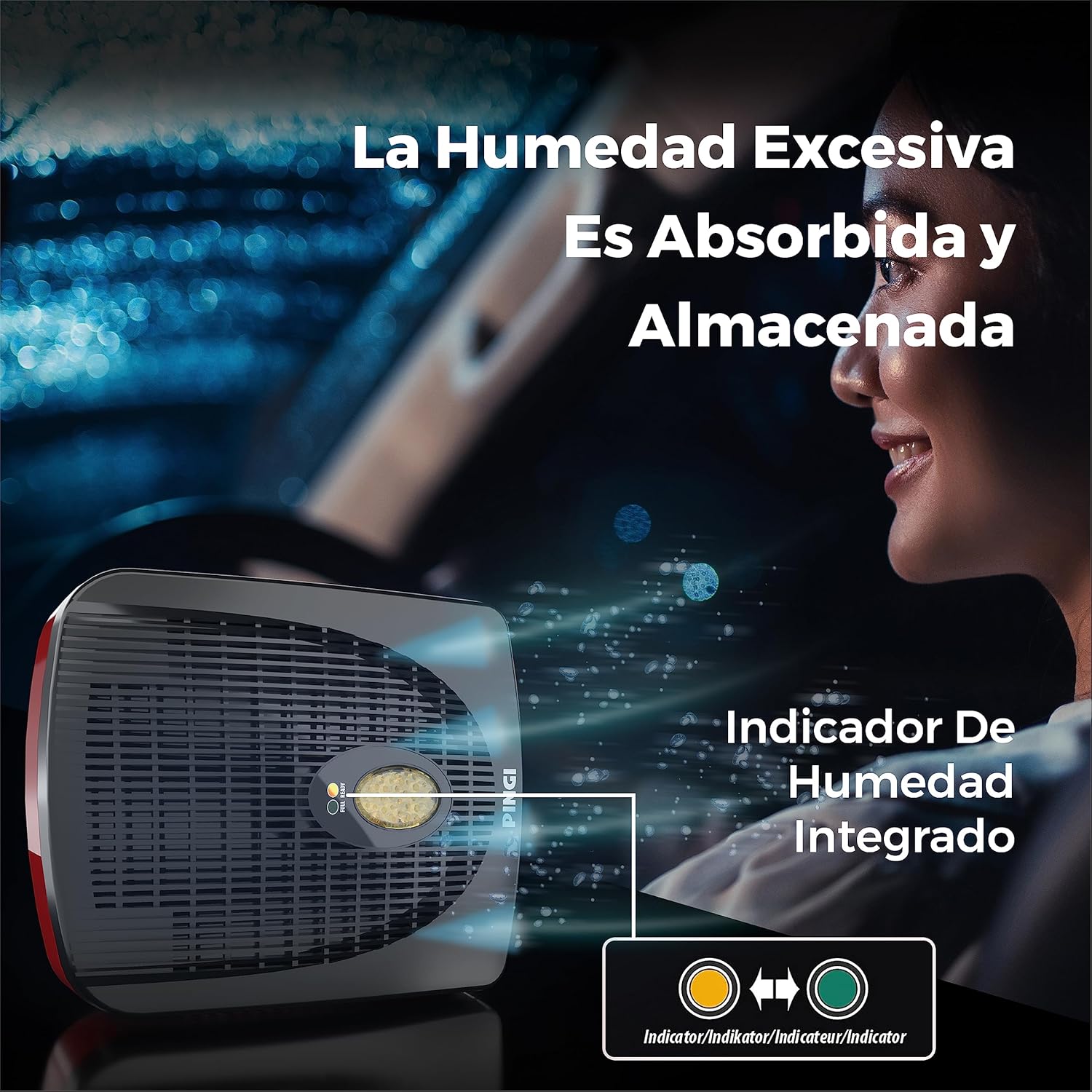
Image: A close-up view of the Pingi ID-A300's humidity indicator, showing the color transition from orange (dry) to green (saturated).
5. Maintenance (Recharging)
When the humidity indicator turns green, the Pingi ID-A300 needs to be recharged to release the absorbed moisture and restore its dehumidifying capacity.
- Connect Power: Use the supplied power cable to connect the dehumidifier to a standard electrical outlet.
- Charging Time: Allow the device to charge for approximately 8 hours. During charging, the indicator will gradually return to its orange 'ready' state.
- Completion: Once the indicator is fully orange, the dehumidifier is completely dry and ready for reuse. Disconnect it from the power outlet.

Image: The Pingi ID-A300 dehumidifier connected to a power outlet with its included cable, illustrating the recharging process.
6. Troubleshooting
- Device not absorbing moisture: Ensure the humidity indicator is orange. If it is green, the device is saturated and requires recharging.
- Indicator not changing color after charging: Verify that the device is properly connected to a functioning power outlet and has been charged for the recommended 8 hours.
- Persistent moisture issues: For very high humidity levels or larger spaces, multiple dehumidifiers may be required. Ensure the vehicle is sealed as much as possible to prevent external moisture ingress.
7. Specifications
| Specification | Value |
|---|---|
| Manufacturer | Nedis |
| Brand | Pingi |
| Model | ID-A300 |
| Product Weight | 642 g |
| Product Dimensions | 5.4 x 20.3 x 17 cm |
| Special Features | Durable, Reusable |
| Capacity | 120 Milliliters |
| Material | Polymeric body |
| Color | White |

Image: Visual representation of the Pingi ID-A300 dehumidifier with its key dimensions labeled.
8. What's in the Box
- 1 x Pingi ID-A300 Car Dehumidifier
- 1 x Power Cable (for recharging)
9. Product Video
Video: A product summary video demonstrating the features and usage of the Pingi ID-A300 dehumidifier.
10. Warranty and Support
For warranty information, technical support, or any inquiries regarding your Pingi ID-A300 dehumidifier, please refer to the documentation included with your purchase or contact Pingi customer service directly. Keep your proof of purchase for warranty claims.


