
VIOFO A119 V3
VIOFO Dash Cam A119 V3 User Manual
Model: A119 V3 | Brand: VIOFO
Introduction
This manual provides detailed instructions for the installation, operation, and maintenance of your VIOFO A119 V3 Dash Cam. Please read this manual thoroughly before using the device to ensure proper functionality and to maximize your user experience. The VIOFO A119 V3 is designed to capture high-quality video footage of your journeys, offering advanced features for reliable incident recording and parking surveillance.
Package Contents

Image: Contents of the VIOFO A119 V3 Dash Cam package, including the camera, GPS mount, cables, and mounting accessories.
Verify that all items listed below are included in your package:
- 1x A119 V3 Dash Cam (Front Unit)
- 1x GPS Mount
- 1x Car Charger Cable
- 1x Mini USB Cable
- 1x Trim Removal Tool
- 5x Cable Clips
- 2x Non-GPS Mounts
- 1x 3M Adhesive Stickers (for mounting)
- 2x Windshield Static Stickers
- 2x EVA Foam Pads
Product Overview

Image: The VIOFO A119 V3 Dash Cam, showing its compact design and front lens.
The VIOFO A119 V3 features a compact design with intuitive controls. Key components include:
- Lens: High-quality 7-element glass lens with F1.6 aperture.
- Display: Integrated screen for live view and menu navigation.
- Buttons: Power, Menu, Record, Emergency Lock, Microphone.
- MicroSD Card Slot: Supports up to 256GB (U3 A2 V30 recommended).
- GPS Module: Integrated into the mount for speed, timestamp, and route data.
- Supercapacitor: For enhanced durability and temperature resistance.
Setup
1. MicroSD Card Insertion
Insert a high-endurance microSD card (not included) into the camera's card slot. Ensure the card is formatted within the camera's settings for optimal performance. A U3 A2 V30 rated card is recommended for reliable recording.
2. Mounting the Dash Cam
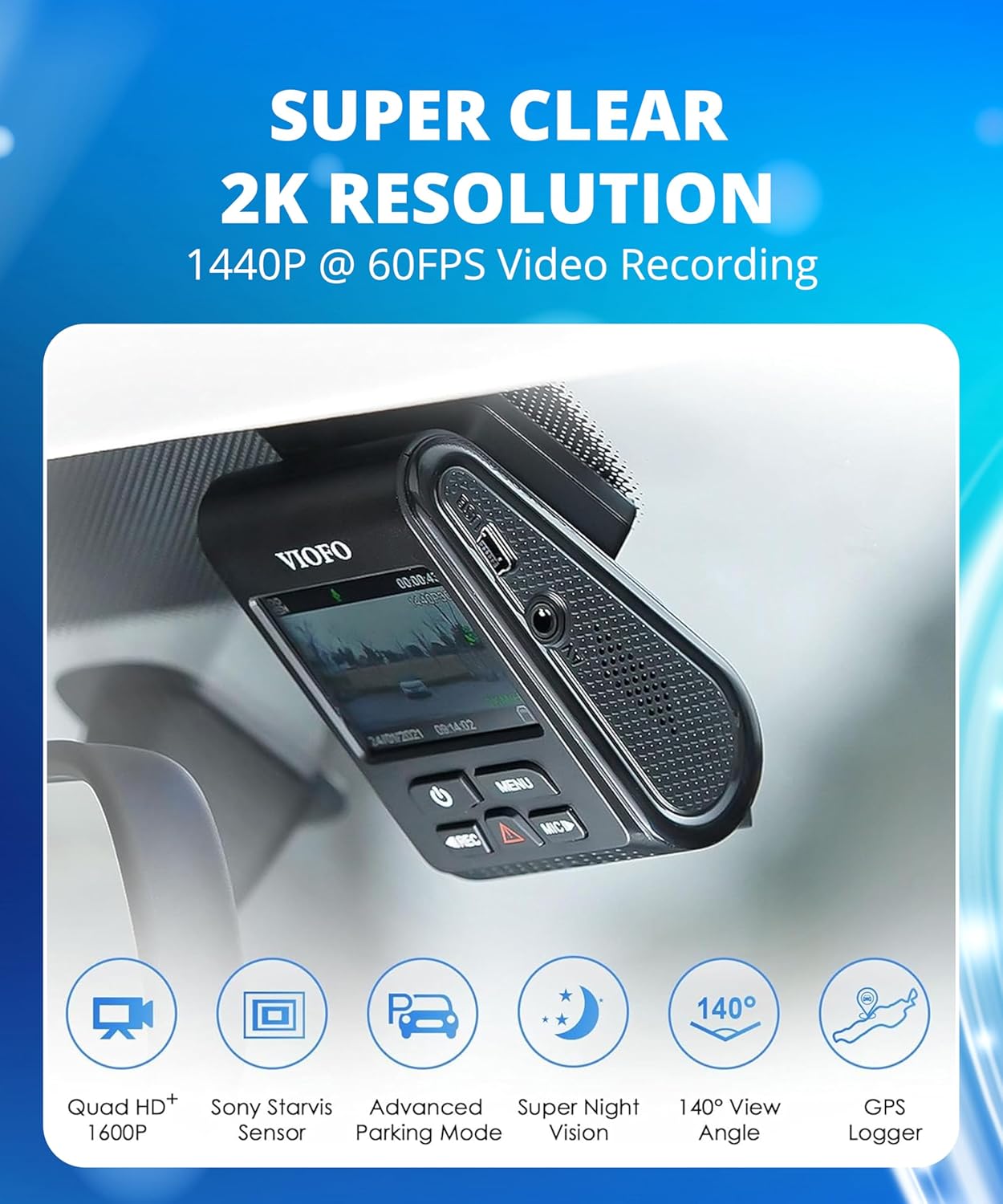
Image: The VIOFO A119 V3 Dash Cam installed on a car's windshield, showing its discreet placement.
- Clean the windshield area where the dash cam will be mounted.
- Apply a static sticker to the windshield first, then attach the 3M adhesive mount to the static sticker. This allows for easier removal without residue.
- Attach the dash cam to the GPS mount (or non-GPS mount).
- Securely affix the mount to the prepared area on your windshield, ideally behind the rearview mirror for minimal obstruction.
3. Power Connection
Connect the car charger cable to the dash cam and plug it into your vehicle's 12V power outlet. Route the cable neatly along the windshield edge and trim using the provided clips and trim tool to conceal it.
Operating Instructions
Basic Recording
The dash cam will automatically power on and begin loop recording when connected to power and your vehicle starts. Video files are saved in segments (e.g., 1, 3, 5 minutes) and older files are overwritten by new ones when the memory card is full. Press the REC button to manually start/stop recording.
Emergency Recording (G-Sensor)

Image: The Automatic Emergency Lock feature, which protects video files from being overwritten during collisions.
The built-in G-sensor detects sudden impacts or rapid acceleration/deceleration. When triggered, the current video segment is automatically locked and protected from being overwritten. You can also manually lock a video segment by pressing the Emergency Lock button (triangle icon) during recording.
Parking Mode

Image: Visual representation of the three parking mode solutions: Auto Event Detection, Low Bitrate Recording, and Time Lapse Recording.
The A119 V3 offers three parking mode options for 24-hour surveillance. These modes require a VIOFO HK3 ACC hardwire cable (sold separately) for continuous power and battery protection:
- Auto Event Detection: Records 15 seconds before and 30 seconds after a detected motion or impact.
- Time Lapse: Records video at a low frame rate (e.g., 1/2/3/5/10 fps) to compress long periods into short videos.
- Low Bitrate Recording: Records continuously at a lower bitrate (4MB/s) to save storage space while maintaining audio recording.
GPS Functionality

Image: The built-in GPS feature records speed, time, and route data, which can be viewed on a computer using compatible software.
The integrated GPS module records your vehicle's speed, precise time, and geographical route data. This information is embedded directly into the video files and can be viewed using compatible playback software on Windows, Mac, or mobile applications, providing crucial context for recorded events.
Enhanced Night Vision (STARVIS Sensor & HDR)

Image: A split image demonstrating the improved clarity and detail captured by the dash cam's Super Night Vision feature compared to standard night recording.
Equipped with a Sony STARVIS image sensor and HDR (High Dynamic Range) technology, the A119 V3 excels in low-light conditions. HDR balances bright and dark areas, ensuring clear and legible details, such as license plates, even at night or in challenging lighting environments.
Maintenance
MicroSD Card Care
To maintain optimal recording performance, it is recommended to format your microSD card regularly (e.g., once a month) within the camera's settings. This helps prevent data corruption and ensures smooth operation. Always use high-endurance microSD cards designed for continuous recording.
Cleaning
Gently wipe the camera lens with a soft, lint-free cloth to ensure clear video quality. Avoid using abrasive cleaners or solvents that could damage the lens or camera body.
Firmware Updates
VIOFO periodically releases firmware updates to improve performance and add new features. Check the official VIOFO website for the latest firmware versions and follow the provided instructions for updating your device. Refer to the official User Manual PDF for detailed instructions on firmware updates.
Troubleshooting
| Problem | Possible Solution |
|---|---|
| Camera does not power on. | Check power connection. Ensure the car charger is properly plugged into both the camera and the vehicle's 12V outlet. Test the outlet with another device. |
| Recording stops unexpectedly. | Format the microSD card in the camera. Ensure you are using a high-endurance microSD card (U3 A2 V30 recommended). The card may be full or corrupted. |
| Video footage is blurry or unclear. | Clean the camera lens. Ensure the protective film has been removed from the lens. Check if the windshield is clean where the camera is mounted. |
| GPS signal not found. | Ensure the GPS mount is used and properly connected. Position the camera away from metallic tints or other devices that might interfere with the GPS signal. Allow time for the GPS to acquire a signal. |
| Parking mode not working. | Parking mode requires the VIOFO HK3 ACC hardwire kit (sold separately) for continuous power. Ensure the hardwire kit is correctly installed and configured. |
Specifications
| Feature | Detail |
|---|---|
| Model Name | A119 V3 |
| Video Capture Resolution | 1440p (2560x1440P Quad HD+ 60FPS) |
| Image Sensor | 5MP STARVIS Sensor (IMX335) |
| Lens | F1.6 Aperture, 7-element glass lens, 140-Degree Wide Angle |
| Processor | Novatek NT96670 |
| Storage | Supports microSD cards up to 256GB (U3 A2 V30 recommended) |
| Special Features | Loop Recording, Automatic Incident Detection (G-Sensor), Compact Design, Built-In Supercapacitor, Built-In Microphone, GPS Included, Buffered Parking Mode, True HDR |
| Operating Temperature | -10°C to 65°C (14°F to 149°F) |
| Connectivity | USB |
| Dimensions | 2.1 x 1.91 x 3.25 inches |
| Weight | 10.6 ounces |

Image: The VIOFO A119 V3 is built with a supercapacitor for reliable operation in extreme temperatures, from very hot to very cold conditions.
Warranty and Support
The VIOFO A119 V3 Dash Cam comes with a one-year warranty. For technical support, troubleshooting assistance, or warranty claims, please contact VIOFO's dedicated after-sales service. Contact information can typically be found on the official VIOFO website or through your purchase platform.
For additional resources, including the full User Manual PDF and installation guides, please visit the official VIOFO website or refer to the documents section on the product's Amazon page.
Related documentsA119 V3


Ask a question about this manual
Ask about setup, troubleshooting, compatibility, parts, safety, or missing instructions. Manuals+ will review the question and use this page’s manual context to help answer it.