
1. Safety Information
Please read all safety instructions carefully before installation and operation. Failure to follow these instructions may result in electric shock, fire, or other hazards.
- Ensure power is turned off at the circuit breaker before installation or servicing.
- Installation should be performed by a qualified electrician if you are unsure about electrical wiring.
- Do not look directly into the LED light when it is illuminated, as this may cause eye damage.
- Verify that the supply voltage is compatible with the fixture's requirements (120 Volts).
- All wiring connections must be made in accordance with local and national electrical codes.
2. Product Overview
The Onforu BDBC75-3 is a 75W LED outdoor flood light designed for various exterior applications. It features three adjustable light heads, providing 7000 lumens of 6500K daylight white illumination. The fixture is IP65 waterproof, ensuring durability in outdoor conditions.

Figure 2.1: Onforu 75W LED Outdoor Flood Light (Model BDBC75-3) with its three adjustable heads.

Figure 2.2: Exploded view of the flood light components, highlighting the energy-saving LED beads and fin heat dissipation design.
3. Setup and Installation
The Onforu BDBC75-3 flood light is designed for easy installation on walls or eaves. It requires hardwired electrical connection.
3.1 Mounting Options
- Wall Mount: Securely attach the fixture to a vertical wall surface.
- Eave Mount: Install the fixture underneath an eave for downward illumination.

Figure 3.1: Illustration of wall-mounted and soffit-mounted installation methods for the flood light.
3.2 Wiring Instructions
- Turn off power at the circuit breaker.
- Attach the mounting bracket to the junction box (not included) using appropriate screws.
- Connect the fixture's wires to your household wiring:
- Black wire (Live) to Black wire (Live)
- White wire (Neutral) to White wire (Neutral)
- Green wire (Ground) to Green or bare copper wire (Ground)
- Secure the fixture base to the mounting bracket.
- Ensure all connections are tight and secure.
- Restore power at the circuit breaker.

Figure 3.2: Detailed wiring connections for the flood light, showing live, neutral, and ground wires.
Video 3.1: Official Onforu video demonstrating the unboxing and installation process for the 55W LED Flood Lights, which shares similar installation steps with the 75W model.
4. Operating Instructions
The Onforu BDBC75-3 flood light is designed for simple, switch-controlled operation.
4.1 Powering On/Off
This flood light is controlled by a standard wall switch. There is no motion sensor, solar power, or dusk-to-dawn functionality built into this model. Simply toggle the connected wall switch to turn the light on or off.

Figure 4.1: The flood light is operated via a manual wall switch.
4.2 Adjusting Light Heads
The three light heads are independently adjustable, allowing you to direct illumination precisely where needed. Each head can be swiveled and tilted to achieve a wide 270° luminescence angle.

Figure 4.2: The adjustable light heads offer flexibility in directing light.
Video 4.1: A user review video demonstrating the brightness and coverage of the flood lights in a backyard setting.
5. Maintenance
The Onforu BDBC75-3 flood light is designed for minimal maintenance due to its durable construction and IP65 waterproof rating.
- Cleaning: Periodically wipe the light heads with a soft, damp cloth to remove dirt and debris. Do not use abrasive cleaners.
- Inspection: Regularly check the fixture for any signs of damage, loose connections, or wear. Address any issues promptly.
- Waterproof Rating: The IP65 rating ensures protection against dust and water jets. However, avoid submerging the fixture in water.
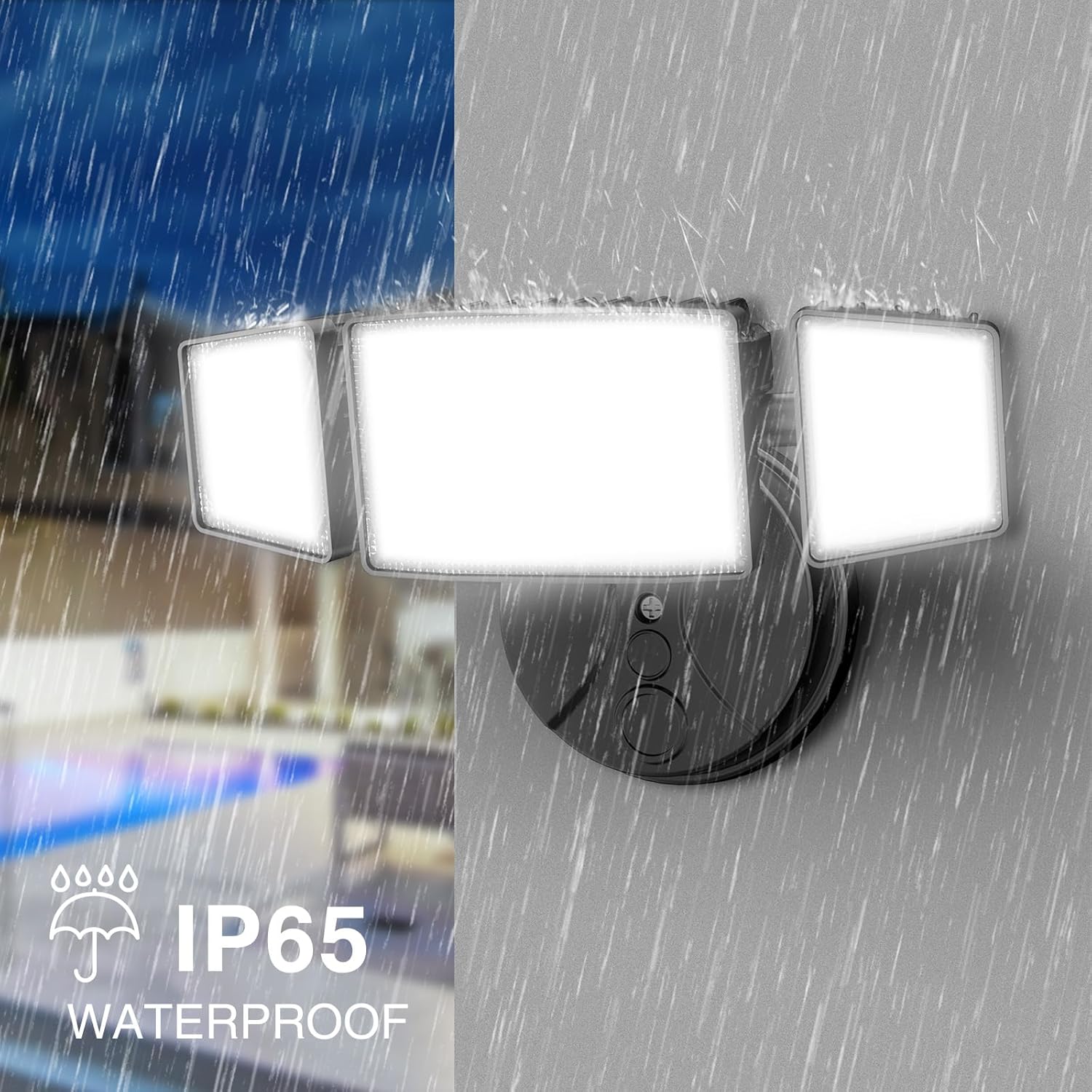
Figure 5.1: The IP65 waterproof design ensures reliable operation in various weather conditions.
6. Troubleshooting
If you encounter issues with your Onforu BDBC75-3 flood light, refer to the following common troubleshooting steps:
- Light Not Turning On:
- Check the circuit breaker to ensure power is supplied to the fixture.
- Verify that the wall switch is in the "ON" position.
- Inspect wiring connections for any looseness or damage (ensure power is off before inspection).
- Partial Illumination (Some LEDs Not Working):
- This may indicate a component failure. Contact customer support for assistance.
- Flickering Light:
- Check for loose wiring connections.
- Ensure the voltage supply is stable and within the specified range.
For issues not covered here, or if troubleshooting steps do not resolve the problem, please contact Onforu customer support.
7. Specifications
| Feature | Detail |
|---|---|
| Brand | Onforu |
| Model Name | BDBC75-3 |
| Wattage | 75 watts |
| Brightness | 7000 Lumen |
| Color Temperature | 6500 Kelvin (Daylight White) |
| Light Source Type | LED (112 efficient LED beads) |
| Material | Aluminum |
| Water Resistance Level | IP65 Waterproof |
| Control Method | Switch Controlled |
| Adjustable Heads | 3 light heads, 270° adjustable angle |
| Power Source | Corded Electric |
| Voltage | 120 Volts |
| Product Dimensions | 10"L x 5"W x 4"H |
| Item Weight | 1.7 pounds |
| Installation Type | Wall Mount, Eave Mount |
| Number of Items | 2 (as a 2-pack) |
8. Warranty and Support
For warranty information or technical support regarding your Onforu BDBC75-3 flood light, please refer to the contact details provided with your product packaging or visit the official Onforu website. Ensure you have your model number (BDBC75-3) and purchase details available when contacting support.
Onforu is committed to providing quality products and customer satisfaction. If you experience any issues, their support team is available to assist you.


