
VIOFO A119 V3_GPS
VIOFO A119 V3 Dashcam User Manual
Model: A119 V3_GPS | Brand: VIOFO
1. Introduction
The VIOFO A119 V3 is a high-performance dashcam designed to provide reliable and clear video evidence on the road. Equipped with advanced features such as 2560x1600P Quad HD+ resolution, a 140-degree wide-angle lens, G-sensor, and various parking modes, it ensures comprehensive coverage and protection for your vehicle. This manual provides detailed instructions for setting up, operating, maintaining, and troubleshooting your A119 V3 dashcam.
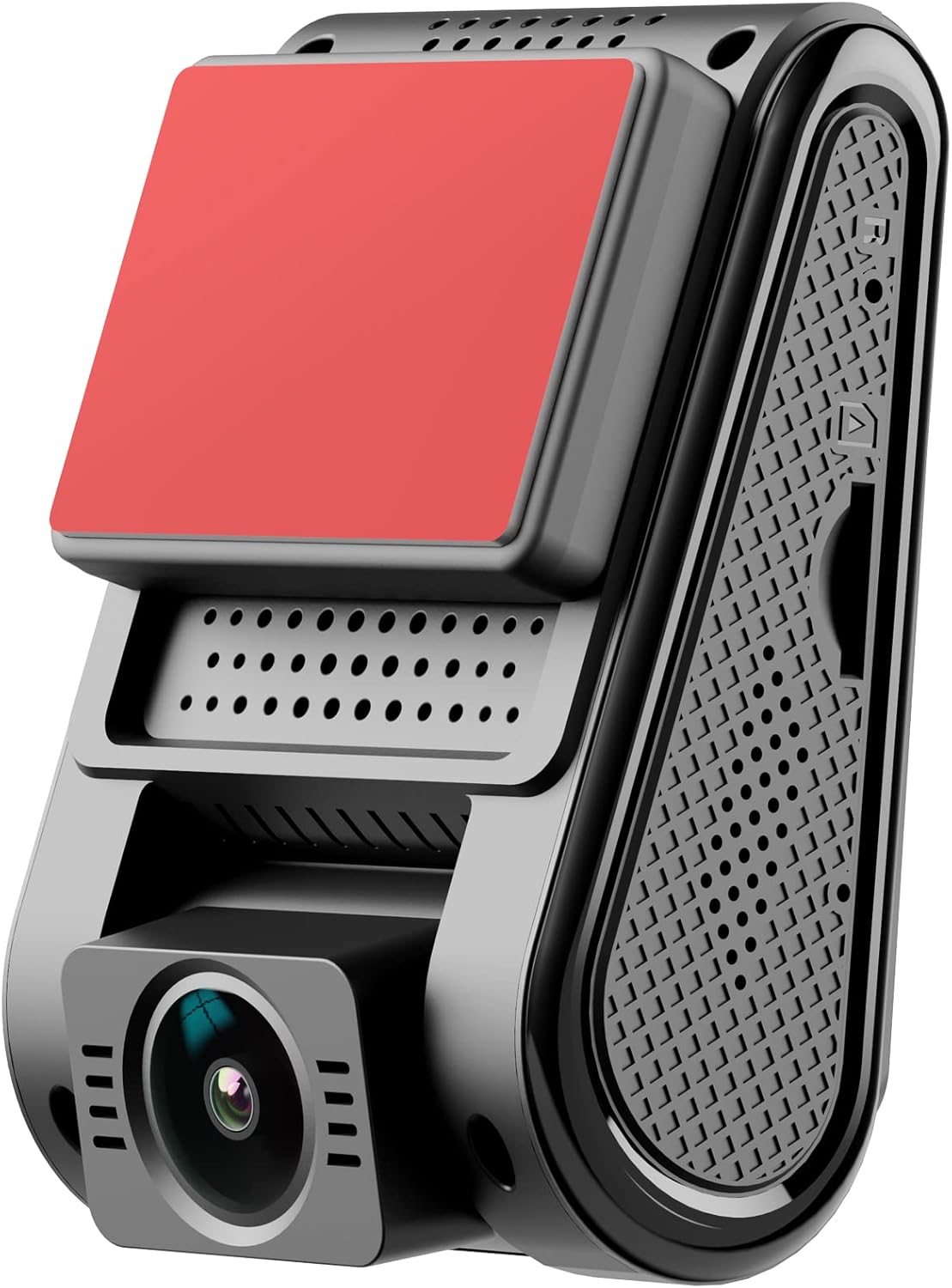
Figure 1.1: Overview of the VIOFO A119 V3 Dashcam, showcasing its compact and discreet design.
2. Product Features
- 2560x1600P & 5MP Sensor: The A119 V3 dashcam features an advanced 5MP IMX335 sensor and an F1.6 7G lens, delivering 1600p HD resolution at 30 frames per second. This ensures clear day and night recordings, making license plate and incident details easily readable. The 140-degree angle provides a wide view of the road without significant fisheye distortion.
- Advanced Parking Mode: Offers three parking mode solutions to suit different needs: Automatic Event Detection, Time Lapse, and Low Bitrate Recording. When Automatic Event Detection is selected, the buffered parking function records video before and after an event. For optimal performance, the VIOFO HK3 ACC hardwire kit is recommended for automatic recording start/stop based on ACC signal.
- GPS Tracking: The integrated GPS module records speed, time, and GPS route data directly into the video file. Compatible viewers can display this data during playback. An embedded date and time stamp on recorded footage provides additional verifiable evidence.
- Super Night Vision & HDR: Equipped with a 5MP Starvis image sensor, the A119 V3 provides significantly clearer images than most dashcams in low-light conditions. The HDR (High Dynamic Range) function automatically balances lighting in bright and dark areas, ensuring clear license plate capture even under strong car lights at night.
- Ideal Choice: Features include G-sensor, motion detection, HDR, loop recording, support for up to 256GB SD cards, built-in microphone, automatic start/stop, and easy installation and operation. The A119 V3 is an excellent choice for your dashcam needs.
- Discreet Design: The A119 V3 Dashcam utilizes a quick-release mount, simplifying installation. It is designed to be easy to install and operate, blending seamlessly into your vehicle's interior.
- Extreme Weather Resistance: Built-in super capacitor can withstand extreme hot and cold weather. No batteries inside.

Figure 2.1: Visual comparison demonstrating the superior clarity and detail of Quad HD (2560x1600P/2560x1440P) compared to Full HD (1920x1080P) and HD (1280x720P), enabled by the Sony 5MP STARVIS Sensor.

Figure 2.2: Illustration of the built-in GPS logger functionality and the three available parking modes: Auto Event Detection, Time Lapse Recording, and Low Bitrate Recording.

Figure 2.3: Comparison showing the effect of HDR (High Dynamic Range) on image quality in challenging lighting conditions, highlighting improved visibility with HDR enabled.

Figure 2.4: The VIOFO A119 V3 Dashcam mounted discreetly behind the rearview mirror, showing its compact form factor and windshield static sticker for easy installation.
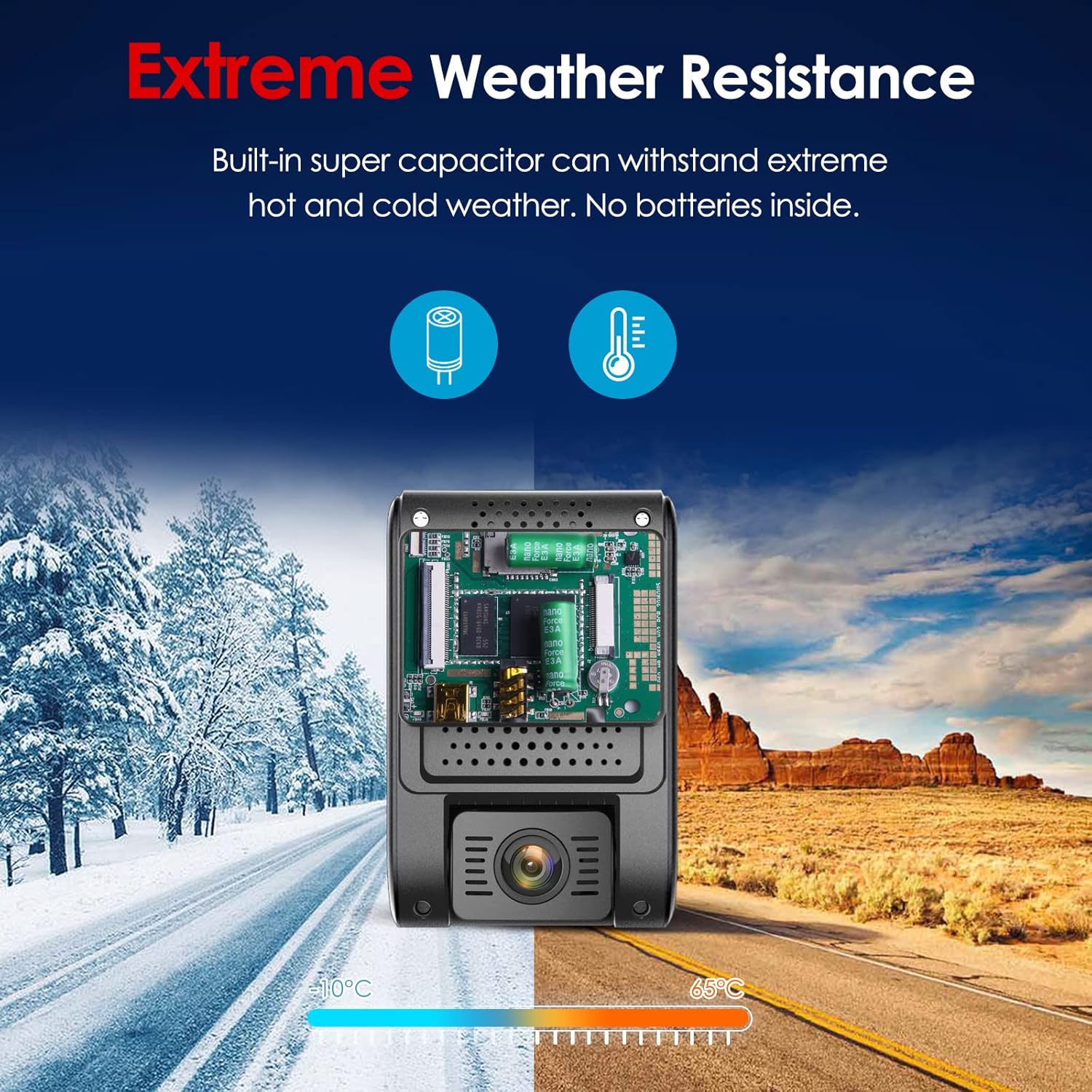
Figure 2.5: Illustration of the dashcam's ability to withstand extreme temperatures, from -10°C to 65°C, thanks to its built-in super capacitor, ensuring reliable operation in various climates.
3. Package Contents
Please check the box for the following items:
- 1 x A119 V3 Front Dashcam
- 1 x Car Charger (3.5 meters)
- 1 x Mini USB Cable (1 meter)
- 1 x GPS Mount
- 2 x Non-GPS Mounts
- 5 x Cable Clips
- 2 x Adhesive Stickers

Figure 3.1: All components included in the VIOFO A119 V3 Dashcam package, including the dashcam unit, cables, mounts, and adhesive accessories.
4. Setup
4.1. Inserting the MicroSD Card
Before using the dashcam, insert a high-endurance MicroSD card (Class 10 or higher, U1/U3 recommended, up to 256GB) into the card slot until it clicks into place. Ensure the dashcam is powered off before inserting or removing the card.
4.2. Mounting the Dashcam
- Clean the windshield area where you intend to mount the dashcam.
- Attach the static sticker to the windshield first, then attach the GPS mount (or non-GPS mount) to the static sticker. This allows for easier removal without leaving residue.
- Slide the A119 V3 dashcam onto the mount until it securely locks into place.
- Adjust the lens angle to ensure it captures the road ahead clearly, typically with the horizon in the middle of the frame.
4.3. Power Connection
- Connect the car charger to your vehicle's 12V power outlet (cigarette lighter socket).
- Connect the mini USB cable from the car charger to the dashcam's power input port.
- Route the power cable neatly along the windshield edge and trim using the provided cable clips to avoid obstructing your view.
5. Operating Instructions
5.1. Powering On/Off
- Automatic: The dashcam will automatically power on and begin recording when connected to a power source and the vehicle ignition is turned on. It will power off automatically when the ignition is turned off.
- Manual: Press and hold the Power button for 3 seconds to manually turn the dashcam on or off.
5.2. Recording Modes
- Loop Recording: The dashcam continuously records video in short segments (e.g., 1, 3, 5 minutes). When the MicroSD card is full, the oldest segment is overwritten by the newest.
- Emergency Recording (G-Sensor): In the event of a sudden impact or collision, the built-in G-sensor will automatically lock the current video segment, preventing it from being overwritten. You can also manually trigger emergency recording by pressing the dedicated button.
- Parking Mode: Activated when the vehicle is parked. Choose from:
- Auto Event Detection: Records a buffered video (before and after the event) when motion or impact is detected.
- Time Lapse Recording: Records video at a low frame rate (e.g., 1 FPS) to save storage space while covering a long period.
- Low Bitrate Recording: Records continuously at a lower bitrate to save storage space.
5.3. GPS Functionality
When the GPS mount is used, the dashcam will automatically record GPS data (speed, location, time) along with the video footage. This data can be viewed using compatible video playback software on a computer.
5.4. Menu Navigation
Use the buttons on the dashcam to navigate through the menu options. The display screen will show the current settings and live view. Refer to the on-screen prompts for specific functions.
5.5. Playback
You can play back recorded videos directly on the dashcam's screen or by removing the MicroSD card and inserting it into a computer or compatible device.
5.6. Formatting the MicroSD Card
It is recommended to format the MicroSD card regularly (e.g., once a month) within the dashcam's menu to ensure optimal performance and prevent data corruption.
6. Maintenance
- Cleaning: Use a soft, dry cloth to clean the dashcam lens and body. Avoid using harsh chemicals or abrasive materials.
- MicroSD Card Health: Regularly back up important footage and format the MicroSD card to maintain its health and prevent recording issues. Replace the card if it shows signs of degradation or errors.
- Firmware Updates: Check the VIOFO official website periodically for firmware updates. Updating the firmware can improve performance, add new features, and fix bugs. Follow the instructions provided with the firmware update carefully.
7. Troubleshooting
| Problem | Possible Cause | Solution |
|---|---|---|
| Dashcam does not power on. | No power, faulty cable, or damaged unit. | Check power connection. Ensure car charger is working. Try a different USB cable or power source. |
| Recording stops or freezes. | MicroSD card issue (full, slow, or corrupted). | Format the MicroSD card. Use a high-endurance, Class 10 U1/U3 MicroSD card. Replace the card if necessary. |
| Video quality is poor. | Dirty lens, incorrect settings, or low light. | Clean the lens. Check video resolution settings. Ensure HDR is enabled for challenging lighting. |
| GPS not working. | GPS signal blocked, or GPS mount not used. | Ensure the dashcam has a clear view of the sky. Verify the GPS mount is correctly attached and functioning. |
| Dashcam gets hot. | Normal operation, especially in hot weather. | This is generally normal. The super capacitor design helps manage heat. If it's excessively hot and causing issues, contact support. |
8. Specifications
| Feature | Detail |
|---|---|
| Brand | VIOFO |
| Model Name | A119 V3 |
| Color | Black |
| Screen | 2.0 inches |
| Connectivity Technology | Auxiliary |
| Special Feature | Night Vision, G-Sensor, GPS |
| Compatible Devices | Car, Truck, Motorcycle |
| Battery Type | Lithium Metal (Super Capacitor) |
| Rechargeable Battery | No |
| Video Recording Resolution | 1440p (2560x1600P Quad HD+) |
| Mounting Type | Adhesive Mount |
| Operating Temperature | -10°C to 65°C (approx.) |
9. Warranty and Customer Support
VIOFO products typically come with a standard manufacturer's warranty. Please refer to the warranty card included in your package or visit the official VIOFO website for detailed warranty terms and conditions specific to your region.
For technical assistance, troubleshooting beyond this manual, or warranty claims, please contact VIOFO customer support through their official website or the retailer where you purchased the product. Have your product model and serial number ready for faster service.
Related documentsA119 V3_GPS


Ask a question about this manual
Ask about setup, troubleshooting, compatibility, parts, safety, or missing instructions. Manuals+ will review the question and use this page’s manual context to help answer it.