
LAUNCH CRP123X V2.0
LAUNCH OBD2 Scanner CRP123X V2.0 User Manual
Model: CRP123X V2.0
1. Product Overview
The LAUNCH CRP123X V2.0 is an advanced OBD2 diagnostic scan tool designed for comprehensive vehicle system analysis. It provides robust diagnostic capabilities for Engine, ABS, SRS, and Transmission systems, along with various reset functions and full OBD2 modes. This manual provides detailed instructions for its proper use and maintenance.
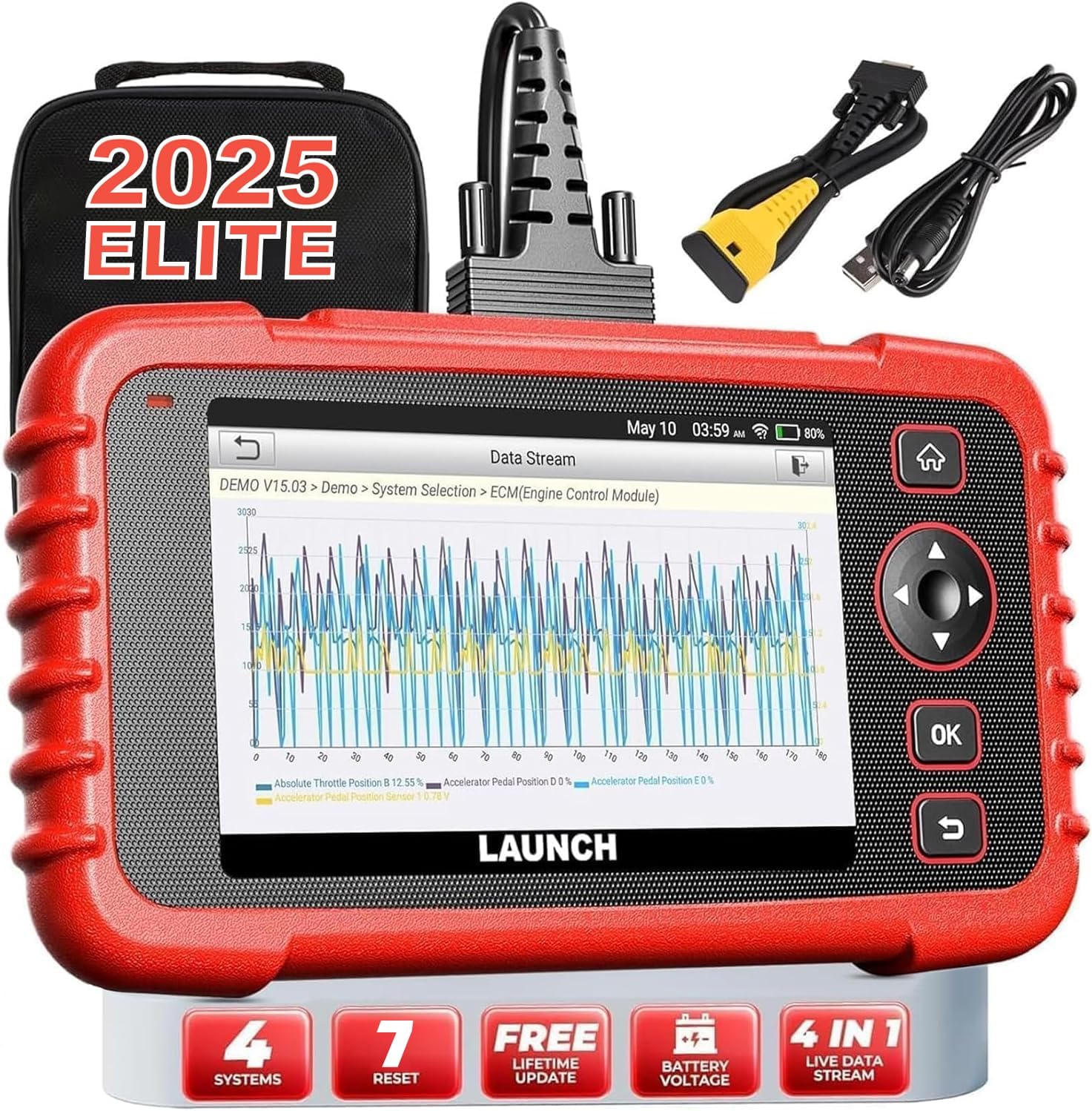
Image: The LAUNCH CRP123X V2.0 diagnostic tool, showcasing its compact design, touchscreen display, and included accessories like the carrying case and diagnostic cables.
2. Setup
2.1 Package Contents
Before beginning, please verify that all items are present in the package:
- LAUNCH CRP123X V2.0 Diagnostic Scanner
- OBD II Diagnostic Cable
- Charging Cable (USB)
- User Manual (this document)
- Carrying Bag

Image: A visual representation of the LAUNCH CRP123X V2.0 package contents, including the diagnostic tool, cables, and carrying bag.
2.2 Initial Setup
Follow these steps to prepare your scanner for first use:
- Charge the Device: Connect the scanner to a power source using the provided charging cable. Ensure the device is fully charged before initial use.
- Power On: Press and hold the power button to turn on the device.
- Language and Time Settings: Follow the on-screen prompts to select your preferred language, time zone, and other initial settings.
- Connect to Wi-Fi: Navigate to the 'Settings' menu, select 'Network', and connect to an available Wi-Fi network. This is crucial for software updates.
- Software Update: After connecting to Wi-Fi, go to the 'Upgrade' section and download any available software updates. Regular updates ensure compatibility with the latest vehicle models and diagnostic features.

Image: A step-by-step guide illustrating how to connect the scanner to the OBD2 port, start the engine, and begin diagnosis.
3. Operating Instructions
3.1 Connecting to Vehicle
To begin diagnostics, locate your vehicle's OBD2 port (typically under the dashboard on the driver's side). Plug the diagnostic cable into the OBD2 port and then connect the other end to the LAUNCH CRP123X V2.0 scanner. Turn the vehicle's ignition to the ON position (engine off or running, depending on the test).
3.2 System Diagnostics (Engine, ABS, SRS, Transmission)
The CRP123X V2.0 specializes in diagnosing four core vehicle systems:
- Engine System: Reads and clears engine fault codes, turns off the Check Engine Light (MIL), views live data, and performs O2 sensor tests.
- Anti-lock Braking System (ABS): Diagnoses ABS system issues, reads and clears ABS fault codes, and views live data streams related to braking.
- Supplemental Restraint System (SRS/Airbag): Detects and clears fault codes related to the airbag system, ensuring proper functionality of safety components.
- Transmission System: Accesses transmission control module information, reads and clears transmission fault codes, and displays live data for transmission performance.

Image: An illustration highlighting the four main systems (ABS, Engine, SRS, Transmission) that the CRP123X V2.0 can diagnose, showing its ability to read and clear fault codes quickly.
3.3 Full OBD2 Functions
The tool supports all 10 modes of OBD2 testing for comprehensive emissions-related diagnostics:
- Read Codes
- Erase Codes
- I/M Readiness
- Data Stream
- View Freeze Frame
- O2 Sensor Test
- On-board Monitor Test
- EVAP System Test
- Vehicle Info
- DTC Lookup

Image: Icons representing the complete suite of OBD2 functions available on the scanner, designed to assist in self-diagnosis.
3.4 Hot Reset Functions
The CRP123X V2.0 includes several commonly used reset functions:
- Oil Reset
- SAS (Steering Angle Sensor) Reset
- ETC (Electronic Throttle Control) Reset
- ABS Bleeding
- Brake Reset
- D.P.F (Diesel Particulate Filter) Regeneration
- BMS (Battery Management System) Reset

Image: Visuals depicting the seven hot reset functions, such as ABS Bleeding, BMS Reset, Brake Reset, ETC Reset, D.P.F Regeneration, Oil Reset, and SAS Reset.
4. Maintenance and Care
- Cleaning: Use a soft, damp cloth to clean the scanner's exterior. Avoid abrasive cleaners or solvents.
- Storage: Store the device in its original carrying bag in a dry, cool environment, away from direct sunlight and extreme temperatures.
- Software Updates: Regularly check for and install software updates via Wi-Fi to ensure optimal performance and compatibility with new vehicle models and diagnostic protocols.
- Battery Care: For prolonged storage, ensure the battery is charged to approximately 50-70% to maintain battery health.
5. Troubleshooting Common Issues
| Problem | Possible Cause | Solution |
|---|---|---|
| Device does not power on | Low battery; Loose connection to OBD2 port; Device malfunction | Charge the device; Ensure secure connection; Contact support |
| Unable to connect to vehicle | Faulty OBD2 cable; Incorrect vehicle ignition status; Vehicle not OBD2 compliant | Check cable integrity; Turn ignition to ON; Verify vehicle compatibility |
| Diagnostic report shows no codes | No active fault codes present; Incorrect system selected | This indicates no current issues; Ensure correct system is chosen for diagnosis |
| Wi-Fi connection issues | Incorrect password; Weak signal; Network interference | Re-enter password; Move closer to router; Check network settings |
6. Technical Specifications
| Feature | Detail |
|---|---|
| Brand | LAUNCH |
| Model | CRP123X V2.0 |
| Product Dimensions | 11.72"L x 8.15"W x 3.54"H |
| Operating System | Android |
| Automotive Fit Type | Universal Fit |
| Item Weight | 2.33 pounds |
| Batteries | 1 Lithium Ion batteries required |
7. Warranty and Support
The LAUNCH CRP123X V2.0 comes with a lifetime free software update policy, ensuring your device remains current with the latest vehicle data and diagnostic capabilities without additional costs.
For further assistance, detailed information, or troubleshooting not covered in this manual, please refer to the official PDF documents:
You may also visit the official LAUNCH website or contact their customer support for direct assistance.
Related documentsCRP123X V2.0


Ask a question about this manual
Ask about setup, troubleshooting, compatibility, parts, safety, or missing instructions. Manuals+ will review the question and use this page’s manual context to help answer it.