
1. Introduction
Thank you for choosing the Monarch Specialties I 7447 Computer Desk. This manual provides essential information for the safe assembly, proper use, and maintenance of your new desk. Please read these instructions carefully before beginning assembly and retain them for future reference.
2. Safety Information
- Always follow the assembly instructions provided. Incorrect assembly can lead to instability and potential injury.
- Do not overload the desk. The maximum weight recommendation for this desk is 22.68 kg (50 lbs).
- Keep small parts and hardware away from children during assembly to prevent choking hazards.
- Assemble the desk on a soft, clean surface to prevent scratching or damage to the product or your floor.
- Ensure all fasteners are securely tightened before use. Periodically check and re-tighten as necessary.
- Avoid placing hot items directly on the desk surface without protection.
3. Package Contents
Before beginning assembly, verify that all components are present and undamaged. If any parts are missing or damaged, please contact Monarch Specialties customer support.
- Desktop Panel
- Metal Base Legs (X-design)
- Two Storage Drawers
- One Open Concept Shelf
- Hardware Pack (screws, bolts, etc.)
- Assembly Instructions
4. Specifications
| Feature | Detail |
|---|---|
| Product Dimensions (L x W x H) | 120 cm x 60.3 cm x 74.3 cm (47.25"L x 23.75"W x 29.25"H) |
| Item Weight | 27.67 kg (61 lbs) |
| Material | Particle Board, Laminate, Metal |
| Number of Drawers | 2 |
| Number of Open Shelves | 1 |
| Maximum Weight Recommendation | 22.68 kg (50 lbs) |
| Color | Brown Reclaimed Wood Look / Black Metal |
5. Assembly Instructions
Tools Recommended: Screwdriver (not included).
It is recommended that 1 person assemble this product. Assemble on a soft, non-abrasive surface to prevent damage.
- Unpack and Identify Parts: Carefully remove all components from the packaging. Lay them out on a clean, soft surface. Identify each part using the included parts list and hardware diagram.
- Assemble the Metal Base: Attach the cross-design metal legs together using the provided hardware. Ensure all connections are firm but do not overtighten initially.
- Attach Drawers and Shelf to Desktop: Secure the two storage drawers and the open concept shelf section to the underside of the desktop panel. Follow the pre-drilled holes for correct alignment.
- Connect Desktop to Base: Carefully align the assembled desktop section with the metal base. Attach the desktop to the metal base using the appropriate screws.
- Final Tightening: Once all parts are assembled, gently flip the desk upright. Systematically tighten all screws and bolts to ensure stability. Do not overtighten.
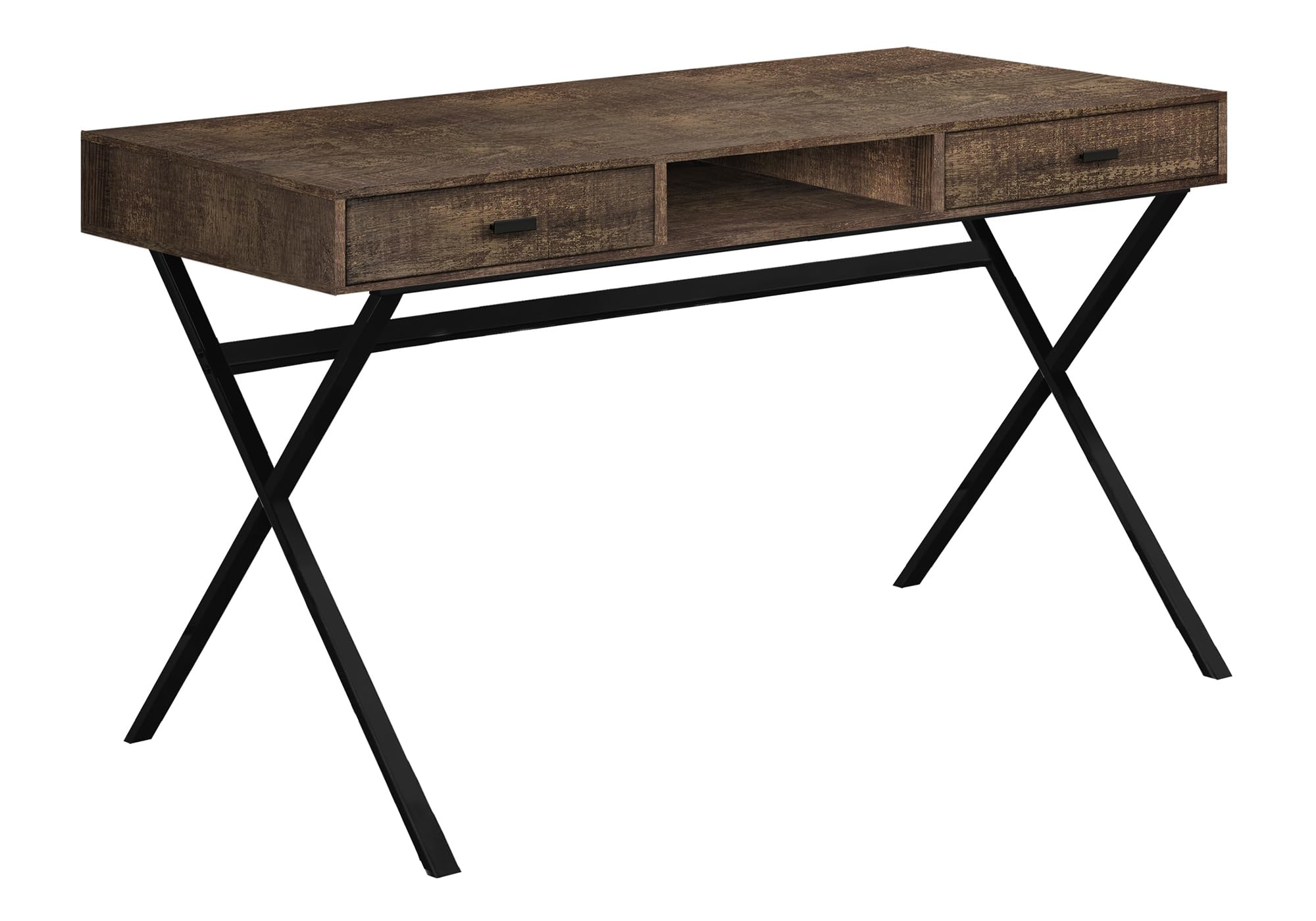
Figure 1: Assembled Desk View

Figure 2: Desk Dimensions
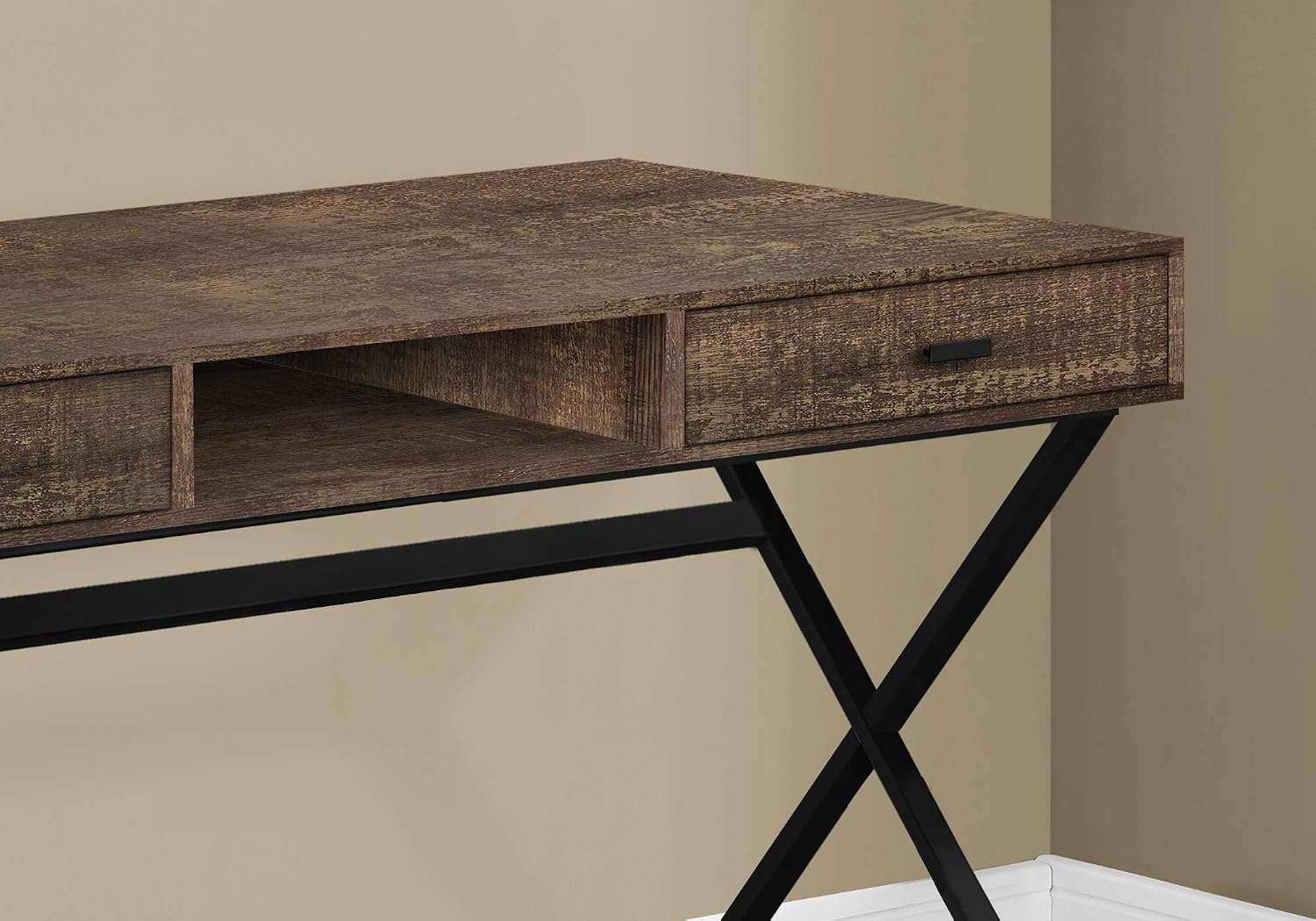
Figure 3: Drawer and Shelf Detail
6. Operating Instructions (Usage)
This computer desk is designed for home office use, suitable for laptops, tablets, and general work tasks. The two integrated drawers provide convenient storage for office supplies, while the open shelf offers additional space for books or small electronics.
- Place your laptop or monitor centrally on the desktop for ergonomic comfort.
- Utilize the two drawers for organizing documents, pens, and other small items.
- The open shelf can hold books, a small printer, or decorative items.
- Ensure the desk is placed on a level surface to prevent wobbling.
7. Maintenance
- Cleaning: Wipe the desk surface with a soft, damp cloth. Avoid using harsh chemicals, abrasive cleaners, or polishes that may damage the laminate finish.
- Spills: Immediately wipe up any spills to prevent moisture damage to the wood-look laminate.
- Fasteners: Periodically check all screws and bolts to ensure they remain tight. Re-tighten as needed to maintain stability.
- Avoid Direct Sunlight: Prolonged exposure to direct sunlight can cause fading or discoloration of the finish.
8. Troubleshooting
- Desk is Wobbly: Ensure all assembly screws are fully tightened. Check that the desk is on a level surface. Adjust floor glides if present.
- Drawers are Sticking: Verify that the drawers are correctly inserted and aligned. Ensure no foreign objects are obstructing the drawer path.
- Scratches on Surface: Minor scratches can sometimes be minimized with furniture repair markers matching the finish. For deeper damage, contact customer support for advice.
9. Warranty and Support
This Monarch Specialties I 7447 Computer Desk comes with a 5-year limited warranty on manufacturer's defects only, and a 1-year limited warranty on parts. This warranty covers defects in materials and workmanship under normal use.
For warranty claims, missing parts, or technical assistance, please contact Monarch Specialties customer support with your model number (I 7447) and proof of purchase.
Manufacturer Contact Information:
LAVAL, PQ, H7P 0A8 CA


