
CELLSTAR CS-11FH
CELLSTAR CS-11FH Compact Drive Recorder User Manual
Model: CS-11FH | Brand: CELLSTAR
Introduction
This manual provides essential information for the proper installation, operation, and maintenance of your CELLSTAR CS-11FH Compact Drive Recorder. Please read this manual thoroughly before using the product to ensure optimal performance and safety.
The CS-11FH is designed to record driving footage with features like microSD maintenance-free operation, a super capacitor for reliable recording during power interruptions, and enhanced night vision capabilities.
Product Overview
The CELLSTAR CS-11FH is a compact drive recorder featuring Full HD recording, HDR, and a night correction function. Its small size allows for discreet installation, minimizing obstruction of your view.
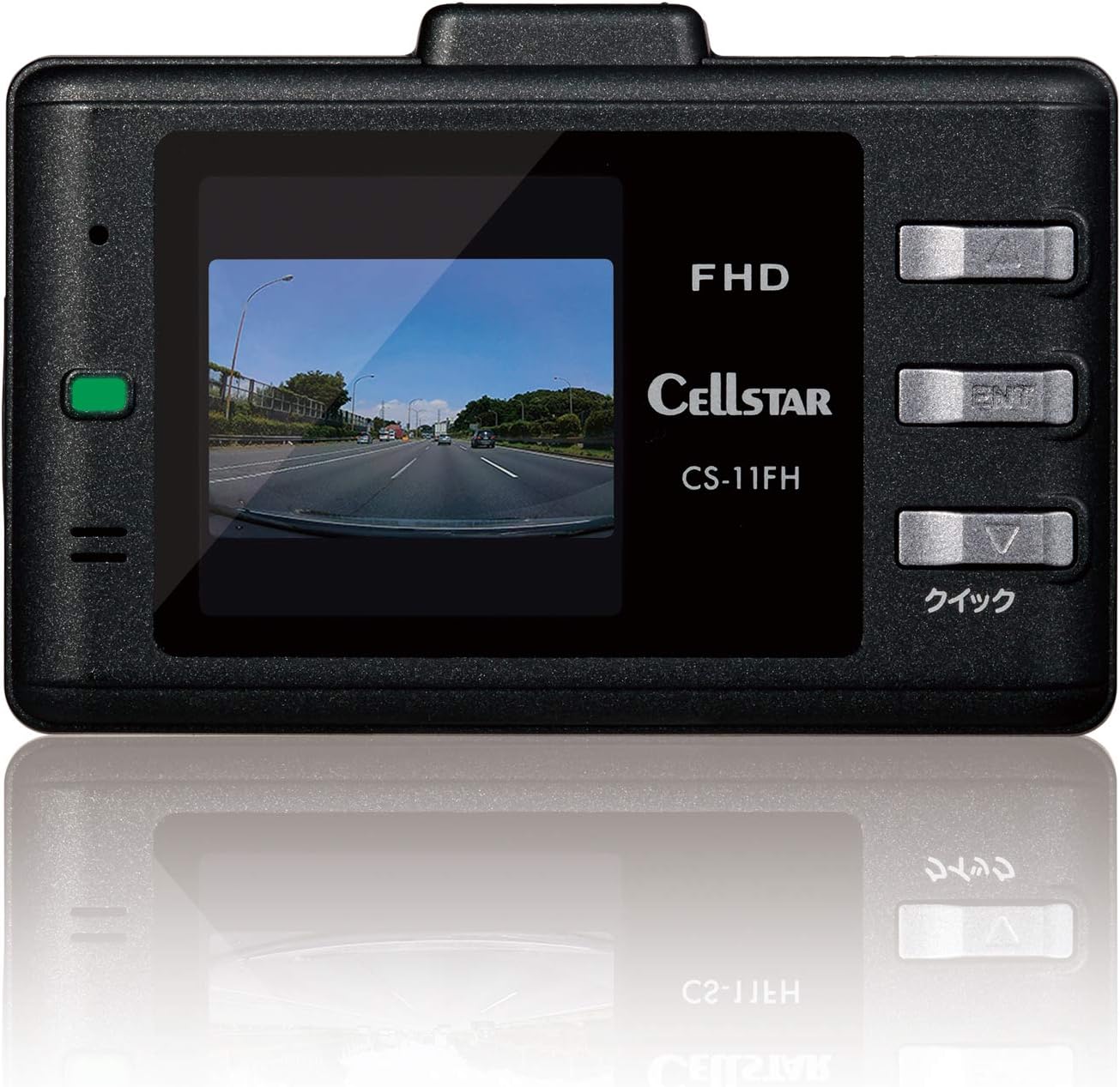
Image 1: Front view of the CELLSTAR CS-11FH Drive Recorder, showing the display screen with live road footage and control buttons on the side.

Image 2: Angled front view of the CELLSTAR CS-11FH Drive Recorder, highlighting its compact design and lens.

Image 3: Side view of the CELLSTAR CS-11FH Drive Recorder, showing the various ports and slots, likely for power and microSD card.
Setup and Installation
- Choose an Installation Location: Select a position on your windshield that does not obstruct your view of the road. The area behind the rearview mirror is often ideal.
- Clean the Windshield: Ensure the chosen area on the windshield is clean and dry for optimal adhesion.
- Attach the Mounting Bracket: Secure the adhesive mounting bracket to the cleaned windshield. Allow sufficient time for the adhesive to bond firmly.
- Mount the Drive Recorder: Slide the CS-11FH onto the mounting bracket until it clicks into place.
- Connect Power: Insert the DC cigarette lighter power cord into the drive recorder and then into your vehicle's cigarette lighter socket. Route the cable neatly to avoid interference with driving.
- Insert microSD Card: Insert the provided 8GB microSD card into the designated slot. Ensure it is inserted correctly.
- Adjust Camera Angle: Power on the device and adjust the camera lens to capture the desired view of the road ahead.

Image 4: Example of the CELLSTAR CS-11FH Drive Recorder installed on a car windshield, positioned discreetly behind the rearview mirror.
Operating Instructions
Basic Operation
- Power On/Off: The device automatically powers on and begins recording when the vehicle's ignition is turned on. It powers off automatically when the ignition is turned off.
- Recording: Continuous recording starts automatically upon power-on. Event recording (e.g., due to impact) is also automatically triggered.
- Display: The 1.44-inch LCD screen displays live footage and menu options.
Key Features
- Full HD Recording: Captures clear, high-resolution video footage.
- HDR (High Dynamic Range): Improves video quality in challenging lighting conditions, reducing overexposure and underexposure.
- Night Correction Function: Enhances visibility and recording clarity in low-light environments.
- Digital Zoom: Allows for up to 4x digital zoom to clearly identify distant objects in recorded footage.
- Custom Recording Settings: Adjust brightness, contrast, and other parameters for optimal recording quality and duration.
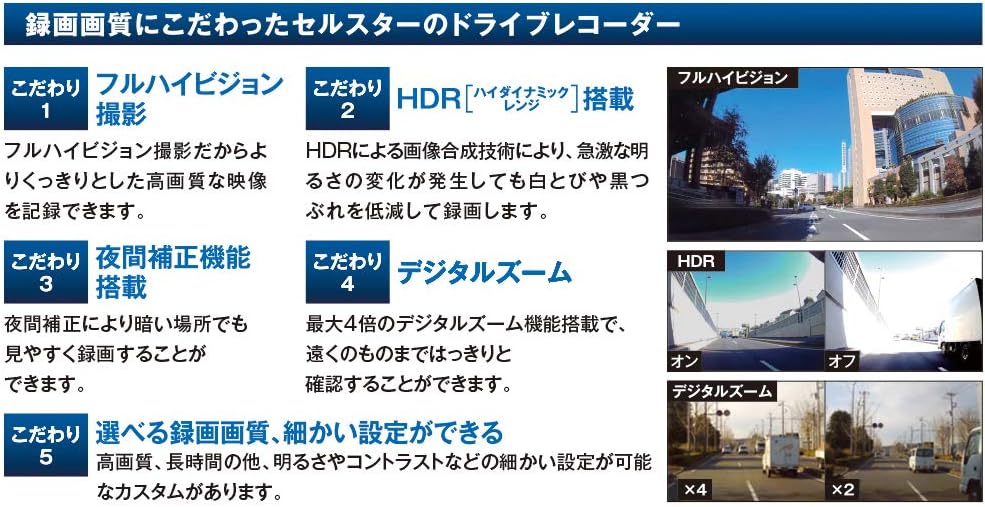
Image 5: Visual representation of the CS-11FH's key features, including Full HD recording, HDR, night correction, and digital zoom capabilities.
Reliable Recording with Super Capacitor
The CS-11FH is equipped with a super capacitor. This feature ensures that even if the power cable is disconnected due to an impact from an accident, the device will continue to operate long enough to properly save the recorded footage, preventing missed recordings.
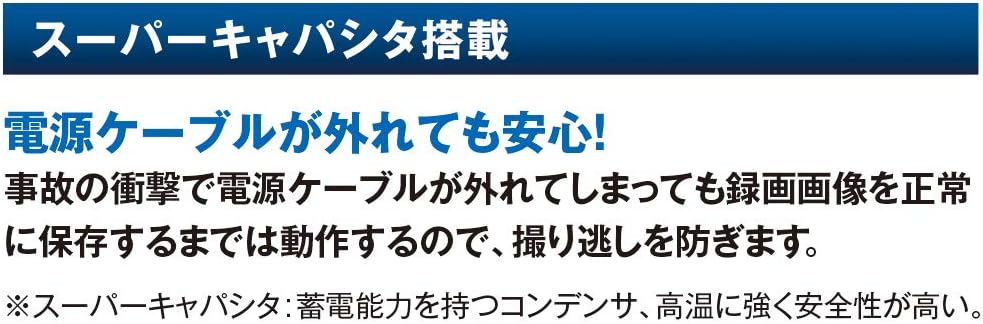
Image 6: Explanation of the Super Capacitor feature, highlighting its role in ensuring continuous recording and data saving during unexpected power loss.
Parking Mode (Optional)
The Parking Mode feature monitors and records events such as vandalism or impacts while your vehicle is parked. It can record for up to 12 hours when the engine is off (ACC). An optional constant power cord (GDO-10 or GDO-24) is required to use this function.
- Timer Function: Set the power supply duration from 0 to 12 hours. Power supply automatically turns off after the set time.
- Voltage Monitoring Function: If the voltage drops below a set level, the power supply automatically turns off to protect the battery.

Image 7: Illustration of the Parking Mode feature, showing the drive recorder monitoring a parked vehicle and the optional power cord (GDO-10).
Maintenance
microSD Card Maintenance-Free Function
The CS-11FH utilizes a unique file system that prevents file fragmentation on the microSD card during recording. This significantly reduces the occurrence of recording data errors and eliminates the need for regular manual formatting of the microSD card.
- Note: Depending on changes to recording quality settings or the condition of the microSD card, formatting may occasionally be required.
- New microSD Cards: Always format a newly purchased microSD card before its first use with the device.

Image 8: Explanation of the microSD maintenance-free function, detailing how it prevents file fragmentation and reduces the need for frequent formatting.
General Care
- Keep the device clean by wiping it with a soft, dry cloth.
- Avoid exposing the device to extreme temperatures or direct sunlight for prolonged periods.
- Ensure the power cable is securely connected during operation.
Troubleshooting
| Problem | Possible Cause / Solution |
|---|---|
| Device does not power on. |
|
| Recording errors or corrupted files. |
|
| Poor video quality (e.g., blurry, dark). |
|
| Parking Mode not activating. |
|
Specifications
| Feature | Detail |
|---|---|
| Brand | CELLSTAR |
| Model Name | CS-11FH |
| Product Dimensions (D x W x H) | 22 x 71 x 43 mm |
| Product Weight | 60 g |
| Resolution | Full HD (2 million pixels) |
| Screen Size | 1.44 inches |
| Display Type | LCD |
| Mounting Type | Adhesive |
| Included Components | DC cigarette cord, 8GB microSD card, User Manual |
| Special Features | microSD Maintenance-Free, Super Capacitor, HDR, Night Correction, Parking Mode (optional) |
Warranty and Support
Warranty Information
The CELLSTAR CS-11FH Drive Recorder comes with a 3-year manufacturer's warranty. This warranty covers defects in materials and workmanship under normal use. Please retain your proof of purchase for warranty claims.
CELLSTAR products are manufactured in Japan with a focus on quality and reliability, ensuring peace of mind for all drivers.

Image 9: CELLSTAR's commitment to "Japan Quality" and a 3-year warranty, highlighting their manufacturing process.
Customer Support
For technical assistance, troubleshooting, or warranty inquiries, please refer to the contact information provided in your included User Manual or visit the official CELLSTAR website.
Official CELLSTAR Store on Amazon: CELLSTAR Store
Ask a question about this manual
Ask about setup, troubleshooting, compatibility, parts, safety, or missing instructions. Manuals+ will review the question and use this page’s manual context to help answer it.