
Introduction
The STANLEY J7C09D Digital Portable Power Station Jump Starter is a versatile and essential tool designed to provide reliable power for various automotive and outdoor needs. This compact device offers 1400 peak amps for jump-starting vehicles, a 120 PSI air compressor for tire inflation, and multiple 3.1A USB ports for charging electronic devices. Its integrated charging cube simplifies recharging, eliminating the need for a separate adapter. This manual provides detailed instructions for safe and effective use, maintenance, and troubleshooting of your STANLEY J7C09D.
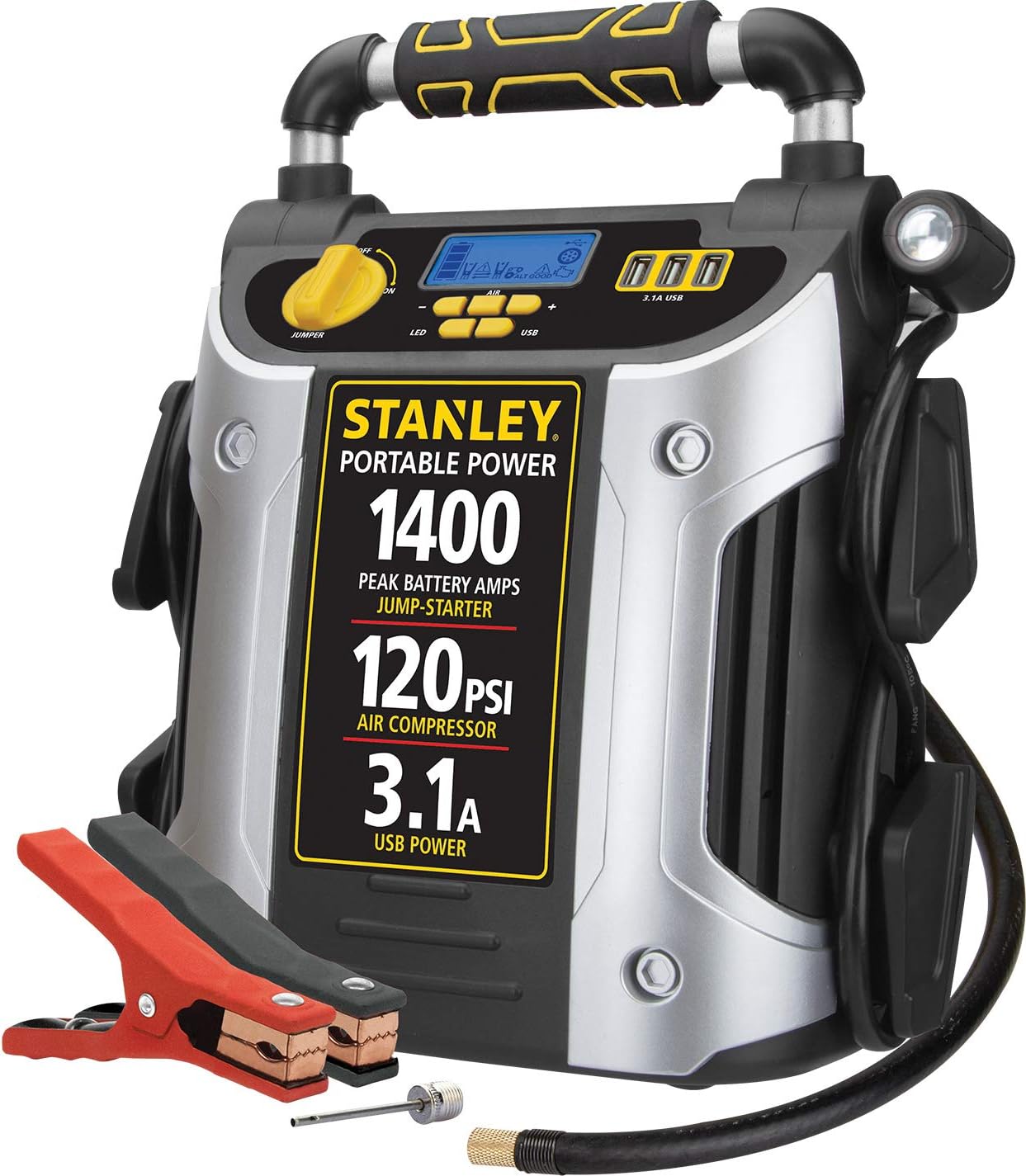
The STANLEY J7C09D Digital Portable Power Station Jump Starter, featuring its main components including the jump starter clamps and air compressor hose.
Important Safety Information
Please read and understand all safety warnings and instructions before operating this product. Failure to follow these instructions may result in electric shock, fire, and/or serious injury.
- WARNING: Cancer and reproductive harm. For more information go to www.P65Warnings.ca.gov.
- Always wear eye protection when working with batteries.
- Ensure proper ventilation when charging or operating the unit.
- Do not expose the unit to rain or wet conditions.
- Keep out of reach of children.

Important: Fully charge this unit immediately upon purchase, after each use, and every 30 days according to manual directions to maintain battery health.
Product Features and Components
Familiarize yourself with the various parts and features of your STANLEY J7C09D unit:
- 1400 Peak Amps: Provides powerful jump-starting capability for various vehicles.
- 120 PSI Air Compressor: For inflating vehicle tires, bicycle tires, and sports equipment. Features a 10-minute auto shut-off timer to prevent overheating.
- Three 3.1A USB Ports: For charging smartphones, tablets, and other electronic devices.
- Reverse Polarity Alarm: Alerts you to improper battery connections.
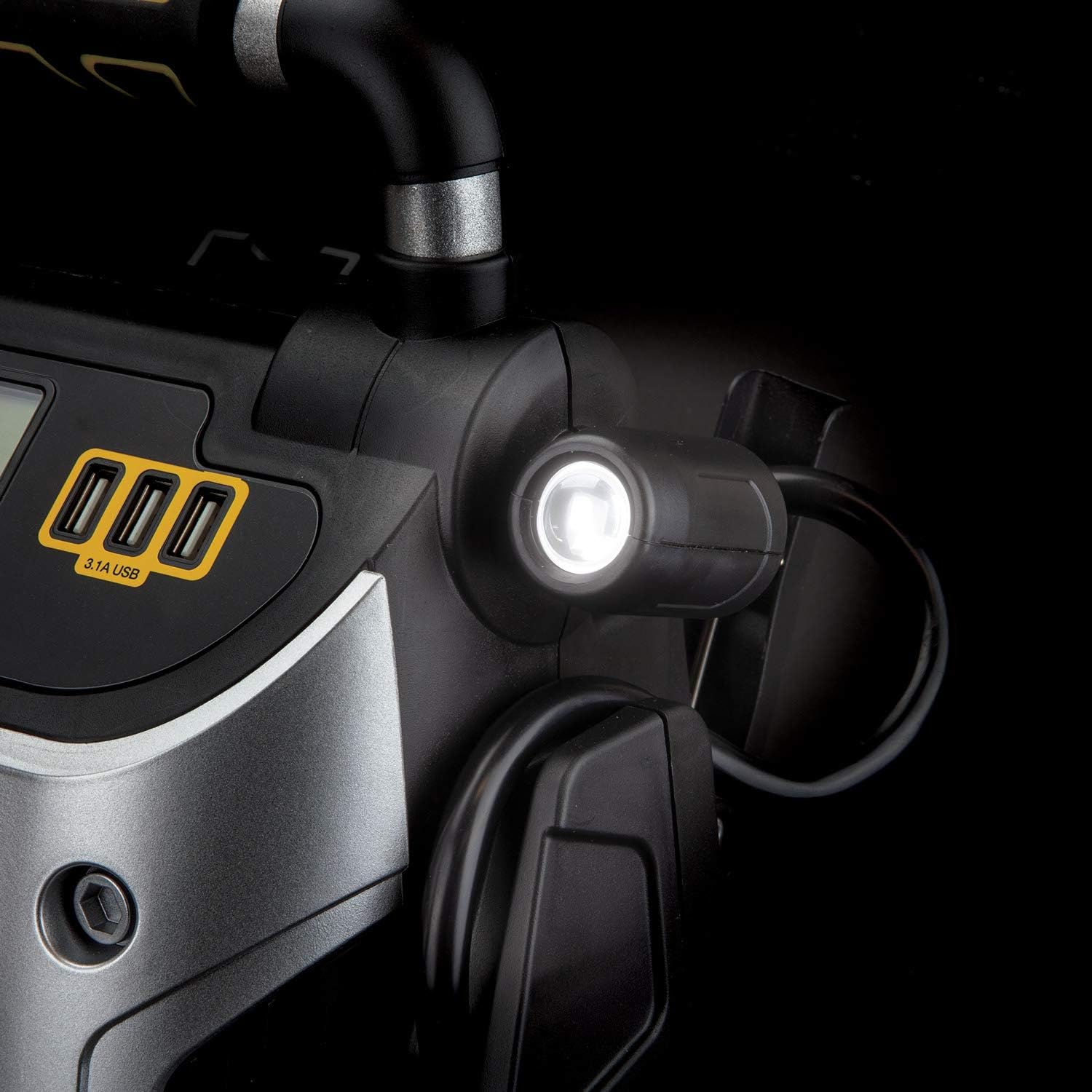
- High-Powered LED Light: Rotates 270 degrees for illumination in dark conditions.
- Integrated Charging Cube: Allows charging with a standard household extension cord (sold separately).
- Heavy-Duty Metal Clamps: Durable clamps for secure battery connection.
- LCD Screen: Displays battery status and air compressor pressure.
- Ergonomic Handle: For comfortable portability.

Detailed diagram showing the various features of the J7C09D, including the LCD screen, ergonomic handle, USB charging ports, LED light, jump starter power switch, heavy-duty metal clamps, sports needle adapter, 120 PSI compressor with Surefit nozzle, AC charging cube, and compressor hose compartment.
Setup and Initial Charging
Before first use, and after each use, it is crucial to fully charge your STANLEY J7C09D unit. This ensures optimal performance and extends battery life.
Charging the Unit:
- Locate the integrated AC charging cube on the unit.
- Plug a standard household extension cord (not included) into the AC charging cube.
- Plug the other end of the extension cord into a standard 120V AC wall outlet.
- The unit's LCD screen will indicate charging status. Charge until the battery indicator shows a full charge.
- For optimal performance, charge the unit immediately after each use and every 30 days when not in use.

The built-in charging cube allows for convenient recharging using a standard extension cord.

The unit's integrated charging cube, shown with an extension cord plugged in for recharging.
Operating Instructions
Jump Starting a Vehicle:
The STANLEY J7C09D can jump-start cars, trucks, SUVs, motorcycles, boats, RVs, ATVs, and tractors without the need for another vehicle.
- Ensure the vehicle's ignition is off and all accessories are unplugged.
- Connect the red (positive, +) clamp to the positive (+) terminal of the vehicle's battery.
- Connect the black (negative, -) clamp to a non-moving metal part of the vehicle's chassis, away from the battery and fuel lines.
- Turn the jump starter's power switch to the 'ON' position. If an improper connection is detected, the reverse polarity alarm will sound. Correct the connection if this occurs.
- Start the vehicle. Once the vehicle starts, immediately turn the jump starter's power switch to 'OFF'.
- Disconnect the black (-) clamp first, then the red (+) clamp.

A person using the STANLEY J7C09D to jump start a vehicle in cold weather conditions.
Using the Air Compressor:
The 120 PSI air compressor is ideal for inflating tires and various sports equipment.
- Uncoil the air compressor hose from its storage compartment.
- Attach the Surefit® nozzle directly to the tire valve stem or use the appropriate adapter for sports equipment (e.g., sports needle adapter).
- Turn on the air compressor using the dedicated control button.
- Monitor the pressure on the LCD screen.
- Once the desired pressure is reached, turn off the compressor and disconnect the nozzle.
- Note: The compressor features a 10-minute auto shut-off timer to prevent damage from heat if left on unintentionally.

The versatile 120 PSI air compressor can be used for vehicle tire inflation, maintaining sports gear, and keeping bicycle tires ready.

The Surefit® Nozzle connects directly to your tire, eliminating the need for other adapters.
The air compressor features a 10-minute timer to prevent overheating, automatically shutting off after 10 minutes of continuous use.
USB Charging Ports:
The three 3.1A USB ports allow you to charge various portable electronic devices.
- Plug your device's USB charging cable into one of the 3.1A USB ports on the unit.
- Ensure the unit is powered on.
- Your device should begin charging automatically.

The three 3.1A USB ports are conveniently located for charging multiple devices simultaneously.
LED Work Light:
The high-powered LED light provides illumination for working in low-light conditions.
- Press the 'LED' button to turn the light on or off.
- The light can rotate 270 degrees to direct illumination where needed.

The swiveling LED light provides adjustable illumination for various tasks.
Maintenance and Storage
Proper maintenance ensures the longevity and reliability of your STANLEY J7C09D.
- Charging: For optimal performance, the unit should be charged every 30 days when not in use. Once used, the unit should be charged immediately overnight.
- Cleaning: Clean the unit with a soft, dry cloth. Do not use abrasive cleaners or solvents.
- Storage: Store the unit in a cool, dry place, away from direct sunlight and extreme temperatures.
Troubleshooting
This section addresses common issues you might encounter with your STANLEY J7C09D.
| Problem | Possible Cause | Solution |
|---|---|---|
| Unit does not turn on. | Battery is fully discharged. | Charge the unit overnight. |
| Reverse polarity alarm sounds during jump start. | Clamps are connected incorrectly. | Disconnect clamps and reconnect red to positive (+), black to chassis ground. |
| Air compressor stops working. | 10-minute auto shut-off activated due to continuous use. | Allow the compressor to cool down for at least 10 minutes before resuming operation. |
| USB ports not charging devices. | Unit is off or battery is low. | Ensure unit is powered on and sufficiently charged. |
Specifications
| Feature | Specification |
|---|---|
| Brand | STANLEY |
| Model | J7C09D |
| Peak Amperage | 1400 Amps |
| Air Compressor Pressure | 120 PSI |
| USB Ports | Three 3.1A USB ports |
| Product Dimensions | 10.8"D x 7.4"W x 12.7"H |
| Item Weight | 17.02 Pounds |
| Manufacturer | Baccus Global LLC |
| UPC | 814632013839 |
What's in the Box
Your STANLEY J7C09D package includes the following items:
- STANLEY J7C09D Digital Portable Power Station Jump Starter
- Heavy Duty Metal Powder Coated Clamps
- Nozzle adapter (for air compressor)

The main components included in the box: the STANLEY J7C09D unit, heavy-duty metal powder-coated clamps, and a nozzle adapter.
Warranty and Support
The STANLEY J7C09D Digital Portable Power Station Jump Starter comes with a limited 1-year manufacturer warranty. For detailed warranty information, technical support, or service inquiries, please refer to the official user manual PDF available online or contact STANLEY customer service.
Additional user guides and manuals in PDF format are available for download for more comprehensive information regarding your product.


