
1. Introduction
This manual provides essential information for the proper use and maintenance of your Linsoul KZ ZS10 Pro In-Ear Monitors. Please read this guide thoroughly before using the product to ensure optimal performance and longevity.
2. What's in the Box
- KZ ZS10 Pro In-Ear Monitors (1 pair)
- Detachable Cable (1)
- Silicone Eartips (3 pairs: S/M/L)
- User Guide (1)

Image: Contents of the Linsoul KZ ZS10 Pro package.
3. Product Features
The KZ ZS10 Pro In-Ear Monitors are engineered for high-fidelity audio, featuring a hybrid driver configuration and durable construction.
- Upgraded 4BA+1DD Hybrid Drivers: Features two 30095 balanced armatures for highs and two 50060 balanced armatures for mids, combined with a second-generation Tesla double magnetic dynamic unit for powerful bass. This configuration delivers transient, dynamic, and bright sound across all frequencies, with highs extending beyond 40kHz.
- Exquisite Craftsmanship: The faceplate is constructed from 304 stainless steel, offering an elegant look and durability. The cavity is made from imported resin, ensuring a lightweight and comfortable fit.
- PCB Dividing Board: A dedicated PCB board optimizes the performance of all drivers, providing a smooth, detailed, and cohesive music experience with dynamic lows and bright resolution.
- Ergonomic Design & Noise Cancelling: The earbud cavity is scientifically molded to fit the ear securely and comfortably, even during vigorous activity. This design effectively isolates external noise by up to 26dB, enhancing your listening experience.
- Detachable Cable: Equipped with a gold-plated 0.75mm 2-pin detachable cable, allowing for easy replacement and upgradability. The limit slot protection design helps prevent pin breakage.

Image: Overview of Linsoul KZ ZS10 Pro features.

Image: Internal structure of the KZ ZS10 Pro, detailing its hybrid driver system.
Video: Official product overview of the KZ ZS10 Pro 4BA+1DD Hybrid Driver Earphones, showcasing their design and features.
4. Setup
4.1. Attaching the Cable
- Identify the left and right earpieces and the corresponding cable connectors. The cable connectors are typically marked for left (L) and right (R).
- Align the 2-pin connector on the cable with the receptacle on the earbud. Ensure the pins are correctly oriented.
- Gently push the connector into the earbud until it clicks securely into place. Do not force the connection.
- Repeat for the other earpiece.
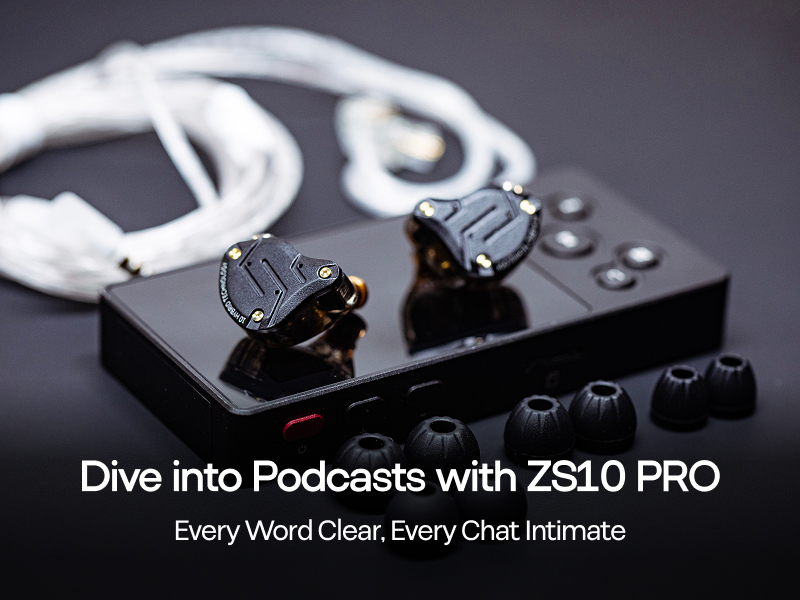
Image: Detachable 2-pin cable connection.
4.2. Selecting Eartips
The KZ ZS10 Pro comes with three sizes of silicone eartips (Small, Medium, Large). Choosing the correct eartip size is crucial for comfort, sound quality, and noise isolation.
- Experiment with different sizes to find the best fit for your ears. A good seal is essential for optimal bass response and noise cancellation.
- To change eartips, gently pull off the current eartip from the nozzle.
- Push the new eartip onto the nozzle, ensuring it is fully seated and secure.
5. Operating Instructions
5.1. Wearing the In-Ear Monitors
- Insert the earpieces into your ear canals. The ergonomic design is shaped to fit comfortably.
- Route the cable over and behind your ears. The pre-formed ear hooks on the cable help secure the monitors in place.
- Adjust the cable length using the chin slider for a snug and comfortable fit.

Image: Ergonomic design for comfortable wearing.
5.2. Connecting to an Audio Source
Plug the 3.5mm jack of the cable into your audio device (e.g., smartphone, digital audio player, computer, or audio interface). Ensure the connection is secure.
6. Maintenance
6.1. Cleaning
- Regularly clean the eartips with a soft, damp cloth to remove earwax and debris.
- Wipe the earpieces and cable with a dry, soft cloth. Avoid using harsh chemicals or abrasive materials.
- Ensure the earpieces are dry before reattaching eartips or storing.
6.2. Storage
When not in use, store your in-ear monitors in a clean, dry place, preferably in a protective case, to prevent damage and tangling.
7. Troubleshooting
- No Sound: Check if the 3.5mm jack is fully inserted into the audio source. Ensure the cable is securely attached to both earpieces. Verify the audio source volume is not muted or too low.
- Distorted Sound: Check the audio source volume; it might be too high, causing distortion. Ensure the eartips provide a proper seal in your ear. Inspect the cable and connectors for any damage.
- Poor Noise Isolation: Re-evaluate your eartip size. A proper seal is crucial for effective passive noise isolation.
- Intermittent Connection: Ensure all cable connections (3.5mm jack and 2-pin connectors) are firm. Try rotating the 2-pin connectors slightly to ensure good contact.
8. Specifications
| Feature | Detail |
|---|---|
| Brand | Linsoul |
| Model Name | KZ ZS10 PRO |
| Ear Placement | In Ear |
| Form Factor | In Ear |
| Connectivity Technology | Wired |
| Audio Driver Type | Hybrid Driver (4BA+1DD) |
| Audio Driver Size | 10 Millimeters (Dynamic Driver) |
| Impedance | 24 Ohms |
| Frequency Response | 7-40,000 Hz |
| Sensitivity | 111 dB |
| Noise Control | Sound Isolation |
| Cable Features | Detachable 0.75mm 2-pin cable |
| Headphone Jack | 3.5 mm Jack |
| Enclosure Material | Stainless Steel Metal (Faceplate) |
| Compatible Devices | Audio Sources with 3.5mm or Compatible Recessed 2-pin Jack |
9. Warranty & Support
Your Linsoul KZ ZS10 Pro In-Ear Monitors come with a 1-year warranty from the manufacturer. For any support inquiries, warranty claims, or technical assistance, please contact Linsoul Audio directly.
You can typically find contact information on the official Linsoul website or through the retailer where you purchased the product.

