
Soundcore AK-A3390Z11
Soundcore Rave Mini Portable Speaker User Manual
Model: AK-A3390Z11
Product Overview
The Soundcore Rave Mini is a powerful and portable speaker designed for dynamic audio experiences in various environments. It features robust sound output, a vibrant light show, and durable construction for outdoor use.
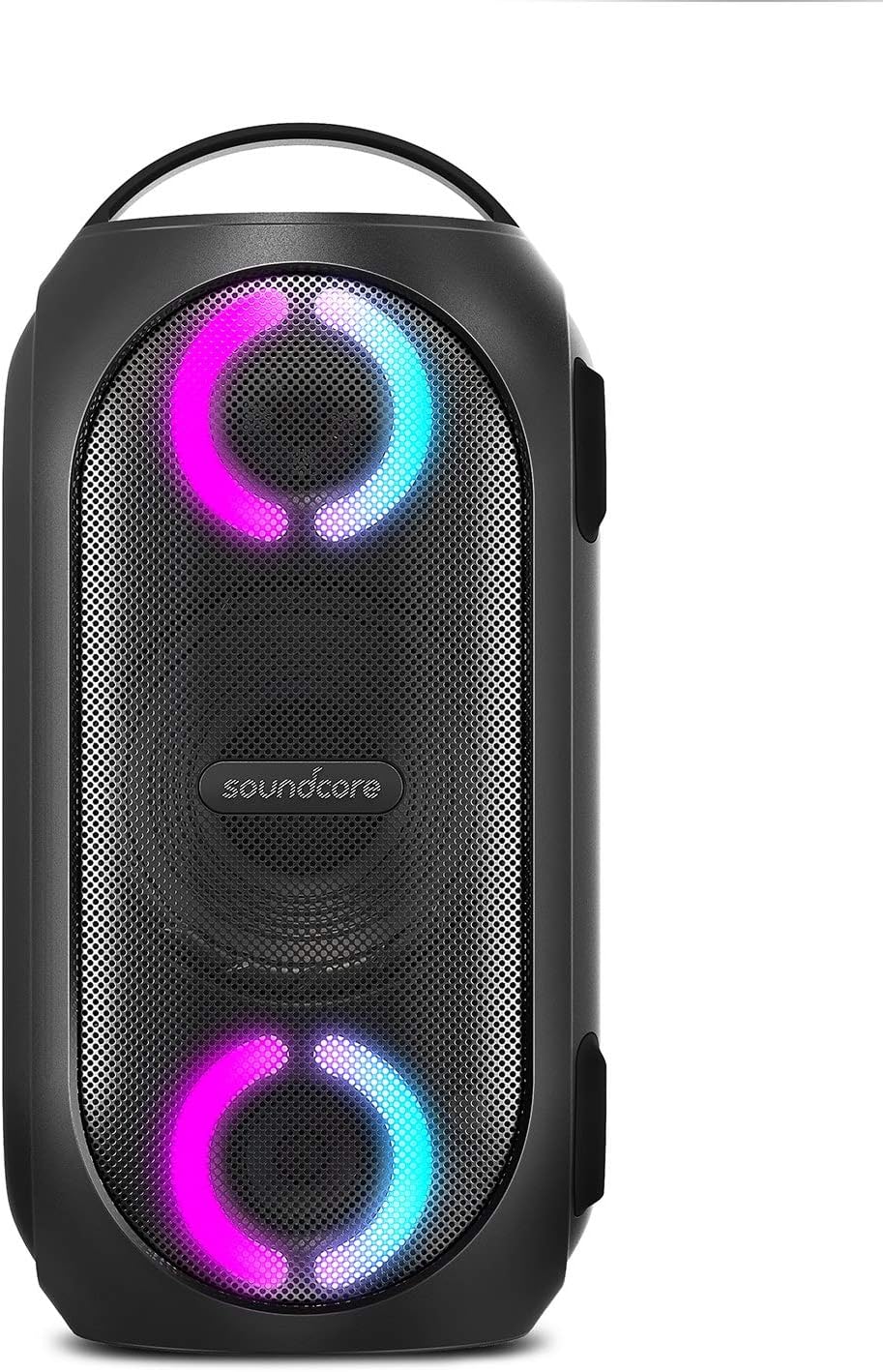
Figure 1: Front view of the Soundcore Rave Mini Portable Speaker with illuminated light rings.
Key Features
- Huge 101dB Sound: Delivered by a 5.25-inch woofer, 2-inch tweeter, and 5.25-inch passive radiator. Features BassUp™ technology for real-time low-frequency intensification.
- IPX7 Waterproof: Designed with a water-tight casing, allowing for full submersion without affecting performance.
- Beat-Driven Light Show: LEDs pulse and flow with the music. Customizable via the Soundcore app's Light DJ feature.
- 18-Hour Playtime: Extended battery life for prolonged use, with a built-in USB port for charging external devices.
- Soundcore App Integration: Offers electrifying games, EQ customization, light control, and sound mode switching (Indoor/Outdoor).

Figure 2: The Soundcore Rave Mini delivering powerful 101dB sound in an outdoor party setting.

Figure 3: Internal view highlighting the woofer and BassUp™ technology for enhanced bass.

Figure 4: The speaker providing extended playtime for evening events.

Figure 5: Detailed view of the beat-driven light rings.

Figure 6: The speaker demonstrating its IPX7 waterproof capability in a pool.

Figure 7: The speaker's portable design with integrated handle for easy transport.
What's in the Box
The Soundcore Rave Mini package includes the following items:
- Soundcore Rave Mini Party Speaker
- Power Adapter
- User Manual (this document)
Setup
- Charging the Speaker: Before first use, fully charge the speaker using the provided power adapter. The charging indicator will show progress and turn off when fully charged.
- Power On/Off: Press and hold the power button for 2 seconds to turn the speaker on or off.
- Bluetooth Pairing:
- Turn on the Soundcore Rave Mini. It will automatically enter Bluetooth pairing mode.
- On your mobile device, enable Bluetooth and search for "Soundcore Rave Mini".
- Select the speaker from the list to connect. A voice prompt will confirm successful connection.
- Soundcore App Installation: Download the Soundcore app from your device's app store (Google Play Store or Apple App Store) for advanced features and controls.
Operating Instructions
Basic Controls
| Button/Indicator | Function |
|---|---|
| Power Button | Press and hold for 2 seconds to power on/off. |
| Bluetooth Button | Press to enter Bluetooth pairing mode. |
| Volume Up (+) | Press to increase volume. |
| Volume Down (-) | Press to decrease volume. |
| Play/Pause Button | Press to play or pause music. Double press for next track. Triple press for previous track. |
| Light Button | Press to cycle through light modes. |
| BassUp Button | Press to activate/deactivate BassUp technology. |
Using the Soundcore App
The Soundcore app unlocks the full potential of your Rave Mini speaker. Connect the speaker to the app to:
- Customize the EQ settings for personalized sound.
- Control and customize the beat-driven light show.
- Switch between Indoor and Outdoor sound modes.
- Access party games and other interactive features.
- Update speaker firmware.
Charging External Devices
The Soundcore Rave Mini features a built-in USB port (5V/2A) that allows you to charge your mobile devices directly from the speaker's battery. Simply connect your device using a compatible USB cable.
Maintenance
- Cleaning: Use a soft, damp cloth to clean the speaker's exterior. Do not use abrasive cleaners or solvents. Ensure all port covers are securely closed before cleaning with water.
- Storage: Store the speaker in a cool, dry place away from direct sunlight and extreme temperatures. If storing for extended periods, charge the battery every 3 months to maintain its lifespan.
- Water Resistance: While IPX7 waterproof, ensure the charging port cover is fully sealed before exposing the speaker to water. Do not intentionally submerge for prolonged periods or in saltwater.
Troubleshooting
| Problem | Solution |
|---|---|
| Speaker won't turn on. | Ensure the battery is charged. Connect to power adapter and try again. |
| Cannot pair via Bluetooth. |
|
| Sound is distorted or low. |
|
| Lights are not working. | Press the Light button to cycle through modes. Check settings in the Soundcore app. |
Specifications
| Feature | Detail |
|---|---|
| Model Name | A3390 |
| Speaker Type | Outdoor |
| Speaker Maximum Output Power | 80 Watts |
| Woofer Diameter | 5.25 Inches |
| Tweeter Diameter | 2 Inches |
| Water Resistance Level | IPX7 (Waterproof) |
| Connectivity Technology | Bluetooth, USB |
| Wireless Communication Technology | Bluetooth |
| Bluetooth Range | 10 Meters |
| Control Method | App Control |
| Power Source | Corded Electric |
| Item Weight | 7.72 Pounds (3.5 kg) |
| Product Dimensions (D x W x H) | 70.87"D x 70.87"W x 134.65"H (Note: These dimensions seem unusually large for a portable speaker and might be incorrect in the source data. Please refer to official product packaging for accurate dimensions.) |
| Batteries | 1 Lithium Ion battery required |
| Manufacturer | Anker |
| UPC | 848061009750 |
Warranty and Support
Soundcore products come with a limited warranty. For detailed warranty information, product registration, and technical support, please visit the official Soundcore website or contact their customer service.
You can also visit the Soundcore Store on Amazon for more product information and support resources.
Official Product Videos
There are no official seller-created product videos available for embedding at this time. Customer-uploaded videos are not included in this manual.
Related documentsAK-A3390Z11


Ask a question about this manual
Ask about setup, troubleshooting, compatibility, parts, safety, or missing instructions. Manuals+ will review the question and use this page’s manual context to help answer it.