
Hoco CW13
Hoco CW13 Wireless Charger User Manual
Introduction
Welcome to the Hoco CW13 Wireless Charger user manual. This guide provides detailed instructions on how to set up, operate, maintain, and troubleshoot your new wireless charger. Please read this manual carefully before using the product to ensure optimal performance and safety.
Product Overview
The Hoco CW13 is a universal portable wireless charger designed for fast charging of mobile devices. Its compact and lightweight design makes it an ideal companion for home and travel.
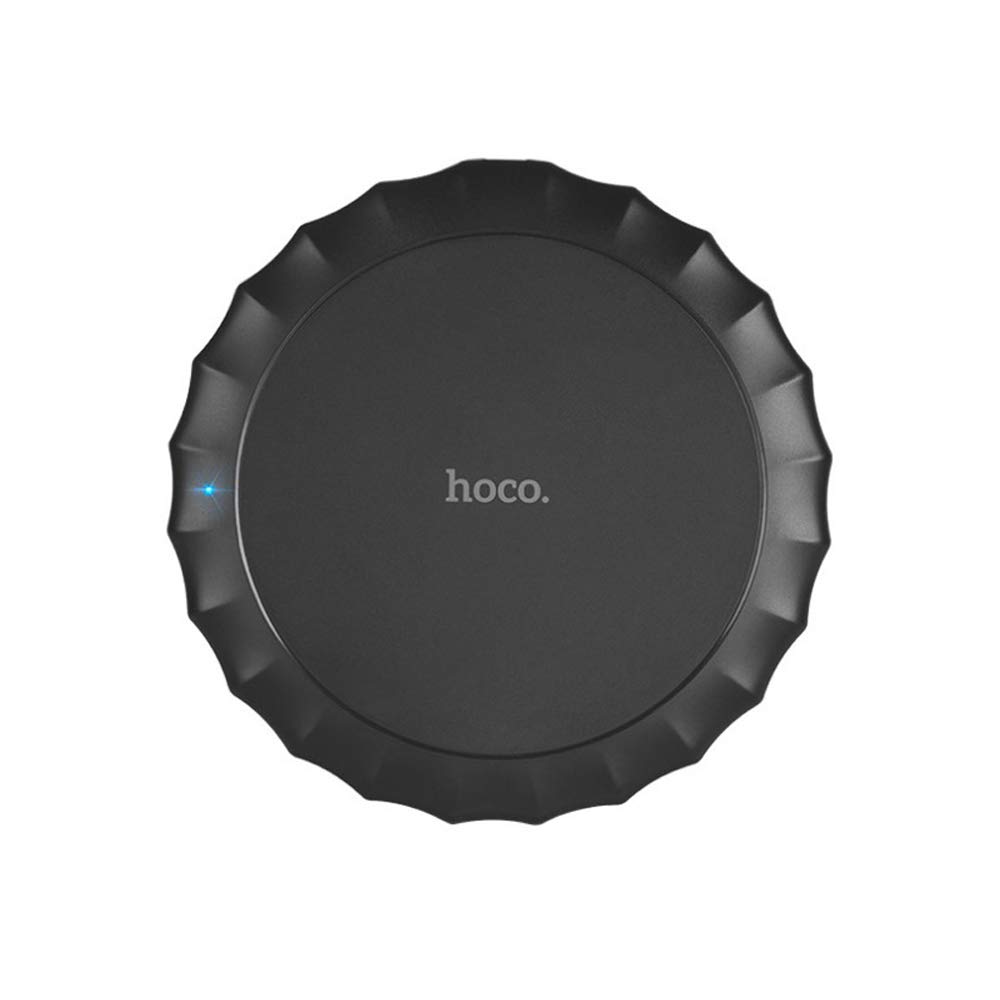
This image shows the top view of the Hoco CW13 wireless charger. It features a sleek, black circular design with a corrugated edge, resembling a bottle cap. The "hoco." logo is prominently displayed in the center, and a small blue LED indicator light is visible on the left side, indicating power or charging status.
Features
- Brand: Hoco
- Model: CW13
- Color: Black
- Type: Wireless Charger
- Wireless Output: 5W
- Transmission Distance: 5-8mm
- Compact Size: Diameter 100mm, Thickness 10mm
- Lightweight: 62 grams
- Fast Charging capability
- Portable design
Setup Guide
Package Contents
Before you begin, ensure all items are present in the package:
- Hoco CW13 Wireless Charger
- USB Charging Cable
- User Manual (this document)
Connecting the Charger
- Connect the USB cable to the charging port on the Hoco CW13 wireless charger.
- Plug the other end of the USB cable into a compatible power adapter (e.g., wall charger, computer USB port) with a 5V input.
- The indicator light on the charger will illuminate, indicating it is powered on and ready for use.
Operating Instructions
Charging Your Device
- Ensure your mobile device is compatible with Qi wireless charging.
- Place your Qi-enabled device directly onto the center of the Hoco CW13 wireless charger.
- The indicator light on the charger may change color or blink to confirm that charging has begun. Your device's screen will also show a charging icon.
- For optimal charging, ensure the device is centered on the charging pad. Misalignment may reduce charging efficiency or prevent charging.
- Once your device is fully charged, remove it from the charging pad.
Important Notes
- Do not place metal objects, credit cards, or other foreign objects between the device and the charging pad, as this may interfere with charging or cause damage.
- Avoid using thick phone cases (over 3mm) as they might hinder wireless charging.
- The charger may become slightly warm during charging; this is normal.
Maintenance
Cleaning
To clean the charger, disconnect it from the power source. Use a soft, dry cloth to wipe the surface. Do not use harsh chemicals or abrasive cleaners.
Storage
Store the charger in a cool, dry place away from direct sunlight and extreme temperatures when not in use.
Troubleshooting
| Problem | Possible Cause | Solution |
|---|---|---|
| Device not charging | Device not properly aligned | Reposition the device on the center of the charging pad. |
| Phone case is too thick | Remove the phone case and try again. | |
| Charger not powered on | Ensure the USB cable is securely connected to a working power source and the indicator light is on. | |
| Slow charging | Using a non-fast charging adapter | Use a Quick Charge (QC) 2.0/3.0 or Power Delivery (PD) compatible adapter for faster charging. |
| Background apps running on device | Close unnecessary apps on your device. | |
| Charger getting hot | Normal operation | Slight warmth is normal. If it becomes excessively hot, disconnect immediately and contact support. |
Specifications
| Feature | Detail |
|---|---|
| Brand | Hoco |
| Model | CW13 |
| Color | Black |
| Input Voltage | 5V |
| Wireless Output | 5W |
| Transmission Distance | 5-8mm |
| Dimensions (Diameter x Thickness) | 100mm x 10mm |
| Weight | 62 grams |
| Compatible Devices | Mobile Phones (Qi-enabled) |
| Special Features | Fast Charging, Lightweight Design |
| Included Components | Charger |
| Total USB Ports | 1 (for power input) |
Warranty and Support
Warranty Information
This Hoco CW13 Wireless Charger comes with a standard manufacturer's warranty. Please refer to the warranty card included in your product packaging for specific terms and conditions, or visit the official Hoco website for more details.
Customer Support
If you encounter any issues or have questions regarding your Hoco CW13 Wireless Charger, please contact your retailer or the manufacturer's customer support. Contact information can typically be found on the product packaging or the official Hoco website.
For online support, you may visit the Hoco official website or the retailer's support page.
Related documentsCW13


Ask a question about this manual
Ask about setup, troubleshooting, compatibility, parts, safety, or missing instructions. Manuals+ will review the question and use this page’s manual context to help answer it.