
1. Introduction
This manual provides detailed instructions for the Soundcore Liberty True Wireless Earbuds, Model A3912. These earbuds feature Graphene-enhanced sound, extended battery life, a secure GripFit design, and Bluetooth 5.0 connectivity for a seamless audio experience.
2. What's in the Box
- Soundcore Liberty Total-Wireless Earphones
- Liberty Charging Case
- 4 × GripFit Jackets (various sizes)
- 3 × EarTips (various sizes)
- Micro-USB Cable

Image: Soundcore Liberty True Wireless Earbuds with their open charging case.
3. Setup
3.1 Charging the Earbuds and Case
Before first use, fully charge the earbuds and the charging case. The charging case provides additional power for extended listening.
- Place both earbuds into the charging case.
- Connect the Micro-USB cable to the charging case and a power source.
- The LED indicators on the case will show charging status.

Image: Graphic illustrating 100-hour playtime with the charging case.

Image: A person's hands placing an earbud into the charging case, with text indicating 15 minutes of charge provides 2 hours of listening.
3.2 Selecting the Right Fit
For optimal sound quality and comfort, choose the ear tips and GripFit jackets that best suit your ears. Experiment with different sizes to find the most secure and comfortable fit.
- Attach the desired ear tips and GripFit jackets to the earbuds.
- Insert the earbuds into your ears and gently twist to lock them in place.
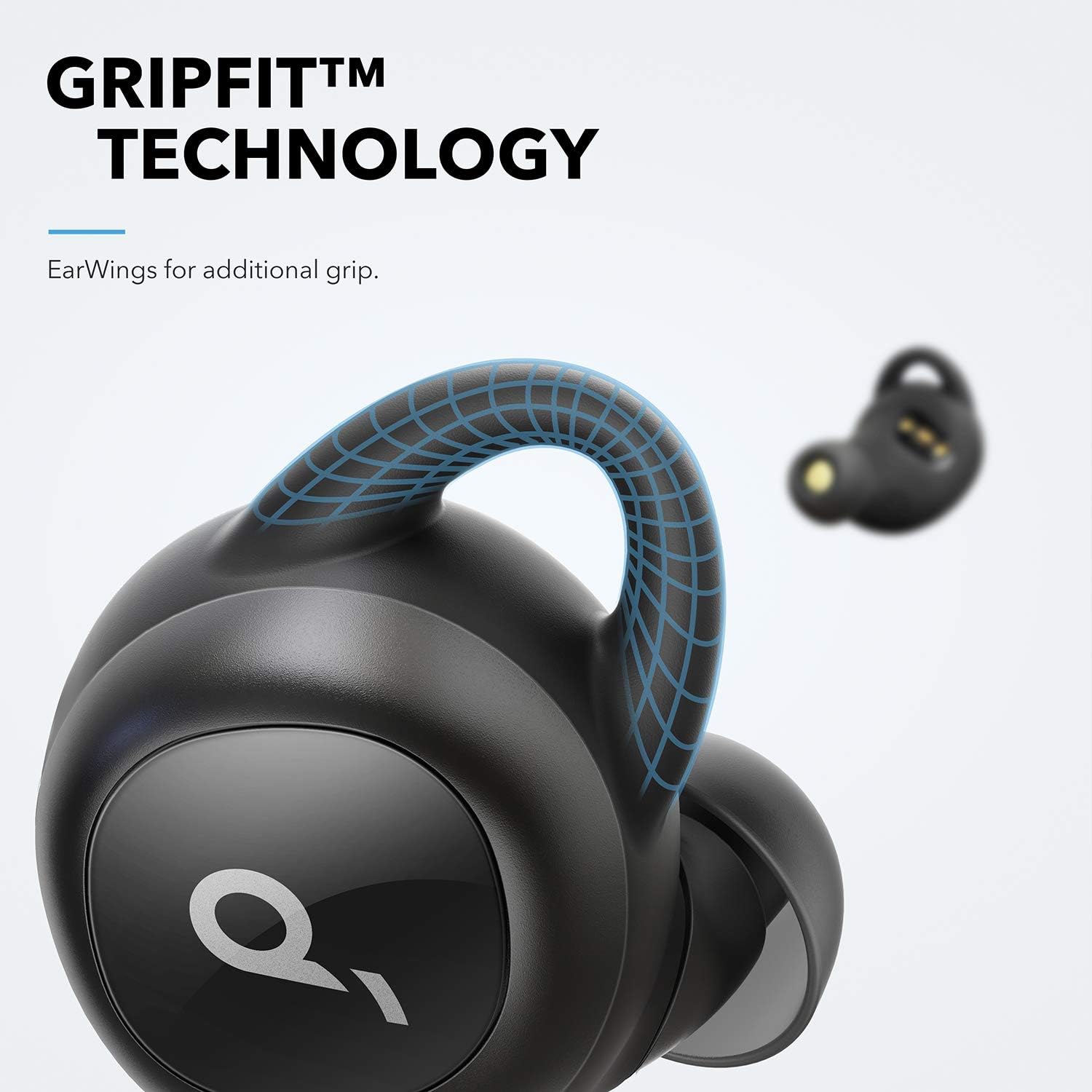
Image: Close-up of an earbud highlighting the GripFit technology for a secure fit.
3.3 Bluetooth Pairing (Push and Go)
The Soundcore Liberty earbuds feature 'Push and Go' technology for effortless pairing.
- Remove both earbuds from the charging case. They will automatically enter pairing mode.
- On your device (smartphone, tablet, etc.), open the Bluetooth settings.
- Select "Soundcore Liberty" from the list of available devices to connect.
- After the initial setup, the earbuds will automatically connect to your device when removed from the case and disconnect when returned.
4. Operating Instructions
4.1 Power On/Off
- Power On: Remove earbuds from the charging case.
- Power Off: Place earbuds back into the charging case.
4.2 Audio Playback and Calls
The earbuds provide high-quality audio and stereo calls. Use the touch controls for various functions.
- Play/Pause: Single tap on either earbud.
- Next Track: Double tap the right earbud.
- Previous Track: Double tap the left earbud.
- Answer/End Call: Single tap on either earbud.
- Reject Call: Press and hold either earbud for 2 seconds.
- Activate Voice Assistant: Press and hold either earbud for 1 second.

Image: Soundcore Liberty Earbuds shown next to a smartphone with a call interface, indicating stereo call functionality.
4.3 Graphene Enhanced Sound
The earbuds utilize Graphene-coated drivers for precision oscillation, delivering superior sound across the entire frequency range with crystal clarity and a delicately tuned sound signature.

Image: A cutaway diagram illustrating the Graphene-enhanced sound driver technology.
5. Maintenance
5.1 Cleaning
Regularly clean your earbuds and charging case to ensure optimal performance and hygiene.
- Use a soft, dry, lint-free cloth to wipe the earbuds and charging case.
- Remove ear tips and clean them with mild soap and water, then dry thoroughly before reattaching.
- Ensure charging contacts on both earbuds and case are clean and dry.
5.2 Sweat Resistance
The Soundcore Liberty earbuds are IPX5 rated, offering protection against sweat and light splashes, making them suitable for workouts and outdoor activities. However, they are not designed for submersion in water.
Image: A woman exercising outdoors in light rain, wearing the Soundcore Liberty Earbuds, emphasizing their sweat-resistant design (IPX5 rating).
6. Troubleshooting
6.1 Earbuds Not Pairing or Only One Earbud Working
If your earbuds are not pairing correctly or only one earbud is producing sound, a reset may resolve the issue. Follow these steps carefully:
- Place both earbuds into the charging case. Ensure the case has sufficient charge. Keep them in the case for at least 10 seconds.
- Remove both earbuds and hold one in each hand. Locate the button on each earbud.
- Press the button on each unit simultaneously for 5 seconds. The LEDs will briefly flash red once. Release the buttons immediately after the red flash.
- Press the button on each unit again simultaneously for 8 seconds. The LEDs will briefly flash pink once. Release the buttons immediately after the pink flash.
- Place the earbuds back into the case for at least 10 seconds.
- On your connected Bluetooth device (phone, etc.), delete or 'forget' the "Soundcore Liberty" device from your Bluetooth menu.
- Take both earbuds out of the case at the same time.
- Wait approximately 15 seconds, then open your device's Bluetooth settings and scan for new devices.
- Select "Soundcore Liberty" to re-pair. This process resets the earbuds, reconnects them to each other, and then pairs them to your Bluetooth device.
6.2 Other Connectivity Issues
- Ensure your device's Bluetooth is enabled.
- Make sure the earbuds are charged.
- Keep your device within the effective range of the earbuds (typically 10 meters or 33 feet).
- Avoid physical obstructions between the earbuds and your device.
7. Specifications
| Feature | Detail |
|---|---|
| Model Name | Soundcore Liberty |
| Item Model Number | A3912 |
| Connectivity Technology | Bluetooth 5.0 |
| Ear Placement | In Ear |
| Form Factor | In Ear |
| Noise Control | Sound Isolation |
| Control Method | Touch |
| Water Resistance Level | Water Resistant (IPX5) |
| Item Weight | 3.52 ounces |
| Product Dimensions | 4.76 x 6.81 x 2.44 inches |
| Batteries | 1 Lithium Polymer batteries required |
| Manufacturer | Anker |
8. Official Product Video
Video: An official product video showcasing the Soundcore Liberty True Wireless Earbuds, highlighting their features and design.
9. Warranty and Support
For warranty information, technical support, or further assistance, please visit the official Soundcore website or contact their customer service. Keep your proof of purchase for warranty claims.
Manufacturer: Anker


