
1. Product Overview
The Beyution 8142026670003C is a replacement infrared remote control designed for seamless compatibility with a wide range of Sceptre LCD LED Class HDTV models. This remote provides all essential functions for controlling your television, offering a direct replacement experience without complex setup.
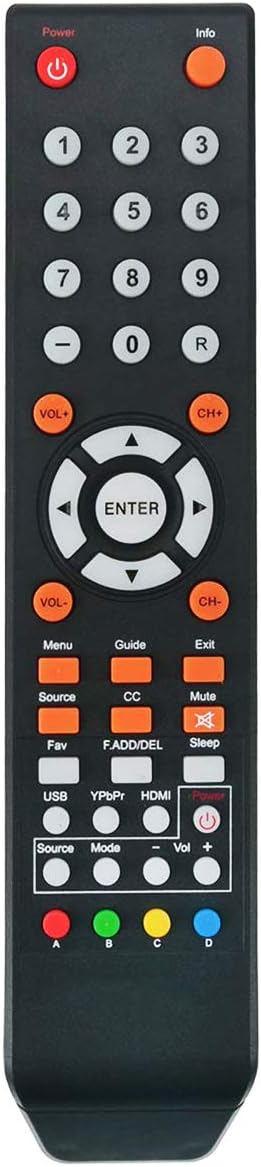
Figure 1: Front view of the Beyution 8142026670003C TV Remote Control, showing all buttons and layout.
2. Setup
2.1 Battery Installation
To begin using your new remote control, you must install two AAA batteries. Ensure the batteries are brand new alkaline batteries for optimal performance. Rechargeable batteries are not recommended as they may cause functionality issues.
- Locate the battery compartment on the back of the remote control.
- Slide the battery cover downwards to open the compartment.
- Insert two AAA batteries, ensuring the positive (+) and negative (-) terminals align correctly with the indicators inside the compartment.
- Slide the battery cover back into place until it clicks securely.

Figure 2: Back view of the remote control with the battery compartment open, showing where to insert AAA batteries.
2.2 Initial Use
Once batteries are installed, the remote control is ready for immediate use. No programming or pairing is required. Simply point the remote towards your Sceptre TV and begin operating it.
3. Operating Instructions
This remote control provides intuitive access to your Sceptre TV's functions. Ensure there are no obstructions between the remote's infrared emitter and your TV's IR receiver.
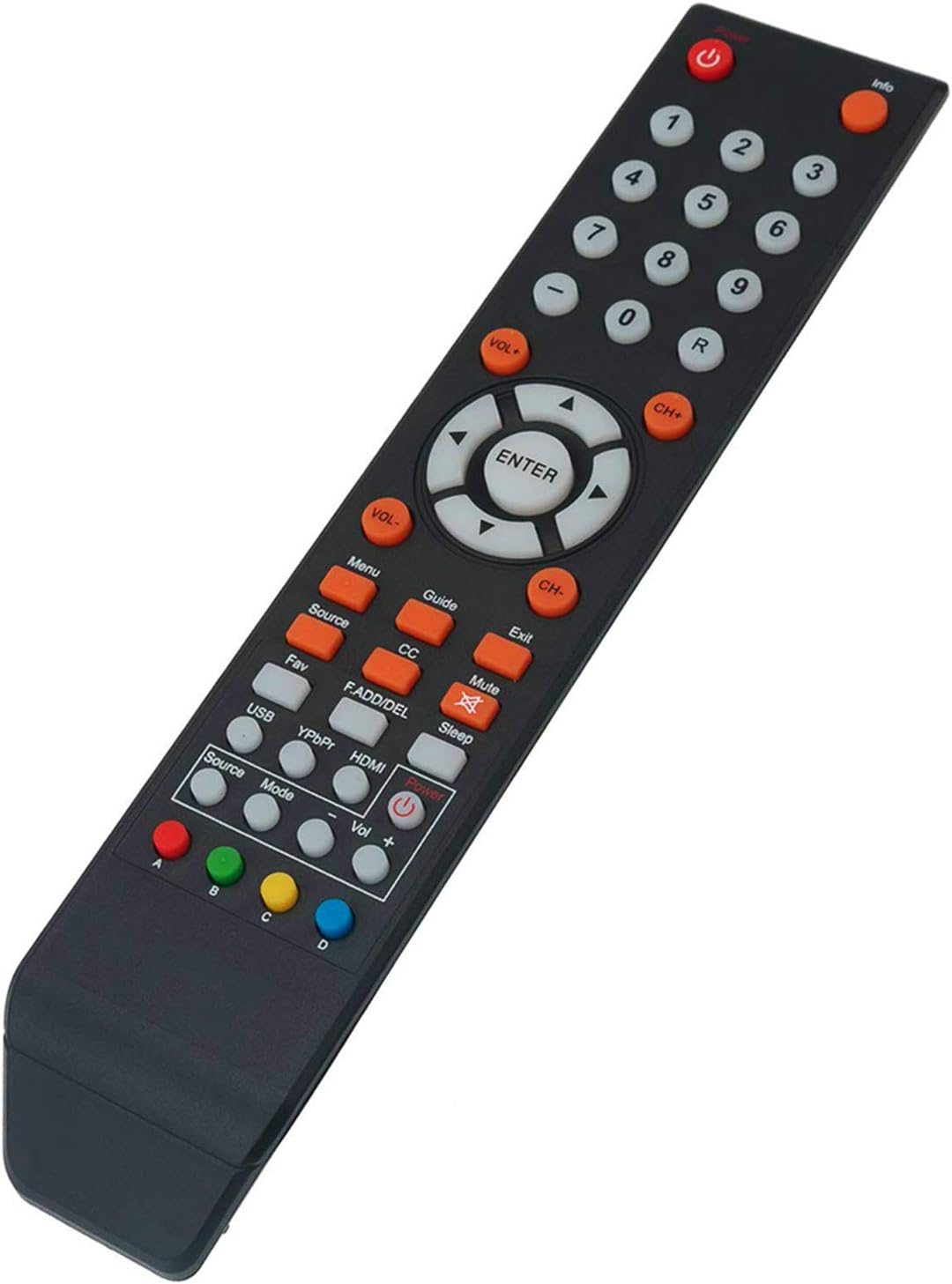
Figure 3: Angled view of the remote control, illustrating the arrangement of various function buttons.
3.1 Button Functions
| Button | Function |
|---|---|
| Power | Turns the TV on or off. |
| Info | Displays current program information. |
| Number Buttons (0-9) | Direct channel selection. |
| VOL+/- | Adjusts the volume level. |
| CH+/- | Changes channels up or down. |
| ENTER | Confirms selections in menus. |
| Directional Arrows | Navigates through menus and options. |
| Menu | Accesses the TV's main menu. |
| Source | Selects input sources (HDMI, AV, etc.). |
| Mute | Mutes or unmutes the TV audio. |
| Exit | Exits current menu or function. |
| CC | Activates or deactivates Closed Captions. |
| Sleep | Sets a sleep timer for the TV. |
| HDMI | Directly switches to HDMI input. |
| Colored Buttons (A, B, C, D) | Functions vary by TV model and application. Refer to your TV's manual for specific uses. |
4. Compatible Models
This replacement remote control is compatible with the following Sceptre LCD LED Class HDTV models:
- E165BV-SS, E165WV-SS, E168BV-SS, E168WV-SS
- E325BV-SR, X322BV-SR, X328BV-SR, X322BV-SRN, X322BV-SRR
- X325BV-FSR, X405BV-FSR, X438BV-FSR, X505BV-FSR
- C550CV-UMR, C650CV-UMR, C658CV-UMR
- U435CV-UMR, U500CV-UMR, U505CV-UMR, U515CV-UMR, U558CV-UMR
- U650CV-UMR, U750CV-UMR, U758CV-UMR
- X405BV-FSRC, X405BV-FSRR, X435BV-FSRA, X435BV-FSRC, X505BV-FSRC
- X405BV-FSRCC, U508CV-UMKR, U515CV-UMKR, U750CV-UMRR
- E165BV(WV)-SS, E168BV(WV)-SS, E328BV(WV)-SR, E205BV-SMQCC, U550CV-UM08R
If your specific TV model is not listed, please contact the seller for assistance in finding the correct remote control.
5. Maintenance
5.1 Cleaning
To clean the remote control, gently wipe it with a soft, dry cloth. For stubborn dirt, slightly dampen the cloth with water. Avoid using harsh chemicals, abrasive cleaners, or excessive moisture, as these can damage the remote's surface or internal components.
5.2 Battery Care
- Replace batteries when the remote's responsiveness decreases.
- Always use new alkaline batteries.
- Remove batteries if the remote will not be used for an extended period to prevent leakage.
6. Troubleshooting
6.1 Remote Not Working
- Check Batteries: Ensure new alkaline batteries are correctly installed with proper polarity (+/-). Replace old or rechargeable batteries with fresh alkaline ones.
- Remove Obstructions: Make sure there is a clear line of sight between the remote control and the TV's infrared sensor. Remove any objects that might be blocking the signal.
- Test Remote: You can test if the remote is emitting an IR signal by pointing it at a smartphone camera (most smartphone cameras can detect IR light). If you see a light flashing from the remote's IR emitter when pressing buttons, the remote is likely working.
- TV Compatibility: Double-check that your TV model is listed in the compatible models section (Section 4).
6.2 Specific Buttons Not Responding
- This issue is often related to low battery power. Replace batteries with new alkaline ones.
- Ensure no debris is lodged under the button, preventing it from being pressed fully.
7. Specifications
- Model: BE-SCEP-8142026670003C-6row
- Connectivity Technology: Infrared (IR)
- Power Source: 2 x AAA Batteries (Alkaline recommended)
- Product Dimensions: Approximately 7 x 2 x 0.7 inches (17.8 x 5.1 x 1.8 cm)
- Item Weight: Approximately 2 ounces (56.7 grams)
- Material: Durable ABS plastic
- Special Feature: Ergonomic design
8. Warranty and Support
As a replacement remote control, this product is designed to function immediately upon battery installation. For any issues not resolved by the troubleshooting steps, or if your TV model is not listed as compatible, please contact the seller directly for support. Provide your product model number and a detailed description of the issue for prompt assistance.
For further inquiries or to verify compatibility with unlisted Sceptre TV models, please reach out to the Beyution customer support team.