
1. Important Safety Information
Read all instructions carefully before using the BEEPER FX1L electric scooter. Failure to follow these instructions may result in serious injury or damage to the product.
- Always wear a helmet and appropriate protective gear (knee pads, elbow pads) when riding.
- Obey all local traffic laws and regulations.
- Do not ride in wet conditions, heavy rain, or through puddles. The scooter is not waterproof.
- Ensure the battery is not fully discharged. Maintain at least one bar of charge to prevent battery damage.
- The scooter requires a manual push-off with your foot before the accelerator can engage. This is a safety feature.
- Do not exceed the maximum weight limit of 95 kg.
- Regularly check brakes, tires, and all connections before each ride.
2. Package Contents
Carefully unpack your BEEPER FX1L electric scooter and check that all items are present and in good condition. If any items are missing or damaged, contact customer support immediately.
- BEEPER FX1L Electric Scooter
- Battery Charger
- User Manual
- Assembly Tools (e.g., Allen keys)
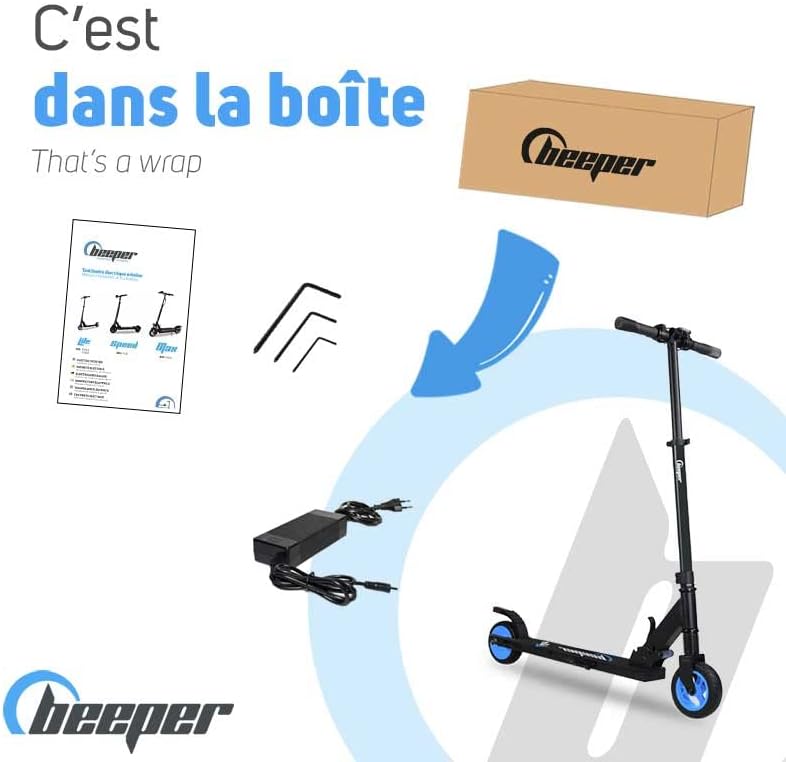
Figure 2.1: Contents of the BEEPER FX1L package. Includes the electric scooter, charger, user manual, and necessary tools for initial setup.
3. Product Overview
The BEEPER FX1L is a lightweight and compact electric scooter designed for urban commutes. It features a durable aluminum frame, front suspension, and a dual braking system for enhanced safety.
Key Features:
- Lightweight Design: Weighs approximately 8.5 kg for easy portability.
- Compact Folding: Quick and secure folding mechanism for storage and transport.
- Front Suspension: Provides a smoother ride over uneven surfaces.
- Dual Braking System: Electric brake on the handlebar and mechanical foot brake on the rear wheel.
- Integrated Lighting: Front and rear lights for visibility.

Figure 3.1: Handlebar controls including bell, brake, display, and accelerator.

Figure 3.2: The scooter in its folded state, highlighting its compact design.
4. Setup
4.1 Unfolding the Scooter
- Place the scooter on a flat surface.
- Locate the folding mechanism near the base of the steering column.
- Release the locking lever/pin and carefully lift the steering column until it clicks into place in the upright position.
- Ensure the locking mechanism is securely engaged before use.
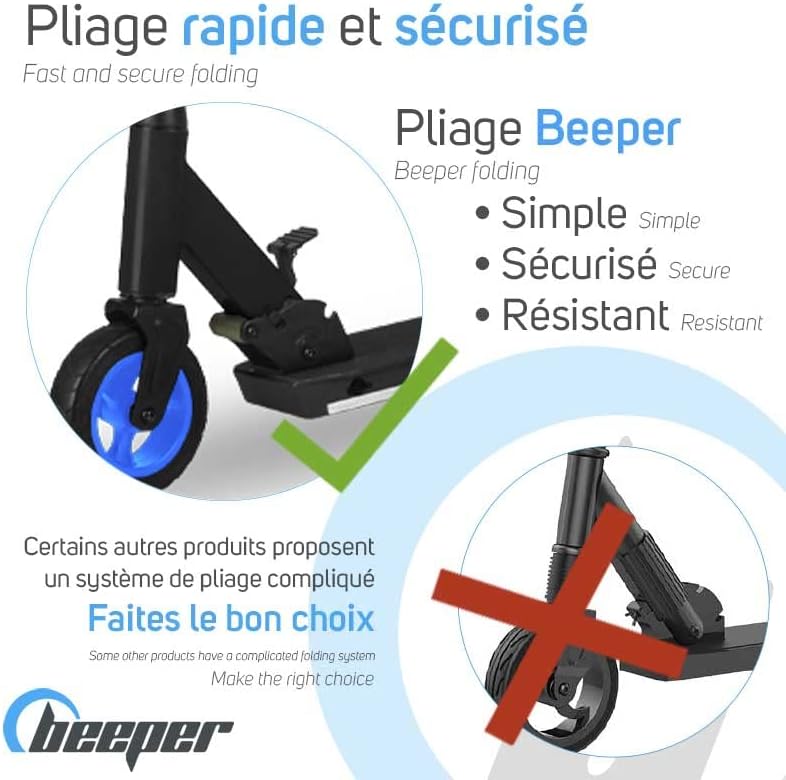
Figure 4.1: The scooter's folding mechanism, designed for quick and secure operation.
4.2 Initial Charging
Before first use, fully charge the scooter's battery. This typically takes 2 to 3 hours.
- Locate the charging port on the scooter (usually near the battery compartment).
- Connect the charger to the charging port, then plug the charger into a standard wall outlet.
- The indicator light on the charger will typically show red during charging and turn green when fully charged.
- Disconnect the charger once charging is complete. Do not overcharge.
5. Operating Instructions
5.1 Powering On/Off
- To power on: Press and hold the power button on the display until the screen illuminates.
- To power off: Press and hold the power button until the display turns off.
5.2 Riding the Scooter
- Ensure you are wearing all safety gear.
- Place one foot firmly on the deck of the scooter.
- Push off with your other foot to gain initial momentum (the safety start feature requires this).
- Once moving, gently press the accelerator trigger on the handlebar to engage the motor.
- To brake, release the accelerator and gently squeeze the electric brake lever on the handlebar. For stronger braking, use the mechanical foot brake on the rear wheel.
5.3 Speed Modes
The BEEPER FX1L typically offers multiple speed modes:
- Mode 1: Approximately 6 km/h (suitable for pedestrian areas or learning)
- Mode 2: Approximately 15 km/h
- Mode 3: Approximately 20 km/h (maximum speed)
Refer to your display for current speed mode indication and how to switch between modes (usually a short press of the power button or a dedicated mode button).
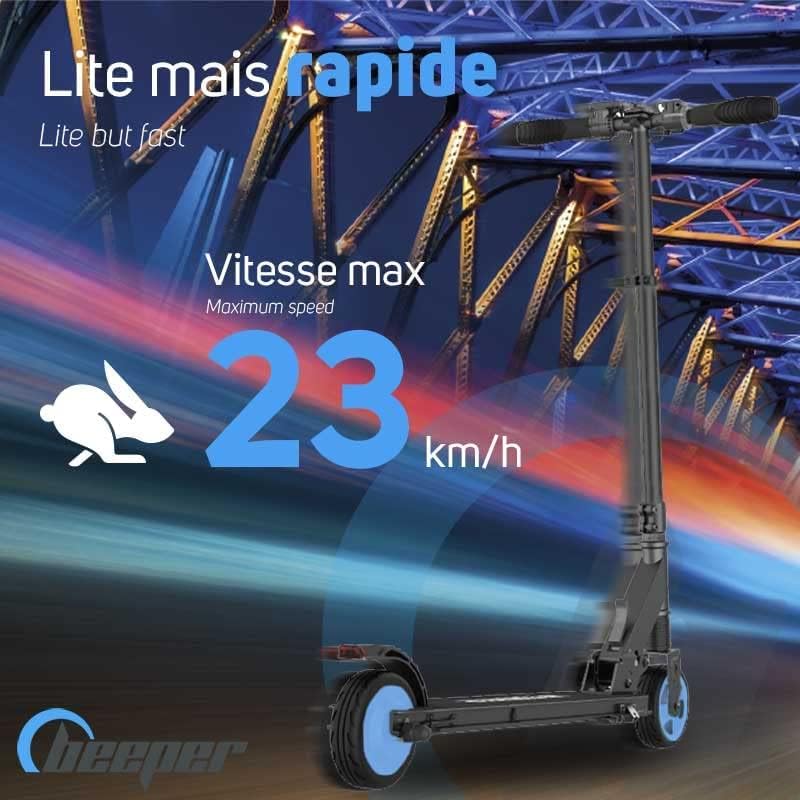
Figure 5.1: The scooter is capable of reaching speeds up to 20 km/h (23 km/h as per some indications).
6. Maintenance
Regular maintenance ensures the longevity and safe operation of your scooter.
6.1 Battery Care
- Always charge the battery in a dry, well-ventilated area.
- Do not allow the battery to fully discharge. Charge it regularly, even if not in use for extended periods (e.g., once a month).
- Avoid exposing the battery to extreme temperatures.
6.2 Cleaning
- Wipe the scooter clean with a damp cloth. Do not use high-pressure water jets or immerse the scooter in water.
- Avoid getting water into the charging port or other electrical components.
6.3 Tire and Brake Inspection
- Regularly check the tires for wear and tear.
- Ensure both the electric and mechanical brakes are functioning correctly before each ride. Adjust if necessary.
7. Troubleshooting
If you encounter issues with your BEEPER FX1L scooter, refer to the following common problems and solutions:
| Problem | Possible Cause | Solution |
|---|---|---|
| Scooter does not turn on | Low battery; Loose connection; Power button issue | Charge the battery; Check all visible connections; Contact support if issue persists. |
| Scooter does not accelerate | No initial push-off; Accelerator fault; Low battery | Ensure you push off with your foot to activate the safety start; Charge battery; Contact support. |
| Reduced range or speed | Low battery; Overload; Tire pressure (if applicable); Battery degradation | Fully charge battery; Ensure rider weight is within limits; Contact support for battery assessment. |
| Brakes not effective | Brake cable adjustment needed; Worn brake pads | Inspect and adjust brake cables; Replace worn brake pads; Contact support for professional service. |
If the problem persists after attempting these solutions, please contact BEEPER customer support.
8. Specifications
| Feature | Specification |
|---|---|
| Model | FX1L |
| Brand | BEEPER |
| Motor Power | 350W |
| Battery Capacity | 5Ah Lithium-ion |
| Wheel Size | 6 Inches |
| Product Weight | 8.5 Kilograms |
| Maximum Range | Up to 10 Kilometers |
| Maximum Speed | Up to 20 km/h |
| Maximum Load | 95 Kilograms |
| Unfolded Dimensions (L x W x H) | 90 x 43 x 97 cm |
| Folded Dimensions (L x W x H) | 83 x 15 x 28 cm |
| Frame Material | Aluminum |
| Brake Type | Electric (front), Mechanical (rear) |
| Suspension Type | Front Suspension |
| Charging Time | 2-3 Hours |

Figure 8.1: The BEEPER FX1L is a lightweight scooter, weighing 8.5 kg.

Figure 8.2: The scooter offers a range of up to 10 km, suitable for short daily commutes.
9. Warranty and Support
9.1 Warranty Information
BEEPER offers a comprehensive warranty for your FX1L electric scooter:
- Main Frame: 10 years
- Electronics & Mechanics: 3 years
- Battery: 12 months
This warranty covers manufacturing defects under normal use. Please retain your proof of purchase for warranty claims.

Figure 9.1: BEEPER's commitment to quality, backed by a 10-year warranty on the frame.

Figure 9.2: Assurance of spare parts availability for a minimum of 36 months.
9.2 Customer Support
BEEPER provides after-sales service based in France. For any technical assistance, warranty claims, or spare parts inquiries, please contact our customer support team.
Contact information can typically be found on the BEEPER official website or on your purchase documentation.

Figure 9.3: BEEPER's after-sales service is based in France.


