
Soundcore A3116
Soundcore Motion+ Bluetooth Speaker User Manual
Model: A3116
Product Overview
The Soundcore Motion+ is a high-fidelity portable Bluetooth speaker designed to deliver exceptional audio quality with powerful bass and extended playtime. It features advanced audio technologies and a durable, waterproof design, making it suitable for various environments.

Figure 1: Soundcore Motion+ Bluetooth Speaker
Key Features:
- Hi-Fi Sound: Experience a wide frequency range from ultra-low 50Hz to ultra-high 40kHz. Supports Hi-Res audio via AUX cable and high-quality, low-latency sound via Qualcomm aptX Bluetooth connection.
- Powerful Audio Output: Equipped with two ultra-high frequency tweeters, two neodymium woofers, and two passive radiators, delivering a maximum audio output of 30W for rich, clear sound.
- BassUp Technology: Soundcore's proprietary BassUp technology enhances low frequencies, providing powerful and clear bass that resonates throughout your body.
- Extended Playtime: Built-in 6700mAh battery provides up to 12 hours of continuous music playback, ideal for parties and outdoor activities. (Note: Playtime may vary depending on volume and content.)
- IPX7 Waterproof: Designed with IPX7 waterproof rating, allowing it to be submerged in up to 1 meter of water for 30 minutes without damage. Perfect for use by the sea, pool, or in the bathroom.
- Customizable Equalizer: Use the Soundcore app to customize the equalizer settings, creating the optimal mix for your preferred music genre.
- Wireless Stereo Pairing: Pair two Soundcore Motion+ speakers for a powerful, immersive stereo sound experience.
- USB-C Port: Features a USB-C charging port, allowing you to use the same cable as your smartphone or laptop.
Setup Guide
1. What's in the Box
Before you begin, ensure all components are present:
- Soundcore Motion+ Speaker
- USB-C to USB-A 3.0 Charging Cable
- AUX Cable
- Quick Start Guide
2. Charging Your Speaker
For optimal performance, fully charge your Motion+ speaker before first use.
- Connect the provided USB-C cable to the charging port on the speaker.
- Connect the other end of the USB cable to a compatible USB wall charger (not included) or a computer's USB port.
- The charging indicator light will illuminate. A full charge takes approximately 4 hours.
- Once fully charged, the indicator light will change (refer to the Quick Start Guide for specific light behavior).
3. Powering On/Off
- To power on, press and hold the power button (⏻) for 2 seconds.
- To power off, press and hold the power button (⏻) for 2 seconds again.
Operating Instructions
1. Bluetooth Pairing
The Motion+ speaker uses Bluetooth 5.0 for a stable wireless connection.
- Power on the Soundcore Motion+. The Bluetooth indicator light will flash blue, indicating it's in pairing mode.
- On your device (smartphone, tablet, etc.), enable Bluetooth and search for "Soundcore Motion+".
- Select "Soundcore Motion+" from the list of available devices to connect.
- Once connected, the Bluetooth indicator light will turn solid blue.
To pair with a new device, press and hold the Bluetooth button on the speaker for 2 seconds to enter pairing mode again.
2. AUX Connection
For wired audio playback or Hi-Res audio sources, use the provided AUX cable.
- Connect one end of the AUX cable to the AUX port on the Soundcore Motion+.
- Connect the other end to the audio output jack of your device.
- The speaker will automatically switch to AUX mode.

Figure 2: Hi-Res Audio support via AUX connection and high-quality Bluetooth with Qualcomm aptX.
3. Controls
The Soundcore Motion+ features intuitive controls for playback and volume adjustment.
| Button | Function |
|---|---|
| Power (⏻) | Press and hold for 2 seconds to power on/off. |
| Bluetooth | Press to enter Bluetooth pairing mode. |
| Volume Down (-) | Press to decrease volume. Press and hold to continuously decrease volume. |
| Play/Pause (►⏸) | Press to play or pause music. |
| Volume Up (+) | Press to increase volume. Press and hold to continuously increase volume. |
| BassUp | Press to activate/deactivate BassUp mode for enhanced bass. |

Figure 3: Soundcore's proprietary BassUp Technology delivers powerful and clear bass.
4. Soundcore App and Equalizer Customization
Download the Soundcore app from your device's app store to unlock additional features and customize your listening experience.
- Equalizer (EQ) Customization: Adjust the sound profile to your preference with various preset EQ modes or create your own custom settings.
- Firmware Updates: Keep your speaker updated with the latest features and improvements.
- Battery Status: Monitor the speaker's battery level.

Figure 4: Customize the equalizer settings via the Soundcore app for an optimized audio experience.
5. Wireless Stereo Pairing (TWS)
You can pair two Soundcore Motion+ speakers together to achieve a true wireless stereo sound experience.
- Ensure both Motion+ speakers are powered on and not connected to any other Bluetooth device.
- On one speaker (this will be the primary speaker), press and hold the Bluetooth button for 2 seconds until the indicator flashes blue.
- On the second speaker, press the Bluetooth button once. It will attempt to connect to the primary speaker.
- Once successfully paired, the Bluetooth indicator on both speakers will turn solid blue, and you will hear a confirmation tone.
- Now, connect your device to the primary speaker via Bluetooth. Audio will play through both speakers in stereo.
Maintenance
1. Cleaning
- Wipe the speaker with a soft, damp cloth.
- Do not use any corrosive cleaners or chemicals.
- Ensure the charging port cover is securely closed before cleaning with water.
2. Storage
- Store the speaker in a cool, dry place away from direct sunlight and extreme temperatures.
- If storing for an extended period, charge the battery every 3 months to maintain its lifespan.
3. Waterproofing Precautions (IPX7)
The Motion+ is IPX7 rated, meaning it can withstand submersion in 1 meter of water for up to 30 minutes. To ensure its waterproof integrity:
- Always ensure the charging port cover is fully sealed before exposing the speaker to water.
- Do not submerge the speaker in saltwater or other liquids besides fresh water.
- Avoid exposing the speaker to high-pressure water jets.
- After exposure to water, wipe the speaker dry before charging.

Figure 5: The IPX7 waterproof design ensures safe use around water.
Troubleshooting
| Problem | Possible Cause | Solution |
|---|---|---|
| Speaker does not power on. | Low battery. | Charge the speaker fully. |
| Cannot pair with Bluetooth device. | Speaker is not in pairing mode or already connected to another device. Device's Bluetooth is off. | Press and hold the Bluetooth button on the speaker to enter pairing mode. Ensure Bluetooth is enabled on your device. Disconnect from other devices. |
| No sound or distorted sound. | Volume too low. Device not properly connected (Bluetooth or AUX). Audio file issue. | Increase volume on both speaker and device. Re-establish Bluetooth connection or re-plug AUX cable. Try a different audio file. |
| Speaker not charging. | Cable or adapter issue. Charging port obstruction. | Try a different USB-C cable and power adapter. Check the charging port for debris. |
| Wireless Stereo Pairing fails. | Speakers are too far apart or already paired to other devices. | Ensure speakers are within 5 meters of each other. Disconnect both speakers from any other Bluetooth devices before attempting TWS pairing. |
Specifications
| Feature | Detail |
|---|---|
| Model Number | A3116 |
| Dimensions (L x W x H) | 25.7 x 7.9 x 8.1 cm (approx. 10.1 x 3.1 x 3.2 inches) |
| Weight | 1050 g (approx. 2.3 lbs) |
| Bluetooth Version | 5.0 |
| Waterproof Rating | IPX7 |
| Audio Output Power | 30 Watts |
| Battery Capacity | 6700 mAh |
| Charging Time | Approx. 4 hours |
| Playtime | Up to 12 hours (varies by volume and content) |
| Frequency Response | 50Hz - 40kHz |

Figure 6: Dimensions of the Soundcore Motion+ speaker.
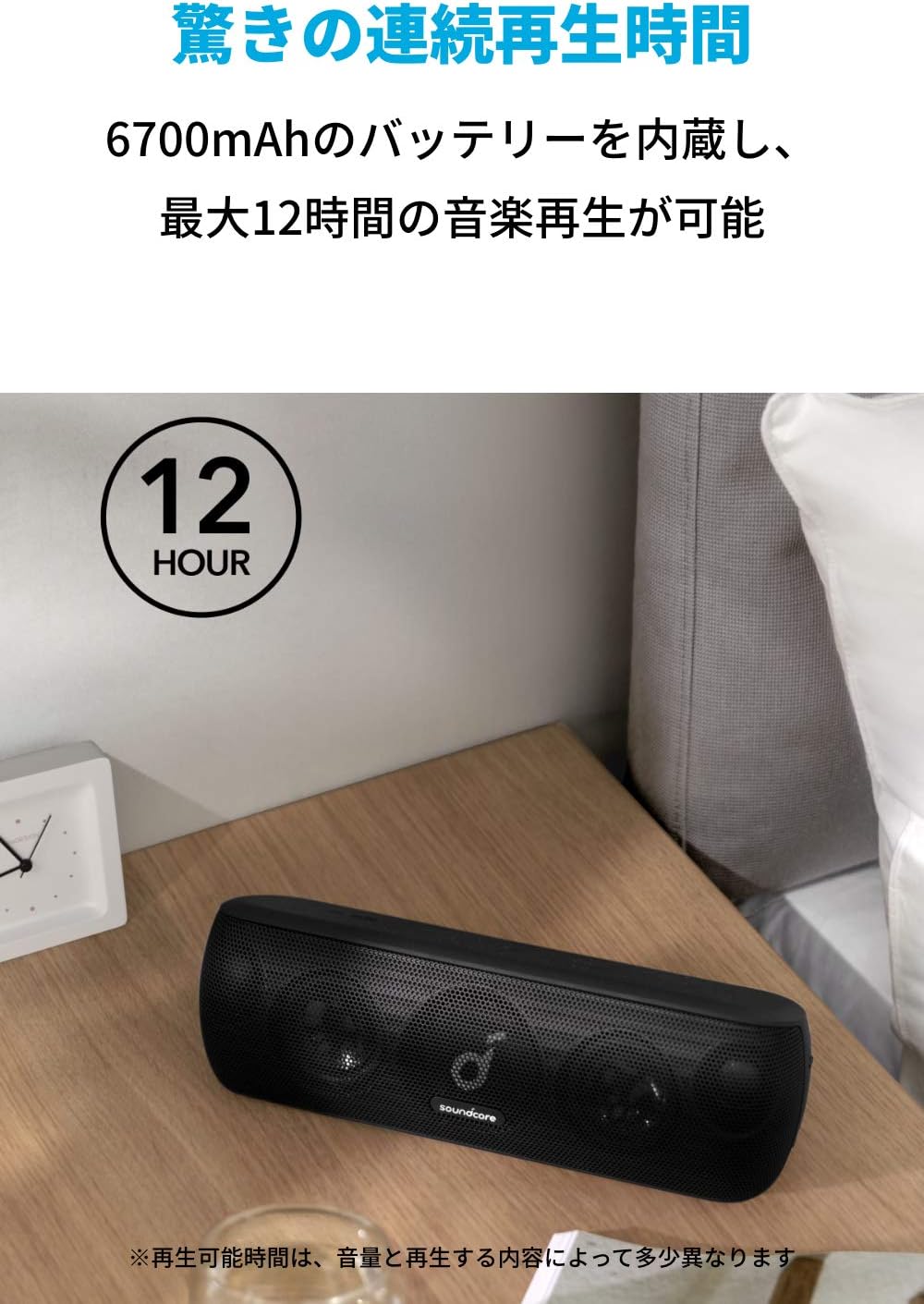
Figure 7: The Soundcore Motion+ offers up to 12 hours of continuous music playback.
Warranty and Support
Soundcore products are designed to provide reliable performance. This product comes with a standard warranty. For detailed warranty information, please refer to the warranty card included in your package or visit the official Soundcore website.
For technical support, troubleshooting assistance, or any inquiries regarding your Soundcore Motion+ speaker, please contact Soundcore Customer Support. Contact information can typically be found in the Quick Start Guide or on the official Soundcore website.
You can also find helpful resources and FAQs on the Soundcore support page.
Related documentsA3116


Ask a question about this manual
Ask about setup, troubleshooting, compatibility, parts, safety, or missing instructions. Manuals+ will review the question and use this page’s manual context to help answer it.