
Reebok RVSL-10821
Reebok SL8.0 Treadmill + Bluetooth User Manual
Model: RVSL-10821
Introduction
The Reebok SL8.0 Treadmill is designed to provide an effective and varied home running experience. Featuring SubLite cushioning technology, a powerful 3 HP motor, and a comprehensive LED display, it offers real-time feedback and connectivity for enhanced workouts. This manual provides essential information for setup, operation, maintenance, and troubleshooting to ensure safe and optimal use of your treadmill.

Figure 1: Main view of the Reebok SL8.0 Treadmill, showcasing its sleek design and robust frame.
Safety Information
Please read all instructions carefully before using the Reebok SL8.0 Treadmill. Keep this manual for future reference. Failure to follow these instructions could result in injury or damage to the product.
- Ensure the treadmill is placed on a flat, stable surface with adequate clearance around it.
- Keep children and pets away from the treadmill during operation.
- Always wear appropriate athletic footwear.
- Use the safety key clip at all times.
- Do not operate the treadmill if it is damaged or malfunctioning.
- Consult a physician before starting any new exercise program.
- Maximum user weight: 150 kg (330 lbs).
Setup and Assembly
The Reebok SL8.0 Treadmill is designed for easy setup with included tools and simple instructions. It is recommended to have two people for assembly due to the weight and size of the unit.
Unpacking
- Carefully remove all components from the packaging.
- Verify all parts are present against the packing list.
- Place the main frame on a clear, level surface.
Assembly Steps
Follow the detailed assembly instructions provided in the separate assembly guide. Key steps include:
- Attaching the uprights to the base.
- Mounting the console to the uprights.
- Connecting all necessary cables.
- Securing all bolts and fasteners.

Figure 2: Front view of the treadmill, highlighting the console and adjustable tablet/smartphone holder.
Once assembled, ensure the treadmill is stable and all connections are secure. The large transport wheels allow for quick movement within your home.
Operating Instructions
Familiarize yourself with the console and controls before beginning your workout.
Console Features
- LED Display: Six-window LED display with profile graph provides real-time feedback on time, distance, speed, incline, calories, and heart rate.
- Control Buttons: Intuitive buttons for adjusting speed, incline, starting/stopping workouts, and selecting programs.
- Media Hub: Integrated hub with auxiliary ports, headphone ports, and a unique USB charging station for your devices.
- Speakers: Powerful 5W speakers for playing your favorite workout playlists.
- Adjustable Fan: Keeps you cool during your run.
- Tablet/Smartphone Holder: Adjustable holder on top of the console for optimal viewing of your device.
- Bottle Holder: Conveniently located for hydration during workouts.

Figure 3: Close-up of the integrated media hub, showing USB charging, auxiliary, and headphone ports.

Figure 4: Detail of the console's integrated cup holder and storage area.
Starting a Workout
- Plug the treadmill into a grounded electrical outlet.
- Attach the safety key clip to your clothing and insert the safety key into the console. The display will illuminate.
- Step onto the side rails of the treadmill.
- Press the "START" button to begin the workout. The belt will start moving at a low speed.
- Gradually increase speed using the speed control buttons. The treadmill can reach a maximum speed of 20 km/h.
- Adjust the incline using the incline control buttons. There are 18 levels of incline available.

Figure 5: Illustration demonstrating the power incline mechanism of the treadmill.
Workout Programs
The SL8.0 offers a variety of workout options:
- 24 Pre-set Programs: Designed to challenge your endurance with varied speed and incline profiles.
- 3 User-Defined Functions: Allows you to create and save your own custom workouts.
- 3 Target Functions: Set goals for time, distance, or calories.
Refer to the console manual for detailed instructions on selecting and customizing programs.
Bluetooth Connectivity and Reebok Fitness App
The console is compatible with the Reebok Fitness App, allowing you to connect your mobile device via Bluetooth. This enables you to:
- Track and analyze your workout data.
- Plan future runs.
- Create routes via Google Maps and Street View for an immersive experience.
Download the Reebok Fitness App from your device's app store and follow the in-app instructions for pairing.
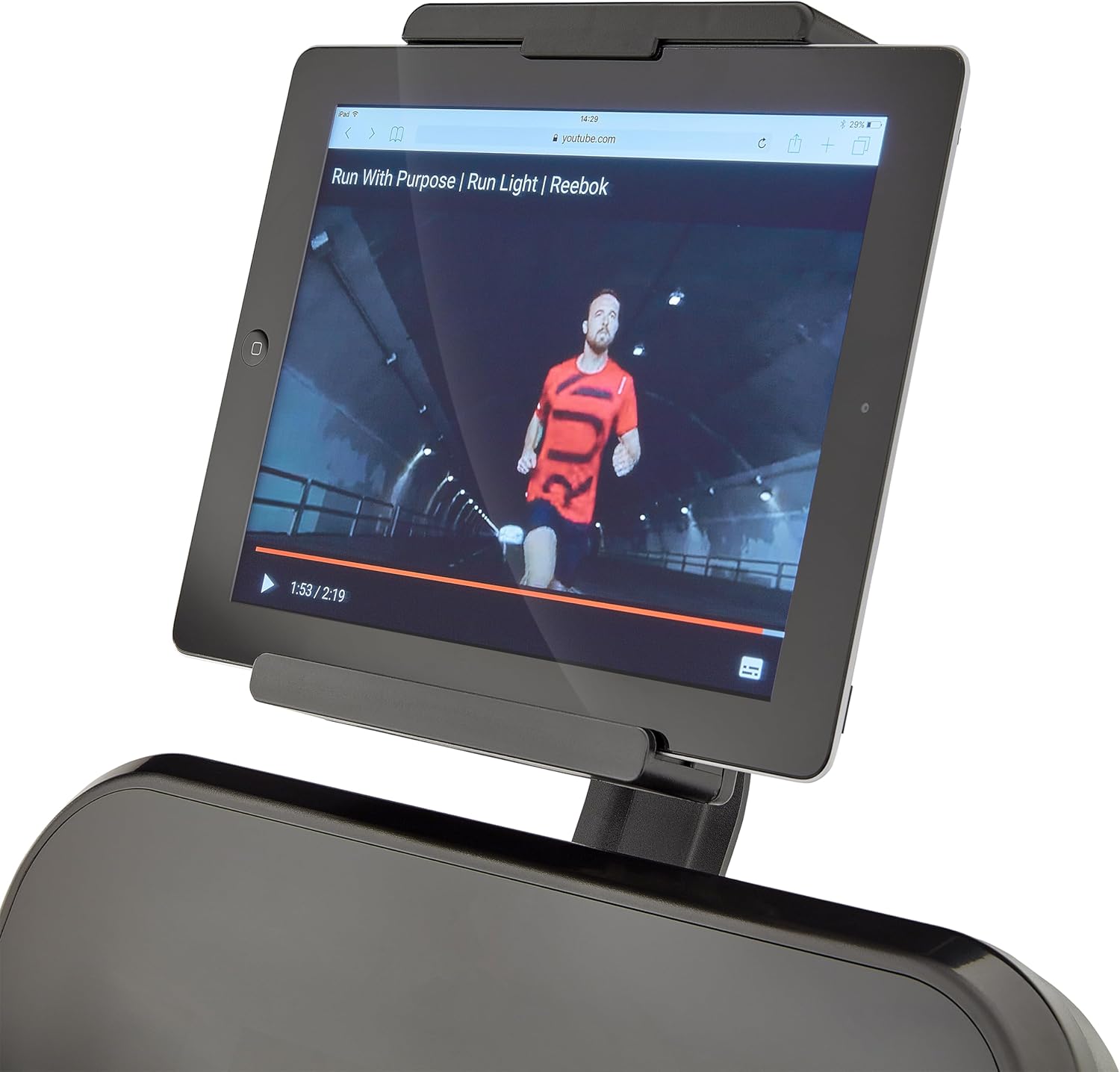
Figure 6: Side view of the treadmill, showing the running deck and console.
Maintenance
Regular maintenance ensures the longevity and optimal performance of your Reebok SL8.0 Treadmill.
Cleaning
- Wipe down the console and frame with a damp cloth after each use. Avoid abrasive cleaners.
- Periodically vacuum under the treadmill to prevent dust buildup.
Belt Lubrication
The running belt requires periodic lubrication to reduce friction and extend its lifespan. Refer to the separate maintenance guide for specific instructions on how often and with what type of lubricant to use.
Belt Tension and Alignment
Check the running belt tension and alignment regularly. If the belt slips or drifts to one side, adjust it according to the instructions in the maintenance guide. Proper tension and alignment are crucial for smooth operation and user safety.

Figure 7: Close-up view of the SubLite cushioning technology on the running deck, designed to absorb impact.
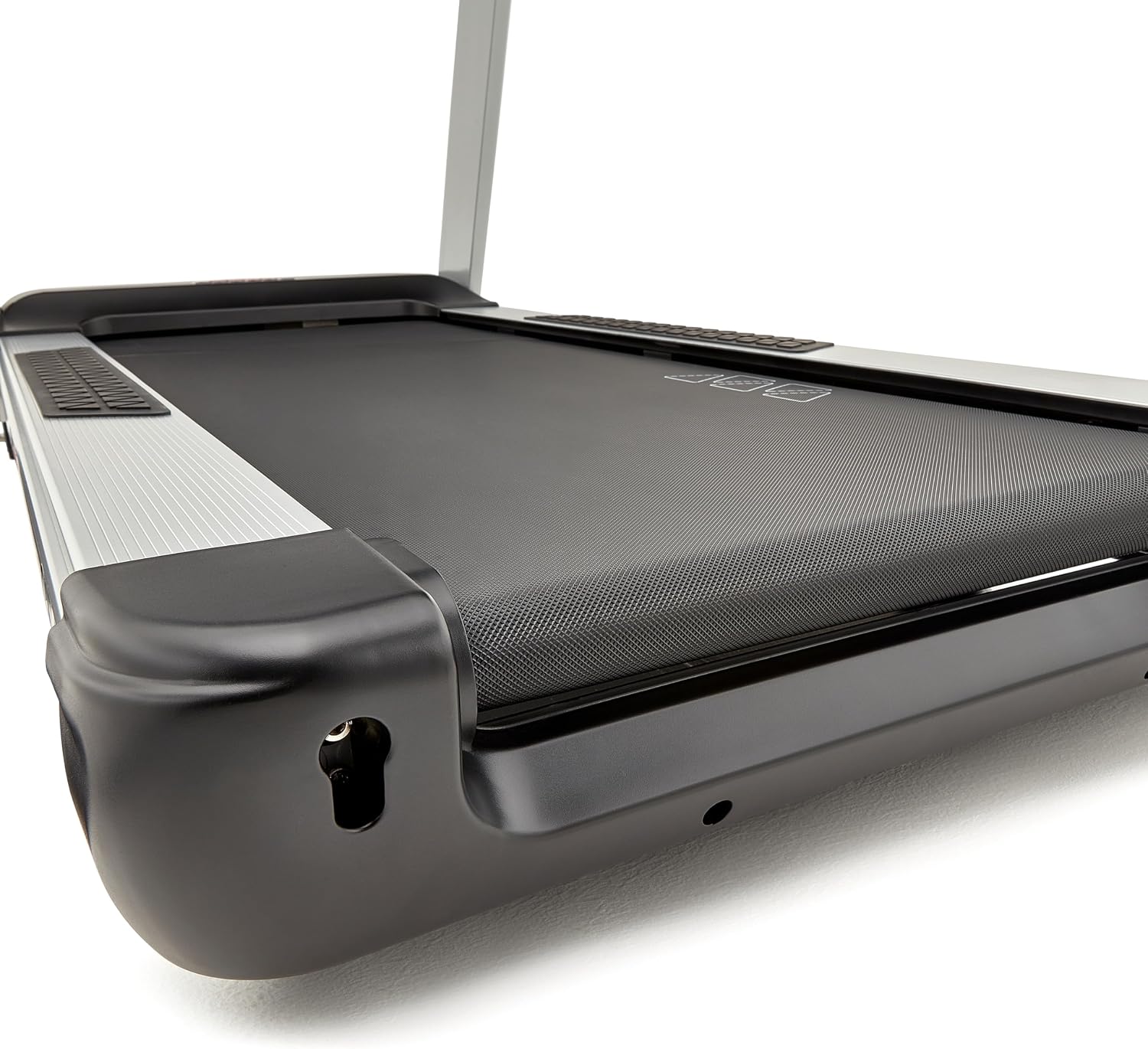
Figure 8: Detailed view of the running belt's textured surface for optimal grip and durability.
Troubleshooting
This section addresses common issues you might encounter with your treadmill. For problems not listed here, contact customer support.
| Problem | Possible Cause | Solution |
|---|---|---|
| Treadmill does not power on. | Not plugged in; circuit breaker tripped; safety key not inserted. | Ensure power cord is securely plugged in. Check household circuit breaker. Insert safety key fully. |
| Running belt slips or hesitates. | Belt tension too loose; belt needs lubrication. | Adjust belt tension according to manual. Lubricate the running deck. |
| Unusual noise during operation. | Loose components; motor issue; belt rubbing. | Check all bolts and fasteners for tightness. Inspect belt for rubbing. If noise persists, contact support. |
| Incline not adjusting. | Incline motor issue; cable disconnected. | Check incline motor connection. If problem persists, contact support. |
Specifications
- Model Number: RVSL-10821
- Motor: 3 HP DC Motor
- Maximum Speed: 20 km/h (12.4 mph)
- Incline Levels: 18 Electronic Incline Levels
- Running Area: 152 cm (L) x 52 cm (W) (59.8" L x 20.5" W)
- Maximum User Weight: 150 kg (330 lbs)
- Display Type: 6-Window LED + Profile Graph
- Connectivity: Bluetooth (Reebok Fitness App compatible)
- Audio: 5W Speakers, Auxiliary Port, Headphone Port
- Charging: USB Charging Station
- Dimensions (L x W x H): 190.3 x 83.2 x 160 cm (74.9" x 32.8" x 63")
- Product Weight: 107 kg (235.9 lbs)
- Cushioning: SubLite Cushioning Technology
- Programs: 24 Pre-set, 3 User-Defined, 3 Target
- Special Features: Adjustable Fan, Bottle Holder, Soft Touch Handlebars, Rubberized Storage Areas, Transport Wheels.
Warranty and Support
The Reebok SL8.0 Treadmill is backed by a comprehensive quality assurance warranty:
- Frame: 25 Years
- Motor: 10 Years
- Computer, Plastic & Labor: 2 Years
For technical support, warranty claims, or replacement parts, please contact Reebok customer service. Refer to your purchase documentation for specific contact details or visit the official Reebok Fitness website.
Related documentsRVSL-10821


Ask a question about this manual
Ask about setup, troubleshooting, compatibility, parts, safety, or missing instructions. Manuals+ will review the question and use this page’s manual context to help answer it.