
NERF NER0226
NERF Bulls-Eye Digital Target Instruction Manual
Brand: NERF | Model: NER0226
1. Introduction
The NERF Bulls-Eye Digital Target is designed to enhance your dart-blasting skills and provide engaging gameplay. Featuring 6 flip-back targets, a high-scoring bullseye, and an LCD screen for score tracking, this free-standing target offers solo and multiplayer game modes. Improve your aim and precision with this exciting addition to your Nerf collection.

Figure 1: Front view of the NERF Bulls-Eye Digital Target.
2. What's in the Box
- One Digital Target Unit
3. Setup
- Battery Installation: Locate the battery compartment on the base of the target. Insert the required AA batteries (not included) according to the polarity indicators. Securely close the battery compartment.
- Assemble Top Piece: The target comes mostly pre-assembled. Attach the top section of the target to the main pole by aligning the connectors and pressing firmly until it clicks into place.
- Placement: Place the free-standing target on a flat, stable surface. Ensure there is ample space around the target for safe play and dart retrieval.
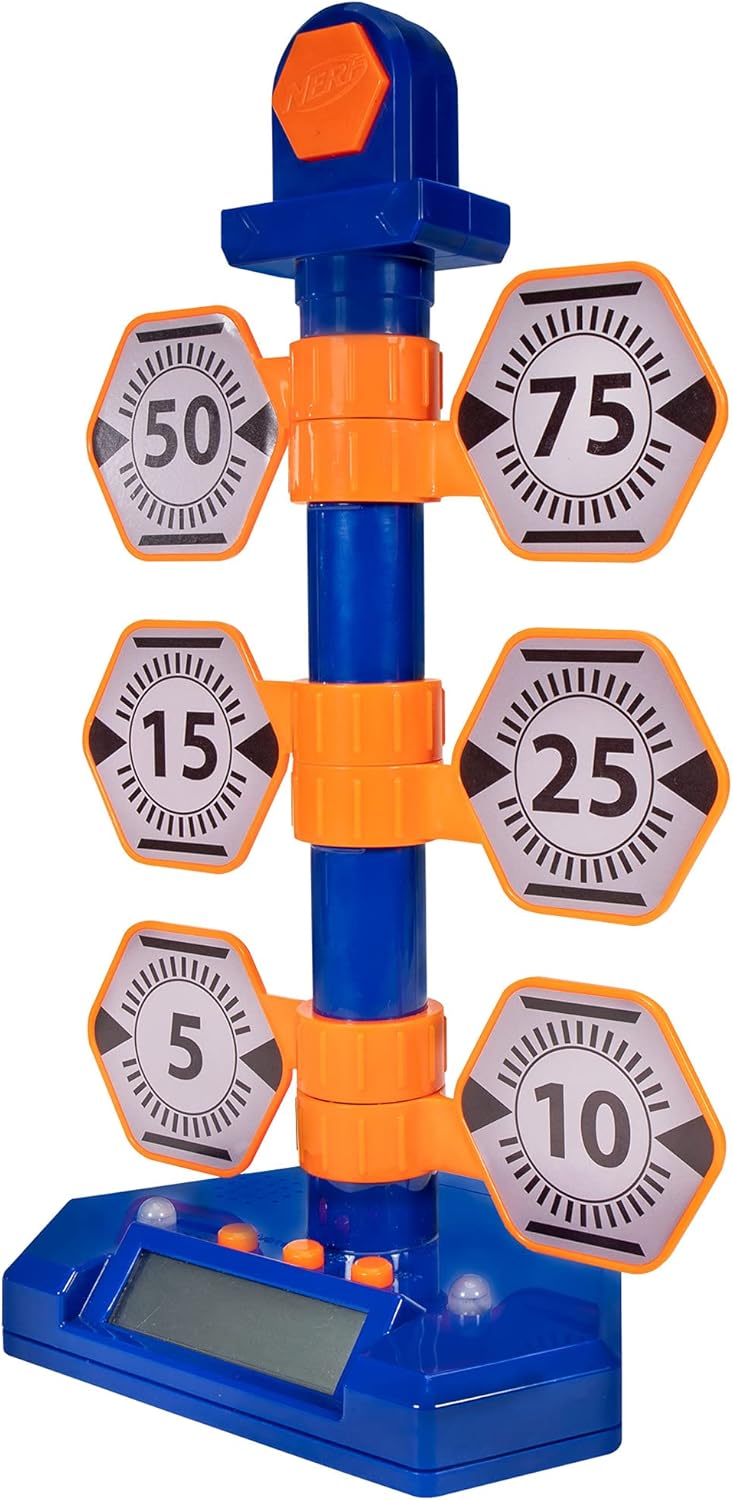
Figure 2: The fully assembled NERF Bulls-Eye Digital Target.
4. Operating Instructions
The NERF Bulls-Eye Digital Target features an LCD screen for score tracking and multiple game modes to challenge your skills.
4.1 Game Modes
- Point Counter: Track your total score as you hit the various targets. Each target has a designated point value (e.g., 5, 10, 15, 25, 50, 75), and the bullseye awards 100 points.
- Stack 'Em: A game mode designed to test your speed and accuracy.
- Accuracy Test: Focus on hitting specific targets to improve your precision.
The target allows for both solo and multiplayer gameplay, making it versatile for individual practice or competitive fun.

Figure 3: Key features of the Digital Target, including game modes and LCD screen.

Figure 4: Detailed view of the LCD screen and control buttons.
4.2 Target Mechanism
The target features 6 flip-back targets that reset manually after being hit. The high-scoring bullseye at the top lights up upon impact, providing visual feedback.

Figure 5: The swinging action of the targets upon impact.
4.3 Official Product Video
Video 1: Official product demonstration of the NERF Bulls-Eye Digital Target, showcasing its features and gameplay.
5. Maintenance
- Cleaning: Wipe the target surface with a soft, dry cloth. Do not use abrasive cleaners or immerse the unit in water.
- Battery Replacement: If the target's lights, sounds, or LCD screen begin to malfunction, replace the AA batteries. Ensure proper polarity during installation.
- Storage: Store the target in a cool, dry place away from direct sunlight and extreme temperatures when not in use.
6. Troubleshooting
- Target Not Responding: Check if the batteries are correctly installed and have sufficient charge. Replace batteries if necessary. Ensure targets are manually reset after being hit.
- No Sound/Lights: Verify battery power. If issues persist, ensure no debris is obstructing the sensors or speakers.
- Inaccurate Scoring: Ensure darts are hitting the targets directly and with sufficient force to register. Check for any physical obstructions or damage to the target mechanisms.
- Volume Control: Please note that this model does not feature a dedicated volume control.
7. Specifications
| Feature | Detail |
|---|---|
| Product Dimensions | 9 x 13 x 20 inches |
| Item Weight | 1.17 pounds |
| Country of Origin | China |
| ASIN | B07PMLJ57D |
| Item Model Number | NER0226 |
| Manufacturer Recommended Age | 8 years and up |
| Manufacturer | Hasbro |
| Release Date | August 15, 2019 |
8. Warranty and Support
For detailed warranty information and customer support, please refer to the official NERF website or contact Hasbro customer service. You can also visit the NERF Store on Amazon for more product information and accessories.
Ask a question about this manual
Ask about setup, troubleshooting, compatibility, parts, safety, or missing instructions. Manuals+ will review the question and use this page’s manual context to help answer it.