
1. Introduction
This manual provides instructions for the ENWShop Basic Replacement Remote, designed for select Insignia Fire TV Edition televisions. This remote serves as a direct replacement for your original remote, offering essential functions without voice recognition capabilities. It operates via infrared (IR) technology, requiring a direct line of sight to your television's IR receiver.
Important Note: This remote cannot be used for the initial setup or reset process of your Fire TV Edition television. An original Fire TV remote is required for these specific functions.
2. Compatibility
This replacement remote is compatible with the following Insignia Fire TV Edition television models:
- NS-24DF310NA19
- NS-32DF310NA19
- NS-39DF510NA19
- NS-43DF710NA19
- NS-50DF710NA19
- NS-55DF710NA19
- NS-43DF710NA21
- NS-50DF711SE21
- NS-50DF710NA21
- NS-55DF710NA21
It is also compatible with original remote models NS-RCFNA-19 and NS-RCFNA-21.
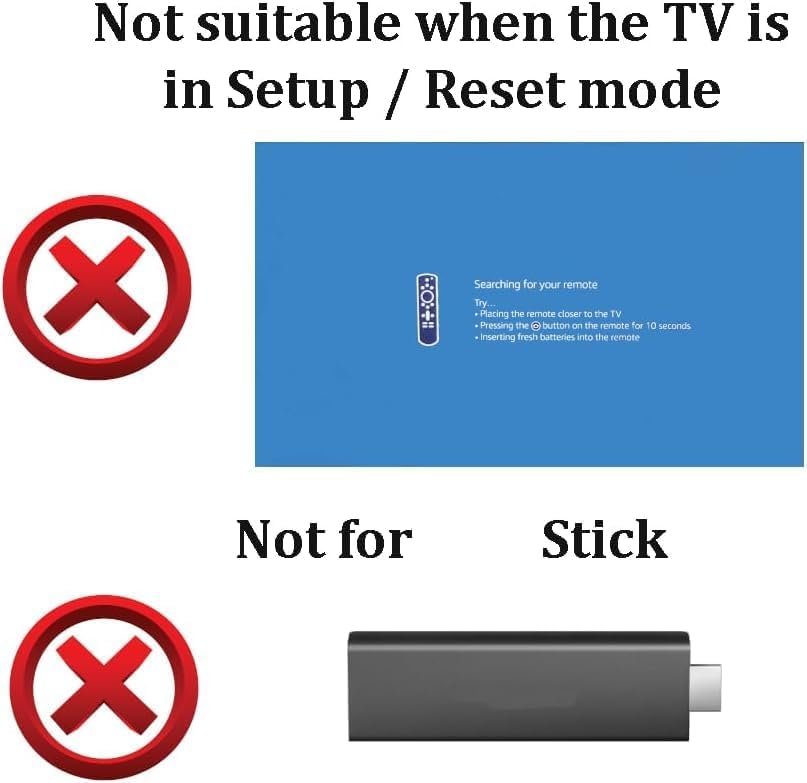
Figure 2.1: This remote is not suitable for initial TV setup/reset processes or for controlling Fire TV Stick devices. An original remote is required for TV setup.
3. Package Contents
Upon opening your package, you should find the following items:
- 1 x ENWShop Basic Replacement Remote
- 2 x AAA Batteries (for US customers only)
4. Setup
Setting up your new replacement remote is a simple process:
- Insert Batteries: Locate the battery compartment on the back of the remote. Open the cover and insert two (2) AAA batteries, ensuring the positive (+) and negative (-) terminals align correctly with the indicators inside the compartment.
- Close Battery Compartment: Securely close the battery compartment cover.
- Ready for Use: The remote is pre-programmed and does not require any pairing or complex setup for compatible Insignia Fire TV Edition televisions. Simply point the remote at your TV and begin using it.

Figure 4.1: The ENWShop Basic Replacement Remote and included AAA batteries (for US customers).
5. Operating Instructions
Familiarize yourself with the functions of the buttons on your replacement remote:
- Power Button (⏻): Turns the television on or off.
- Settings/Gear Button (⚙): Accesses TV settings or quick menus.
- Navigation Pad (Up, Down, Left, Right): Used to navigate through menus and content.
- OK Button: Confirms selections.
- Back Button (↶): Returns to the previous screen or menu.
- Home Button (⌂): Returns to the main home screen of the Fire TV interface.
- Volume Up/Down Buttons (+/-): Located on the side of the remote, controls the television's volume.
- Mute Button (🔇): Mutes or unmutes the television's audio.
- Playback Controls (Rewind, Play/Pause, Fast Forward): Controls media playback.
- App Shortcut Buttons (HBO, Hulu, Netflix, Prime Video): Direct access to specified streaming applications.
Ensure a clear line of sight between the remote's infrared emitter and the television's IR receiver for optimal performance.
6. Troubleshooting
If you encounter issues with your remote, please refer to the following common solutions:
| Problem | Possible Cause / Solution |
|---|---|
| Remote is not responding. |
|
| Remote does not work for TV setup/reset. | This remote is designed as a basic replacement and does not support initial TV setup or factory reset functions. An original Fire TV remote is required for these tasks. |
| Certain buttons do not work as expected. |
|
7. Specifications
| Feature | Detail |
|---|---|
| Brand | ENWShop |
| Model Number | 3724bddd-5ae4-4d14-ab3b-785c7a62abf5 |
| Connectivity Technology | Infrared (IR) |
| Compatible Devices | Insignia Fire TV Edition Televisions |
| Power Source | 2 x AAA Batteries (included for US customers) |
| Color | Black |
| Item Weight | 1.8 ounces |
| Package Dimensions | 2.24 x 1.54 x 0.67 inches |
8. Warranty and Support
For any questions, technical assistance, or warranty inquiries regarding your ENWShop Basic Replacement Remote, please contact the manufacturer directly through their official support channels. Refer to the product packaging or the retailer's website for specific contact information.
This product is not manufactured by Insignia nor endorsed by Insignia.