
1. Introduction
The KOMSHINE FX37 Fiber Optic Heater is designed to provide efficient and reliable heating for protection sleeves used in fiber optic fusion splicing. This device ensures proper shrinking of the sleeve, protecting the spliced fiber joint from environmental factors and mechanical stress. This manual provides essential information for the safe and effective use of your FX37 Fiber Optic Heater.
2. Safety Information
Please read and understand all safety instructions before operating the device. Failure to follow these instructions may result in injury or damage to the equipment.
- High Temperature Warning: The heating element reaches high temperatures during operation. DO NOT TOUCH the heating area or the heated sleeve immediately after the heating cycle. Allow components to cool before handling.
- Power Supply: Use only the specified power adapter and voltage. Incorrect power supply can damage the device and pose a fire hazard.
- Ventilation: Ensure adequate ventilation around the heater during operation to prevent overheating.
- Flammable Materials: Keep the device away from flammable liquids, gases, and materials.
- Moisture: Do not expose the device to water or excessive moisture. Operate in a dry environment.
- Children and Unauthorized Personnel: Keep the device out of reach of children and ensure only trained personnel operate it.
3. Product Overview
The KOMSHINE FX37 Fiber Optic Heater is a compact unit designed for efficient heat shrinking of fiber protection sleeves.
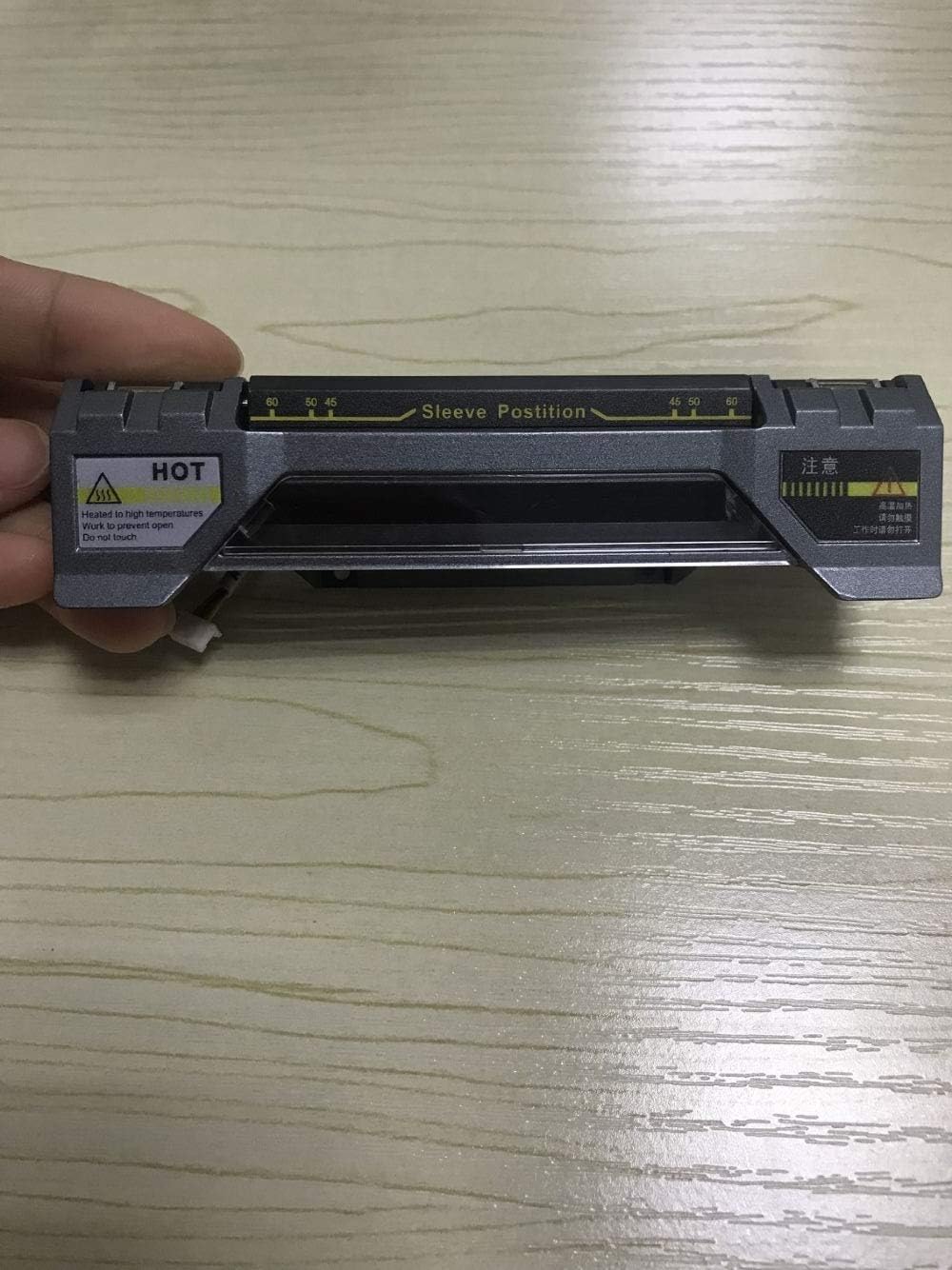
Figure 3.1: Top view of the KOMSHINE FX37 Fiber Optic Heater. This image displays the top surface of the fiber optic heater, highlighting the designated sleeve position area with measurement markings. A clear 'HOT' warning label is visible on the left, indicating high temperatures during operation.
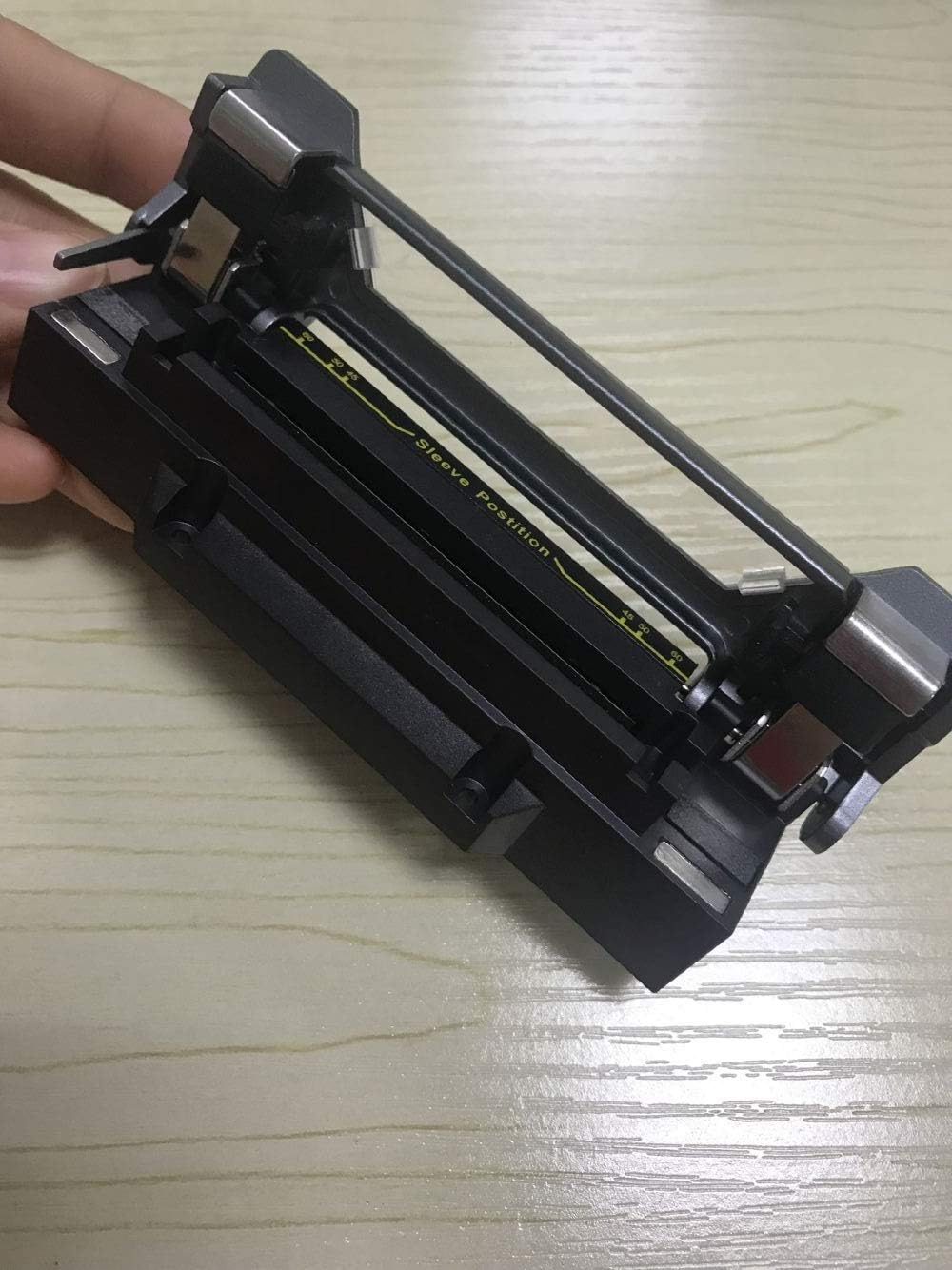
Figure 3.2: Open view of the KOMSHINE FX37 Fiber Optic Heater. This image shows the fiber optic heater with its cover open, exposing the heating chamber where the fiber protection sleeve is placed. The sleeve position guide is clearly visible within the chamber.
Key components include:
- Heating Chamber: The area where the fiber protection sleeve is placed for heating.
- Sleeve Position Guide: Markings and guides to ensure correct placement of the protection sleeve.
- Power Input Port: For connecting the external power adapter.
- Warning Labels: Indicators for high temperature and safe operation.
4. Setup
Follow these steps to set up your FX37 Fiber Optic Heater:
- Unpack the Device: Carefully remove the heater from its packaging. Inspect for any visible damage.
- Placement: Place the heater on a stable, flat, and heat-resistant surface. Ensure there is sufficient space around the device for ventilation.
- Connect Power: Connect the provided power adapter to the power input port on the heater. Plug the adapter into a suitable electrical outlet.
- Initial Power On: The device may have an indicator light to show it is powered on. Allow a few moments for the device to stabilize.
5. Operating Instructions
Operating the KOMSHINE FX37 Fiber Optic Heater is straightforward:
- Prepare the Fiber: After fusion splicing, ensure the fiber protection sleeve is correctly positioned over the splice joint.
- Open the Heater: Gently open the heater cover to expose the heating chamber.
- Insert Fiber: Carefully place the fiber with the protection sleeve into the heating chamber, aligning it with the sleeve position guide (refer to Figure 3.1 and 3.2). Ensure the fiber is straight and not bent.
- Close the Heater: Close the heater cover. The heating cycle will typically begin automatically.
- Monitor Heating: The device will heat the sleeve for a predetermined duration. Do not open the cover during the heating cycle.
- Remove Heated Fiber: Once the heating cycle is complete (indicated by a light or sound, if applicable), carefully open the cover. Using appropriate heat-resistant tools (e.g., tweezers), remove the heated fiber with the shrunk sleeve. WARNING: The sleeve and surrounding area will be extremely hot.
- Cool Down: Allow the heated sleeve to cool completely before further handling or bending the fiber.
6. Maintenance
Regular maintenance ensures the longevity and optimal performance of your FX37 Fiber Optic Heater.
- Cleaning: Always ensure the device is powered off and completely cool before cleaning. Use a soft, dry, lint-free cloth to wipe the exterior. For the heating chamber, use a cotton swab or a soft brush to gently remove any fiber debris or dust. Do not use abrasive cleaners or solvents.
- Inspection: Periodically inspect the power cord and adapter for any signs of damage (fraying, cuts). Check the heating chamber for any obstructions or damage to the heating elements.
- Storage: When not in use, store the heater in a clean, dry, and dust-free environment.

Figure 6.1: Internal view of the KOMSHINE FX37 Fiber Optic Heater. This image provides a view of the internal components of the heater, revealing the circuit board and associated wiring. This illustrates the device's internal construction, which should only be accessed by qualified service personnel.
Note: Internal components (as shown in Figure 6.1) should only be accessed by qualified service technicians. Do not attempt to disassemble the unit yourself.
7. Troubleshooting
If you encounter issues with your FX37 Fiber Optic Heater, refer to the following common problems and solutions:
| Problem | Possible Cause | Solution |
|---|---|---|
| Heater does not power on | No power supply; Faulty power adapter; Loose connection | Check power outlet; Ensure power adapter is securely connected; Try a different power outlet. |
| Sleeve not shrinking properly | Incorrect sleeve placement; Heater malfunction | Ensure sleeve is correctly positioned in the heating chamber; Contact customer support if issue persists. |
| Device becomes excessively hot | Poor ventilation; Continuous operation | Ensure adequate airflow around the device; Allow the device to cool down between uses if operating for extended periods. |
If the problem persists after attempting these solutions, please contact KOMSHINE customer support or your local distributor for assistance.
8. Specifications
The following specifications apply to the KOMSHINE FX37 Fiber Optic Heater:
- Model: FX37
- Manufacturer: Komshine Technology Limited
- Size: Small
- Colour: Black
- Material: Metal
- Shape: Rectangular
- Item Package Quantity: 1
- Number of Pieces: 1
- Handle Material: Metal
- ASIN: B07P64TZ58
- Date First Available: March 10, 2019
9. Warranty and Support
For warranty information, please refer to the documentation provided at the time of purchase or contact your seller directly. KOMSHINE provides customer support for product inquiries, technical assistance, and service requests.
Please retain your purchase receipt for warranty claims.


