
Introduction
The Motorola CT202 is a corded telephone designed for reliable and straightforward communication. It features a large display, caller ID capabilities, speed dial memory, and a hands-free speakerphone. This manual provides detailed instructions to help you set up and operate your new phone efficiently.

Figure 1: Front view of the Motorola CT202 Corded Phone, showcasing its keypad and display.
Safety Information
Please read and understand all safety instructions before using this product. Failure to follow these instructions may result in electric shock, fire, or other hazards.
- Do not expose the phone to water or moisture.
- Avoid placing the phone near heat sources or direct sunlight.
- Use only the provided power adapter and telephone line cord.
- Do not attempt to open or repair the phone yourself. Refer all servicing to qualified personnel.
- Keep the phone away from children.
Package Contents
Verify that all items are present in your package:
- Motorola CT202 Phone Base Unit
- Handset
- Coiled Handset Cord
- Telephone Line Cord
- Power Adapter (Corded Electric)
- 2 x AAA Batteries (for memory backup)
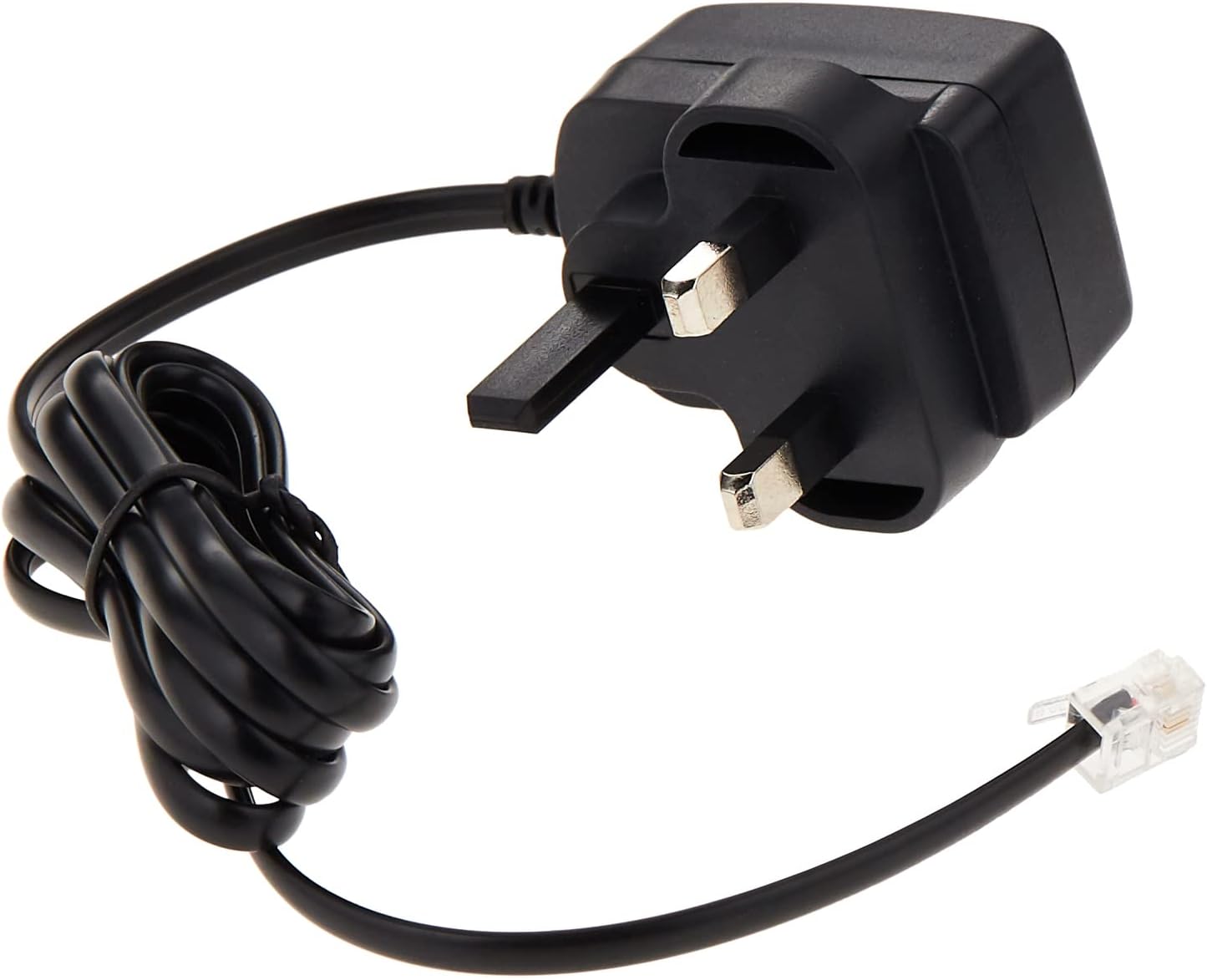
Figure 2: Included power adapter and telephone line cord for connection.
Setup
- Connect the Handset: Plug one end of the coiled handset cord into the handset and the other end into the jack labeled with a handset icon on the side of the phone base unit.
- Connect the Telephone Line: Plug one end of the telephone line cord into the jack labeled with a telephone icon on the back of the phone base unit, and the other end into your telephone wall jack.
- Connect Power: Plug the small end of the power adapter into the DC IN jack on the back of the phone base unit, then plug the larger end into a standard electrical outlet.
- Install Batteries: Open the battery compartment on the underside of the phone. Insert the 2 AAA batteries, observing the correct polarity (+ and -). Close the compartment. These batteries provide backup for memory functions during power outages.

Figure 3: Rear view showing connection ports for handset, telephone line, and power adapter.
Operating Instructions
Making a Call
- Lift the handset or press the Speakerphone button.
- Dial the desired phone number using the keypad.
- To end the call, replace the handset or press the Speakerphone button again.
Answering a Call
When the phone rings:
- Lift the handset, or
- Press the Speakerphone button to answer in hands-free mode.
Using Caller ID
The phone's large LCD displays the caller's number and name (if available and subscribed to Caller ID service from your provider) for incoming calls. The phone stores a list of the last 30 incoming calls.
Speed Dial (Memory Keys)
The phone features 10 one-touch memory keys to store frequently called numbers.
- To Store a Number:
a. Lift the handset or press Speakerphone.
b. Press SET.
c. Dial the phone number you wish to store.
d. Press Memory, then press one of the 10 memory keys (0-9) to save the number. - To Dial a Stored Number:
a. Lift the handset or press Speakerphone.
b. Press the desired memory key (0-9). The number will be dialed automatically.
Last Number Redial
To redial the last number called, lift the handset or press Speakerphone, then press the R (Redial) button.
Hold Function with Music
During a call, press the HOLD button to place the caller on hold. Music will play for the caller. Press HOLD again to resume the conversation.
Ringer Volume and Tone Adjustment
You can select from 24 ringtones and adjust the ringer volume to one of four levels. Refer to the phone's menu settings (accessed via the SET button) for these adjustments.
Display Contrast Adjustment
The display contrast can be adjusted for optimal viewing. Access this setting through the phone's menu using the SET button and navigation keys.
Features Overview
The Motorola CT202 corded phone offers a range of features designed for user convenience:
- Large 7-Segment B+W LCD Display: Provides clear visibility of caller information, time, and date.
- 10 One-Touch Memory Keys: For quick dialing of important contacts.
- Hands-Free Speakerphone: Allows for convenient group conversations or multitasking.
- Hold Function with Music: Places callers on hold with background music.
- Caller ID: Displays incoming caller's number and name (subscription required). Stores a 30-number call list.
- 24 Ringtones: Personalize your phone's incoming call alert.
- Last Number Redial: Quickly redial the most recently called number.
- Tone and Pulse Dialing: Compatible with various telephone line types.
- Network Voicemail Indicator: Notifies you of new voicemail messages (service dependent).
Maintenance
To ensure the longevity and optimal performance of your Motorola CT202 phone, follow these maintenance guidelines:
- Cleaning: Wipe the phone's exterior with a soft, dry, or slightly damp cloth. Do not use abrasive cleaners or solvents.
- Battery Replacement: If the phone's memory functions (e.g., stored speed dial numbers) are not retained during a power outage, the AAA backup batteries may need replacement. Replace them with new AAA alkaline batteries, ensuring correct polarity.
- Storage: If storing the phone for an extended period, remove the AAA batteries to prevent leakage.
Troubleshooting
If you encounter issues with your phone, try these troubleshooting steps:
| Problem | Solution |
|---|---|
| No dial tone | Check that the telephone line cord is securely connected to both the phone and the wall jack. Ensure the power adapter is plugged in. |
| Cannot make or receive calls | Verify all connections (handset, line cord, power). Test with another phone if possible to rule out line issues. |
| Caller ID not displaying | Ensure you are subscribed to Caller ID service from your telephone service provider. Check phone line connections. |
| Display is blank or dim | Check power adapter connection. Adjust display contrast via the phone's menu. |
| Low or distorted audio | Adjust the volume during a call. Check handset cord connection. |
Specifications
- Brand: Motorola
- Model: CT202
- Color: Black
- Phone Type: Corded Phone
- Power Source: Corded Electric
- Batteries: 2 x AAA (included, for memory backup)
- Material: Plastic
- Item Dimensions: 6.4 x 21.6 x 21.6 cm
- Connection Type: Single Keypad
- Compatible Devices: Speakerphone
- Multi-line Operation: Single Line Operation
- Caller ID: Yes
- Talk Time: 15 hours (Note: This specification is typically for cordless phones, but is provided for this model.)
Warranty and Support
For warranty information or technical support, please refer to the documentation included with your purchase or contact your retailer. You may also visit the official Motorola website for support resources.


