
1. Introduction
This manual provides essential information for the proper installation, operation, and maintenance of your Soundstream USB-10P 10-inch underseat enclosed car vehicle subwoofer. This unit features a built-in 150 Watt RMS amplifier and includes a bass knob remote control for convenient audio adjustment. Please read this manual thoroughly before attempting installation or operation to ensure optimal performance and safety.
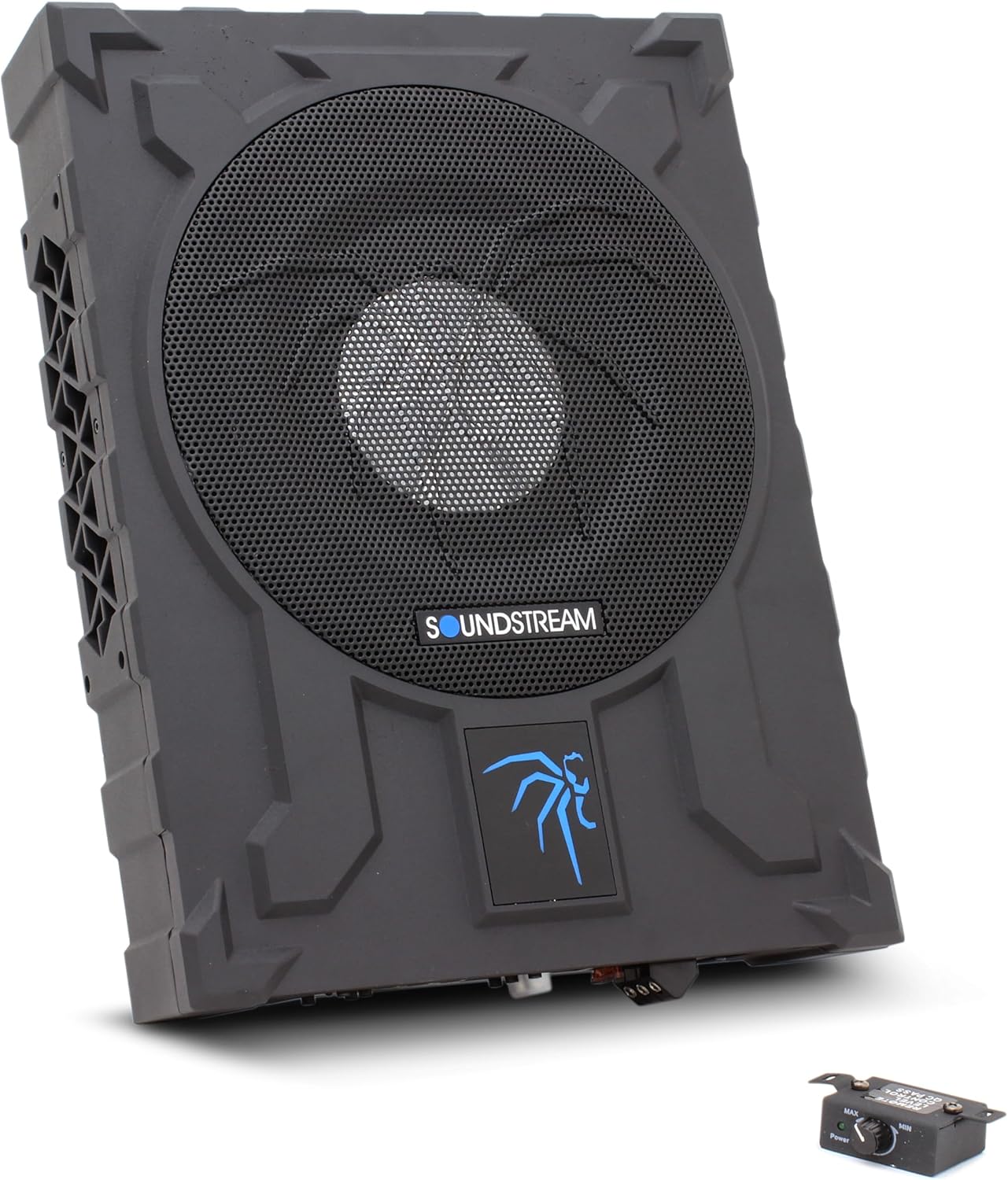
Figure 1.1: Soundstream USB-10P 10-inch underseat subwoofer. This image displays the compact, black enclosure with a central speaker grille and the Soundstream branding.
2. Safety Information
- Always disconnect the vehicle's negative battery terminal before beginning any electrical work.
- Ensure all wiring is properly insulated and secured to prevent short circuits and damage.
- Do not install the subwoofer in locations where it may obstruct vehicle operation or safety devices.
- Avoid exposing the unit to moisture or extreme temperatures. The unit is not waterproof.
- Use appropriate fuse protection as specified in the installation section.
- If you are unsure about any installation steps, consult a professional car audio installer.
3. Package Contents
Verify that all items are present in the package:
- Soundstream USB-10P Subwoofer with Built-in Amplifier
- Bass Knob Remote Control
- Wiring Harness
- Mounting Brackets and Screws

Figure 3.1: Included accessories. This image shows the metal mounting brackets, various screws, and the wiring harness with a white connector, which are supplied with the subwoofer.

Figure 3.2: Bass Knob Remote Control. This image displays the compact remote control unit with a rotary knob for bass level adjustment and an attached cable for connection to the subwoofer.
4. Product Features
The Soundstream USB-10P is designed to provide enhanced bass performance in a compact form factor, ideal for underseat installation. Key features include:
- Integrated Amplifier: Built-in 150 Watt RMS amplifier (1000 Watts Max Output Power) for direct power and simplified installation.
- Compact Design: Enclosed 10-inch subwoofer designed for underseat placement.
- Remote Level Control: External bass knob for convenient adjustment of subwoofer output.
- Adjustable Crossover: Low Pass Filter (50-150Hz) for seamless integration with existing speakers.
- Phase Control: Selectable 0°/180° phase switch to optimize bass response.
- Bass Boost: Adjustable bass boost (0 to +12dB) for customized low-frequency impact.
- High and Low Level Inputs: Versatile input options for compatibility with various head units.
- Auto Power On: Feature for automatic power activation when an audio signal is detected.

Figure 4.1: Top view of the subwoofer. This image provides a clear overhead perspective of the unit, highlighting its compact and flat design suitable for underseat installation.
5. Setup and Installation
Proper installation is crucial for the performance and longevity of your subwoofer. Follow these steps carefully.
5.1 Mounting Location
The USB-10P is designed for underseat installation. Choose a location that allows for adequate ventilation and does not interfere with seat movement or vehicle controls. Ensure the mounting surface is solid and secure.
5.2 Mounting the Subwoofer
- Position the subwoofer in the desired location.
- Mark the positions for the mounting brackets.
- Secure the mounting brackets to the vehicle floor using the provided screws.
- Slide the subwoofer into the brackets and secure it firmly.
5.3 Wiring Connections
Refer to the rear panel diagram for correct wiring. Ensure all connections are tight and secure.

Figure 5.1: Rear panel overview. This image displays the entire rear panel of the subwoofer, including power terminals, fuse, input options, and control knobs.

Figure 5.2: Input and Power Terminals. This close-up shows the High Level input connector, Low Level RCA inputs, the 40A fuse, and the power terminals for GND (Ground), REM (Remote Turn-On), and +12V (Power).
- Power (+12V): Connect this terminal directly to the vehicle's positive battery terminal using a heavy gauge wire (minimum 8 AWG recommended) with an in-line fuse (40A) located within 18 inches of the battery.
- Ground (GND): Connect this terminal to a clean, unpainted metal surface of the vehicle chassis. Ensure a good electrical connection.
- Remote (REM): Connect this terminal to the remote turn-on output of your head unit. If your head unit does not have a remote output, you can use the Auto Power On feature (see Section 6.1).
- Audio Input:
- Low Level Input (RCA): Connect RCA cables from your head unit's subwoofer or full-range pre-outs to the L and R RCA inputs on the subwoofer.
- High Level Input: If your head unit does not have RCA outputs, use the provided wiring harness to connect to your vehicle's speaker wires. Connect the corresponding speaker wires (left/right, positive/negative) to the high-level input connector.
- Remote Control: Connect the bass knob remote control cable to the 'REMOTE CONTROL' port on the subwoofer's rear panel.
6. Operating Instructions and Adjustments
Once installed, adjust the subwoofer settings for optimal audio performance.

Figure 6.1: Control Knobs. This close-up shows the Phase switch (0°/180°), Low Pass filter knob (50-150Hz), Bass Boost knob (0-+12dB), Input Gain knob (Min-Max), and the Auto Power On switch (On/Off).
6.1 Rear Panel Controls
- Phase (0°/180°): Adjust this switch to match the phase of the subwoofer's output with the rest of your vehicle's speakers. Listen to music and select the setting that provides the most impactful bass.
- Low Pass (50-150Hz): This control sets the upper frequency limit for the subwoofer. Adjust it so that the subwoofer only reproduces low frequencies, blending smoothly with your main speakers. A common starting point is around 80-100Hz.
- Bass Boost (0-+12dB): This knob allows you to increase the bass output at a specific frequency. Use sparingly to avoid distortion.
- Input Gain (Min-Max): This control matches the output level of your head unit to the input sensitivity of the subwoofer. Start at minimum and slowly increase until the desired volume is achieved without distortion.
- Auto Power On (On/Off): When set to 'ON', the subwoofer will automatically turn on when it detects an audio signal from the high-level inputs. This is useful if your head unit does not have a remote turn-on wire. If using the REM wire, set this to 'OFF'.
- Power/Protect LED: The 'POWER GREEN' LED indicates the unit is powered on and operating normally. The 'PROTECT RED' LED indicates a fault condition (e.g., overheating, short circuit) and the unit will shut down for protection.
6.2 Remote Level Control
The included bass knob remote control allows for convenient adjustment of the subwoofer's output level from the driver's seat. This control only adjusts the output level and does not affect other settings like gain or crossover.
7. Maintenance
The Soundstream USB-10P requires minimal maintenance. Follow these guidelines to ensure long-term performance:
- Keep the unit clean by wiping it with a soft, dry cloth. Do not use harsh chemicals or solvents.
- Ensure adequate airflow around the unit to prevent overheating. Do not block ventilation grilles.
- Periodically check all wiring connections for tightness and corrosion.
- If the fuse blows, replace it only with a fuse of the same type and rating (40A).
8. Troubleshooting
If you experience issues with your subwoofer, refer to the following common problems and solutions:
| Problem | Possible Cause | Solution |
|---|---|---|
| No Power / No Sound | Blown fuse; Loose power/ground connection; No remote turn-on signal; Auto Power On switch off (if applicable). | Check/replace fuse; Verify all power and ground connections; Check remote wire connection or enable Auto Power On. |
| Distorted Sound | Input gain too high; Bass boost too high; Speaker wires reversed (phase issue). | Reduce input gain; Reduce bass boost; Adjust phase switch (0°/180°). |
| Subwoofer Overheats (Protect LED on) | Inadequate ventilation; Low impedance load; Prolonged high volume. | Ensure proper airflow; Check speaker impedance (unit is 2 Ohm); Reduce volume. |
| Weak Bass Output | Input gain too low; Low pass filter set too low; Phase mismatch. | Increase input gain; Adjust low pass filter higher; Adjust phase switch. |
9. Specifications
| Model Name | Soundstream USB 10P |
| Subwoofer Diameter | 10 Inches |
| Speaker Maximum Output Power | 1000 Watts |
| RMS Power | 150 Watts (Built-in Amplifier) |
| Impedance | 2 Ohm |
| Frequency Response | 150 Hz (Low Pass Filter adjustable 50-150Hz) |
| Signal-to-Noise Ratio | 90 dB |
| Input Voltage | 12 Volts |
| Control Method | Remote |
| Product Dimensions | 15 x 11.25 x 3 inches |
| Item Weight | 19 pounds |
| Color | Black |
| Water Resistance Level | Not Water Resistant |
10. Warranty and Support
The Soundstream USB-10P comes with a Limited Warranty. Please refer to the warranty card included with your product for specific terms, conditions, and duration of coverage. For technical support, service, or warranty claims, please contact Soundstream customer service directly. Contact information can typically be found on the manufacturer's official website or on the product packaging.
11. Official Product Videos
No official product videos from the seller are available for embedding at this time.


