
1. Introduction
The Neutrik NAC3FX-W-TOP is a robust, locking female cable connector designed for demanding stage and studio applications. This powerCON TRUE1 TOP connector is rated for 16 A (20 A in USA) and features screw terminals for secure wiring. It is engineered for outdoor use and provides a safe, reliable power connection, capable of being connected or disconnected under electrical load (Breaking Capacity, CBC).
2. Key Features
- Easy and reliable twist lock system: Ensures a secure connection that prevents accidental disconnection.
- Heavy duty sealed power connector: Designed for harsh and demanding environments, offering protection against elements.
- Uses high impact UV-resistant materials: Provides durability and longevity, especially in outdoor settings.
- Lockable 16 A single phase connector (USA: 20 A): Suitable for high-power applications with a secure locking mechanism.
- Extremely robust and reliable: Built to withstand rigorous professional use.
- Breaking Capacity (CBC): Can be connected or disconnected under load or live, enhancing operational flexibility.
3. Safety Instructions
Always observe the following safety precautions to prevent electric shock, injury, or damage to equipment:
- Ensure all power sources are disconnected before wiring or servicing the connector.
- Only qualified personnel should perform wiring and installation.
- Verify correct polarity and secure connections to prevent short circuits.
- Do not exceed the specified current and voltage ratings (16 A / 20 A USA).
- Inspect the connector regularly for any signs of damage or wear. Replace immediately if damaged.
- Use appropriate personal protective equipment (PPE) when handling electrical connections.
4. Setup and Installation
This section outlines the steps for properly wiring and installing the NAC3FX-W-TOP connector.
- Prepare the Cable: Strip the outer jacket of your power cable to the appropriate length, exposing the individual insulated conductors. Strip approximately 7-9mm of insulation from each conductor.
- Disassemble the Connector: Unscrew the rear boot and remove the strain relief and chuck.
- Wire the Terminals: Insert the stripped conductors into the designated screw terminals (Live, Neutral, Ground). Ensure that no stray wire strands are present and that the insulation is flush with the terminal opening. Tighten the screws securely to ensure good electrical contact. Refer to the connector's internal markings for correct terminal assignment.
- Reassemble the Connector: Slide the chuck and strain relief back over the wired terminals. Ensure the cable is firmly gripped by the strain relief. Screw the rear boot back onto the connector body until it is hand-tight.
- Final Check: Visually inspect all connections for proper wiring and ensure the connector is fully assembled and secure.

Figure 1: Internal view of the NAC3FX-W-TOP showing screw terminals for conductor connection.
5. Operating Instructions
The powerCON TRUE1 TOP connector is designed for simple and secure operation.
- Connecting: Align the female NAC3FX-W-TOP connector with a compatible male powerCON TRUE1 TOP inlet or cable connector. Push the connector firmly until it clicks into place. The twist-lock mechanism will engage, securing the connection.
- Disconnecting: To release the connection, twist the blue locking ring on the connector counter-clockwise while simultaneously pulling the connector away from the inlet/cable. The locking mechanism will disengage, allowing for removal.
- Live Disconnection (CBC): This connector features Breaking Capacity (CBC), meaning it can be safely connected or disconnected while the circuit is live and under load, within its specified current ratings. However, it is always recommended to disconnect power at the source if possible, as a best practice.
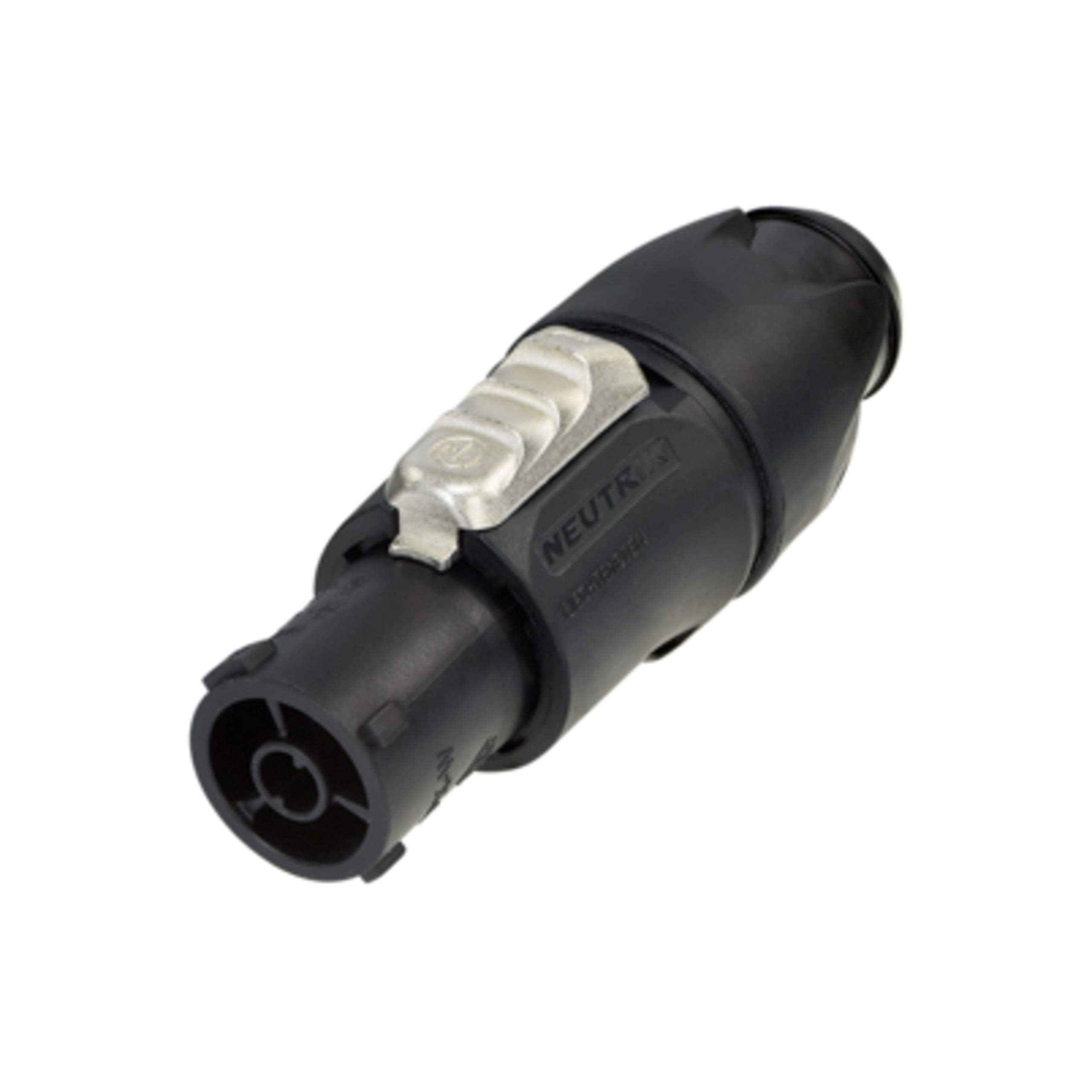
Figure 2: The Neutrik NAC3FX-W-TOP connector, ready for connection.
6. Maintenance
Regular maintenance ensures optimal performance and longevity of your Neutrik NAC3FX-W-TOP connector.
- Cleaning: Use a dry, lint-free cloth to wipe the exterior of the connector. Avoid using harsh chemicals or abrasive cleaners.
- Inspection: Periodically inspect the connector for any signs of physical damage, such as cracks, frayed cables near the strain relief, or bent pins. Check the screw terminals for tightness.
- Storage: Store connectors in a clean, dry environment away from extreme temperatures and direct sunlight when not in use.
7. Troubleshooting
If you encounter issues with your NAC3FX-W-TOP connector, refer to the following common problems and solutions:
| Problem | Possible Cause | Solution |
|---|---|---|
| No power to device. | Loose wiring in terminals, faulty cable, power source issue, incompatible connection. | Check terminal screws for tightness. Test the cable for continuity. Verify power at the source. Ensure connection to a compatible powerCON TRUE1 TOP male connector. |
| Connector does not lock securely. | Improper alignment, debris in locking mechanism, damaged locking ring. | Ensure proper alignment and push firmly until a click is heard. Inspect for debris and clean if necessary. If damaged, replace the connector. |
| Connector is difficult to disconnect. | Locking ring not fully twisted, debris. | Ensure the blue locking ring is twisted fully counter-clockwise before pulling. Check for and remove any debris. |
If the problem persists after attempting these solutions, contact Neutrik customer support or a qualified technician.
8. Specifications
| Attribute | Value |
|---|---|
| Model Number | NAC3FX-W-TOP |
| Connector Type | Female Cable Connector, powerCON TRUE1 TOP |
| Terminals | Screw terminals |
| Current Rating | 16 A (20 A USA) |
| Breaking Capacity (CBC) | Yes, connect/disconnect under load |
| Environmental Protection | Sealed, suitable for outdoor applications |
| Materials | High impact, UV-resistant |
| Color | Black |
| Item Weight | 0.635 ounces (18 Grams) |
9. Warranty and Support
Neutrik products are manufactured to high standards and come with a manufacturer's warranty against defects in materials and workmanship. For specific warranty terms and conditions, please refer to the official Neutrik website or contact their customer service.
For technical support, product inquiries, or warranty claims, please visit the official Neutrik website at www.neutrik.com or contact their authorized distributors.


