
1. Introduction
Thank you for choosing the DOMO DO156A Mobile 3-in-1 Air Cooler. This versatile appliance is designed to enhance your indoor comfort by functioning as an air cooler, a fan, and a humidifier. Its portable design, complete with wheels and a handle, allows for easy relocation to any room. With features like adjustable oscillation, a convenient timer, and multiple fan speeds, the DO156A provides efficient and customizable cooling for your home or office. Please read this manual thoroughly before use to ensure safe and optimal operation.

Figure 1.1: DOMO DO156A Mobile 3-in-1 Air Cooler in operation, showing airflow.
2. Safety Instructions
To prevent injury or damage, always observe the following safety precautions:
- Read all instructions before operating the appliance.
- Ensure the voltage indicated on the rating label matches your mains voltage.
- Do not immerse the appliance, power cord, or plug in water or other liquids.
- Always unplug the appliance from the power outlet before cleaning, filling, or performing maintenance.
- Do not operate the appliance with a damaged cord or plug, or if it has been dropped or damaged in any way.
- Keep the appliance out of reach of children and pets.
- Place the appliance on a stable, level surface to prevent tipping.
- Do not block the air inlets or outlets. Maintain adequate clearance around the unit for proper airflow.
- Do not use the appliance near flammable materials or in excessively humid environments.
- Only use clean tap water in the water tank. Do not add any chemicals or additives.
- Empty the water tank and clean the unit if it will not be used for an extended period.
3. Package Contents
Carefully unpack your DOMO DO156A and check that all items are present and undamaged:
- DOMO DO156A Mobile 3-in-1 Air Cooler Unit
- 2 x Cooling Elements (Ice Packs)
If any items are missing or damaged, please contact your retailer immediately.
4. Product Diagram and Parts Identification
Familiarize yourself with the components of your DOMO DO156A air cooler:

Figure 4.1: Front View of the Air Cooler, showing the air outlet grille and water level indicator.

Figure 4.2: Rear View of the Air Cooler, highlighting the removable air filter panel.

Figure 4.3: Top Control Panel, featuring buttons for fan speed, oscillation, cooling, and a timer dial.

Figure 4.4: Water Level Indicator, showing MIN and MAX fill lines.
Key Components:
- Control Panel: Located on top, with buttons for various functions and a timer dial.
- Air Outlet Grille: Front-facing grille where cooled air is discharged.
- Water Tank: Internal reservoir for water, accessible from the bottom rear.
- Water Level Indicator: Transparent window on the front to monitor water level.
- Air Filter: Removable filter located at the back for air intake.
- Wheels: For easy mobility of the unit.
- Handle: Integrated handle for convenient transport.
5. Setup
Follow these steps to set up your air cooler for first use:
- Unpack: Remove the air cooler and all accessories from the packaging. Retain packaging for future storage or transport.
- Placement: Place the unit on a firm, level surface. Ensure there is at least 20 cm (8 inches) of clear space around the unit for proper air circulation.
- Fill Water Tank:
- Locate the water tank access at the bottom rear of the unit.
- Pull out the water tank drawer.
- Fill the tank with clean tap water, ensuring the water level is between the 'MIN' and 'MAX' marks on the water level indicator. Do not overfill.
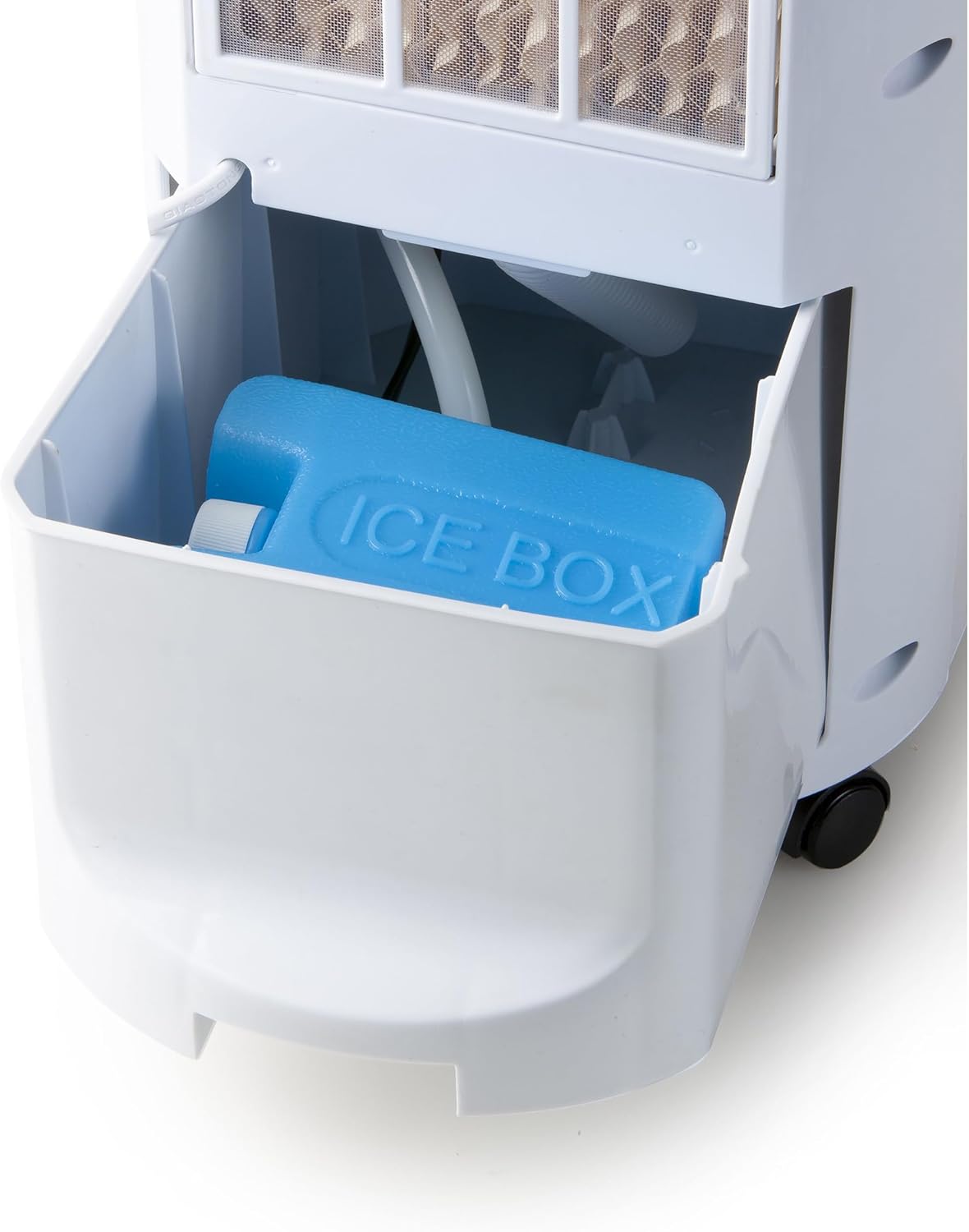
Figure 5.1: Accessing the water tank drawer.
- Add Cooling Elements (Optional):
- For enhanced cooling, place the two provided cooling elements (ice packs) in a freezer for several hours until completely frozen.
- Once frozen, place them into the water tank along with the water.
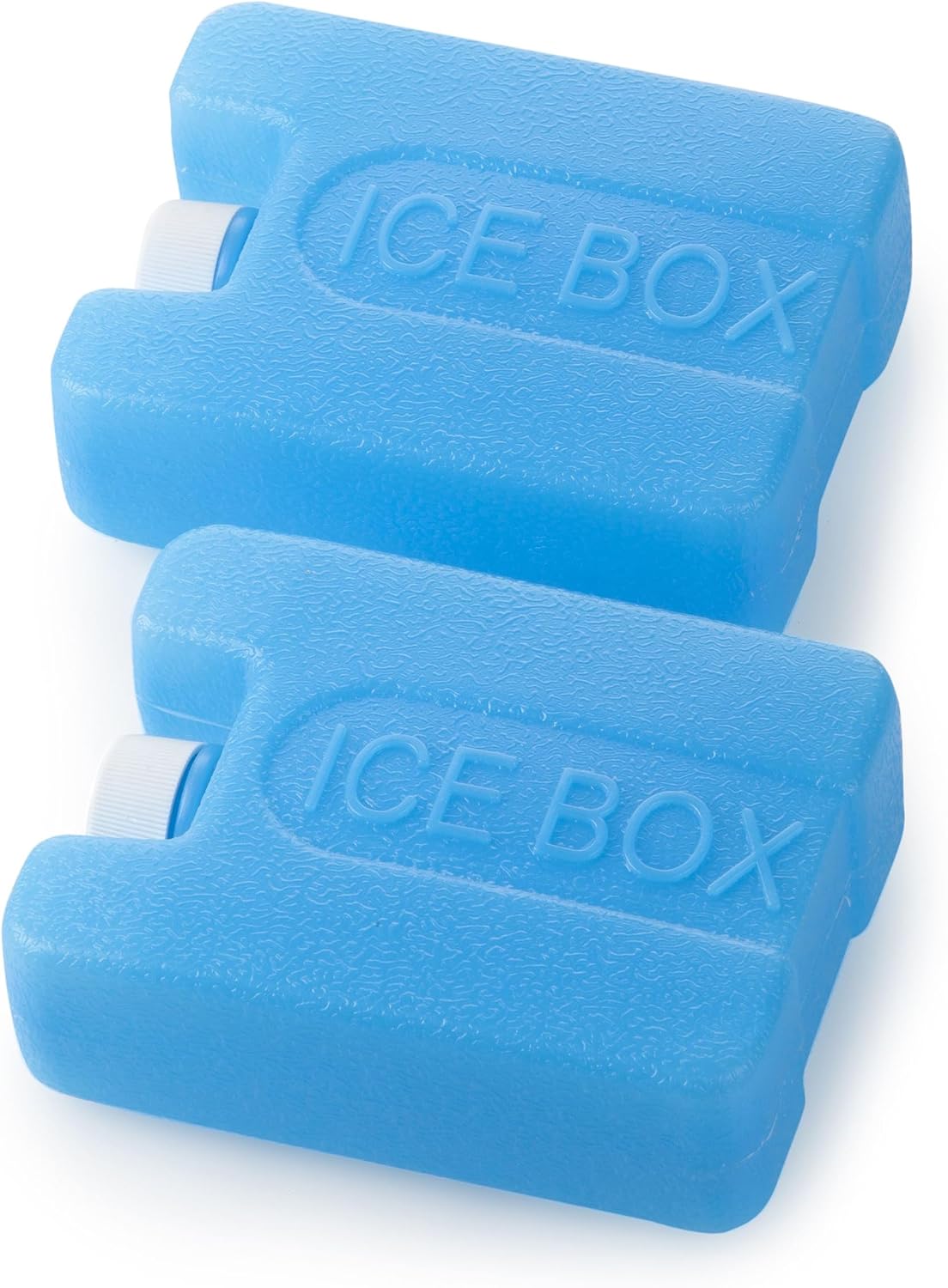
Figure 5.2: The two cooling elements (ice packs).
- Close Water Tank: Gently push the water tank drawer back into the unit until it clicks securely into place.
- Connect Power: Plug the power cord into a suitable 230V AC power outlet.
6. Operation
Operate your DOMO DO156A using the control panel on top of the unit:
Figure 6.1: Control Panel Layout.
- Power On/Off (STOP button): Press the 'STOP' button to turn the unit on or off.
- Fan Speed (LO, MI, HI buttons): Select your desired fan speed by pressing the corresponding button:
- LO: Low speed for quiet operation.
- MI: Medium speed for balanced airflow.
- HI: High speed for maximum airflow.
- Cooling Function (COOL button): Press the 'COOL' button to activate the air cooling and humidifying function. This function requires water in the tank. Press again to deactivate.
- Oscillation (WIND button): Press the 'WIND' button to activate the oscillation feature, which swings the air outlet grille from left to right to distribute air over a wider area. Press again to stop oscillation.
- Timer Function (Timer Dial): Use the rotary dial to set the operating time. The timer can be set for up to 120 minutes (2 hours). The unit will automatically turn off once the set time has elapsed.
7. Maintenance
Regular maintenance ensures the longevity and efficient operation of your air cooler.
7.1. Cleaning the Exterior
- Always unplug the unit before cleaning.
- Wipe the exterior surfaces with a soft, damp cloth.
- Do not use abrasive cleaners, solvents, or harsh chemicals, as these may damage the plastic surfaces.
7.2. Cleaning the Air Filter
The air filter should be cleaned regularly (e.g., every two weeks, depending on usage) to maintain optimal performance.
- Unplug the air cooler from the power outlet.
- Locate the air filter panel at the back of the unit.
- Gently pull the filter panel outwards to remove it.
- Clean the filter with a soft brush or vacuum cleaner to remove dust and debris. For a deeper clean, rinse it under running water.
- Allow the filter to dry completely before reinserting it.
- Slide the filter panel back into its slot until it is securely in place.

Figure 7.1: Removing the air filter and cooling pad for cleaning.
7.3. Cleaning the Water Tank
To prevent mold and mildew growth, clean the water tank regularly.
- Unplug the unit and remove the water tank drawer as described in the Setup section.
- Empty any remaining water from the tank.
- Clean the inside of the tank with a soft cloth and mild detergent. Rinse thoroughly with clean water.
- Allow the tank to air dry completely before reinserting it.
7.4. Storage
If the appliance will not be used for an extended period:
- Unplug the unit and empty the water tank completely.
- Clean the air filter and water tank as described above.
- Ensure all parts are dry before storing.
- Store the air cooler in a cool, dry place, preferably in its original packaging.
8. Troubleshooting
If you encounter issues with your DOMO DO156A, refer to the following common problems and solutions:
| Problem | Possible Cause | Solution |
|---|---|---|
| Unit does not turn on. | No power supply. Power cord not properly connected. | Check if the unit is plugged into a working power outlet. Ensure the power cord is securely connected to the unit and the outlet. |
| No cooling effect. | Water tank is empty. COOL function not activated. Air filter is dirty. | Fill the water tank with water. Press the 'COOL' button to activate the cooling function. Clean the air filter. |
| Weak airflow. | Air filter is dirty. Air inlets/outlets are blocked. | Clean the air filter. Ensure there is no obstruction around the air inlets and outlets. |
| Unusual noise. | Unit is not on a level surface. Foreign object inside. | Place the unit on a stable, level surface. Unplug the unit and check for any foreign objects. If unable to remove, contact support. |
| Water leakage. | Water tank not properly closed. Water tank overfilled. | Ensure the water tank drawer is securely pushed in. Do not fill water above the 'MAX' line. |
If the problem persists after trying these solutions, please contact customer support.
9. Specifications
| Feature | Specification |
|---|---|
| Model Number | DO156A |
| Brand | DOMO |
| Functions | Air Cooler, Fan, Humidifier |
| Dimensions (L x W x H) | 50 x 50 x 28 cm (approx. 19.7 x 19.7 x 11 inches) |
| Weight | 5.66 Kilograms (approx. 12.48 lbs) |
| Power | 70 Watts |
| Voltage | 230 Volts |
| Airflow Capacity | 176.57 Cubic Feet Per Minute (CFM) |
| Water Tank Capacity | 4 Litres |
| Material | Plastic |
| Color | White/Black |
| Controls | Physical Buttons, Timer Dial (Remote Control also listed in specifications) |
| Special Features | Portable, Oscillation, Timer |
| Included Components | Air cooler, 2 cooling elements |
10. Warranty and Support
Your DOMO DO156A Mobile 3-in-1 Air Cooler comes with a 2-year manufacturer warranty. This warranty covers defects in materials and workmanship under normal use.
Spare parts for this model are available for 2 years from the date of purchase.
For warranty claims, technical support, or inquiries regarding spare parts, please contact your retailer or the DOMO customer service department. Please have your proof of purchase and the model number (DO156A) ready when contacting support.


