
Introduction
The Blackstar HT-5R MK III is a versatile 5-watt 1x12 inch guitar tube combo amplifier designed for both practice and performance. It features a powerful tube amplifier, a 12-inch Celestion speaker, and a dual-channel design offering clean and overdrive tones. Key features include the patented ISF (Infinite Shape Feature) for tonal shaping, power reduction to 0.5W for quiet practice, a built-in CabRig speaker simulator, and a USB output for direct recording. Its compact and portable design makes it suitable for various environments.

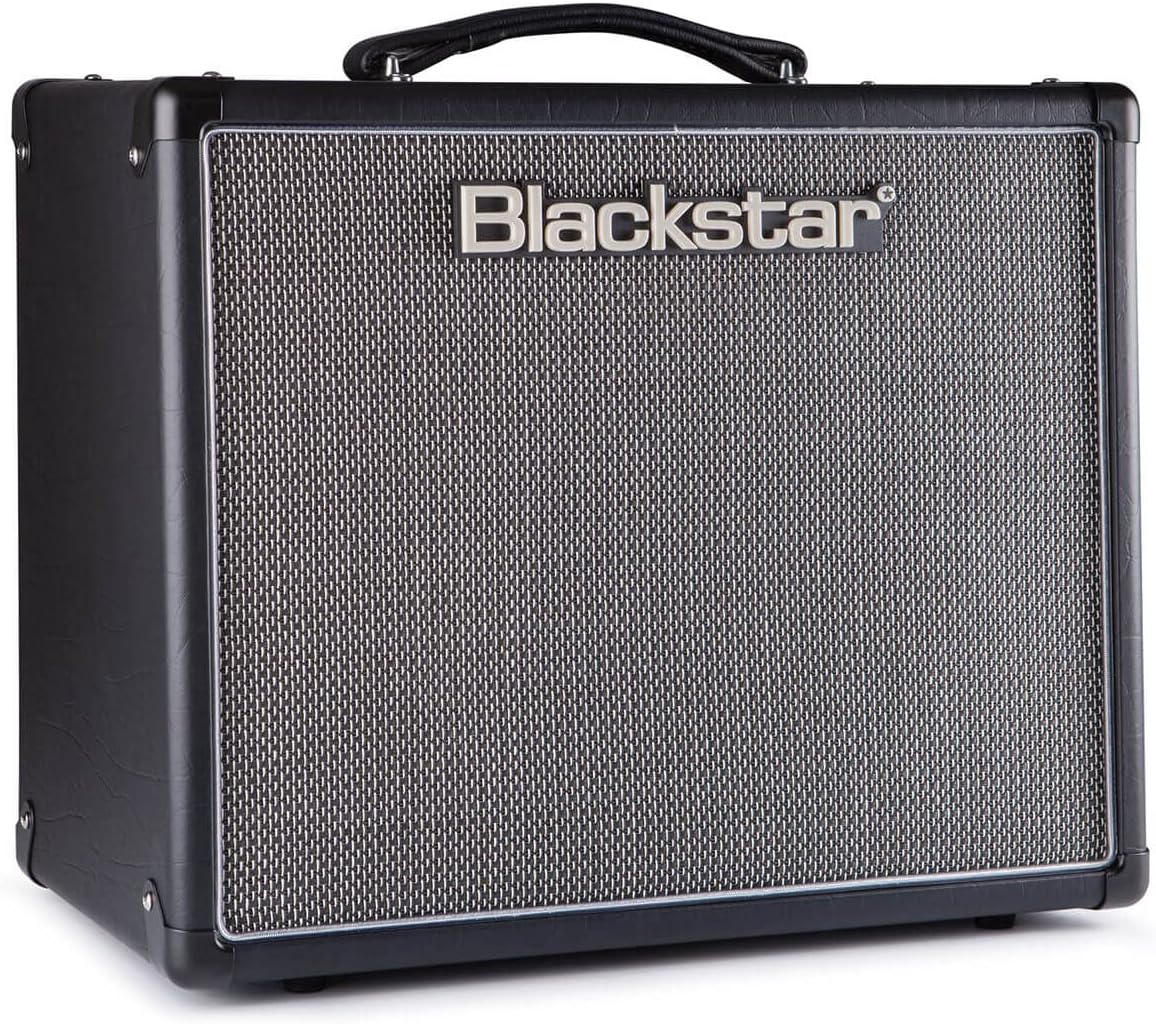
Front view of the Blackstar HT-5R MK III Guitar Amplifier, showcasing its classic black finish and speaker grille.
Setup
Follow these steps to set up your Blackstar HT-5R MK III amplifier:
- Power Connection: Connect the amplifier to a suitable power outlet using the provided cord. Ensure the power switch is in the OFF position before connecting.
- Guitar Input: Plug your guitar into the INPUT jack on the front panel.
- External Speaker (Optional): If using an external speaker cabinet, connect it to the appropriate SPEAKER OUTPUTS on the rear panel (1 x 16 OHM or 1 x 8 OHM / 2 x 16 OHM). Ensure the impedance matches your cabinet.
- Headphones/Emulated Output (Optional): For silent practice or direct recording, connect headphones or a recording device to the EMULATED OUTPUT & HEADPHONES jack.
- MP3 / Line Input (Optional): Connect an external audio source (e.g., MP3 player, phone) to the MP3 / LINE INPUT jack to play along with music.
- Footswitch (Optional): Connect a compatible footswitch to the FOOT SWITCH input for remote channel switching.
- Power On: Flip the POWER switch to ON. The amplifier will enter standby mode. Wait approximately one minute for the tubes to warm up before engaging the STANDBY switch to ON.
Rear panel of the Blackstar HT-5R MK III, showing speaker outputs, emulated output, MP3 input, and effects loop connections.
Operating Instructions
Familiarize yourself with the amplifier's controls for optimal performance:
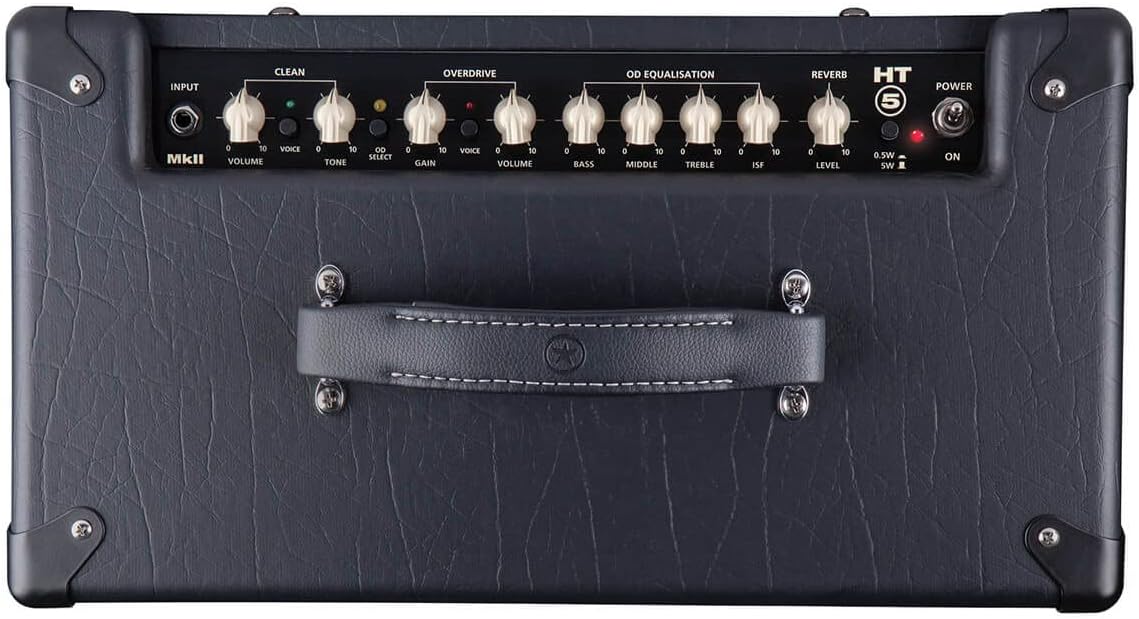
Front Panel Controls:
- Power Standby / On: Controls the amplifier's power state. Allow tubes to warm up in standby before switching to ON.
- Cabinet Select (HT5): Selects the internal speaker or emulated output settings.
- Emulated Output & Headphones: Provides a speaker-emulated signal for headphones or direct recording.
- Equalisation (Treble, Middle, Bass): Adjusts the tone of your amplifier.
- ISF (Infinite Shape Feature): This patented control allows you to dial in tones from classic British crunch to modern American high-gain. Turning clockwise shifts the tone from a British characteristic to an American characteristic.
- Overdrive Channel (Volume, Gain, Voice):
- Gain: Controls the amount of overdrive.
- Volume: Adjusts the output level of the overdrive channel.
- Voice: Selects between different overdrive voicings.
- Clean Channel (Volume, Tone, Voice):
- Volume: Adjusts the output level of the clean channel.
- Tone: Controls the brightness of the clean tone.
- Voice: Selects between different clean voicings.
- Reverb Level: Controls the amount of built-in reverb effect.
- Power Reduction (0.5W / 5W): Switches between full 5-watt output and a reduced 0.5-watt output, ideal for lower volume practice without sacrificing tone.
Close-up of the Blackstar HT-5R MK III front panel, detailing the various knobs and switches for tone shaping and channel selection.
Maintenance
Proper maintenance ensures the longevity and optimal performance of your amplifier:
- Cleaning: Use a soft, dry cloth to clean the exterior. Avoid abrasive cleaners or solvents.
- Environment: Operate the amplifier in a dry, well-ventilated area. Avoid exposure to extreme temperatures, humidity, or direct sunlight.
- Tube Care: As a tube amplifier, the internal vacuum tubes have a finite lifespan. If you notice a decrease in performance or unusual noise, tube replacement may be necessary. Consult a qualified technician for tube replacement.
- Speaker Care: The 12-inch Celestion speaker is designed for durability. Avoid puncturing or exposing the cone to excessive force.
- Transportation: When moving the amplifier, ensure it is powered off and disconnected from all cables. Use the integrated handle for carrying.
Troubleshooting
If you encounter issues with your amplifier, consider the following common troubleshooting steps:
- No Sound:
- Ensure the amplifier is powered on and out of standby mode.
- Check all cable connections (guitar, speaker, power).
- Verify the guitar's volume and tone controls are not set to zero.
- Test with a different guitar cable or guitar.
- Unwanted Noise (Humming, Buzzing, Crackling):
- Ensure all cables are securely connected and not damaged.
- Try plugging the amplifier into a different power outlet.
- Move the amplifier away from other electronic devices that might cause interference.
- Excessive noise can sometimes indicate aging or faulty tubes. If the issue persists, professional servicing may be required.
- Weak or Distorted Sound:
- Check the amplifier's volume and gain settings.
- Ensure the power reduction switch is set appropriately for your desired volume level.
- Inspect the speaker for any visible damage.
- Faulty tubes can also cause weak or distorted sound.
For issues not resolved by these steps, please contact Blackstar customer support or a certified service technician.
Specifications
| Feature | Detail |
|---|---|
| Model Number | HT5RMK3 |
| Output Wattage | 5 Watts (switchable to 0.5W) |
| Speaker | 12-inch Celestion Speaker |
| Channels | Clean, Overdrive |
| Controls | Volume, Tone, Gain, EQ (Treble, Middle, Bass), ISF, Reverb, Voice switches |
| Connectivity | Guitar Input, Speaker Outputs, Emulated Output & Headphones, MP3 / Line Input, USB, Effects Loop (Send/Return), Footswitch |
| Power Source | Corded Electric |
| Color | Black |
| Material | Blackstar designed [speaker material] |
| Item Weight | 28.8 pounds |
| First Available Date | January 8, 2019 |
Warranty and Support
This product may be eligible for an extended protection plan. For specific details regarding your product's warranty, please refer to the documentation included with your purchase or visit the official Blackstar website.
For technical assistance, service, or warranty claims, please contact Blackstar customer support. Keep your purchase receipt and product serial number handy when contacting support.
- Protection Plan: A 4-Year Protection Plan may be available for purchase.
- Manufacturer Support: Refer to the official Blackstar website for contact information and further support resources.


