
1. Introduction
This manual provides detailed instructions for the safe and effective operation of your BSIDE ACM92 DC Current Clamp Meter. Please read this manual thoroughly before use and retain it for future reference.
The BSIDE ACM92 is a versatile digital multimeter designed for measuring DC and AC current, AC/DC voltage, frequency, resistance, and continuity. It also features V-alert non-contact voltage detection and live-wire checking capabilities.
2. Safety Information
Important Safety Precautions:
- Always adhere to local and national safety codes.
- Do not use the meter if it appears damaged or operates abnormally.
- Ensure the test leads are properly connected and in good condition before use.
- Avoid contact with live circuits.
- The device conforms to IEC-61010-1, IEC-61010-2-030, IEC-61010-2-032, IEC-61010-2-033 standards.
- Over-voltage protection class: CAT III 300V, CAT II 600V, pollution degree II.
DC Current Measurement Specifics:
- The readings for DC current can be influenced by the Earth's magnetic field due to the Hall effect sensor.
- Zeroing: Always zero out the readings multiple times before each DC current measurement.
- Orientation: Once zeroed, hold the meter in the exact same orientation when taking readings. Do not tilt, twist, or rotate it, as changes in orientation can lead to false readings due to varying magnetic field strengths.
- Measurement Duration: For accurate results, measure DC current within 3 seconds after zeroing.
3. Package Contents
Verify that all items are present in the package:
- 1 x BSIDE ACM92 Clamp Meter
- 1 x Test Leads (Red and Black)
- 1 x Carrying Case
- 1 x Screwdriver
- 1 x User Manual (This document)
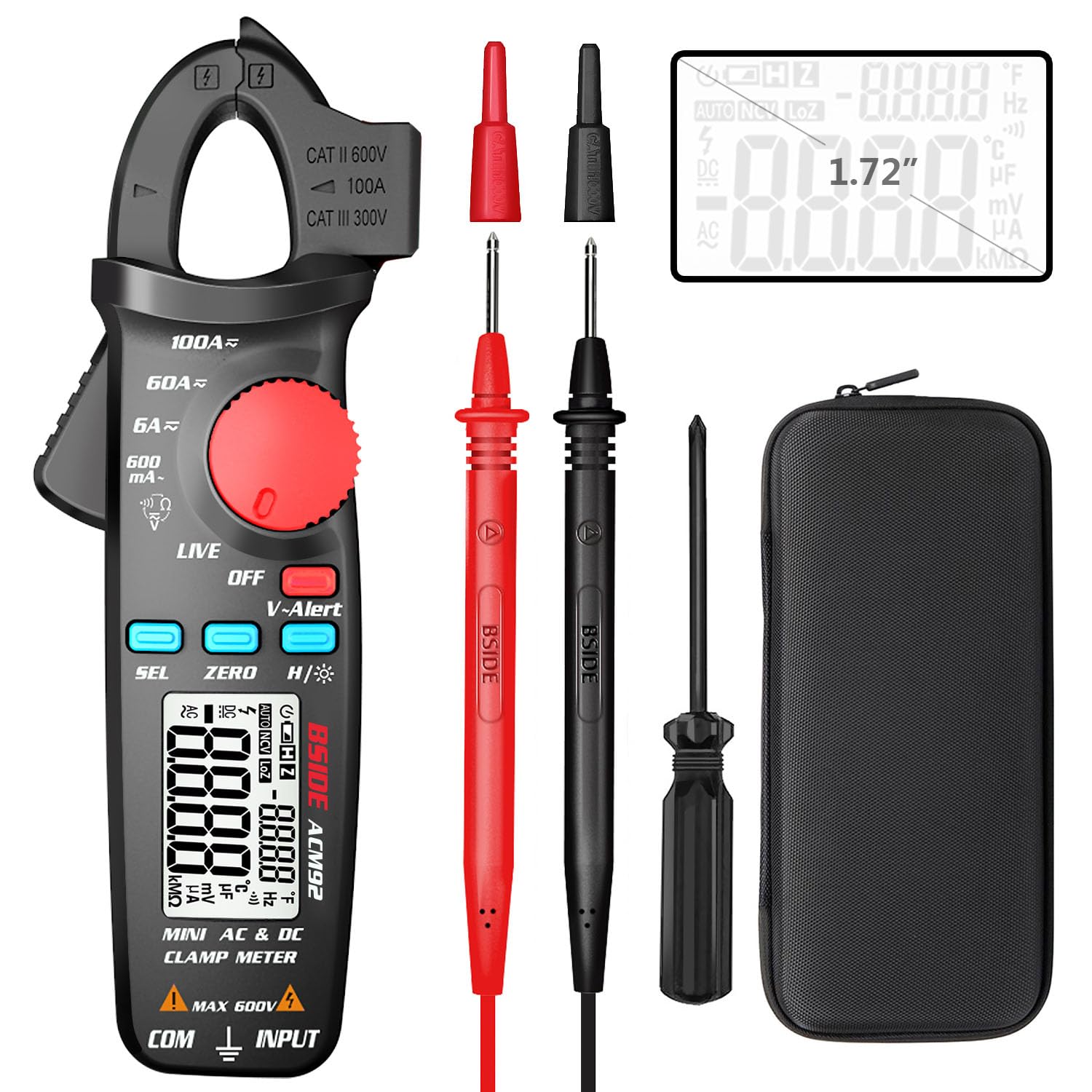
Image: The BSIDE ACM92 Clamp Meter, including the main unit, red and black test leads, a carrying case, and a small screwdriver.
4. Product Features
- Measures DC Current (minimum 1mA by jaws)
- Measures AC Current (minimum 0.1mA by jaws)
- Measures AC/DC Voltage
- V-Alert (Non-Contact Voltage Detection)
- Live-Wire Check
- Measures Frequency, Resistance, and Continuity
- Clamp-on Frequency Function
- Auto Power Off
- Data Hold Function
- Low Battery Indication with Backlight
- Dual Line Display: Shows both AC voltage/current and frequency simultaneously.

Image: The BSIDE ACM92 Clamp Meter displaying both current and frequency on its dual-line screen while clamping a wire.
Probe Holder
The integrated probe holder on the side of the meter allows for convenient storage of test leads and can assist in hands-free measurements, especially in narrow or tight environments.

Image: The BSIDE ACM92 Clamp Meter with a test probe secured in its side holder, demonstrating convenient portability and readiness for use.
5. Setup
5.1 Battery Installation
- Ensure the meter is powered off.
- Locate the battery compartment on the back of the meter.
- Use the provided screwdriver to open the battery compartment cover.
- Insert two 1.5V AAA batteries, observing the correct polarity (+/-).
- Replace the battery compartment cover and secure it with the screw.
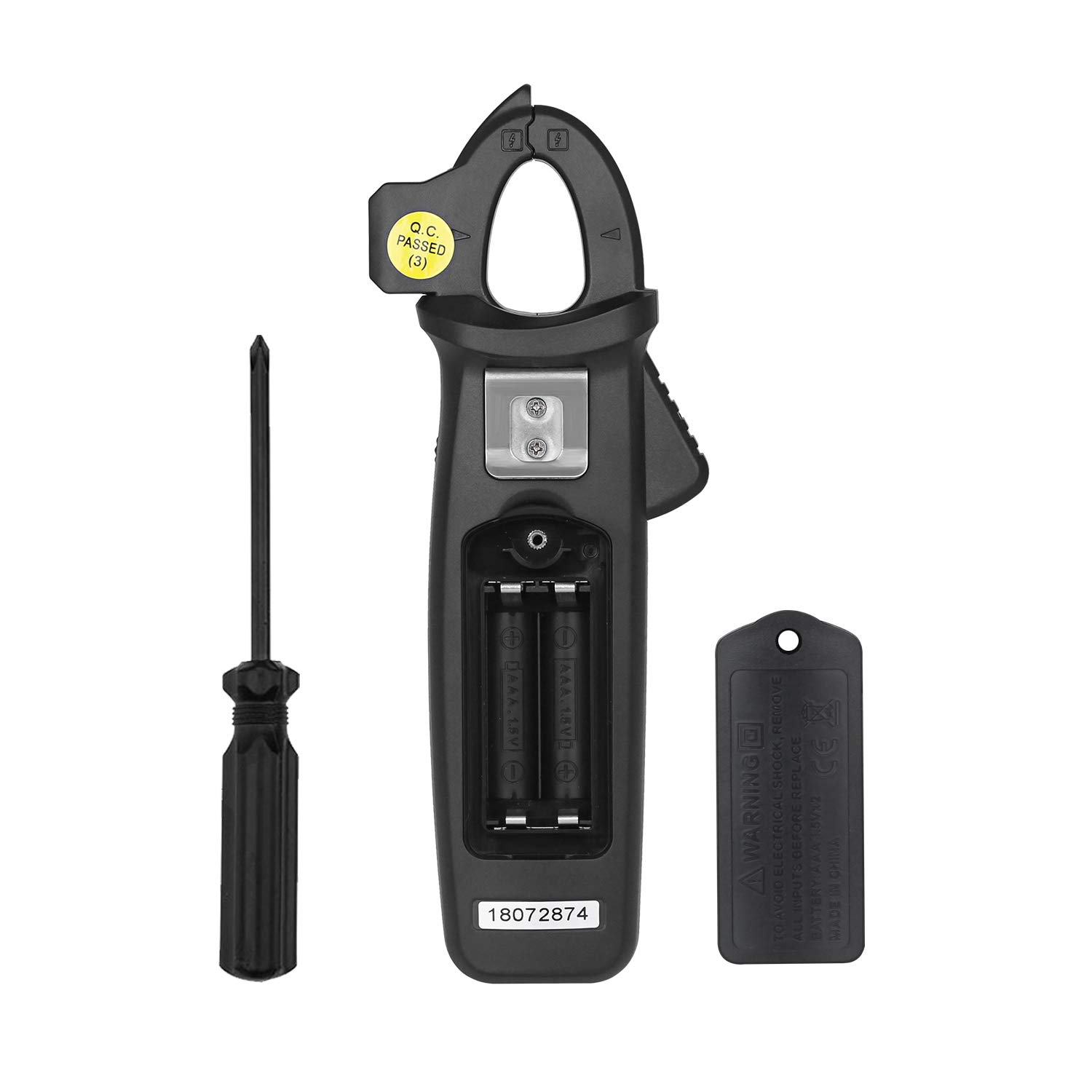
Image: The back of the BSIDE ACM92 Clamp Meter with the battery compartment open, showing the slots for two AAA batteries.
5.2 Connecting Test Leads
For voltage, resistance, frequency (via leads), and continuity measurements, insert the red test lead into the "INPUT" jack and the black test lead into the "COM" jack.
6. Operating Instructions
Rotate the central dial to select the desired measurement function.
6.1 DC Current Measurement (by Jaws)
- Turn the dial to the DC current range (e.g., 6A, 60A, 100A).
- Press and hold the "ZERO" button for 2 seconds to zero the display. Repeat this several times.
- Open the clamp jaws and enclose only one conductor of the circuit.
- Hold the meter in the same orientation as when zeroed.
- Read the DC current value on the display within 3 seconds for optimal accuracy.
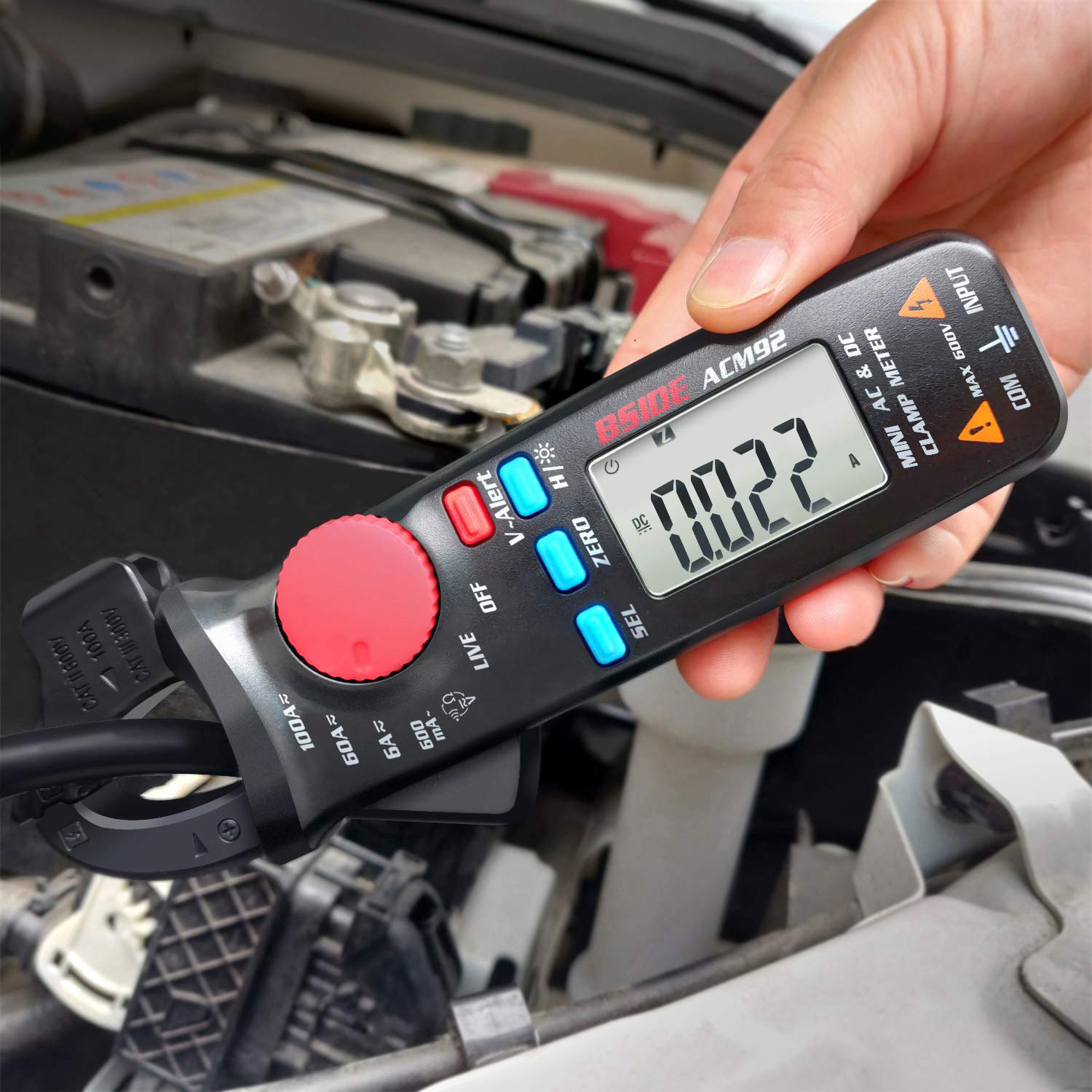
Image: The BSIDE ACM92 Clamp Meter measuring DC current on a car battery cable, showing a reading of 0.022A.
6.2 AC Current Measurement (by Jaws)
- Turn the dial to the AC current range (e.g., 600mA, 6A, 60A, 100A).
- Open the clamp jaws and enclose only one conductor of the AC circuit.
- Read the AC current value on the display.

Image: The BSIDE ACM92 Clamp Meter measuring AC current by clamping a single wire within an electrical panel.
6.3 AC/DC Voltage Measurement
- Connect the test leads to the "INPUT" and "COM" jacks.
- Turn the dial to the ACV or DCV range.
- Touch the test probes to the circuit points to be measured.
- Read the voltage value on the display.
6.4 V-Alert (Non-Contact Voltage Detection)
- Turn the dial to the "V-Alert" position.
- Bring the tip of the clamp meter near an AC voltage source.
- The LCD display will flash, and an alarm buzzer will sound if AC voltage is detected.

Image: The BSIDE ACM92 Clamp Meter in V-Alert mode, indicating the detection of non-contact voltage with a flashing display and audible alert.
6.5 Live-Wire Check
- Connect the red test lead to the "INPUT" jack.
- Turn the dial to the "LIVE" position.
- Touch the red probe to the conductor to be tested.
- The meter will indicate if the wire is live.

Image: The BSIDE ACM92 Clamp Meter performing a live wire check using the red test probe on an electrical circuit.
6.6 Resistance and Continuity Measurement
- Connect the test leads to the "INPUT" and "COM" jacks.
- Turn the dial to the Resistance/Continuity position.
- For resistance, touch the probes across the component.
- For continuity, touch the probes across the circuit. If resistance is less than 30Ω, the continuity beeper will sound.
6.7 Frequency Measurement
Frequency can be measured either by the clamp jaws (for current frequency) or by test leads (for voltage frequency).
- Select the appropriate frequency range using the dial.
- Use the clamp jaws for current frequency or test leads for voltage frequency.
- Read the frequency value on the display.
6.8 Data Hold Function
Press the "H/*" button briefly to hold the current reading on the display. Press it again to release the hold.
6.9 Backlight
Press and hold the "H/*" button for 2 seconds to turn the backlight on or off.
7. Maintenance
7.1 Cleaning
Wipe the meter with a damp cloth and mild detergent. Do not use abrasives or solvents. Ensure the meter is dry before storage or use.
7.2 Battery Replacement
When the low battery indicator appears on the display, replace the batteries as described in the "Battery Installation" section (5.1).
7.3 Storage
If the meter is not used for an extended period, remove the batteries to prevent leakage and store it in the provided carrying case in a cool, dry place.
8. Troubleshooting
| Problem | Possible Cause | Solution |
|---|---|---|
| Meter does not power on. | Dead or incorrectly installed batteries. | Check battery polarity or replace batteries. |
| Inaccurate DC current readings. | Not zeroed correctly; meter orientation changed; external magnetic fields. | Ensure proper zeroing before measurement. Maintain consistent meter orientation. Measure within 3 seconds. |
| AC current reading is zero when clamping a power cord. | Clamping both live and neutral wires simultaneously. | Ensure only a single conductor (live or neutral) is enclosed by the clamp jaws. |
| No reading with test leads. | Test leads not properly connected or damaged. | Verify test lead connection to "INPUT" and "COM" jacks. Check leads for damage. |
9. Specifications
| Measurement | Range | Resolution | Accuracy |
|---|---|---|---|
| Display | 6000 counts | ||
| DC Current | 6A / 60A / 100A | 0.001A / 0.01A / 0.1A | ±(2.5%+10 counts) |
| AC Current | 600mA / 6A / 60A / 100A | 0.1mA / 0.001A / 0.01A / 0.1A | ±(3.0%+10 counts) for 600mA; ±(2.5%+10 counts) for others |
| DC Voltage | 600V | 0.1V | ±(1.0%+5 counts) |
| AC Voltage | 600V | 0.1V | ±(1.0%+3 counts) |
| Resistance | 6000Ω | 1Ω | ±(1.0%+3 counts) |
| Frequency (by leads) | 60Hz / 1000Hz | 0.1Hz / 1Hz | ±(1.5%+5 counts) |
| Frequency (by jaws) | 60Hz / 1000Hz | 0.1Hz / 1Hz | ±(1.0%+5 counts) |
| Continuity | Beeper sounds at < 30Ω | ||
| Jaw Capacity | 20mm | ||
| Power | 2 x 1.5V AAA Batteries | ||
| Dimensions | 179 x 67 x 36 mm (7.05 x 2.64 x 1.42 inches) | ||
| Weight | 137g (4.83 ounces) | ||
10. Warranty and Support
Information regarding product warranty and customer support was not available in the provided product data. Please refer to the product packaging or the manufacturer's official website for details on warranty coverage and technical assistance.
