
Introduction
This manual provides instructions for the assembly, operation, and maintenance of your VonHaus Triple Monitor Stand. This stand is designed to support three monitors, ranging from 13 to 32 inches, with VESA compatibility of 75x75mm and 100x100mm. It features gas spring arms for easy adjustment and can be mounted using a desk clamp or grommet base, helping to free up valuable desk space.

Image: The VonHaus Triple Monitor Stand helps to free up desk space, providing a tidier and more organized appearance for your workstation.
Safety Information
WARNING: Read all instructions before assembly and use. Failure to follow these instructions may result in property damage, serious injury, or death.
- Ensure your desk surface is strong enough to support the combined weight of the stand and three monitors.
- Do not exceed the maximum weight capacity of 7kg (15.4 lbs) per arm.
- Keep children and pets away during assembly.
- Use only the provided hardware. Do not substitute parts.
- Periodically check all connections to ensure they remain secure.
Package Contents
Verify all components are present before beginning assembly. If any parts are missing or damaged, contact VonHaus customer service.
- Main Pole and Base
- Monitor Arms (3)
- VESA Plates (3)
- Desk Clamp Assembly
- Grommet Base Assembly
- Hardware Kit (screws, washers, Allen keys)
- Cable Management Clips
Setup and Installation
This monitor stand offers two installation methods: Desk Clamp and Grommet Base. Choose the method best suited for your desk.

Image: The stand offers easy installation with two mounting options: Desk Clamp for desk thicknesses of 10-85mm, and Grommet Base for desk thicknesses of 10-40mm and hole diameters of 10-60mm.
Step 1: Choose Mounting Method
- Desk Clamp: Attach the clamp to the edge of your desk. Ensure the clamp is securely tightened to a desk thickness between 10-85mm.
- Grommet Base: If your desk has a pre-drilled hole, secure the grommet base through the hole. This method is suitable for desk thicknesses between 10-40mm and hole diameters between 10-60mm.
Step 2: Assemble the Pole and Arms
- Attach the main pole to your chosen base (desk clamp or grommet).
- Slide the monitor arms onto the main pole at the desired initial height.
Step 3: Attach VESA Plates to Monitors
- Secure the VESA plates to the back of each monitor using the appropriate screws from the hardware kit. Ensure your monitor's VESA patterns (75x75mm or 100x100mm) match the plate.
Step 4: Mount Monitors to Arms
- Carefully slide each monitor (with VESA plate attached) onto the corresponding arm.
- Secure with the provided locking mechanism.
Step 5: Cable Management
- Route monitor cables through the integrated cable management clips on the arms and pole for a tidy setup.
Operating Instructions and Adjustments
The VonHaus Triple Monitor Stand allows for flexible positioning of your screens to achieve optimal viewing comfort and productivity.

Image: The monitor stand offers extensive adjustability, including 180° tilt, 360° swivel, and height adjustment up to 40.7 cm, allowing for ergonomic positioning.
- Height Adjustment: Loosen the collar on the main pole to slide the arms up or down to your desired height. Retighten the collar to secure the arms in place.
- Gas Spring Tension: Adjust the gas spring tension using the provided Allen key. Turn clockwise to increase tension for heavier monitors, or counter-clockwise to decrease tension for lighter monitors. Adjust until the monitor stays at the desired height when moved freely.
- Tilt: Each monitor can be tilted +35° to -35° to reduce glare and optimize viewing angles.
- Swivel: The arms allow for a 360° swivel, enabling you to share your screen or adjust for different tasks.
- Rotation: Rotate monitors 180° for quick switching between landscape and portrait orientation.
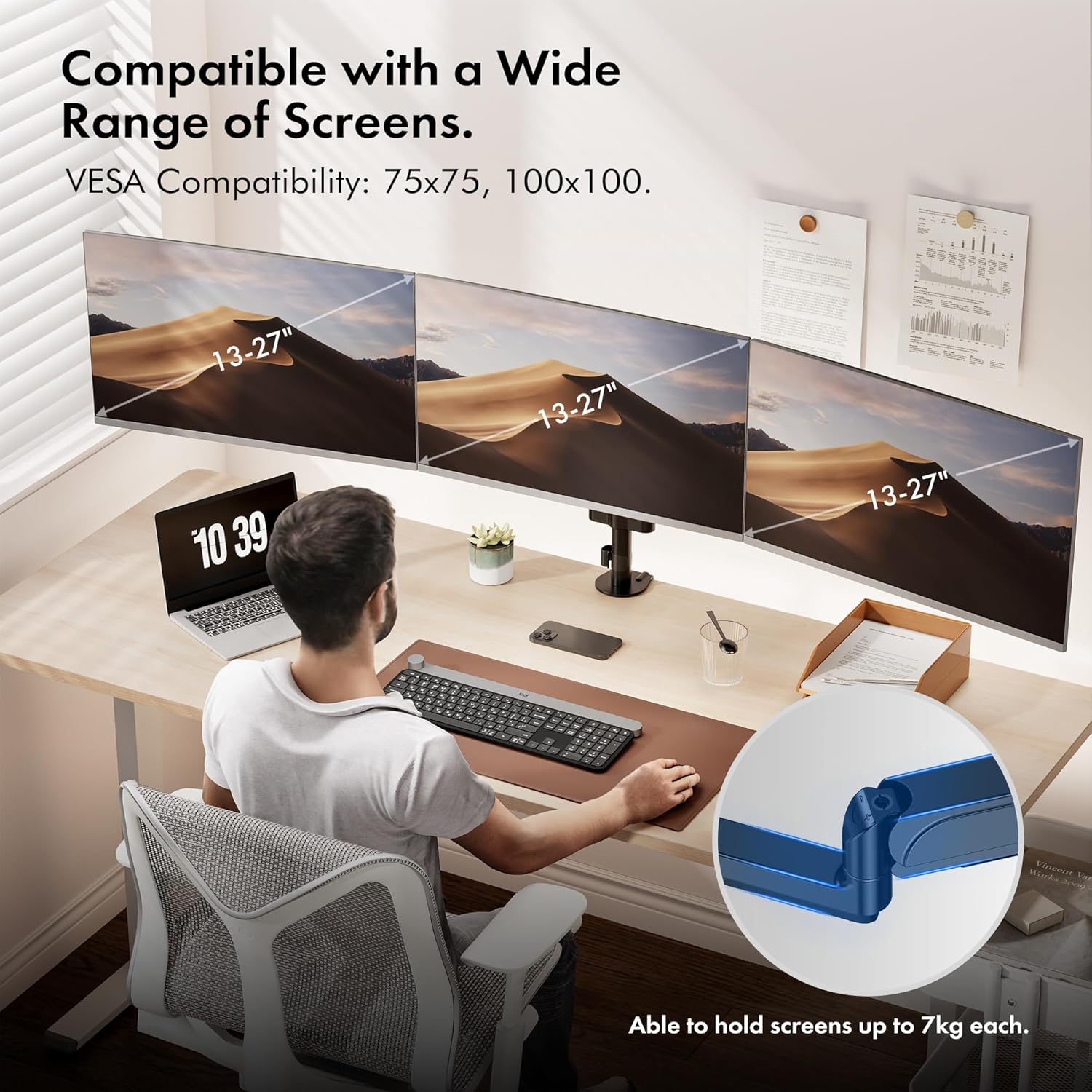
Image: The VonHaus Triple Monitor Stand is compatible with a wide range of screens, typically 13-27 inches, and supports VESA 75x75mm and 100x100mm mounting patterns.
Maintenance
- Regularly inspect all mounting hardware and connections to ensure they are tight and secure.
- Clean the stand with a soft, damp cloth. Avoid abrasive cleaners or solvents.
- Do not lubricate the gas spring mechanism.
Troubleshooting
- Monitor sags or does not hold position: Adjust the gas spring tension. Turn the adjustment screw clockwise to increase tension for heavier monitors.
- Monitor is difficult to move: Adjust the gas spring tension. Turn the adjustment screw counter-clockwise to decrease tension for lighter monitors.
- Stand feels unstable: Ensure the desk clamp or grommet base is securely tightened to the desk. Verify all arm connections are secure.
- Monitors are not level: Fine-tune the height and tilt of individual arms until all screens are aligned.
Specifications
| Brand: | VonHaus |
| Model: | Triple Monitor Stand |
| Material: | Aluminum |
| Mounting Type: | Table Mount (Desk Clamp or Grommet) |
| Compatible Screen Size: | 13-32 inches |
| VESA Compatibility: | 75x75mm, 100x100mm |
| Maximum Weight Capacity per Arm: | 7kg (15.4 lbs) |
| Tilt Range: | +35° to -35° |
| Swivel Range: | 360° |
| Rotation: | 180° |
| Desk Clamp Thickness: | 10-85mm |
| Grommet Base Desk Thickness: | 10-40mm |
| Grommet Hole Diameter: | 10-60mm |
Warranty and Support
This VonHaus Triple Monitor Stand comes with a 5-year manufacturer's warranty. For warranty claims or technical support, please contact VonHaus customer service. Keep your proof of purchase for validation.

Image: The versatile design of the VonHaus Triple Monitor Stand makes it suitable for multiple workstations, whether for work, gaming, or general browsing.