
ZEBRONICS ZEB-Power
ZEBRONICS Zeb-Power Wired USB Mouse User Manual
Model: ZEB-Power
1. Introduction
Thank you for choosing the ZEBRONICS Zeb-Power Wired USB Mouse. This manual provides essential information for setting up, operating, and maintaining your new mouse. The Zeb-Power mouse is designed for reliable performance with its advanced optical sensor technology and a compact, stylish design.
Key features include:
- Compact and stylish design
- Advanced optical sensor technology with 1200 DPI resolution
- Easy plug-and-play installation
- Compatible with Windows XP / Vista / 7 / 8 / 10, Mac OS, or Android OS
- Durable 1.1m USB cable

Figure 1: Top view of the Zeb-Power Wired USB Mouse, showcasing its sleek black design and scroll wheel.
2. Setup
The Zeb-Power mouse features a simple plug-and-play setup, requiring no additional drivers for most operating systems.
2.1 Connecting the Mouse
- Locate an available USB port on your computer (desktop, laptop, or compatible device).
- Insert the USB connector of the Zeb-Power mouse firmly into the USB port.
- Your operating system will automatically detect and install the necessary drivers. This process usually takes a few seconds.
- Once installed, the mouse is ready for use.

Figure 2: The Zeb-Power mouse features a 1.1m cable length and a standard USB-A interface for easy connection.
2.2 System Compatibility
The Zeb-Power mouse is compatible with a wide range of operating systems:
- Windows XP
- Windows Vista
- Windows 7
- Windows 8
- Windows 10
- Mac OS
- Android OS (with appropriate USB host support)
3. Operating the Mouse
The Zeb-Power mouse is a standard 3-button optical mouse designed for intuitive navigation.
3.1 Basic Functions
- Left Button: Primary click function, used for selecting items, opening files, and activating links.
- Right Button: Secondary click function, typically used to open context menus.
- Scroll Wheel (Middle Button): Used for scrolling through documents and web pages. Can also function as a middle click button for specific applications.

Figure 3: The compact design of the Zeb-Power mouse ensures comfortable handling for extended use.
3.2 Optical Sensor and DPI
The mouse is equipped with an advanced optical sensor providing 1200 DPI (Dots Per Inch) resolution. This high precision ensures smooth and accurate cursor movement on various surfaces.

Figure 4: The 1200 DPI optical sensor provides high precision for accurate cursor control.
3.3 Surface Compatibility
The optical sensor is designed to work effectively on most common surfaces, including mouse pads, wood, and plastic. For optimal performance, avoid highly reflective or transparent surfaces like glass.
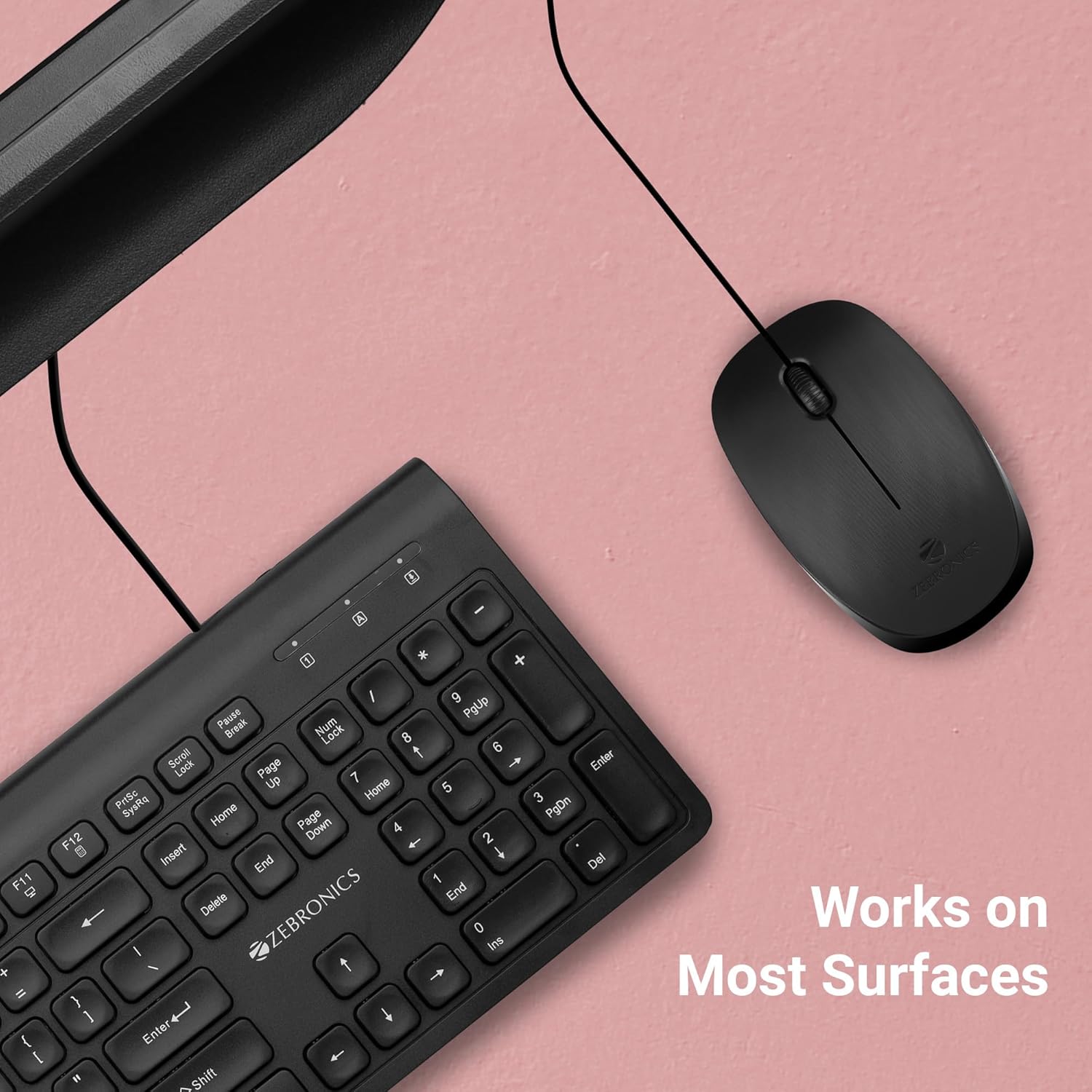
Figure 5: The Zeb-Power mouse is designed to work reliably on a variety of common desk surfaces.
4. Maintenance
Proper care and maintenance will extend the lifespan of your Zeb-Power mouse.
4.1 Cleaning
- Disconnect the mouse from your computer before cleaning.
- Use a soft, slightly damp cloth to wipe the exterior of the mouse.
- For stubborn dirt, a small amount of mild soap can be used, but ensure no liquid enters the mouse.
- Use a cotton swab or compressed air to clean around the scroll wheel and buttons.
- Gently wipe the optical sensor on the underside of the mouse with a clean, dry cloth to ensure optimal tracking performance.

Figure 6: The underside of the mouse, showing the optical sensor. Keep this area clean for best performance.
4.2 Storage
When not in use for extended periods, store the mouse in a clean, dry environment away from extreme temperatures and direct sunlight.
5. Troubleshooting
If you encounter issues with your Zeb-Power mouse, refer to the following common problems and solutions:
| Problem | Possible Cause | Solution |
|---|---|---|
| Mouse not responding | Loose USB connection, faulty USB port, driver issue. |
|
| Erratic cursor movement | Dirty optical sensor, unsuitable surface. |
|
| Buttons or scroll wheel not working | Dirt accumulation, software conflict. |
|
6. Specifications
| Feature | Detail |
|---|---|
| Model Name | Zeb-Power |
| Connectivity Technology | Wired USB |
| Movement Detection Technology | Optical |
| DPI Resolution | 1200 DPI |
| Number of Buttons | 3 (Left, Right, Scroll Wheel/Middle) |
| Cable Length | 1.1 meters (approx. 3.6 feet) |
| Product Dimensions (L x W x H) | 3.9 x 2.32 x 0.04 inches (approx.) |
| Item Weight | 1.83 ounces |
| Color | Black |
| OS Compatibility | Windows XP / Vista / 7 / 8 / 10, Mac OS, Android OS |
7. Warranty Information
The ZEBRONICS Zeb-Power Wired USB Mouse comes with a 1-year warranty from the date of purchase. Please retain your purchase receipt as proof of purchase for warranty claims. The warranty covers manufacturing defects and material faults under normal use. It does not cover damage caused by misuse, accidents, unauthorized modifications, or normal wear and tear.
8. Customer Support
For further assistance, technical support, or warranty inquiries, please contact ZEBRONICS customer service. Refer to the official ZEBRONICS website or product packaging for the most up-to-date contact information.
Related documentsZEB-Power


Ask a question about this manual
Ask about setup, troubleshooting, compatibility, parts, safety, or missing instructions. Manuals+ will review the question and use this page’s manual context to help answer it.