
Introduction
Thank you for choosing the Donner MW-1 2.4Ghz Wireless Guitar System. This system provides a low-latency, high-quality audio transmission solution for electric guitars, bass, keyboards, and other electric musical instruments. Featuring 10 channels and 5 built-in guitar effects, the MW-1 offers versatility and convenience for musicians. This manual will guide you through the setup, operation, and maintenance of your new wireless system.
Video: Overview of the Donner MW-1 Wireless Guitar System. This video demonstrates the basic functionality and features of the system.
Package Contents
- 1 x MW-1TX Transmitter Unit
- 1 x MW-1RX Receiver Unit
- 1 x USB Charging Cable (Y-cable for simultaneous charging)
- 1 x 3.5mm Auxiliary Audio Cable
- 1 x Portable Pouch
- 1 x User Manual (this document)

Image: The Donner MW-1 Wireless Guitar System units displayed with their included accessories: a USB charging cable, a 3.5mm auxiliary cable, and a portable carrying pouch.
Product Overview
The Donner MW-1 system consists of a transmitter (MW-1TX) and a receiver (MW-1RX), both designed for ease of use and portability. Each unit features a 220° rotatable plug for compatibility with various instrument jack positions.
MW-1TX Transmitter
- Instrument Input Jack: Connects to your electric instrument.
- Power/Channel Button: Long press to power on/off, short press to change wireless channel.
- MODE Button: Short press to cycle through 5 built-in guitar effects (Clean, Bluesy, Flanger, Tremolo, Metal).
- Volume Control: Adjusts the output volume of the instrument.
- Effect Indicators: LEDs for Clean, Bluesy, Flanger, Tremolo, Metal.
- Battery/Charging Indicator: Shows battery status and charging progress.
MW-1RX Receiver
- Output Jack: Connects to amplifier, headphones, or other audio devices.
- Power/Channel Button: Long press to power on/off, short press to change wireless channel.
- BT Button: Short press to activate Bluetooth mode for external audio input.
- Volume Control: Adjusts the volume of Bluetooth or Line-In audio.
- RX Indicator: Shows signal reception status.
- BT Indicator: Shows Bluetooth connection status.
- Line Indicator: Shows Line-In audio input status.
- Low Battery Indicator: Alerts when battery is low.
- Battery/Charging Indicator: Shows battery status and charging progress.

Image: Detailed view of the MW-1TX Transmitter and MW-1RX Receiver units, highlighting their compact size and rotatable plugs.

Image: The MW-1TX Transmitter connected to an electric guitar, demonstrating its discreet placement during play. The receiver is shown near an amplifier.

Image: A diagram illustrating various connection possibilities for the MW-1RX Receiver, including an amplifier, headphones, and external audio sources via Bluetooth or a 3.5mm AUX cable.
Key Features
- Built-in 5 Guitar Effects: Original Clean, Bluesy, Flanger, Tremolo, Metal.
- Low Latency: UHF wireless ID pairing technology supports 10 channels, with a latency time of 3.5ms.
- Widespread Use: 220° rotatable plug design, compatible with most electric guitars, bass, keyboards, and other electric music instruments with pickups.
- Plug and Play: Simple operation; long press the signal key to match transmitter and receiver.
- Convenient Charging: Built-in rechargeable lithium battery provides up to 5 hours of working time after a 1.5-2 hour charge. Includes a USB Y-cable for simultaneous recharging.

Image: An illustration demonstrating the widespread compatibility of the Donner MW-1 system with different musical instruments and audio equipment.
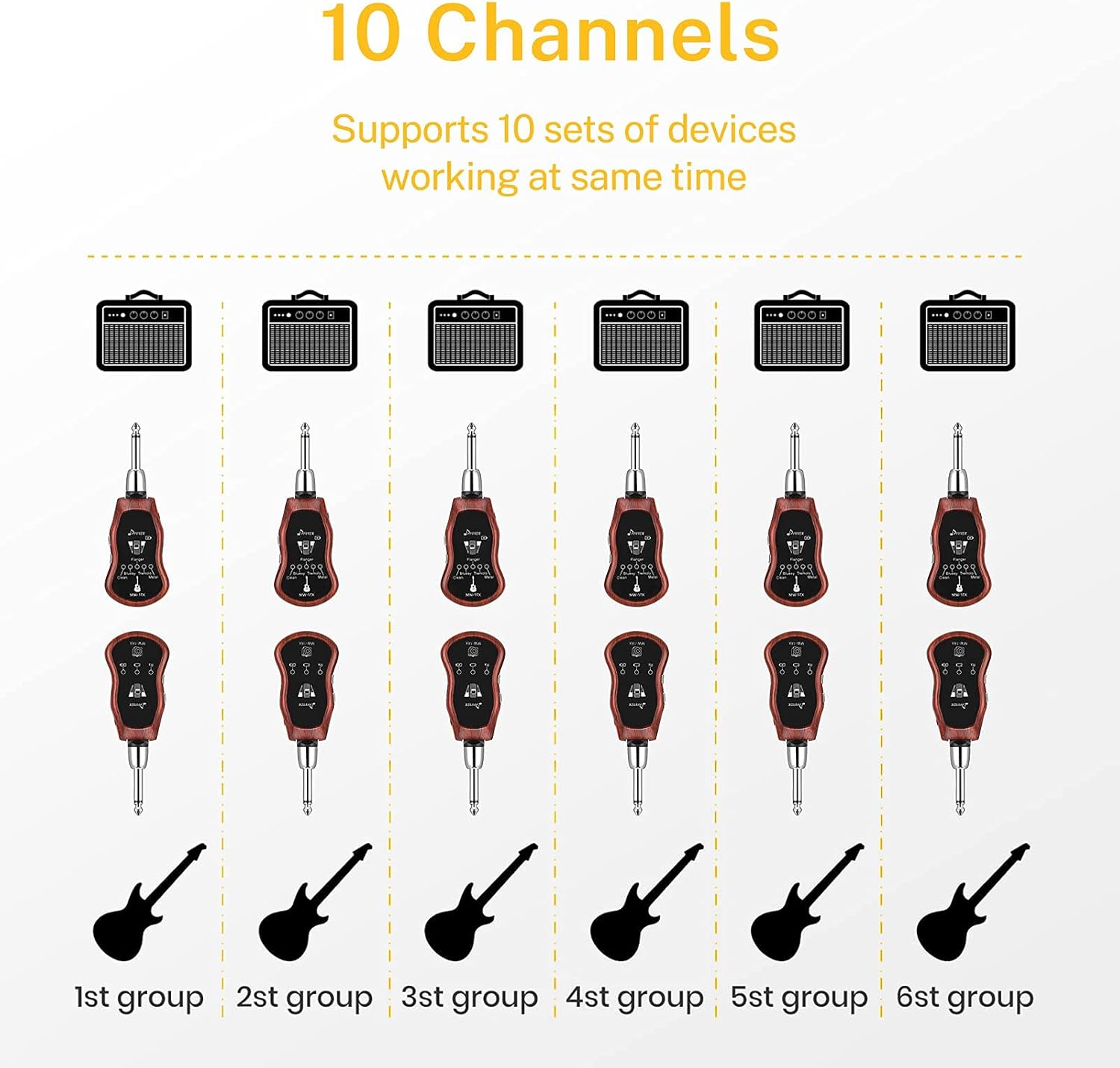
Image: A visual representation of the MW-1 system's 10-channel capability, allowing multiple devices to operate simultaneously without interference.
Setup Instructions
- Charging the Units: Connect both the MW-1TX Transmitter and MW-1RX Receiver to a USB power source (e.g., computer USB port, USB wall adapter) using the provided USB Y-cable. The charging indicator LED will light up during charging and turn off when fully charged. A full charge typically takes 1.5-2 hours.
- Power On/Off: Long press the Power/Channel button on both the transmitter and receiver for approximately 2 seconds to turn them on or off.
- Pairing (Initial Setup or Re-pairing): The units are pre-paired from the factory. If re-pairing is necessary (e.g., after a factory reset or if connection is lost), long press the Power/Channel button on both units simultaneously until their indicator lights flash rapidly. Release the buttons, and the units will automatically pair. A solid indicator light confirms successful pairing.
- Connecting to Instrument and Amplifier:
- Plug the MW-1TX Transmitter into your electric instrument's output jack. Adjust the rotatable plug for optimal fit.
- Plug the MW-1RX Receiver into your amplifier's input jack or other audio device. Adjust the rotatable plug as needed.
- Channel Selection: Briefly press the Power/Channel button on the transmitter (MW-1TX) to cycle through the 10 available wireless channels. Ensure that both the transmitter and receiver are set to the same channel for proper operation.
Operating Instructions
- Effect Selection: On the transmitter (MW-1TX), briefly press the "MODE" button to cycle through the 5 built-in guitar effects: Clean, Bluesy, Flanger, Tremolo, and Metal. The corresponding LED indicator will light up to show the active effect.
- Instrument Volume Adjustment: Use the dedicated volume control on the transmitter (MW-1TX) to adjust the output level of your instrument.
- External Audio Input (Receiver - MW-1RX):
- Bluetooth: Briefly press the "BT" button on the receiver to activate Bluetooth mode. The BT indicator will flash, indicating it's ready for pairing. Search for "MW-1RX" on your smartphone or other Bluetooth device and connect. Once connected, the BT indicator will be solid. Use the volume control on the receiver to adjust the Bluetooth audio level.
- Line-In: Connect an external audio source (e.g., computer, MP3 player) to the 3.5mm Line-In jack on the receiver using the provided auxiliary cable. The Line indicator will light up. Use the volume control on the receiver to adjust the Line-In audio level.
- Headphone/Speaker Output: Connect headphones or external speakers to the 3.5mm output jack on the receiver for independent monitoring of your instrument and any external audio.
Video: Demonstration of the five built-in guitar effects (Clean, Bluesy, Flanger, Tremolo, Metal) available on the Donner MW-1 Wireless Guitar System.

Image: A user enjoying the built-in amplifier feature of the MW-1 system, allowing for private practice with headphones anytime, anywhere.
Maintenance
- Keep the units clean and dry. Use a soft, dry cloth for cleaning.
- Avoid exposing the units to extreme temperatures, direct sunlight, or high humidity.
- Charge the units regularly, even if not in frequent use, to maintain optimal battery health.
- Store the units in the provided pouch when not in use to protect them from dust and scratches.
Troubleshooting
| Issue | Possible Solution |
|---|---|
| No sound output. | Ensure both transmitter and receiver are powered on. Verify that both units are paired and set to the same channel. Check all cable connections (instrument to transmitter, receiver to amplifier/headphones). Confirm instrument and amplifier volume levels are adequate. |
| Signal interference or dropouts. | Change to a different wireless channel. Move the transmitter and receiver closer to each other. Avoid operating near strong electromagnetic interference sources (e.g., Wi-Fi routers, microwaves). |
| Units not charging. | Ensure the USB Y-cable is securely connected to both units and the USB power source. Try using a different USB port or power adapter. Check if the charging indicator LED lights up. |
| Built-in effects not changing. | Ensure you are pressing the "MODE" button on the transmitter (MW-1TX). Check that the corresponding effect LED lights up. |
| Bluetooth device not connecting. | Ensure Bluetooth mode is activated on the receiver (BT indicator flashing). Make sure your external device's Bluetooth is on and visible. Try forgetting the device on your phone and re-pairing. |
Specifications
| Feature | Specification |
|---|---|
| Model Number | MW-1 |
| Wireless Frequency | 2.4Ghz UHF |
| Channels | 10 |
| Built-in Effects | Clean, Bluesy, Flanger, Tremolo, Metal |
| Latency Time | 3.5ms |
| Battery Type | Rechargeable Lithium Battery |
| Charge Time | 1.5-2 Hours |
| Working Time | Up to 5 Hours |
| Body Material | Plastic |
| Hardware Interface | USB |
| Signal Format | Analog |
| Item Weight | 9.1 ounces |
| Package Dimensions | 5.87 x 4.88 x 2.24 inches |
Safety Information
- Do not attempt to disassemble, repair, or modify the units. This may void the warranty and pose a safety risk.
- Keep the units away from water, moisture, and any liquids to prevent electric shock or damage.
- Use only the provided USB charging cable and a compatible USB power source (5V/1A recommended) for charging.
- Avoid exposing the units to extreme heat, open flames, or direct sunlight for prolonged periods.
- Dispose of batteries and electronic components responsibly according to local regulations.
Warranty and Support
Donner provides a limited warranty for this product. For detailed warranty information, technical support, and customer service inquiries, please visit the official Donner website or contact your local distributor. Please retain your proof of purchase for warranty claims.