
PureMate PM1515
PureMate PM1515 2500W 11-Fin Oil-Filled Radiator User Manual
Model: PM1515
1. Important Safety Instructions
Please read all instructions carefully before using this appliance and retain them for future reference. Failure to follow these instructions may result in electric shock, fire, or serious injury.
- Always ensure the radiator is placed on a firm, level surface.
- Do not cover the radiator. Covering can lead to overheating and fire.
- Keep flammable materials (curtains, furniture, bedding) at least 1 meter (3 feet) away from the radiator.
- Do not operate the radiator near water, such as in bathrooms or laundry areas.
- Ensure the power cord is not damaged and is kept away from heated surfaces.
- Do not use the radiator if it has been dropped or damaged.
- Unplug the radiator from the power outlet when not in use or before cleaning.
- This appliance is not intended for use by persons (including children) with reduced physical, sensory or mental capabilities, or lack of experience and knowledge, unless they have been given supervision or instruction concerning use of the appliance by a person responsible for their safety.
- Children should be supervised to ensure that they do not play with the appliance.
- The radiator is equipped with an automatic overheat cut-off and a tip-over safety feature for enhanced protection.
2. Product Overview
The PureMate PM1515 is a 2500W oil-filled radiator designed for efficient and portable heating. It features 11 oil-filled fins, multiple heat settings, an adjustable thermostat, and a 24-hour timer.

Image 2.1: Front view of the PureMate PM1515 Oil-Filled Radiator, showcasing its 11 fins, control panel, and castor wheels.
Key Features:
- 2500W Heating Power: Provides rapid and effective warmth.
- 11 Oil-Filled Fins: Designed for optimal heat distribution.
- 3 Heat Settings: Offers versatile heating options (1000W, 1500W, 2500W).
- Adjustable Thermostat: Allows precise temperature control.
- 24-Hour Timer: For scheduled operation and energy management.
- Safety Features: Includes tip-over protection and automatic overheat cut-off.
- Portable Design: Equipped with castor wheels and a carry handle for easy movement.

Image 2.2: Diagram illustrating the key features of the radiator, including adjustable thermostat, safety tip-over, 11 oil-filled fins, 3 heat settings, 24-hour timer, and automatic overheat cut-off.
3. Setup and Assembly
The PureMate PM1515 radiator comes with pre-assembled castor wheels for convenient setup. Follow these steps to prepare your radiator for use:
- Carefully remove the radiator from its packaging.
- Place the radiator upright on a stable, level surface.
- Ensure the castor wheels are securely attached and can rotate freely.
- Unwind the power cable from the integrated cable storage.
- Position the radiator in the desired location, ensuring it is at a safe distance from walls, furniture, and flammable materials.
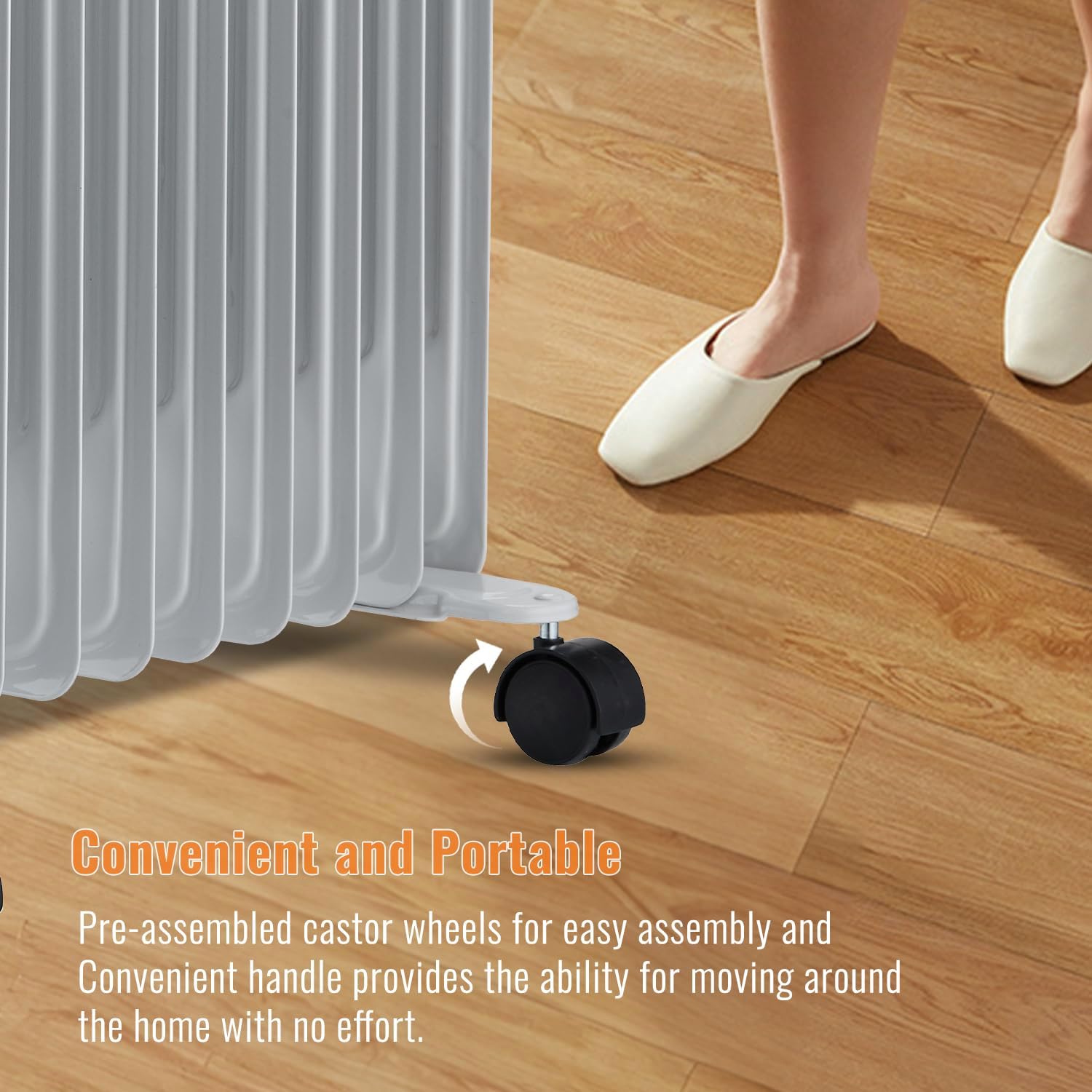
Image 3.1: Close-up view of the pre-assembled castor wheels, highlighting the ease of mobility.
4. Operating Instructions
Familiarize yourself with the control panel to operate your radiator effectively.

Image 4.1: Detailed view of the control panel, showing the adjustable thermostat dial, 3 power settings switch, and 24-hour timer dial.
4.1 Power On/Off
- Plug the radiator into a suitable 230V power outlet.
- Ensure the power switch (if present) is in the 'ON' position.
4.2 Setting Heat Levels
The radiator offers three power settings:
- Setting I: Low heat (e.g., 1000W)
- Setting II: Medium heat (e.g., 1500W)
- Setting III: High heat (e.g., 2500W)
Rotate the power setting dial to select your desired heat output.
4.3 Adjusting the Thermostat
The adjustable thermostat allows you to maintain a consistent room temperature.
- Turn the thermostat dial clockwise to increase the desired temperature or counter-clockwise to decrease it.
- The radiator will cycle on and off to maintain the set temperature.
4.4 Using the 24-Hour Timer
The integrated 24-hour timer allows you to program the radiator to turn on and off automatically.
- To set the timer, push the small segments around the timer dial inwards for the periods you want the radiator to be ON. Each segment typically represents 15 minutes.
- Ensure the current time is aligned with the arrow on the timer dial. Rotate the dial clockwise to set the correct time.
- The radiator will operate according to the programmed schedule, provided the power setting and thermostat are also engaged.
5. Maintenance
Regular cleaning and proper storage will ensure the longevity and efficient operation of your radiator.
5.1 Cleaning
- Always unplug the radiator and allow it to cool completely before cleaning.
- Wipe the exterior surfaces with a soft, damp cloth. Do not use abrasive cleaners or solvents.
- Ensure no water enters the internal components.
- Dry thoroughly before plugging back in.
5.2 Storage
When not in use, especially during warmer months:
- Unplug the radiator and allow it to cool.
- Clean the unit as described above.
- Wrap the power cord around the integrated cable storage.
- Store the radiator in a cool, dry place, preferably in its original packaging to protect it from dust and damage.
6. Troubleshooting
If you encounter issues with your PureMate PM1515 radiator, refer to the following common problems and solutions:
| Problem | Possible Cause | Solution |
|---|---|---|
| Radiator does not turn on. | No power supply. Thermostat set too low. Timer not set correctly. Overheat protection activated. Tip-over switch activated. | Check if plugged in and power outlet is working. Increase thermostat setting. Adjust timer to an 'ON' period. Unplug, let cool, then restart. Ensure radiator is upright on a flat surface. |
| Radiator is not heating effectively. | Heat setting too low. Thermostat set too low. Room size too large for radiator capacity. | Increase heat setting (I, II, or III). Increase thermostat setting. Consider using additional heating for larger spaces. |
| Radiator makes unusual noises (ticking/grinding). | Normal expansion/contraction of metal during heating/cooling. Internal component issue (less common). | Minor ticking is often normal. If noises are loud or persistent, discontinue use and contact support. |
| Radiator smells burnt or emits smoke. | Dust accumulation on heating elements. Internal fault. | Immediately unplug the unit. Allow to cool and clean thoroughly. If smell persists or smoke is visible, discontinue use and seek professional assistance. |
If the problem persists after attempting these solutions, please contact customer support.
7. Specifications
Detailed technical specifications for the PureMate PM1515 Oil-Filled Radiator:
| Feature | Specification |
|---|---|
| Brand | PureMate |
| Model Number | PM1515 |
| Power Output | 2500 Watts |
| Voltage | 230 Volts |
| Number of Fins | 11 |
| Heat Settings | 3 (Variable) |
| Dimensions (L x W x H) | 50 x 24 x 62 cm |
| Weight | 11.2 Kilograms |
| Material | Metal |
| Power Cord Length | 1.5 meters |
| Timer | 24-hour programmable |
| Safety Features | Automatic Overheat Cut-off, Tip-over Switch |
| Recommended Use | Home, Office |
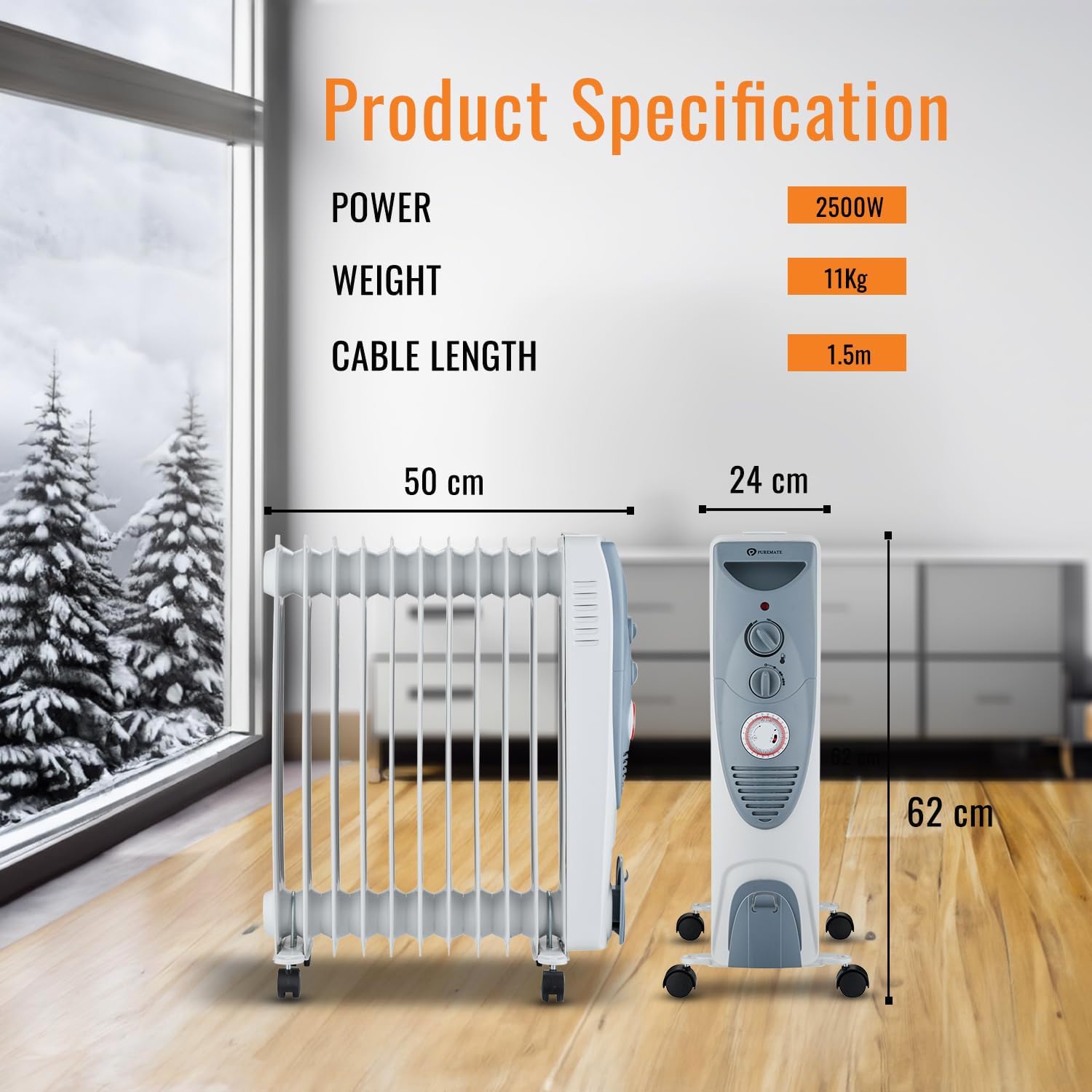
Image 7.1: Visual representation of the radiator's dimensions (length, width, height) and key specifications like power, weight, and cable length.
8. Warranty and Support
For warranty information, product support, or to inquire about spare parts, please refer to the documentation provided with your purchase or visit the official PureMate website. Keep your proof of purchase for any warranty claims.
Contact Information: Please consult the PureMate official website for the most up-to-date customer service contact details.
Related documentsPM1515


Ask a question about this manual
Ask about setup, troubleshooting, compatibility, parts, safety, or missing instructions. Manuals+ will review the question and use this page’s manual context to help answer it.