
1. Introduction
This manual provides essential information for the safe and effective installation, operation, and maintenance of your Philips Hue Discover White and Colour Ambiance LED Smart Garden Wall Light. Please read these instructions thoroughly before use and retain them for future reference. This smart outdoor light is designed to enhance your outdoor space with customizable lighting, offering 16 million colors and various shades of white light. A Philips Hue Bridge (sold separately) is required for smart control functionalities.
2. Safety Information
- Electrical Safety: Installation must be performed by a qualified electrician in accordance with local electrical codes. Always ensure the main power supply is turned off before installation, maintenance, or repair.
- Outdoor Use: This product is designed for outdoor environments and is rated IP44, indicating protection against solid objects larger than 1mm and splashing water from any direction. Ensure all connections are properly sealed to maintain this rating.
- Voltage: Verify that the voltage supply matches the requirements specified on the product label.
- Heat: Do not cover the light fixture with any materials that could impede heat dissipation.
- Cleaning: Disconnect power before cleaning. Use a soft, damp cloth. Do not use abrasive cleaners.
3. Package Contents
Verify that all components are present before beginning installation:
- Philips Hue Discover Smart Garden Wall Light fixture
- Mounting bracket
- Installation hardware (screws, wall plugs)
- Allen wrench (for adjustments)
- User Manual (this document)
4. Setup and Installation
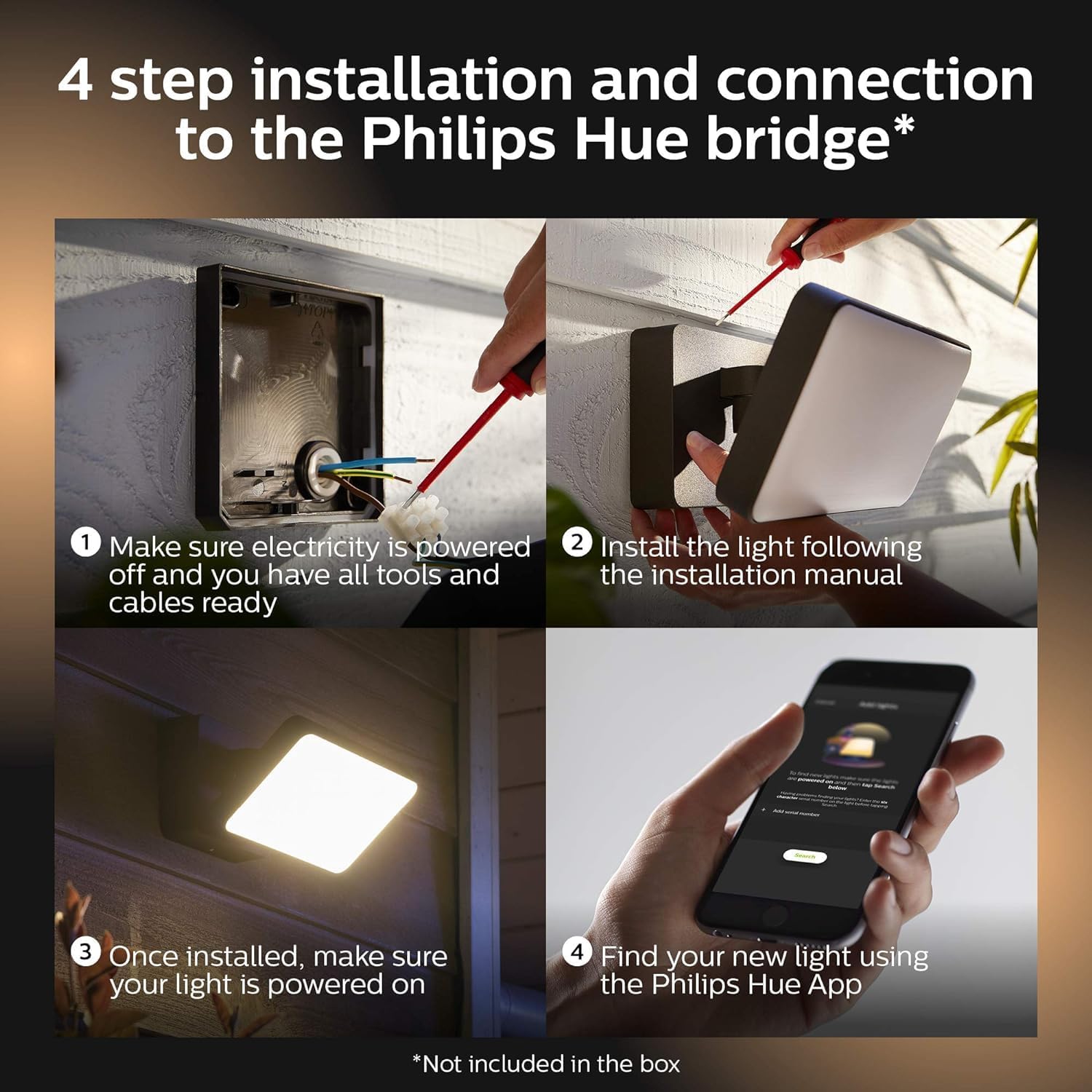
Follow these steps for proper installation and connection to your Philips Hue system. A Philips Hue Bridge is required for smart control and is sold separately.
- Prepare for Installation: Ensure electricity to the installation area is powered off at the circuit breaker. Gather all necessary tools and cables.
- Mount the Fixture: Install the light fixture securely to the wall following the detailed instructions provided in the separate installation manual included with the product. Ensure the backplate is firmly attached. It is recommended to seal the edges of the fixture with silicone sealant after mounting to prevent water ingress, especially if the wiring enters from the side rather than directly through the backplate hole.
- Connect Wiring: Connect the electrical wires according to the wiring diagram in the installation manual. Ensure all connections are secure and insulated.
- Power On: Once the light is securely installed and wired, restore power at the circuit breaker.
- Connect to Philips Hue Bridge: Open the Philips Hue app on your smartphone or tablet. Navigate to 'Settings' > 'Lights' > 'Add light'. The app will search for new lights. If prompted, enter the serial number located on the back of the wall plate to add the light to your Hue Bridge.

5. Operating Instructions
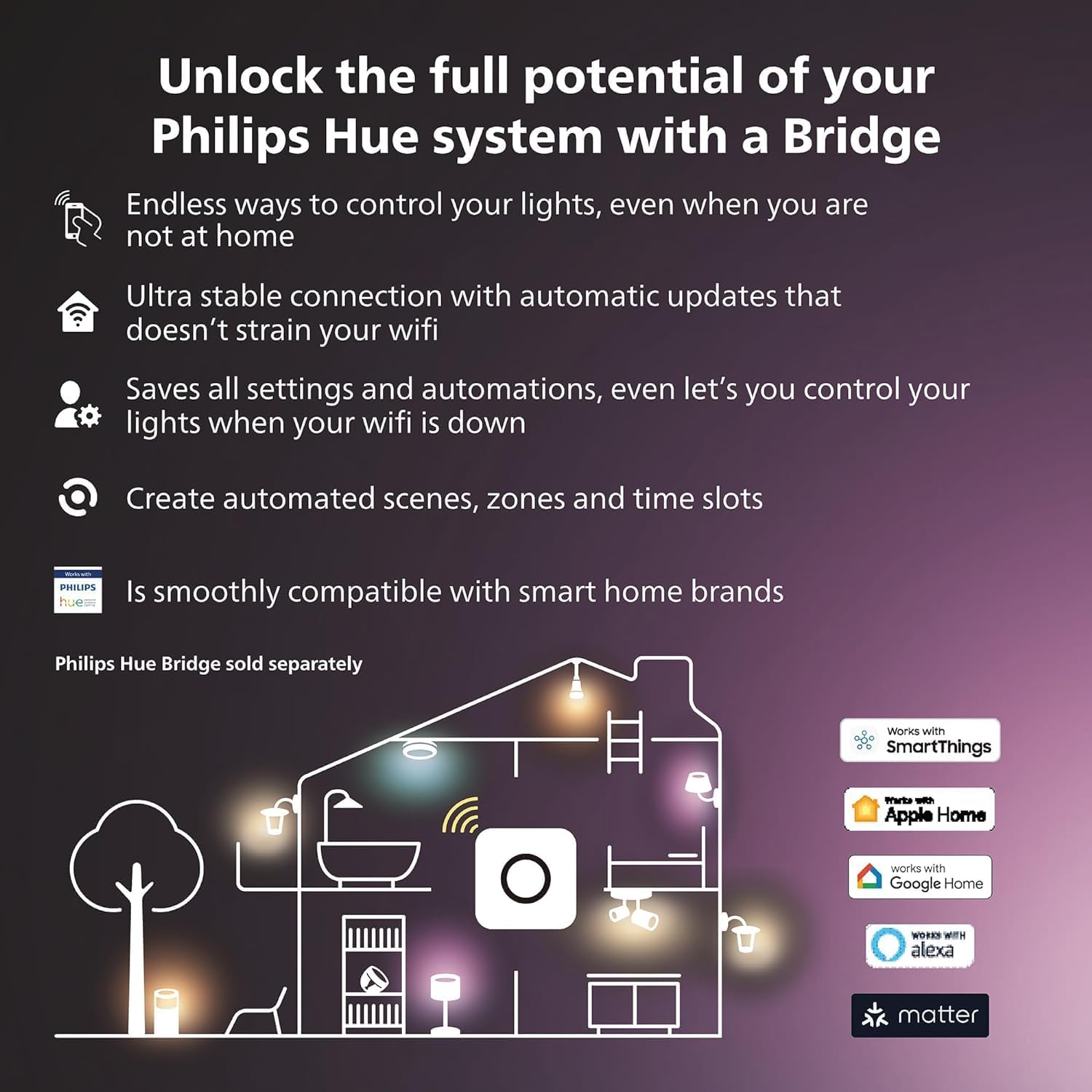
The Philips Hue Discover light offers extensive control options through the Philips Hue app and compatible smart home systems.
5.1. Philips Hue App Control
Once connected to your Philips Hue Bridge, you can control your light using the Philips Hue app:
- Color and White Light Selection: Choose from 16 million colors and various shades of white light (warm to cool) to create any desired ambiance.
- Dimming: Adjust brightness levels smoothly.
- Scenes: Apply pre-set scenes or create custom scenes for different moods or activities.
- Routines and Timers: Set schedules for your lights to turn on/off, change color, or dim at specific times.
- Automations: Integrate with motion sensors or other smart accessories for automated lighting responses.
- Away From Home Control: Control your lights remotely when you are not at home.
- Sync with Media: Synchronize your lights with movies, games, and music for an immersive experience.




5.2. Voice Control
The Philips Hue Discover light is compatible with voice assistants such as Amazon Alexa, Google Assistant, and Apple HomeKit. Once integrated, you can control your lights using simple voice commands (e.g., "Alexa, turn on all the lights").

5.3. Light Output
The Philips Hue Discover light provides powerful illumination, with a maximum output of 2300 lumens. This makes it suitable for general floodlighting purposes in outdoor areas.


6. Maintenance
Regular maintenance ensures optimal performance and longevity of your Philips Hue Discover light.
- Cleaning: Periodically clean the exterior of the fixture with a soft, damp cloth. Do not use harsh chemicals or abrasive materials. Ensure power is disconnected before cleaning.
- Inspection: Annually inspect the fixture for any signs of damage, loose connections, or wear. Check the integrity of the silicone sealant around the fixture.
- Firmware Updates: Keep your Philips Hue Bridge and app updated to the latest firmware versions to ensure compatibility and access to new features.
7. Troubleshooting
If you encounter issues with your Philips Hue Discover light, refer to the following common solutions:
- Light Not Turning On:
- Check if the power supply to the fixture is active.
- Verify all electrical connections are secure.
- Ensure the light is properly added and selected in the Philips Hue app.
- Light Not Responding to App/Voice Control:
- Confirm your Philips Hue Bridge is powered on and connected to your home network.
- Check if your smartphone/tablet is connected to the same network as the Hue Bridge.
- Restart the Philips Hue app.
- Try re-pairing the light with the Hue Bridge using its serial number.
- Ensure your voice assistant (Alexa, Google Assistant) is properly linked to your Philips Hue account.
- Inconsistent Performance:
- Ensure the light is within range of the Philips Hue Bridge.
- Check for Wi-Fi interference if your Bridge is connected wirelessly.
- Update the firmware of your Hue Bridge and the light (via the app).
For further assistance, consult the Philips Hue support website or contact customer service.
8. Specifications
| Feature | Specification |
|---|---|
| Model Number | 915005731401 |
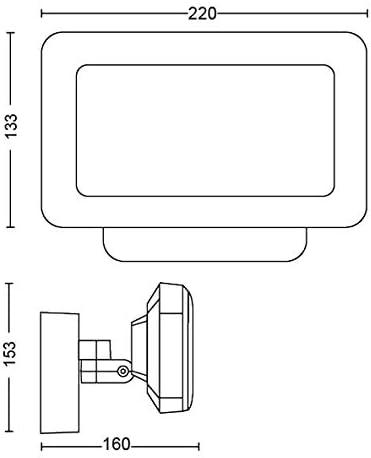
| Product Dimensions | 22 x 16 x 15.3 cm (8.7L x 6.3W x 6H inches) |
| Item Weight | 1.2 kg |
| Material | Aluminum |
| Color | Black |
| Power Source | AC/DC |
| Light Fixture Form | Floodlight |
| Indoor/Outdoor Use | Outdoor |
| IP Rating | IP44 (Protection against splashing water) |
| Manufacturer | Signify |
9. Warranty and Support
This Philips Hue product is covered by a manufacturer's warranty. Please refer to the warranty card included with your product or visit the official Philips Hue website for detailed warranty terms and conditions. For technical support, troubleshooting, or service inquiries, please visit the Philips Hue support portal or contact their customer service department.


