
Anderic RRHC100
Anderic EzWipe Universal TV Remote Control User Manual
Model: RRHC100 | Brand: Anderic
Introduction
The Anderic RRHC100 Hospitality 1-Device Universal EASY-WIPE Surface Remote Control is designed for the hospitality industry and public environments. It offers simplified TV control, easy cleaning, and enhanced security features. This manual provides comprehensive instructions for setting up, operating, and maintaining your remote control.
Product Overview
The RRHC100 remote control is engineered for simplicity and durability, featuring a flat membrane surface for easy cleaning and oversized buttons for straightforward operation.
Key Features:
- EzWipe Surface: Flat membrane surface allows for quick and easy cleaning, promoting hygiene in shared spaces.
- Simplified Control: Features a limited selection of oversized buttons for TV-only control, removing complex functions like MENU buttons.
- Ideal for Hospitality: Suited for public areas, hotels, motels, and environments where ease of use for children or the elderly is paramount.
- Wide Compatibility: Preprogrammed for LG and Vizio TVs, and STB-2000 Set-top Boxes (bed code 0). Works with both HDTVs and older TVs.
- Additional Functions: Includes "Dash," "Sleep," "Closed Captioning," and "Previous Channel" buttons.
- Two-Device Capability: Can be programmed to control both a TV and a Set-top Box.
- Enhanced Security: Optional cable attachment (Anderic CBL01, not included) and a screw-secured battery cover help prevent loss or theft.

Front and back view of the Anderic RRHC100 remote control, highlighting its simple button layout and secure battery compartment.
Setup and Programming
The RRHC100 remote is designed for easy setup. For LG and Vizio TVs, it often works out of the box without programming. For other devices or specific configurations, follow the 3-step programming process.

The RRHC100 remote offers plug-and-play setup for instant use with LG and Vizio televisions.
3-Step Programming for Other Devices:
- Turn on Device: Manually turn on the TV or Set-top Box you wish to program the remote for.
- Enter Programming Mode: Press and hold the SETUP and ENTER keys simultaneously for 3 seconds. The indicator light on the remote will illuminate, indicating it's in programming mode.
- Enter Code: Refer to the extensive code database provided with your remote (or available online) and enter the appropriate 3-digit code for your device. The indicator light will flash to confirm successful programming.
If the first code does not work, try other codes listed for your brand. A full operating manual with the code database is included with the product.

Visual guide demonstrating the simple 3-step modification process for programming the remote.
Operating Instructions
The RRHC100 features a simplified button layout for intuitive control of your television and, optionally, a set-top box.
Button Functions:
- POWER (Ⓘ): Turns the TV or selected device On/Off.
- TV / STB Selector: Switches control between the TV and the Set-top Box (if programmed).
- Number Buttons (0-9): For direct channel entry.
- ENTER: Confirms channel selection or menu options.
- INPUT: Cycles through video input sources on the TV.
- VOL (+/-): Adjusts volume up or down.
- MUTE (🔇): Mutes or unmutes the audio.
- CH (+/-): Changes channels up or down.
- PREV CH: Returns to the previously viewed channel.
- SLEEP (Zz): Activates the TV's sleep timer function.
- CLOSED CAPTIONING (CC): Toggles closed captions on or off.
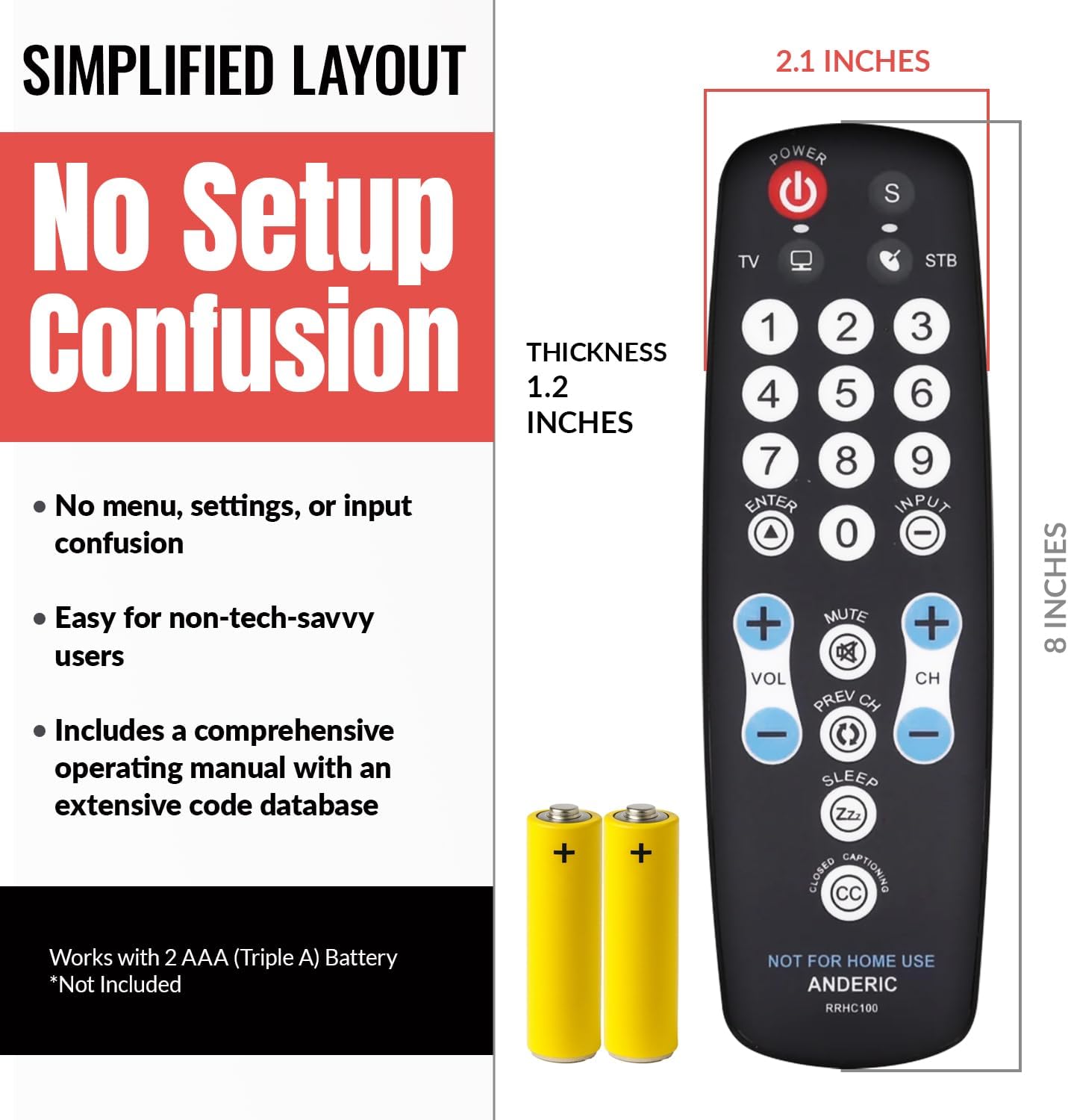
The simplified layout of the RRHC100 remote control, designed for ease of use and minimal confusion.

The RRHC100 remote can control both a TV and a set-top box, automatically toggling between devices.
Maintenance
The Anderic RRHC100 features an EzWipe surface for easy cleaning and a secure battery compartment for durability in high-traffic environments.
Cleaning the Remote:
Due to its flat membrane surface, the RRHC100 is exceptionally easy to clean. Simply wipe the surface with a damp cloth or a mild disinfectant wipe. Avoid using abrasive cleaners or excessive moisture.
Battery Installation and Security:
The remote requires 2 AAA batteries (not included). The battery cover is easily removable without screws for quick access. For enhanced security in public environments, the battery cover can be secured with a small screw (included) to prevent unauthorized removal or theft of batteries.
An optional security cable attachment (Anderic CBL01, sold separately) can be used to further secure the remote to a fixture, ideal for hospitality settings.
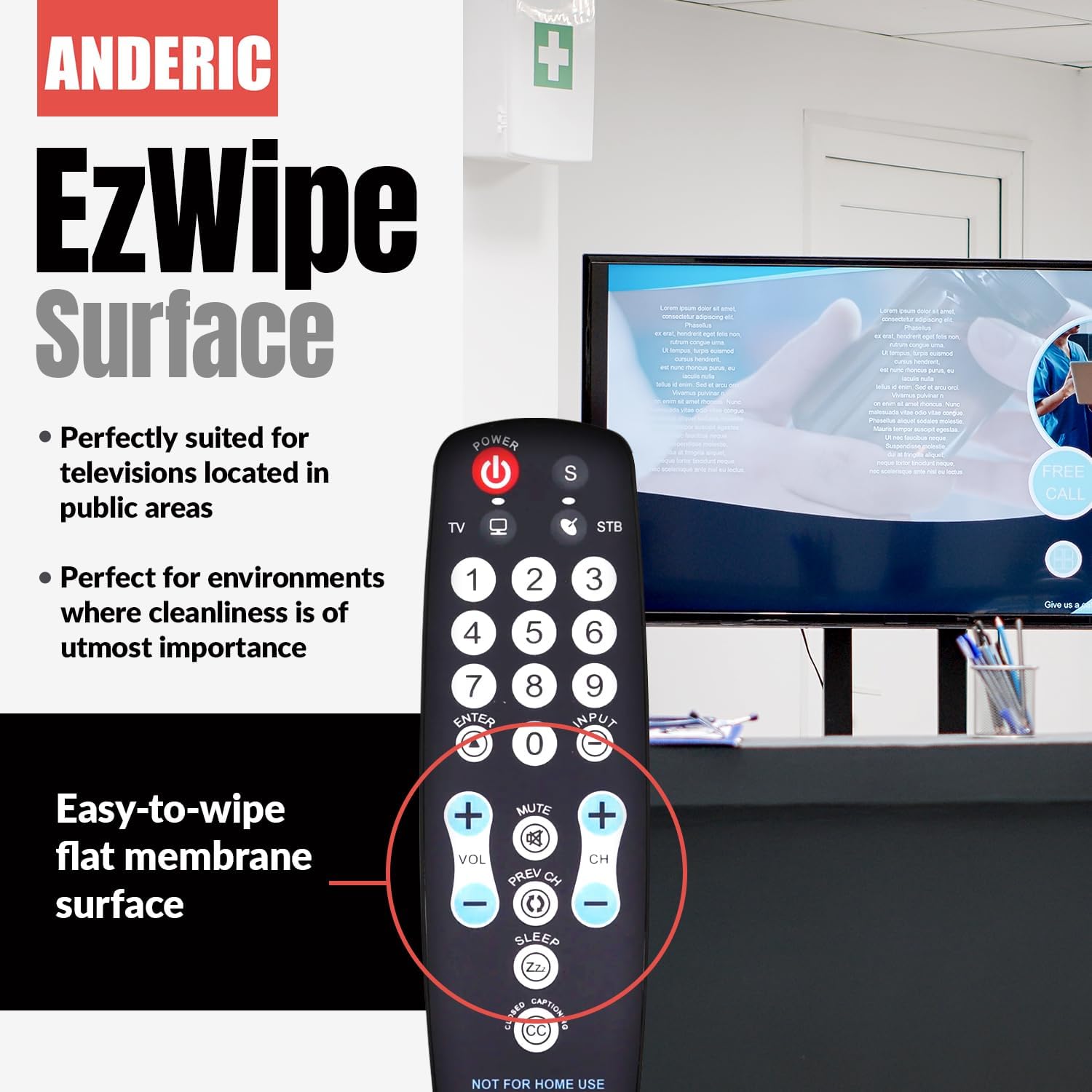
The flat, easy-to-wipe membrane surface of the RRHC100 remote, designed for cleanliness.
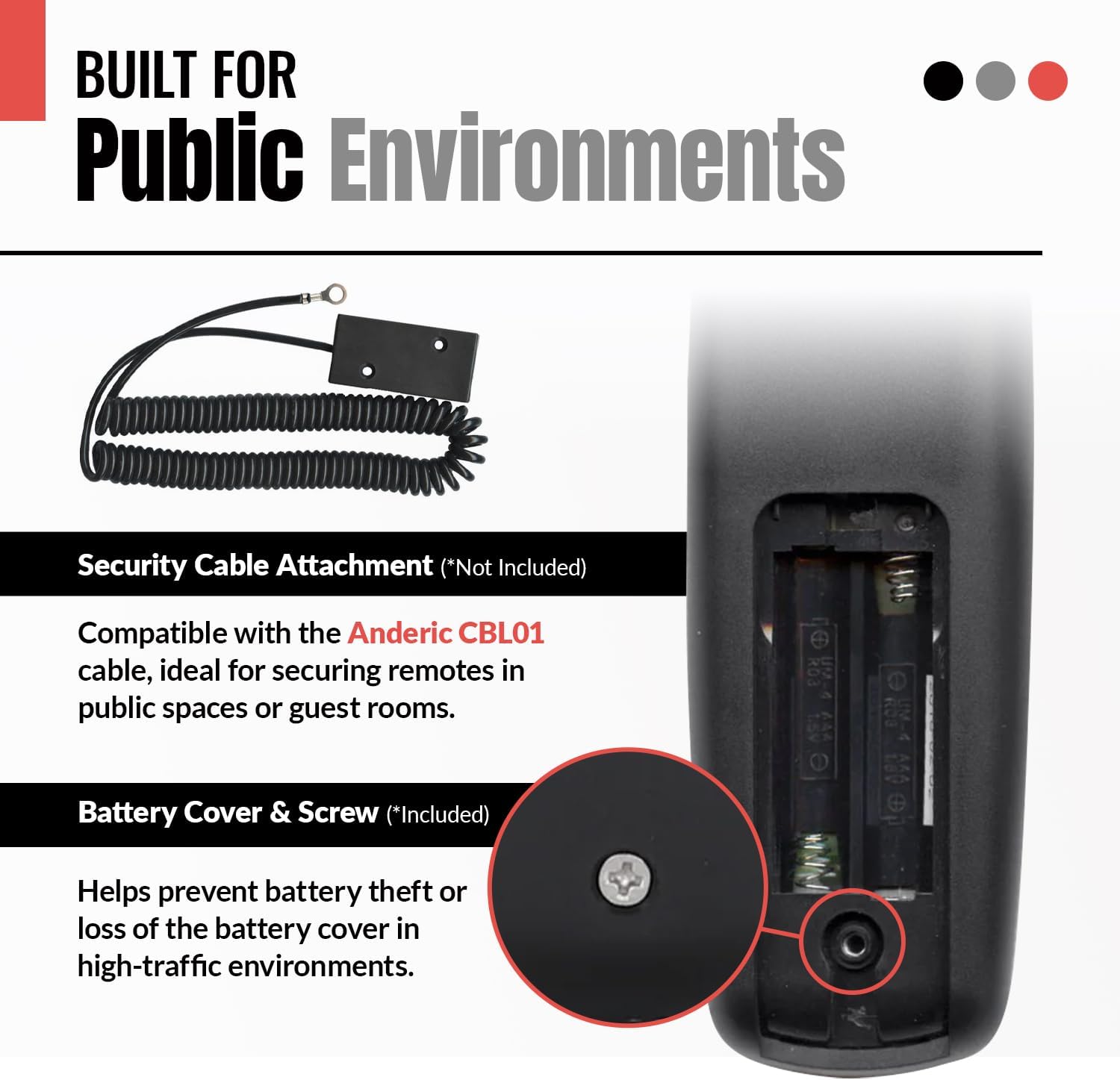
Detail of the battery compartment, showing the optional security screw and the provision for a security cable attachment.
Troubleshooting
If you encounter issues with your Anderic RRHC100 remote control, refer to the following common troubleshooting steps:
| Problem | Possible Cause | Solution |
|---|---|---|
| Remote does not control the device. | Incorrect programming code, dead batteries, or remote not aimed correctly. |
|
| Buttons are difficult to press or unresponsive. | Accumulated debris under the membrane, or worn internal contacts. |
|
| Remote only controls one device (TV or STB). | Only one device has been programmed, or the device selector is incorrect. |
|
Specifications
| Feature | Detail |
|---|---|
| Model Number | RRHC100 |
| Product Dimensions | 6.5 x 1 x 2 inches |
| Item Weight | 1.58 ounces |
| Batteries Required | 2 AAA batteries (not included) |
| Color | Black |
| Max Number of Supported Devices | 2 (TV, Set Top Box) |
| Special Features | Universal for TV + STB, Easy Wipeable Surface, Screw for Battery Cover, Learning Function |
| Manufacturer | Dan's Electronics Etc., Inc. |
| First Available Date | June 13, 2017 |
Warranty and Support
Anderic is a registered trademark of Dan's Electronics Etc. Inc. For detailed warranty information and customer support, please refer to the official documentation included with your product or visit the Anderic website.
A digital version of the user manual (PDF) can often be found online for further assistance. For this product, a user manual is available at: Anderic RRHC100 User Manual (PDF).
Related documentsRRHC100


Ask a question about this manual
Ask about setup, troubleshooting, compatibility, parts, safety, or missing instructions. Manuals+ will review the question and use this page’s manual context to help answer it.