HUANUO HNCM7 Dual Monitor Mount Instruction Manual
Model: HNCM7
Brand: HUANUO
Introduction
This manual provides detailed instructions for the assembly, operation, and maintenance of your HUANUO HNCM7 Dual Monitor Mount. Designed for monitors up to 30 inches and weighing up to 22 lbs per arm, this mount offers flexible adjustment and helps optimize your workspace. Please read these instructions carefully before installation and retain for future reference.
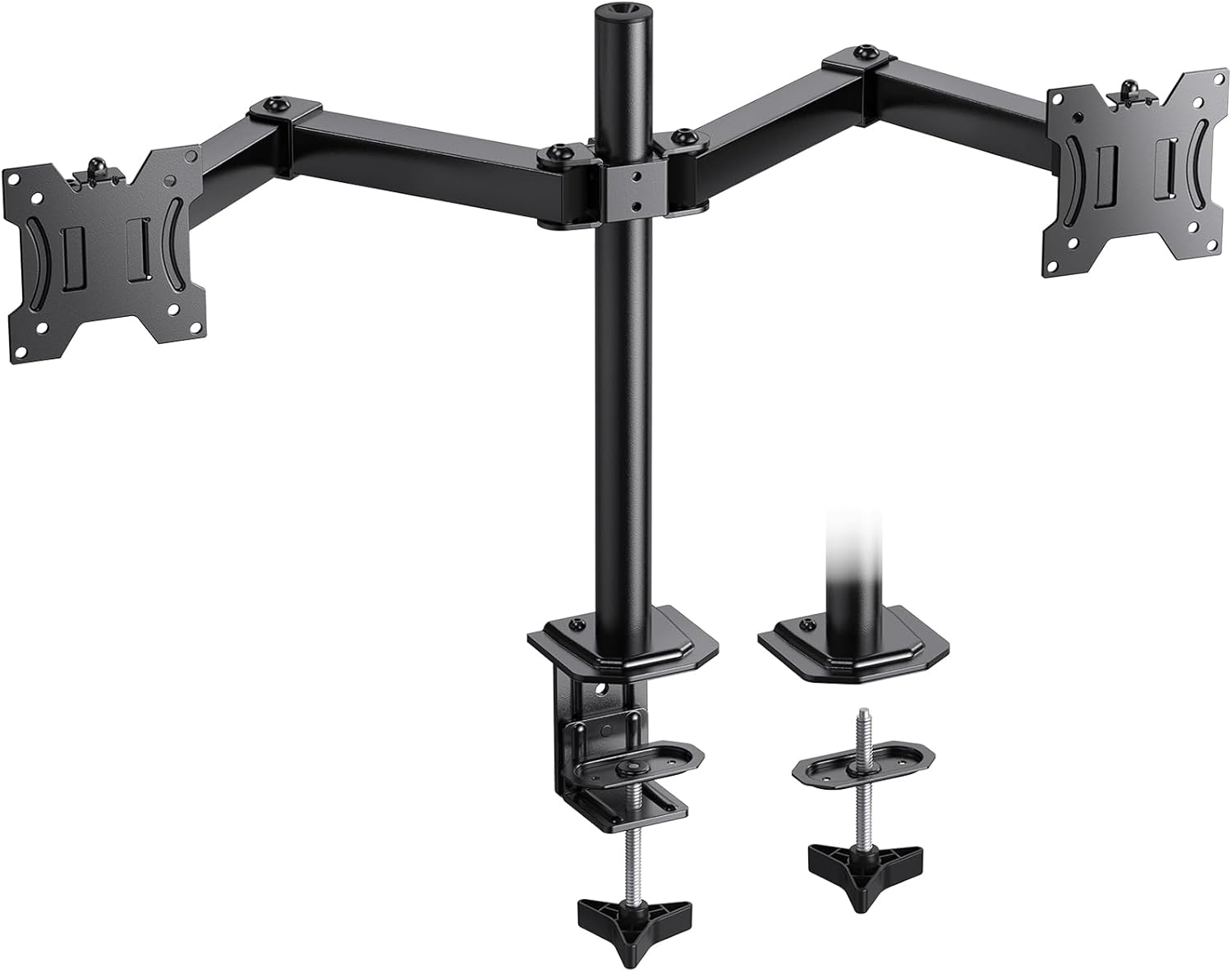
Figure 1: Overview of HUANUO HNCM7 Dual Monitor Mount components.
What's in the Box
Verify that all components are present before beginning assembly:
- Main Pole with Base
- Dual Articulating Arms (2 sections per arm)
- VESA Mounting Plates (2)
- C-Clamp Assembly
- Grommet Mount Components
- Various Screws (M4x12, M4x30, M5x12, M5x30, M6x12, M6x30) and Washers for VESA attachment
- Allen Wrenches (2 sizes)
- Cable Management Clips
- Desk Protection Pad
- Instruction Manual
Specifications
| Feature | Detail |
|---|---|
| Model Number | HNCM7 |
| Monitor Size Compatibility | 13" to 30" (per arm) |
| Weight Capacity | Up to 22 lbs (10 kg) per arm |
| VESA Compatibility | 75x75mm, 100x100mm |
| Height Adjustment | 16.73 inches |
| Tilt Angle | ±45 degrees |
| Swivel Angle | ±90 degrees |
| Rotation | 360 degrees |
| Mounting Options | C-Clamp, Grommet Mount |
| C-Clamp Desktop Thickness | 0.4" - 3" |
| Grommet Mount Desktop Thickness | 0.4" - 2.2" |
| Material | Alloy Steel |
| Color | Black |
Setup Instructions
Follow these steps to correctly assemble and install your HUANUO HNCM7 Dual Monitor Mount.
Step 1: Choose Your Mounting Method
The mount supports two installation methods: C-Clamp or Grommet Mount. Select the method suitable for your desk.
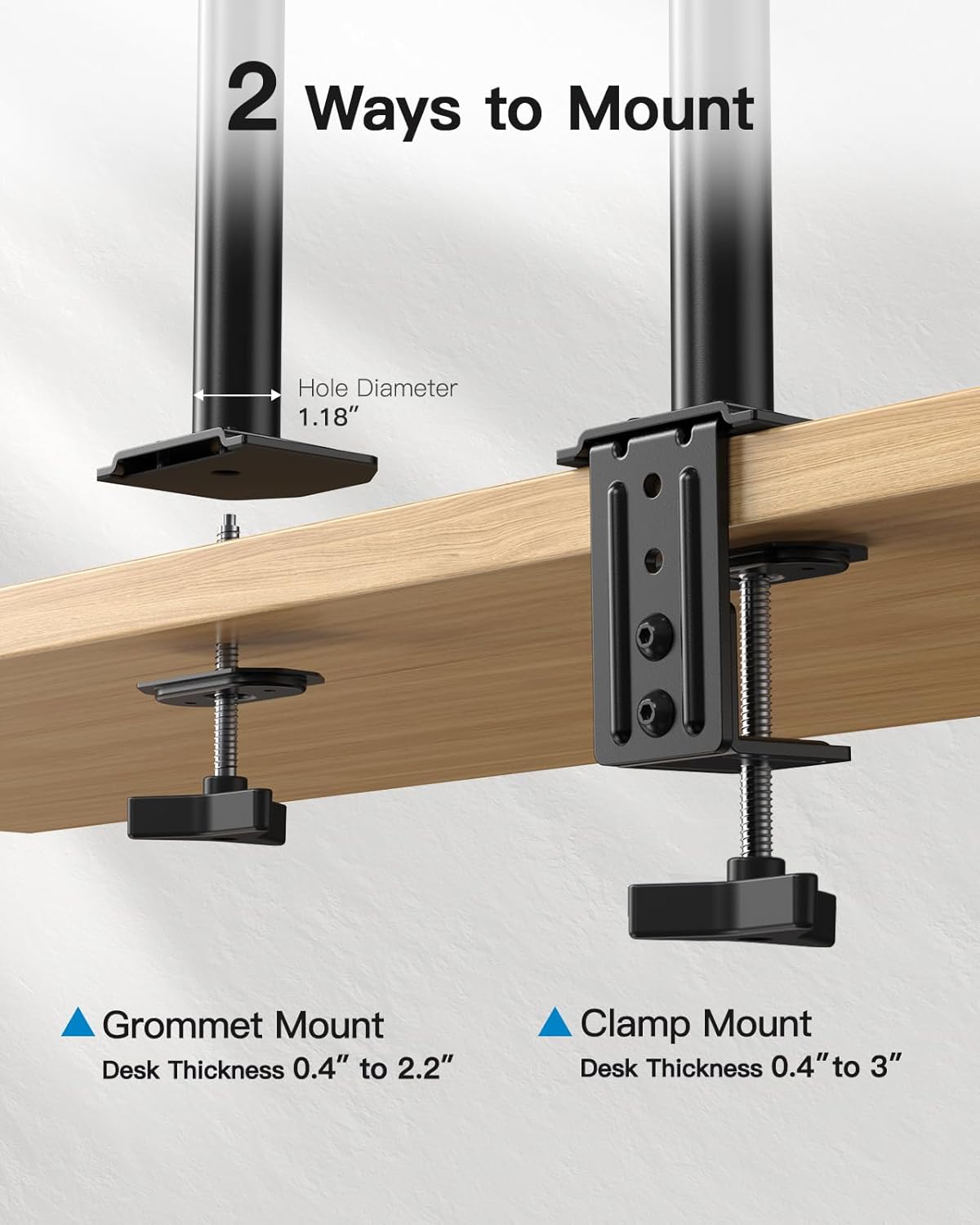
Figure 2: Illustration of C-Clamp and Grommet mounting options.
C-Clamp Installation:
- Attach the C-clamp assembly to the bottom of the main pole.
- Place the desk protection pad on the top surface of your desk where the clamp will be positioned.
- Secure the mount to the edge of your desk by tightening the C-clamp screw until it is firm and stable. Ensure your desktop thickness is between 0.4" and 3".
Grommet Mount Installation:
- If your desk has a grommet hole (diameter 1.18" or larger), insert the grommet mount components through the hole.
- Attach the main pole to the grommet mount.
- Secure the mount from underneath the desk by tightening the screw. Ensure your desktop thickness is between 0.4" and 2.2".
Step 2: Assemble the Articulating Arms
- Slide the articulating arm assembly onto the main pole.
- Adjust the height of the arms on the pole to your desired position.
- Tighten the set screw on the arm collar using the provided Allen wrench to secure the arms in place.
Step 3: Attach VESA Plates to Monitors
- Carefully place your monitor face down on a soft, clean surface.
- Align the VESA mounting plate with the mounting holes on the back of your monitor (75x75mm or 100x100mm).
- Use the appropriate screws (A-D packets) and washers to secure the VESA plate to the monitor. Do not overtighten.
Step 4: Mount Monitors to Arms
- With the VESA plate attached to your monitor, carefully slide the monitor onto the end of the articulating arm.
- Ensure the monitor is securely seated on the arm. Tighten any locking screws on the VESA head to prevent accidental detachment.
Video 1: Detailed unboxing and assembly guide for the HUANUO Dual Monitor Stand (Model HNCM7).
Step 5: Cable Management
Utilize the integrated cable clips along the articulating arms to route and organize your monitor cables. This helps maintain a tidy workspace and prevents cable clutter.

Figure 3: Integrated cable management system for a neat setup.
Operating Instructions
The HUANUO HNCM7 mount offers extensive adjustability to achieve optimal viewing comfort.

Figure 4: Demonstrating the tilt, swivel, and rotation capabilities of the monitor mount.
Height Adjustment:
To adjust the height of the monitors, loosen the set screw on the arm collar on the main pole. Slide the arms up or down to the desired height (up to 16.73 inches), then re-tighten the screw firmly.
Tilt, Swivel, and Rotation:
- Tilt: The monitor can be tilted ±45 degrees up or down. Loosen the tilt bolt on the VESA plate, adjust the angle, and then re-tighten.
- Swivel: The articulating arms allow for ±90 degrees swivel at various joints, enabling you to position monitors side-to-side or forward/backward.
- Rotation: Each monitor can be rotated 360 degrees, allowing for landscape or portrait orientation.
Adjust the tightness of the joints using the provided Allen wrenches to achieve the desired resistance for movement. This prevents monitors from sagging or moving too freely.
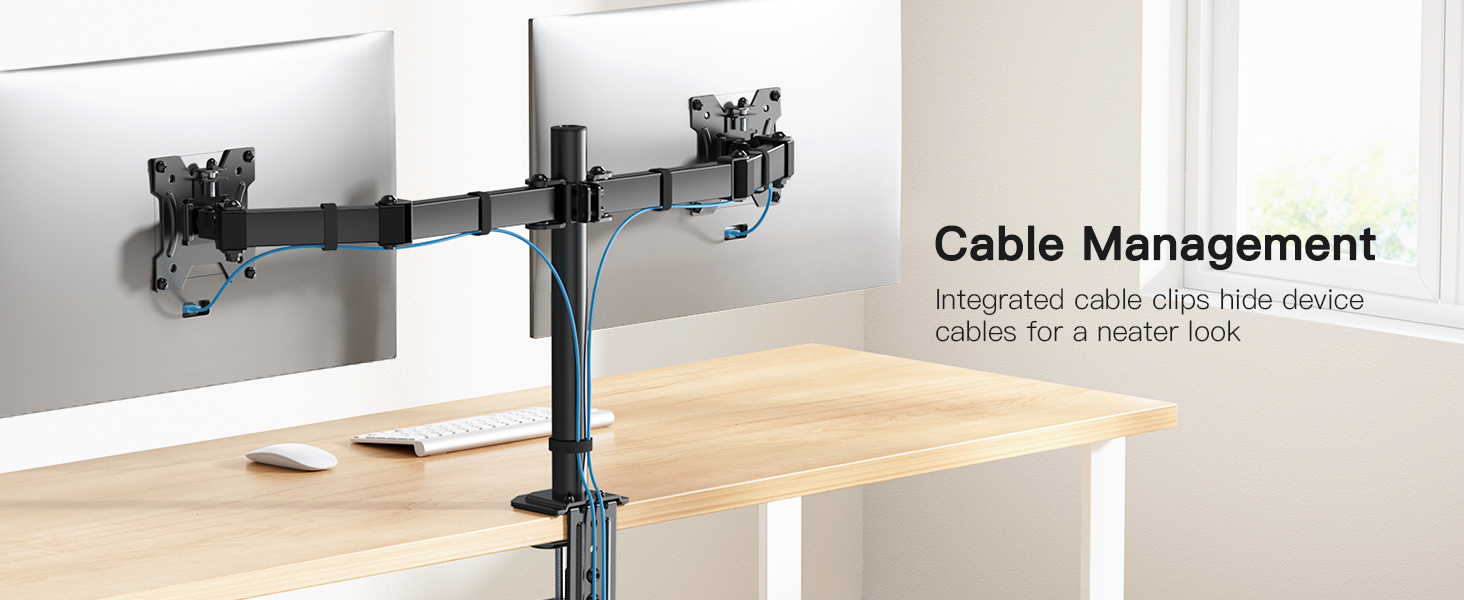
Figure 5: Achieving ergonomic viewing comfort with adjustable monitor positioning.
Maintenance
Regular maintenance ensures the longevity and optimal performance of your monitor mount.
- Cleaning: Wipe the mount with a soft, damp cloth. Avoid abrasive cleaners or solvents that could damage the finish.
- Check Tightness: Periodically check all screws and bolts, especially those securing the mount to the desk and the monitors to the VESA plates. Re-tighten as necessary to maintain stability.
- Lubrication: If any joints become stiff over time, a small amount of silicone-based lubricant can be applied to the moving parts.
Troubleshooting
Here are solutions to common issues you might encounter:
- Monitors are not stable/sagging: Ensure all bolts and screws, particularly those on the arm joints and VESA plates, are tightened securely. Adjust the tension of the articulating arms if they are too loose.
- Difficulty adjusting monitor position: Loosen the relevant bolts or screws at the joints slightly to allow for easier movement. Re-tighten once the desired position is achieved.
- Mount feels wobbly on the desk: Double-check that the C-clamp or grommet mount is fully tightened to the desk. Ensure the desk surface is sturdy enough to support the weight of the mount and monitors.
- Missing parts: If any parts are missing upon unboxing, contact HUANUO customer support immediately.
Warranty and Support
For warranty information or technical support, please refer to the contact details provided in the original product packaging or visit the official HUANUO website. Keep your purchase receipt for warranty claims.
Contact Information:
- Email: support@huanuo.com
- Telephone: 1-800-556-0533 (Mon-Fri 10am - 6pm PST/PDT USA)


