
1. Introduction
Thank you for purchasing the Casio MRW-200HJ series watch. This manual provides essential information for the proper setup, operation, and maintenance of your watch. Please read this manual carefully to ensure optimal performance and longevity of your timepiece.
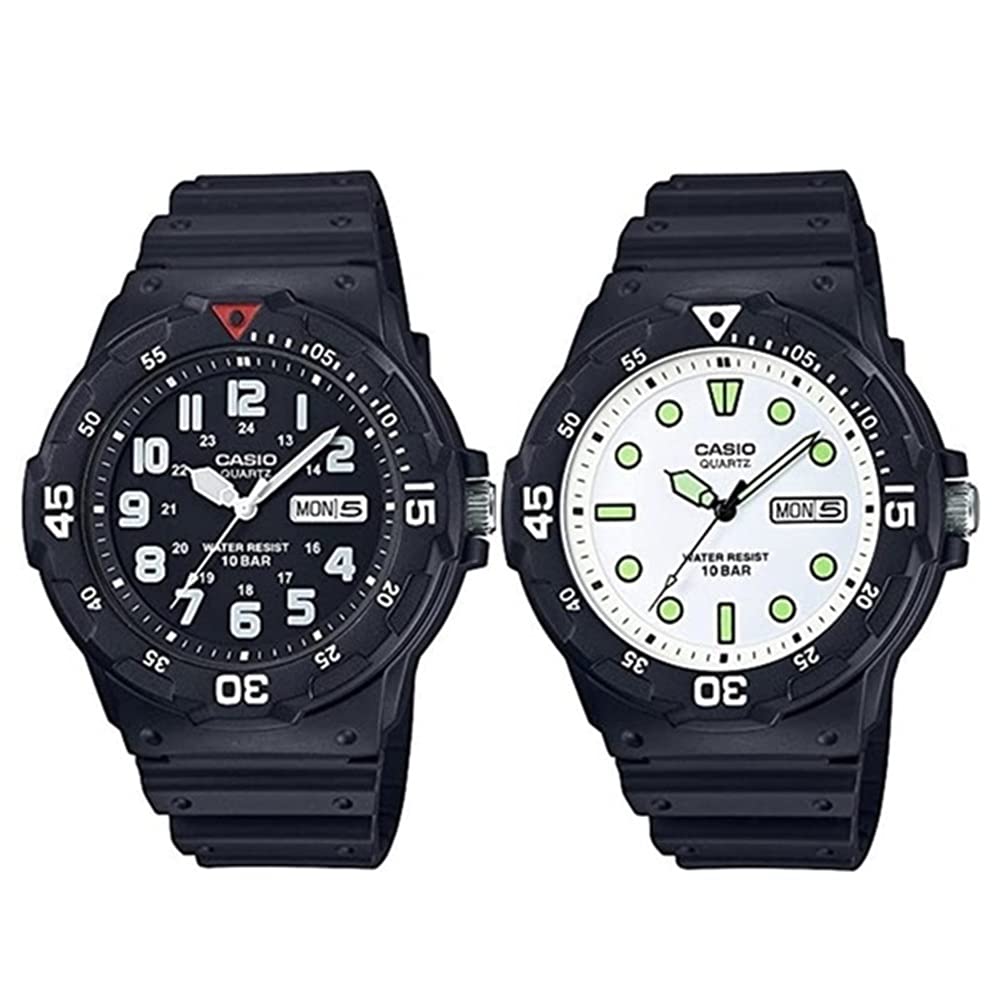
Image: Casio MRW-200HJ series watches. This image displays two watches, one with a black dial and the other with a white dial, both featuring a rotating bezel, date, and day display. The watches are designed for durability and water resistance.
2. Key Features
- Movement: Quartz (battery operated)
- Functions: Rotating bezel, date display, day display (switchable between Japanese and English).
- Water Resistance: 10 ATM (100 meters), suitable for water work, swimming, and skin diving.
- Dimensions: Watch Width: Approximately 44.6 mm.
- Band Circumference: Minimum 13 cm - Maximum 20 cm.
- Battery Life: Approximately 3 years.
3. Setup and Initial Settings
3.1 Setting the Time
- Pull the crown out to the second click position.
- Rotate the crown to set the hour and minute hands. Ensure the AM/PM is correctly set if your watch has a 24-hour indicator or if setting the date.
- Push the crown back in to the normal position to start the timekeeping.
3.2 Setting the Date and Day
- Pull the crown out to the first click position.
- Rotate the crown clockwise to set the date.
- Rotate the crown counter-clockwise to set the day of the week. The day display can be switched between Japanese and English.
- Once the date and day are set, push the crown back in to the normal position.
- Note: Avoid setting the date between 9:00 PM and 1:00 AM, as this may interfere with the automatic date change mechanism.
4. Operating the Watch
4.1 Using the Rotating Bezel
The rotating bezel can be used to measure elapsed time. Rotate the bezel to align the desired mark with the minute hand. As time passes, the minute hand will indicate the elapsed time on the bezel scale.
5. Maintenance and Care
- Water Resistance: Your watch is 10 ATM water resistant. This means it is suitable for everyday use, swimming, and skin diving. Do not operate the crown or pushers while the watch is wet or submerged. Avoid exposing the watch to hot water or steam, as this can compromise the seals.
- Cleaning: Wipe the watch case and band with a soft, dry cloth regularly to remove dirt and moisture. For resin bands, you can use a mild soap solution and rinse thoroughly, then dry completely.
- Temperature: Avoid exposing your watch to extreme temperatures, both hot and cold, for extended periods.
- Chemicals: Keep the watch away from solvents, detergents, perfumes, and cosmetics, as these can damage the case, band, or seals.
- Battery Replacement: The battery life is approximately 3 years. When the battery runs low, have it replaced by an authorized Casio service center to ensure proper sealing and water resistance.
6. Troubleshooting
- Watch not running: Check if the crown is pushed in completely. If the watch still does not run, the battery may need replacement.
- Incorrect time/date: Refer to Section 3.1 and 3.2 to reset the time, date, and day.
- Condensation inside the watch: This may indicate a loss of water resistance. Have the watch inspected by an authorized service center immediately.
7. Specifications
| Feature | Description |
|---|---|
| Brand | CASIO |
| Product Model Numbers | MRW-200HJ-1BJF, MRW-200HJ-7EJF |
| Movement | Quartz (Battery Operated) |
| Functions | Rotating Bezel, Date Display, Day Display (Japanese/English) |
| Water Resistance | 10 ATM (100 meters) |
| Watch Width | Approx. 44.6 mm |
| Band Circumference | Min 13 cm - Max 20 cm |
| Battery Life | Approx. 3 years |
| Manufacturer | CASIO |
| Date First Available | June 23, 2023 |
8. Warranty and Support
This Casio watch comes with a warranty. Please refer to the warranty card included with your purchase for specific terms and conditions. The warranty covers manufacturing defects. For service or support, please contact an authorized Casio service center in your region. This model is covered by a Japan Warranty/Overseas model warranty.
For further assistance, please visit the official Casio website or contact their customer support.


