
1. Introduction
Thank you for choosing the Awei Y800 Bluetooth Speaker. This manual provides essential information for setting up, operating, and maintaining your new portable speaker. Please read this manual carefully before use to ensure optimal performance and longevity of your device. Keep this manual for future reference.
2. Package Contents
Please check the package for the following items:
- Awei Y800 Bluetooth Speaker
- USB Charging Cable
- User Manual (this document)

Figure 2.1: Packaging of the Awei Y800 Bluetooth Speaker. The packaging highlights features such as multi-functionality, HiFi sound, TF card support, handsfree calling, and wireless transmission.
3. Product Overview
Familiarize yourself with the various parts and controls of your Awei Y800 Bluetooth Speaker.
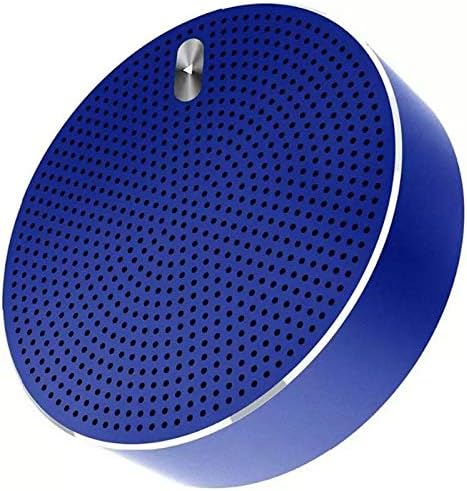
Figure 3.1: Front view of the Awei Y800 Bluetooth Speaker, showcasing its circular design and speaker grille.
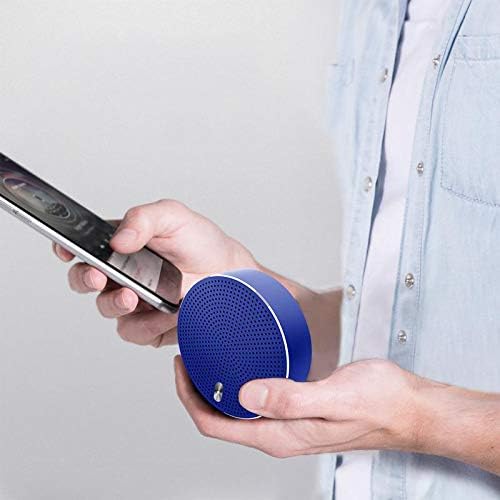
Figure 3.2: Bottom view of the Awei Y800 Bluetooth Speaker. This view displays the power switch, volume/track control buttons, mode button, and various ports.
Controls and Ports:
- Power Switch: Used to turn the speaker ON or OFF.
- Previous Track / Volume Down Button (<): Short press for previous track, long press to decrease volume.
- Mode / Play/Pause / Call Button (M): Short press to switch modes (Bluetooth, TF Card), short press to play/pause music, short press to answer/end calls. Long press to reject calls.
- Next Track / Volume Up Button (>): Short press for next track, long press to increase volume.
- Charging Port: Micro USB port for charging the speaker.
- TF Card Slot: Insert a MicroSD (TF) card for direct music playback.
- LED Indicator: Displays charging status and Bluetooth connection status.
4. Setup
4.1 Charging the Speaker
Before first use, fully charge the speaker. Use the provided USB charging cable to connect the speaker's charging port to a USB power source (e.g., computer USB port, USB wall adapter).
- The LED indicator will illuminate during charging.
- The LED indicator will change or turn off once charging is complete.

Figure 4.1: The Awei Y800 Bluetooth Speaker connected to its USB charging cable.
4.2 Powering On/Off
- To power ON: Slide the Power Switch to the "ON" position. You will hear an audible prompt, and the LED indicator will flash.
- To power OFF: Slide the Power Switch to the "OFF" position. You will hear an audible prompt, and the LED indicator will turn off.
4.3 Bluetooth Pairing
To connect your speaker to a Bluetooth-enabled device (e.g., smartphone, tablet, laptop):
- Ensure the speaker is powered ON and in Bluetooth pairing mode (the LED indicator will be flashing rapidly).
- Enable Bluetooth on your device and search for available devices.
- Select "Awei Y800" from the list of found devices.
- Once successfully paired, you will hear a confirmation sound, and the LED indicator will stop flashing and remain solid blue.
- The speaker will automatically reconnect to the last paired device when powered on, if the device's Bluetooth is active and within range.
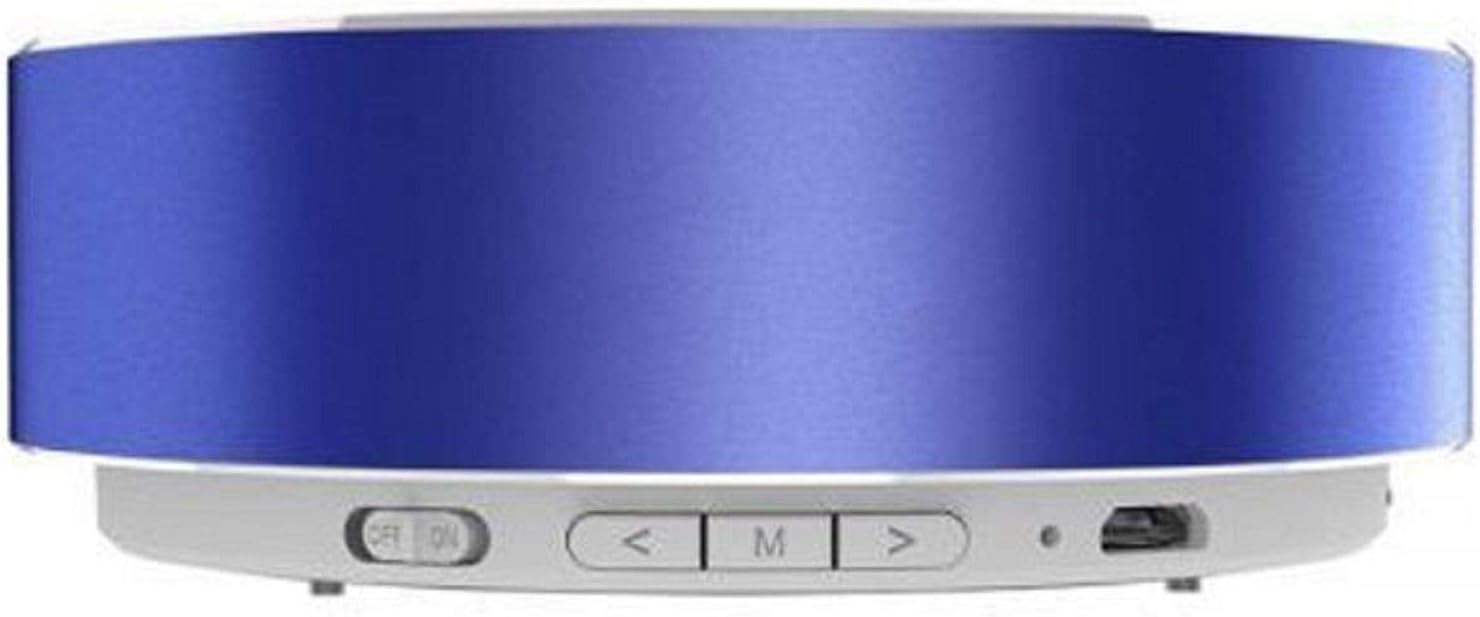
Figure 4.2: A user holding the Awei Y800 Bluetooth Speaker alongside a smartphone, illustrating its portable nature and readiness for Bluetooth connection.
5. Operating Instructions
5.1 Music Playback (Bluetooth Mode)
- Play/Pause: Short press the M button.
- Next Track: Short press the > button.
- Previous Track: Short press the < button.
- Volume Up: Long press the > button.
- Volume Down: Long press the < button.
5.2 TF Card Playback
Insert a MicroSD (TF) card with MP3 audio files into the TF Card Slot. The speaker will automatically switch to TF Card mode and begin playback. If it does not, short press the M button to cycle through modes until TF Card mode is activated.
- Playback controls (Play/Pause, Next/Previous Track, Volume Up/Down) are the same as in Bluetooth mode.
5.3 Hands-Free Calling
When connected to your smartphone via Bluetooth, the speaker can be used for hands-free calls.
- Answer/End Call: Short press the M button when a call comes in or during a call.
- Reject Call: Long press the M button when a call comes in.
6. Maintenance
To ensure the longevity and optimal performance of your Awei Y800 Bluetooth Speaker, follow these maintenance guidelines:
- Cleaning: Use a soft, dry cloth to wipe the speaker's surface. Do not use abrasive cleaners, alcohol, or chemical solvents, as these may damage the finish.
- Storage: Store the speaker in a cool, dry place away from direct sunlight, extreme temperatures, and high humidity.
- Water Exposure: This speaker is not waterproof. Avoid exposing it to water or other liquids.
- Charging: Charge the speaker regularly, even if not in use, to maintain battery health. Avoid overcharging for extended periods.
7. Troubleshooting
If you encounter any issues with your speaker, please refer to the following common problems and solutions:
| Problem | Possible Cause | Solution |
|---|---|---|
| Speaker does not power on. | Low battery or no charge. | Charge the speaker fully using the provided USB cable. |
| Cannot pair with Bluetooth device. | Speaker not in pairing mode; Bluetooth disabled on device; device too far. | Ensure speaker is ON and LED is flashing rapidly. Enable Bluetooth on your device. Move device closer to speaker (within 10 meters). |
| No sound or low volume. | Volume too low on speaker or device; speaker not connected; incorrect mode. | Increase volume on both speaker and connected device. Ensure speaker is successfully paired. Check if speaker is in the correct mode (Bluetooth/TF Card). |
| Sound distortion. | Volume too high; device too far; interference. | Reduce volume. Move device closer to speaker. Avoid obstacles or other wireless devices causing interference. |
| TF card not playing. | Card not inserted correctly; unsupported file format; speaker not in TF card mode. | Reinsert TF card. Ensure audio files are in MP3 format. Short press the M button to switch to TF card mode. |
8. Specifications
Technical specifications for the Awei Y800 Bluetooth Speaker:
| Model Number | Y800 |
| Brand | Awei |
| Connectivity Technology | Bluetooth, Wireless |
| Speaker Type | Portable Bluetooth Speaker |
| Nominal Output Power | Less than 5 Watt (5 Watts max) |
| Compatible Devices | Laptop, Smartphone, Tablet |
| Port Type | Multi (USB for charging, TF Card slot) |
| Product Dimensions | Approx. 90 x 90 x 30 mm (Note: Original data of 90x90x30 cm appears to be a unit error for a portable speaker) |
| Item Weight | Approx. 260 grams (Note: Original data of 260 Kilograms appears to be a unit error for a portable speaker) |
| Color | Blue |
| Special Features | Bluetooth, Wireless, TF Card Playback, Hands-free Calling |
9. Warranty and Support
Awei products are manufactured to the highest quality standards. For warranty information and customer support, please refer to the warranty card included with your purchase or visit the official Awei website.
For additional support or to learn more about Awei products, you may also visit the official Awei WeChat page:


